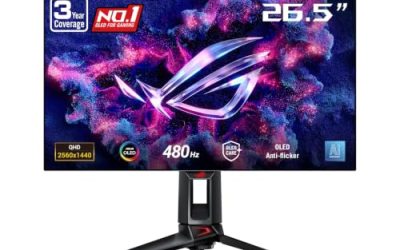
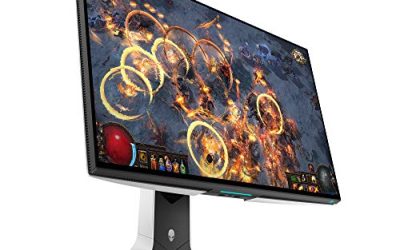
In the LG 27GN800 vs MSI MAG342CQRV matchup, the LG is the better pick for fast, competitive play: it is a flat 27-inch QHD IPS monitor running up to 144Hz with a DisplayPort 1.4 input. The MSI is a 34-inch curved ultrawide VA monitor capped at 100Hz, and it is the better pick for immersive single-player games and wide workspaces.
Our Top Picks

Top 3 picks at a glance
Verdict First
These two monitors are not close rivals so much as two different answers to a QHD-class budget. Both run at a vertical resolution of 1440 pixels, but the LG uses a 16:9 shape with 2560 x 1440 pixels, while the MSI is 21:9 with 3440 x 1440 pixels. That single difference shapes everything else: the GPU load, the desk space, the genres each screen suits and the refresh rate you can reach.
- Choose the LG 27GN800 if you play shooters, battle royale or competitive games, want 144Hz, or need a screen that is sharp at a normal desk distance.
- Choose the MSI MAG342CQRV if you want a wide, curved, cinematic view for racing, open-world or story games and productivity, and a 100Hz refresh rate is enough for you.
- Skip both if you need HDMI 2.1, a USB hub or a high-brightness HDR experience. Neither monitor offers those features.
Specs Side by Side
Specifications below come from maker and independent review pages (see Sources). Where a detail was not confirmed, we write “not listed” instead of guessing, and we recommend checking the maker’s page for your exact variant.
| Spec | LG 27GN800-B | MSI Optix MAG342CQRV |
|---|---|---|
| Size and shape | 27-inch, flat | 34-inch, curved 1500R |
| Resolution | 2560 x 1440 (QHD) | 3440 x 1440 (UWQHD, 21:9) |
| Panel type | IPS | VA |
| Refresh rate | Up to 144Hz | 100Hz |
| Response claim | 1ms (MBR strobing mode) | 1ms (MPRT) |
| Adaptive sync | G-Sync Compatible, FreeSync Premium | Adaptive-Sync (AMD FreeSync-style) |
| Brightness (typical) | 350 cd/m2 | 250 cd/m2 |
| Static contrast | 1000:1 | 3000:1 |
| Video inputs | DisplayPort 1.4, 2x HDMI 2.0 | DisplayPort 1.2, HDMI 2.0, HDMI 1.4 |
| HDR | HDR10 signal support (not a high-brightness HDR screen) | Not listed on the maker’s spec page |
| Other | Headphone out, tilt, height and pivot stand (check LG for your variant) | Mystic Light RGB, headphone out |
One detail worth catching: the MSI name looks similar to the MAG342CQR, which is a 144Hz model. The V version we compare here is listed by MSI at 100Hz. If you shop for this monitor, read the refresh rate on the page before you buy.
The Two Models
LG 27GN800-B UltraGear
As an Amazon Associate we earn from qualifying purchases at no extra cost to you.
The LG 27GN800-B Ultragear is a 27-inch QHD (2560×1440) IPS monitor with a 144Hz refresh rate, a 1ms figure, AMD FreeSync Premium, G-Sync Compatible support and HDR10 compatibility, according to the listing. It is a flat, no-frills esports-style screen.
For the MSI MAG342CQRV there is no matching listing in our store, so we do not show a product card for it. If you go for the MSI, check that the page states the V model and a 100Hz refresh rate.
Design and Desk Fit
LG 27GN800: compact and flexible
A 27-inch 16:9 screen is roughly 60 centimetres wide, so it fits almost any desk and leaves room for a second monitor. The stand tilts, adjusts in height and pivots on most LG variants, and the bezels are thin on three sides, which makes it a good candidate for a dual-monitor setup. The pivot is handy if you want to use it vertically for coding or documents.
MSI MAG342CQRV: wide and curved
A 34-inch ultrawide is roughly 80 centimetres wide. You need a deep desk and enough width, ideally around 120 centimetres or more, to place it comfortably. The 1500R curve wraps the image around your view, which makes a big screen feel more natural, and the RGB lighting is a plus if you like it and an annoyance if you do not. The stand is usually less adjustable than LG’s, so a VESA arm helps if you want a different height.
Image Quality: IPS Against VA
Colour and viewing angles
IPS panels hold their colour and brightness when you sit off to the side. That helps on the LG, particularly for shared viewing or if you move around your desk. The MSI’s VA panel can look washed out or shift in tone at wide angles, but the curve reduces that effect because the edges face you. Reviews report the MSI covers about 112% of sRGB and about 89% of DCI-P3, which is wide enough for gaming and general use.
Contrast and dark scenes
The MSI’s VA panel has a rated contrast ratio of about 3000:1 compared with the LG’s 1000:1. In a dark room, the MSI shows deeper blacks, which suits horror games, space games and films. The LG’s IPS panel can show a grey glow in dark scenes, and some units have a faint glow in the corners.
Brightness and HDR
The LG is brighter at a typical 350 cd/m2, compared with about 250 cd/m2 on the MSI. Neither monitor delivers real HDR. The LG accepts HDR10 signals, but it does not have local dimming or the peak brightness that makes HDR look different. Treat HDR on both as a bonus label, not a reason to buy.
Gaming Performance by Use
Fast shooters and esports
The LG wins. It supports up to 144Hz, G-Sync Compatible operation and a motion blur reduction mode, and IPS pixels change quickly enough for competitive play. A 27-inch screen is also easier to take in at a glance than a 34-inch ultrawide, because you do not need to move your eyes as far. The MSI’s 100Hz limit is still a clear upgrade from 60Hz, but it is a step below what a competitive player expects.
Racing, flight and open-world games
The MSI wins. A 21:9 image gives you a much wider field of view in games that support it, and the curved panel makes it feel immersive. Check that your favourite games support 3440 x 1440. Most modern titles do, but some older games stretch or add black bars. Cutscenes in some games are shown in 16:9 with black borders on each side.
Story and cinematic games
The MSI’s contrast and curve give a more atmospheric picture in dark games, while the LG’s IPS panel gives cleaner colour. Both are good; the choice depends on whether you value the wide view or colour consistency.
GPU load
A 3440 x 1440 image has about 4.95 million pixels, compared with about 3.69 million on 2560 x 1440. That means the ultrawide asks about a third more from your graphics card, so frame rates in the same game will be roughly a quarter lower on a similar setup. A mid-range card that holds 144 frames per second at 2560 x 1440 may not reach 100 at 3440 x 1440 in demanding titles. Since the MSI is capped at 100Hz, that gap matters less, but it is worth knowing.
Consoles
Neither monitor has HDMI 2.1, so consoles will not get 4K at 120Hz. Both support 1080p and 1440p modes over HDMI 2.0 at lower refresh rates on a console, depending on the console and the game. Ultrawide resolutions are not supported by consoles in the same way as on PC, so the LG is the safer choice for console use.
Work and Everyday Use
The MSI is an excellent productivity monitor if you work with spreadsheets, timelines or multiple windows: a 34-inch ultrawide can replace two smaller screens side by side. Text sharpness is about the same on both, because the pixel density is similar (around 109 to 110 pixels per inch). The LG offers a better colour consistency for photo work and a pivot stand for coding, but it gives you less width. Neither monitor has a USB hub or USB-C input as far as the maker pages list.
Who Should Buy and Who Should Skip
Buy the LG 27GN800 if
- You play competitive games and want up to 144Hz.
- You want a standard 27-inch screen that fits a small or shared desk.
- You use an NVIDIA or AMD graphics card and want adaptive sync from both.
- You want a tilt, height and pivot stand.
Skip the LG if
- You want a wider, more immersive view.
- You mostly play in a dark room and care about black levels.
- You need HDMI 2.1 or USB-C.
Buy the MSI MAG342CQRV if
- You want a large, curved ultrawide for single-player games and productivity.
- You value contrast over speed.
- You have a graphics card that can handle 3440 x 1440 at 60 to 100 frames per second.
Skip the MSI if
- You play fast shooters and need more than 100Hz.
- Your desk is small or shallow.
- You want DisplayPort 1.4 or HDMI 2.1; the MSI lists DisplayPort 1.2 and HDMI 2.0 and 1.4 only.
Which Graphics Card Class Suits Each Monitor?
The right monitor depends partly on what your PC can push. These are rough planning ranges, not benchmark results, because actual frame rates vary by game and settings.
| Graphics card class | LG 27GN800 (2560 x 1440) | MSI MAG342CQRV (3440 x 1440) |
|---|---|---|
| Entry (1080p-focused cards) | Usable with lower settings in demanding games; esports titles run well | Hard to feed; expect lower settings or upscaling |
| Mid-range | A good match: high settings at 100 to 144 frames per second in many games | Reasonable at 60 to 100 frames per second in most games |
| High-end | Reaches 144Hz in most titles, even demanding ones | Holds 100Hz in most titles with good settings |
The practical lesson: the LG makes better use of a mid-range card because the refresh rate ceiling is higher and the pixel count is lower. The MSI makes sense if you already own a capable card and want to spend that power on a wider image rather than more frames.
Ultrawide Support: What to Check Before You Commit
Ultrawide monitors are not supported equally in every game. Before you buy a 21:9 screen, check the titles you play most.
- Native support: many modern PC games let you pick 3440 x 1440 and widen the field of view. Racing, flight and strategy games often handle it well.
- Black bars: some games, and almost every video game cutscene made for 16:9, show black bars on each side. This is a cosmetic issue, not a fault.
- Competitive games: some online games limit the aspect ratio or crop the image to keep play fair. If you mostly play those, a 16:9 screen avoids the issue.
- Older games: may stretch the picture or need community fixes. Look up the game’s name together with “ultrawide” to see what players report.
- Streaming and video: most films have black bars on a 21:9 screen, although some are wider and fill it.
If you are unsure, a flat 27-inch screen like the LG has none of these concerns, and you can always add a second monitor later for extra space.
Comfort and Eye Strain
Large screens ask your eyes and neck to work differently. A 34-inch ultrawide sits closer to your peripheral vision, so keep your viewing distance around 70 to 90 centimetres and place the monitor’s centre at eye level. The curve helps keep the edges in focus, but you will turn your head slightly for side content. A 27-inch screen is easier to take in without head movement.
Both monitors list flicker-free and low blue light features on some pages; check the maker’s page for your variant. Lower the brightness in the evening, take regular breaks, and use the monitor’s own night mode or the Windows night light feature if the screen looks too cold.
Buying Checklist
- Read the full model name. The MAG342CQR and MAG342CQRV differ in refresh rate. LG’s 27GN800 also has related models with different features, so make sure the listing says 27GN800-B.
- Check your desk. Measure width and depth. An ultrawide needs more of both.
- Check your ports. Your graphics card needs a DisplayPort output for the best result on either monitor.
- Know your use. Competitive play favours the LG; immersion and productivity favour the MSI.
- Look at warranty and returns. Panel quirks like backlight bleed vary between units, so make sure you can return the monitor if it looks wrong.
Alternatives Worth Checking
LG 27GS75Q-B: newer 27-inch QHD IPS

The LG 27GS75Q-B is a 27-inch QHD (2560×1440) UltraGear IPS monitor listed at 180Hz (overclock to 200Hz) with a 1ms figure, NVIDIA G-SYNC Compatible support and AMD FreeSync. It is the natural step up if you like the 27GN800 but want a higher refresh rate.
msi MAG 342CQRF E20: newer MSI ultrawide
The msi MAG 342CQRF E20 is a 34-inch UWQHD (3440 x 1440) gaming monitor with a 200Hz refresh rate, AMD FreeSync Premium, HDR Ready, HDMI, a VGA port, and VESA mounting. It is a faster take on the same ultrawide idea if the 100Hz limit of the MAG342CQRV bothers you.
Sceptre 34-inch curved ultrawide WQHD
The Sceptre 34-inch curved ultrawide WQHD monitor (3440 x 1440) with R1500 curvature lists up to 180Hz (165Hz on one input), two DisplayPort inputs, 99% sRGB and a 1ms figure. It is a lower-tier alternative to the MSI with a higher refresh rate.
Gawfolk 34 inch ultrawide curved
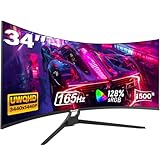
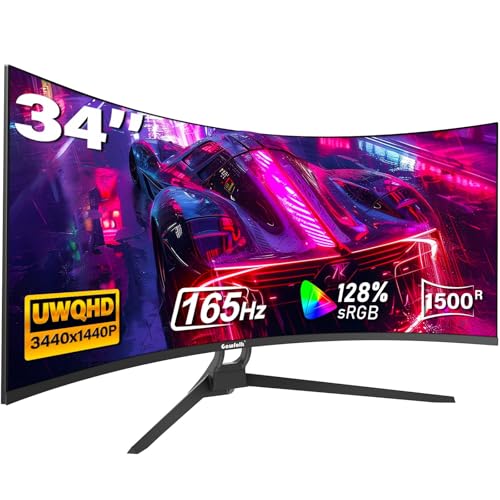
The Gawfolk 34″ Ultrawide Curved Gaming Monitor is a UWQHD 3440×1440, 165Hz, 1500R screen with PIP/PBP, a 1ms (MPRT) figure, 128% sRGB and HDMI and DisplayPort inputs. It suits you if you want a budget ultrawide with split-screen features.
Setup Tips for Either Monitor
- Use DisplayPort for the highest refresh rate on a PC. The LG’s DisplayPort 1.4 is the better connection, while the MSI’s DisplayPort 1.2 still handles 3440 x 1440 at 100Hz.
- Select the refresh rate in Windows Display settings; many monitors start at 60Hz.
- Turn on adaptive sync in the monitor menu and in the GPU control panel.
- On the LG, use the motion blur reduction mode only when your frame rate is stable. It normally lowers brightness and may not run alongside adaptive sync.
- On the MSI, switch off any Night Vision or contrast boost features if you want natural colour.
- Lower the brightness for evening use; factory defaults are usually high.
Quick Picks by Buyer Type
- Competitive player on a mid-range PC: LG 27GN800. Higher refresh rate, lower GPU load, quick IPS response.
- Single-player and racing fan with a strong GPU: MSI MAG342CQRV. Wide view, curve and deeper blacks.
- Remote worker who also games: MSI for the extra workspace, or the LG if you prefer two smaller screens side by side.
- Creator who needs consistent colour: LG, thanks to IPS viewing angles, though neither is a colour-critical professional display.
- Console player: LG, for easier 16:9 compatibility. Neither supports HDMI 2.1.
- Small desk or shared space: LG, for its narrower footprint and adjustable stand.
Age and Availability Note
Both monitors are from earlier product generations, and makers have since released newer models with higher refresh rates. That does not make them poor choices, since the specifications above still hold, but it does mean stock, versions and pricing tiers change. If a store lists a different revision, compare the refresh rate, ports and panel type against the table in this article before you buy. The alternatives section lists newer models in the same families for that reason.
FAQ
Is the LG 27GN800 better than the MSI MAG342CQRV?
It depends on use. The LG is better for competitive play thanks to 144Hz and IPS motion, while the MSI is better for immersion and contrast thanks to its curved 34-inch VA panel.
What refresh rate does the MSI MAG342CQRV have?
The MAG342CQRV is listed by MSI at 100Hz. The similarly named MAG342CQR is a 144Hz model, so check the model name before buying.
Is 144Hz or 100Hz noticeable?
Yes, especially in fast games. The gap between 100Hz and 144Hz is smaller than the jump from 60Hz, but players who track fast targets usually notice it.
Does the 27GN800 support G-Sync?
Yes, as G-Sync Compatible. It also supports AMD FreeSync Premium, so it works with NVIDIA and AMD graphics cards.
Is an ultrawide harder to run than a 27-inch QHD monitor?
Yes. 3440 x 1440 has about a third more pixels than 2560 x 1440, so your graphics card works harder and frame rates are usually lower in the same game.
Do these monitors support HDMI 2.1 for consoles?
No. The LG has HDMI 2.0 and the MSI has HDMI 2.0 and 1.4. Neither can output 4K at 120Hz from a console.
Final Recommendation
Pick the LG 27GN800 for speed, sharp motion and a compact footprint. Pick the MSI MAG342CQRV for width, curve and contrast, and accept the 100Hz limit. If neither fits, the newer LG 27GS75Q-B (faster flat screen) or the msi MAG 342CQRF E20 (faster ultrawide) fix the main weaknesses of each. Always confirm the exact model and refresh rate on the maker’s page before you buy.
Sources
- RTINGS.com LG 27GN800-B review
- MSI Optix MAG342CQRV and MAG342CQR specification pages
- Display Ninja LG 27GN800 review
- DisplaySpecifications LG 27GN800 entry
Last updated: November 2026
Related guides
More from Amazon
Programs that pair well with the guide above. Offers and eligibility are set by Amazon and may change.
Free shipping on eligible items, Prime Video and more. Eligible new members can start with a free trial.
Start a Prime free trialAd-free music streaming. Eligible new subscribers can start with a free trial.
Try Music Unlimited freeA Prime membership for ages 18-24 with a trial period. Eligibility is set by Amazon.
See Prime for Young AdultsAudiobooks and podcasts to listen to on the go. Eligible new members can start with a free trial.
Try Audible freeAs an Amazon Associate we earn from qualifying purchases.