The ASUS ROG Swift PG32UQ review verdict: it is a 32-inch 4K IPS gaming monitor with a 144Hz refresh rate, two HDMI 2.1 ports and DisplayPort 1.4 with Display Stream Compression, which makes it a strong single screen for a PC and a PS5 or Xbox Series X on the same desk. Its weak spot is HDR, because the backlight is edge-lit rather than mini-LED or OLED.
The PG32UQ has been on the market for a few years, and the published reviews of it are consistent. This guide pulls together the specifications from ASUS and the main editorial reviews, explains what each spec means in practice, and tells you who should buy it, who should skip it, and which other screens to compare. This is research-based: we did not use the monitor ourselves, and anything we could not confirm is marked “check the maker”.
Our Top Picks


Top 3 picks at a glance
Quick Verdict
- Best for: players who want a sharp 32-inch 4K screen with real HDMI 2.1 for console use and a high refresh rate on PC.
- Strong points: 4K at 144Hz, quantum-dot IPS color, two HDMI 2.1 inputs, DSC over DisplayPort, ELMB-Sync blur reduction, USB hub.
- Weak points: HDR is DisplayHDR 600 with edge-lit zones, so black levels look like a typical IPS panel; no OLED-style contrast; the stand and styling are large.
- Skip if: you play mostly in a dark room and want deep blacks, or you only need 1440p.
ASUS ROG Swift PG32UQ Specs at a Glance
| Spec | What ASUS and reviewers list |
|---|---|
| Screen size | 32 inches |
| Resolution | 3840 x 2160 (4K UHD) |
| Panel type | IPS with quantum-dot color |
| Refresh rate | 144Hz (some reviews note a small overclock above this) |
| Response time | 1ms as listed by ASUS |
| Color gamut | About 98% DCI-P3 as cited by reviewers |
| HDR | DisplayHDR 600 |
| Sync | G-SYNC Compatible, adaptive sync, ELMB-Sync |
| Video inputs | 1x DisplayPort 1.4 with DSC, 2x HDMI 2.1 |
| USB | USB 3.0 hub (one upstream, two downstream) |
| Audio | 3.5mm jack and built-in speakers |
Exact stand range, VESA pattern and brightness figures are on the ASUS product page; check the maker before you plan a monitor arm.
Is the ASUS ROG Swift PG32UQ Worth Buying?
It is worth buying if you want 32-inch 4K IPS with a high refresh rate and full HDMI 2.1 support, and you are comfortable with an edge-lit HDR experience. It stops being worth it if your priority is contrast, because OLED screens now offer much better blacks, and the 4K OLED models in the ROG range exist for exactly that reason.
The PG32UQ earned its reputation when 4K at 144Hz was still unusual. Today the same resolution and refresh rate are available on several screens, so the question is less “is it good” and more “does it still fit my needs”. For a player who splits time between a PC and a console, the two HDMI 2.1 ports are the main reason to keep it on the shortlist. For a player who only uses a PC, the DisplayPort connection with DSC does the same job, and the decision comes down to panel type and budget.
4K 144Hz: What You Need to Run It
To see 4K at 144Hz you need a graphics card that can render that many pixels and a cable that can carry them. The PG32UQ handles the second half through DisplayPort 1.4 with Display Stream Compression, or through HDMI 2.1.
What does DSC do?
Display Stream Compression squeezes the video signal so a single DisplayPort 1.4 cable can carry 4K at 144Hz. It is designed to be visually lossless and requires a graphics card that supports it; most recent cards from the main vendors do.
Can a PS5 or Xbox Series X use the HDMI 2.1 ports?
Yes, the monitor lists two HDMI 2.1 inputs, which is what 4K at 120Hz from a current console requires. Use an Ultra High Speed HDMI cable and enable 120Hz output in the console settings. Only games that offer a 120 frames per second mode will use it.
Which graphics card do I need?
For competitive shooters at 4K you need a high-end card, or you lower settings or use upscaling. For slower games, a mid-to-high card at 4K and 60 to 100 frames per second is playable, and the adaptive sync support smooths the gaps between frames.
Image Quality: Color, Brightness and Motion
Color
The quantum-dot layer widens the color range to about 98% DCI-P3 in reviewer measurements, which is wide for an IPS panel. Games with vivid art direction look rich, and the monitor suits general creative work such as photo editing, though a hardware calibrator is the safe path for color-critical jobs.
Brightness and HDR
Reviews cite roughly 450 nits for SDR and 600 nits for HDR peaks. The HDR badge is DisplayHDR 600, which is a step above entry-level HDR but well below DisplayHDR 1000 and mini-LED screens. The backlight uses edge-lit dimming zones, so dark scenes keep a typical IPS glow. HDR helps in bright outdoor scenes and highlights, but it is not dramatic.
Motion
The panel is listed at 1ms and 144Hz. ELMB-Sync is ASUS’s blur-reduction mode that works together with variable refresh rate. Blur-reduction modes usually lower brightness slightly and are a matter of taste, so try both settings in the games you play most.
Viewing angles
As an IPS panel, color and brightness hold up well from the side. That matters on a 32-inch screen, where the edges are at a visible angle even when you sit centered.
Performance by Use
Single-player and open-world games
This is where a 32-inch 4K screen shines. Fine detail, foliage and distant objects look sharper than on 1440p, and the quantum-dot color helps stylized games. A frame rate of 60 to 100 is comfortable with adaptive sync active.
Competitive shooters
144Hz at 4K is demanding. Most competitive players drop resolution or choose a 1440p monitor with a higher refresh rate. The PG32UQ can still be used this way, since it accepts lower resolutions, but you lose the sharpness advantage.
Console gaming
With two HDMI 2.1 ports, the screen accepts a PS5 and an Xbox Series X at once. The adaptive sync support depends on the console and the game, so check the console’s display settings.
Work and creative use
4K at 32 inches gives a large, crisp desktop. Text is sharp at 125% or 150% scaling, and the wide color range helps with photo and video work.
Design and Ergonomics
ROG Swift monitors lean toward a gamer look with a bold stand and lighting effects. At 32 inches the footprint is large, so measure your desk depth. Reviews describe a height-adjustable stand; check the maker for tilt, swivel and pivot support, and for the VESA mount pattern if you prefer a monitor arm. A built-in USB hub means you can plug a keyboard and mouse into the monitor and keep cables tidy.
Who Should Buy It
- Console plus PC players: two HDMI 2.1 ports and DisplayPort cover both without swapping cables.
- Single-player and open-world fans: 32 inches of 4K gives plenty of detail and a cinematic image.
- Mixed use: work and play on one screen with a large 4K desktop.
A good rule of thumb: if you already own, or plan to buy, a graphics card strong enough to hold 80 frames per second or more at 4K in the games you love, the PG32UQ lets you use that power. If your card struggles at 4K, a 1440p monitor will give smoother play for less money, and you can move up later.
Who Should Skip It
- Dark-room HDR fans: choose OLED instead.
- Competitive esports players: a 1440p panel with a higher refresh rate is easier to drive.
- Small desks: 32 inches is big; check your viewing distance first.
ASUS ROG Swift PG32UQ Alternatives
The PG32UQ itself does not appear in our store listings, so these cards are the nearest alternatives in the ROG range and beyond.
ASUS ROG Swift PG32UQX: Mini-LED Step Up
As an Amazon Associate we earn from qualifying purchases at no extra cost to you.

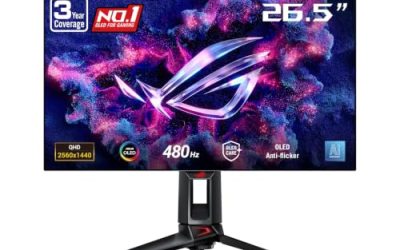
The PG32UQX is the mini-LED sibling in the same ROG Swift family. The listing describes a 32-inch 4K IPS panel at 144Hz with DSC, G-SYNC Ultimate, local dimming, quantum-dot technology and DisplayHDR 1400. It is the choice for someone who likes the PG32UQ’s size and resolution but wants far stronger HDR. Check the maker for port details, because the feature set differs from the PG32UQ.
ASUS ROG PG32UCDM: 4K QD-OLED

The ROG PG32UCDM is a 32-inch 4K 240Hz QD-OLED. The listing mentions 0.03ms response, G-SYNC Compatible, USB-C with 90W power delivery, true 10-bit color, a graphene film and 99% DCI-P3. If your main complaint about IPS is black levels, this is the type of screen that fixes it. OLED care, such as avoiding static images for long periods, applies.
LG 32GX850A-B: Dual-Mode OLED

The LG UltraGear 32GX850A-B is a 32-inch 4K OLED with a glossy finish. The listing describes dual-mode 165Hz at 4K or 330Hz at a lower resolution, 0.03ms response and G-SYNC support. It suits players who want OLED motion clarity and a switchable high-refresh mode.
PG32UQ vs the Alternatives at a Glance
| Model | Panel | Refresh | Strength | Trade-off |
|---|---|---|---|---|
| ROG Swift PG32UQ | 32″ 4K IPS, edge-lit | 144Hz | Two HDMI 2.1 ports, color | Average blacks |
| ROG Swift PG32UQX | 32″ 4K mini-LED IPS | 144Hz | Strong HDR | Different port set; check the maker |
| ROG PG32UCDM | 32″ 4K QD-OLED | 240Hz | Deep blacks, fast motion | OLED care habits |
| LG 32GX850A-B | 32″ 4K OLED | 165Hz or 330Hz dual mode | Switchable mode | Glossy screen shows reflections |
Setup Tips
- Use the DisplayPort cable from the box for PC use, and enable DSC in the monitor menu if it is offered.
- Set the refresh rate to the highest value in your operating system’s display settings; it often defaults lower.
- Turn on G-SYNC Compatible mode in your graphics driver if you have a supported card.
- For consoles, connect to an HDMI 2.1 port and enable 120Hz in the console menu.
- Try HDR on and off per game; edge-lit HDR can look washed out in some titles.
- Give the stand room: 32-inch screens need depth for comfortable viewing.
- Scale Windows to 125% or 150% so text stays readable at 4K.
IPS vs OLED: The Real Decision for a 32-Inch 4K Screen
The biggest question around the PG32UQ today is not about its features but about its panel type. IPS and OLED make different trade-offs, and the right choice depends on the room you play in and the content you play.
| Factor | IPS (PG32UQ) | OLED (4K models in the ROG range) |
|---|---|---|
| Black level | Backlight glow in dark scenes | Pixels switch off, so blacks look near-perfect |
| Bright full-screen scenes | Consistently bright | Brightness may dim in large bright areas |
| Static elements | No burn-in concern | Needs care such as screen savers and varied content |
| Text clarity | Standard RGB layout, sharp text | Can show slight fringing on some subpixel layouts |
| Motion | 1ms listed, ELMB-Sync available | Very fast pixel response |
| Port set | 2x HDMI 2.1 and DisplayPort 1.4 with DSC | Varies by model; check the maker |
If you read, work and browse a lot on the same screen, an IPS panel is the lower-maintenance option. If your time goes mostly to cinematic games and dark-room sessions, OLED gives a visible improvement.
Buying Checklist for the PG32UQ
- Confirm the model code. The PG32UQ and PG32UQX look similar in a listing but are different monitors with different backlights and port sets.
- Check your graphics card. You need DSC support for 4K at 144Hz over DisplayPort, or an HDMI 2.1 output.
- Measure the desk. A 32-inch screen needs about a meter of width and enough depth for a comfortable viewing distance.
- Decide on a stand or an arm. If you plan to use an arm, check the VESA pattern with the maker.
- Look at the warranty and return terms of the seller, since panel uniformity can vary between units of any monitor.
- Compare current listings. Prices vary and older models sometimes appear at different tiers than newer OLED screens.
Common Issues and Fixes
The monitor only shows 60Hz
Open your display settings and choose the highest refresh rate. If 144Hz is missing, try the supplied DisplayPort cable, update your graphics driver, and confirm DSC is on in the monitor menu.
HDR looks dim or washed out
Edge-lit HDR is limited. Try adjusting the in-game HDR peak brightness, use the Windows HDR calibration tool, and compare with HDR switched off.
The console will not output 4K 120Hz
Use an Ultra High Speed HDMI cable, connect to an HDMI 2.1 port, and enable 120Hz in the console’s video settings. Some games only offer 120 frames per second at a reduced resolution.
Text looks too small
Raise the scaling in the operating system to 125% or 150%. At 32 inches and 4K, those values keep the desktop large without making text tiny.
Is It Still a Good Pick Next to Newer Monitors?
The PG32UQ has aged gracefully because 4K IPS with HDMI 2.1 is still a sensible combination. The newer 4K OLED screens change the equation for HDR and contrast, and mini-LED screens do the same for brightness. If your budget is modest and your room is bright, the PG32UQ remains a practical choice. If you are paying at the upper tiers, compare it with an OLED and a mini-LED option so you are not paying for features you will not notice.
Another factor is longevity. A monitor is usually kept for several years, so consider whether you plan to upgrade your graphics card. The PG32UQ will happily use a faster card later, because 4K at 144Hz is the ceiling and the screen already supports it.
Features Worth Using Day to Day
USB hub and cable management
The monitor lists a USB 3.0 hub with one upstream and two downstream ports. Connect the upstream cable to your PC and you can plug a keyboard, mouse or headset dongle into the screen, which shortens cable runs on a deep desk.
Built-in speakers
The two built-in speakers are fine for video calls and casual use, but they are not a replacement for a headset or desktop speakers in games. The 3.5mm jack lets you connect headphones directly.
On-screen presets
ASUS monitors usually include game-genre presets, a crosshair overlay and a frame counter. Treat the presets as starting points; many players keep a neutral picture mode for general use and switch only when a game needs it.
Eye comfort
Long sessions at 32 inches are easier with the monitor about an arm’s length away. Reducing brightness to match room light is more effective than any single feature, and the monitor’s flicker and blue-light settings can be tried if you are sensitive.
How We Reviewed It
This article is research-based. We compared the ASUS specifications with several editorial reviews and rated the monitor by the use cases above. We did not use the monitor ourselves, so brightness, color and HDR figures are those cited by the sources listed below; check the maker for anything we marked as unconfirmed.
PG32UQ FAQ
Does the PG32UQ have HDMI 2.1?
Yes, it lists two HDMI 2.1 ports alongside one DisplayPort 1.4, which is why it works well for both consoles and PCs.
Is the PG32UQ an OLED?
No, it is an IPS LCD with quantum-dot color and an edge-lit backlight, so it does not have OLED-level black levels.
What is the refresh rate?
It is listed at 144Hz at 4K, and some reviews report a small overclock above that through the on-screen menu.
Does it support G-SYNC?
It is G-SYNC Compatible, so it works with supported NVIDIA graphics cards, and it also supports adaptive sync on other cards over DisplayPort.
Is the PG32UQ good for PS5?
Yes, the HDMI 2.1 ports support 4K at 120Hz output from a PS5 when you use an Ultra High Speed cable and a game with a 120 frames per second mode.
Is DisplayHDR 600 good enough?
It is a mid-tier HDR badge that adds highlights and color but cannot match mini-LED or OLED contrast.
What is the PG32UQ price?
Prices vary by seller and date, so compare current listings before deciding; we do not quote a figure here.
Which One Should You Buy?
Pick the PG32UQ if you want a bright, colorful 32-inch 4K IPS with HDMI 2.1 and a high refresh rate, and you mostly play in a lit room. Pick the PG32UQX if HDR is a priority and you can step up in budget. Pick one of the 4K OLED screens if black levels and motion clarity matter most and you accept the OLED care habits.
Sources
- ASUS ROG product page for the ROG Swift PG32UQ
- TFTCentral, ASUS ROG Swift PG32UQ review
- Tom’s Hardware, ASUS ROG Swift PG32UQ review
- WePC, ASUS ROG Swift PG32UQ review
Last updated: November 2026
Related guides
More from Amazon
Programs that pair well with the guide above. Offers and eligibility are set by Amazon and may change.
Free shipping on eligible items, Prime Video and more. Eligible new members can start with a free trial.
Start a Prime free trialAd-free music streaming. Eligible new subscribers can start with a free trial.
Try Music Unlimited freeA Prime membership for ages 18-24 with a trial period. Eligibility is set by Amazon.
See Prime for Young AdultsAudiobooks and podcasts to listen to on the go. Eligible new members can start with a free trial.
Try Audible freeAs an Amazon Associate we earn from qualifying purchases.