The best monitor for Call of Duty and CSGO is a fast 24 to 27 inch panel with a refresh rate of 240Hz or more and a response time around 1ms or lower. For most players that means a 1080p IPS model at 240Hz; for a stronger PC, a 1440p panel at 240Hz to 300Hz. Below are seven picks from current listings, a spec table, and a plain buying guide for COD, CS:GO and CS2, WoW and iRacing.
Our Top Picks
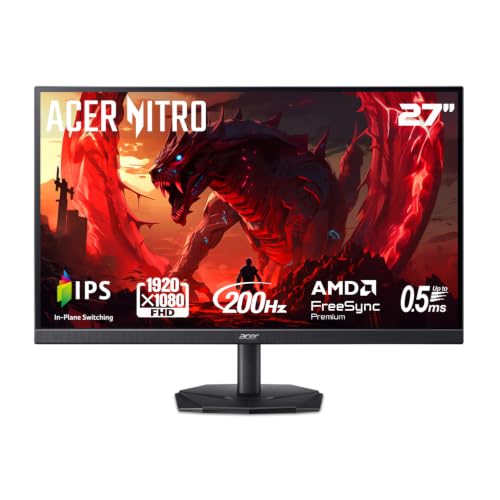 Acer Nitro 23.8in FHD 1920x1080 IPS 240Hz Gaming23.8-inch8.28 x 24.08 x 18.12 inches9.8 poundsCheck on Amazon
 GIGABYTE GS25F2A 24.5" SuperSpeed FHD IPS Gaming MonitorFhd 240Hz7.06 x 21.93 x 15.83 inches8.8 poundsCheck on Amazon
 AOC 27" Gaming Monitor QHD 260Hz Overclocked IPS27" 240Hz IPS7.46 x 24.17 x 17.7 inchesCheck on Amazon
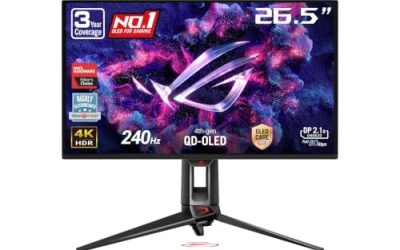
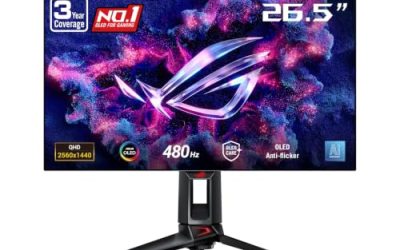
 ASUS ROG Strix 26.5” 1440P QD-OLED Gaming Monitor6.408.6 x 24 x 20.3 inches16.4 poundsCheck on Amazon


Top 3 picks at a glance
Picks at a Glance
Shooters reward two things: how many distinct frames the screen can show each second, and how quickly pixels change from one frame to the next. Every pick below is listed with those two numbers as the maker states them, so you can compare quickly. Where a listing does not state a spec, it is shown as “not listed”.
| Monitor | Size and resolution | Refresh rate | Response (listed) | Best for |
|---|---|---|---|---|
| Dell SE2426HG | 23.8 in, 1080p IPS | 240Hz | Not listed in title | Lowest-cost entry to 240Hz |
| Acer Nitro KG240Y | 23.8 in, 1080p IPS | 240Hz | 0.5ms | Console and PC, two HDMI ports |
| GIGABYTE GS25F2A | 24.5 in, 1080p IPS | 240Hz | 1ms GTG | Simple, fast 24.5 inch panel |
| ASUS TUF VG27AQM5A | 27 in, 1440p Fast IPS | 300Hz | 0.3ms | Sharper image with high fps |
| AOC Q27G41ZE | 27 in, 1440p IPS | 240Hz native, 260Hz overclock | 0.3ms | 1440p with a 3-year warranty |
| KTC 25M2 Pro | 24.5 in, 1080p Fast IPS | 360Hz (400Hz in name) | 1ms GTG | Competitive CS and COD |
| ASUS ROG Strix XG27ACDNG | 26.5 in, 1440p QD-OLED | 360Hz | 0.03ms | Premium speed and motion clarity |
The 7 Best Monitors for Call of Duty and CSGO
1. Dell SE2426HG: Best Budget Entry to 240Hz
As an Amazon Associate we earn from qualifying purchases at no extra cost to you.

The Dell SE2426HG is a 23.8 inch full HD monitor with a 240Hz display, in-plane switching technology and AMD FreeSync Premium. The listing shows two HDMI ports and DisplayPort 1.4, which covers a PC plus a console. A 24 inch 1080p panel is the classic competitive size, because the whole screen sits inside your field of view and your graphics card does not have to push many pixels.
- Spec bullets: 23.8 inch, 1920×1080, 240Hz, IPS, FreeSync Premium, tilt stand
- Best for: players moving up from a 60Hz or 75Hz screen on a budget
- Skip if: you want a height-adjustable stand; the listing mentions tilt only
- Pros: true IPS color, 240Hz, simple setup, three input types
- Cons: response time is not stated in the title, no stand height adjustment
2. Acer Nitro KG240Y: Best Two-Source Setup
The Acer Nitro 23.8 inch KG240Y is a full HD IPS monitor at 240Hz with a listed 0.5ms response time, AMD FreeSync Premium and sRGB 99 percent coverage. It has two HDMI ports plus DisplayPort, is VESA mountable, and lists a bluelight filter and flickerless technology. That makes it a tidy choice for anyone who switches between a PC for CS:GO and a console for Call of Duty.
- Spec bullets: 23.8 inch, 1080p IPS, 240Hz, 0.5ms, sRGB 99 percent
- Best for: shared PC and console desks, arm mounting
- Skip if: you need more than 1080p sharpness
- Pros: low listed response time, VESA mount, two HDMI ports
- Cons: 1080p only, FreeSync rather than a G-SYNC module
3. GIGABYTE GS25F2A: Best 24.5 Inch Value Panel

The GIGABYTE GS25F2A is a 24.5 inch SuperSpeed full HD IPS monitor running at 240Hz with a listed 1ms GTG response. It supports AMD FreeSync Premium, has HDMI and DisplayPort inputs, and the stand tilts. The extra half inch over a 23.8 inch panel is small, but many CS players prefer 24.5 inch screens because they are the common competitive size.
- Spec bullets: 24.5 inch, 1920×1080, 240Hz, 1ms GTG, IPS
- Best for: a no-fuss competitive screen at a low price tier
- Skip if: you want height or pivot adjustment
- Pros: 24.5 inch size, 240Hz, FreeSync Premium
- Cons: tilt-only stand, speakers and extras not listed
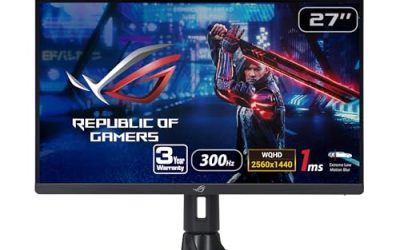
4. ASUS TUF Gaming VG27AQM5A: Best 1440p for High Frame Rates
The ASUS TUF Gaming VG27AQM5A is a 27 inch 1440p Fast IPS monitor with a 300Hz refresh rate and a listed 0.3ms response time. The listing adds G-SYNC compatibility, ELMB Sync for motion blur reduction, Shadow Boost to lift dark areas, 95 percent DCI-P3 coverage and built-in speakers, and mentions PS5 and Xbox use. It is the pick for a PC that can hold very high frame rates at 1440p.
- Spec bullets: 27 inch, 2560×1440, 300Hz, 0.3ms, Fast IPS, 95 percent DCI-P3
- Best for: COD and CS players who also want a sharp desktop
- Skip if: your graphics card cannot push far past 144 fps at 1440p
- Pros: 300Hz, Shadow Boost, wide color, console-ready
- Cons: needs a strong GPU to use the refresh rate, 27 inch is larger than the usual competitive size
5. AOC Q27G41ZE: Best Overclockable 1440p IPS

The AOC Q27G41ZE is a 27 inch QHD IPS monitor that runs at 240Hz natively and can be overclocked to 260Hz, with a listed 0.3ms response, NVIDIA G-SYNC compatibility, HDR, VESA mounting, an audio out and a three-year warranty. It sits between the cheaper 1080p picks and the premium OLED, and the warranty is a useful extra on a screen you will use for years.
- Spec bullets: 27 inch, 2560×1440, 240Hz native / 260Hz OC, 0.3ms, G-SYNC Compatible
- Best for: players who want 1440p and a long warranty
- Skip if: you only play at 1080p and want a smaller screen
- Pros: overclock headroom, 0.3ms listed, 3-year warranty, VESA
- Cons: overclocked modes can behave differently per graphics card; check the maker’s notes
6. KTC 25M2 Pro: Best High-Refresh Esports Panel

The KTC 25M2 Pro is a 24.5 inch 1080p Fast IPS monitor. The listing name mentions 400Hz and 360Hz, a 1ms GTG response, adaptive sync, tilt, swivel, pivot and height adjustment, VESA mounting and a shielding hood. Because the listing mixes two refresh numbers, read the maker’s spec sheet to see which applies in which mode. For CS:GO and CS2, where frame rates are very high, this class of screen makes the most sense.
- Spec bullets: 24.5 inch, 1920×1080, 360Hz/400Hz as listed, 1ms GTG, Fast IPS
- Best for: CS:GO and CS2 players with a PC that holds 300+ fps
- Skip if: your fps is far below 240 in your games
- Pros: very high refresh, full stand adjustment, VESA, shielding hood
- Cons: confusing refresh listing, brand has less track record than the larger makers
7. ASUS ROG Strix XG27ACDNG: Best Premium Pick

The ASUS ROG Strix XG27ACDNG is a 26.5 inch 1440p QD-OLED gaming monitor with a 360Hz refresh rate and a listed 0.03ms response time. The listing adds a custom heatsink, OLED Care+, G-SYNC compatibility, 99 percent DCI-P3 coverage and a three-year warranty. OLED pixels switch extremely fast, which keeps fast turns in COD and CS clean. It sits at the top price tier of this list.
- Spec bullets: 26.5 inch, 2560×1440, QD-OLED, 360Hz, 0.03ms, 99 percent DCI-P3
- Best for: players who want the fastest pixel response and rich color
- Skip if: you leave static HUDs and desktop windows on screen for hours; read the maker’s burn-in guidance
- Pros: 0.03ms listed, 360Hz, great color, 3-year warranty
- Cons: premium price tier, OLED care habits needed
Also Consider
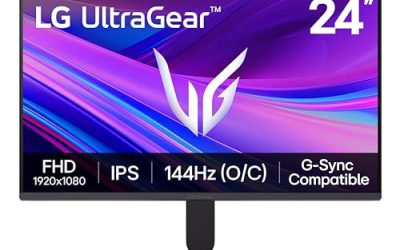
LG 24G411A-B UltraGear
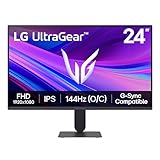
The LG 24G411A-B is a 24 inch full HD IPS monitor listed at 144Hz (overclockable), 1ms MBR, G-Sync Compatible and FreeSync with HDR10. At 144Hz it is a lighter-duty option for players who are happy at lower frame rates or run a modest graphics card, and the slim stand fits small desks.
Sceptre E255B-FWD240

The Sceptre 24.5 inch monitor lists 240Hz, 1ms, two DisplayPort and two HDMI ports, 100 percent sRGB, FreeSync Premium and built-in speakers. It is a budget alternative to the Dell and GIGABYTE if you want more ports, and the built-in speakers are handy if you have no headset on hand.
KTC H27F7

The KTC H27F7 is a 27 inch full HD Fast IPS monitor at 240Hz with adaptive sync, HDR, and a stand that adjusts for height, pivot and tilt. Consider it if you prefer a 27 inch screen but do not want to buy a 1440p panel or need a graphics card to match.
How We Chose These Monitors
This is a research-based guide. We did not use these monitors ourselves. We compared maker specifications and current store listings, then kept panels that state a refresh rate of at least 144Hz and, for the main list, 240Hz or more. We limited each brand to two entries, favored sizes between 23.8 and 27 inches, and included three resolution and price tiers so the list is useful at different budgets. Competitive-gaming guidance on refresh rate and response time from published monitor guides informed the thresholds below. Where a listing did not state a number, we say “not listed” and suggest checking the maker. We do not make claims about what any professional player uses, and we do not claim that any monitor will improve your aim or rank.
Monitor Buying Guide for Call of Duty and CSGO
Refresh rate: how high is high enough?
For competitive play, 144Hz is the baseline, 240Hz is the practical sweet spot and 360Hz or more is a strong upgrade for players whose PC already holds those frame rates. A monitor can only show as many frames as your system produces, so match the screen to your fps rather than to a headline number.
| Your typical fps | Sensible refresh rate | Notes |
|---|---|---|
| Under 100 fps | 144Hz | Spend on a better graphics card first |
| 120 to 200 fps | 144Hz to 240Hz | 240Hz still helps with smoothness and adaptive sync |
| 200 to 300 fps | 240Hz to 300Hz | The range most of the picks above cover |
| 300+ fps (CS:GO, CS2 on a strong PC) | 360Hz or higher | Gains get smaller; OLED and fast IPS shine |
Response time: what the number means
Response time is how fast a pixel changes color, usually quoted as GTG or MPRT. Aim for about 1ms or lower. Treat low claims such as 0.3ms or 0.03ms as maker figures, since the settings behind them differ between brands, and a figure from one brand is not directly comparable to another. A listing that names a mode such as “overdrive” or “ELMB” is describing a setting you may need to enable.
Panel type: IPS, TN, VA or OLED
Fast IPS is the current default: good color, wide viewing angles and fast enough for shooters. TN panels are still sold in the highest refresh esports models and can be very fast, but color is weaker. VA panels offer strong contrast but can smear dark transitions. QD-OLED has the fastest pixel response and best color, at a premium price and with care needs for static images.
| Panel | Strength | Watch out for |
|---|---|---|
| Fast IPS | Balanced color and speed | Backlight bleed varies by unit |
| TN | Very high refresh options | Narrow viewing angles, weaker color |
| VA | Contrast | Dark-scene smearing on some models |
| QD-OLED | Fastest pixel response | Static image care, premium tier |
Size and resolution
Most competitive players choose 24 to 25 inch 1080p, because the whole screen is visible without moving your eyes and frame rates stay high. A 27 inch 1440p screen gives a sharper image and works well if your graphics card has headroom. A larger 32 inch or ultrawide screen suits single-player games better than shooters.
Ports and sync
DisplayPort is the safest connection for high refresh on PC. A console needs HDMI, and the HDMI version affects which refresh rate you can reach. FreeSync and G-SYNC compatibility remove tearing; listing wording often says “G-SYNC Compatible”, which means it can run with NVIDIA cards, not that it has the dedicated module.
Stand and ergonomics
Height, tilt and swivel make a real difference over long sessions. Several listings above mention tilt only, which is why VESA mounting matters: a cheap monitor arm fixes the height problem for any screen with a standard mount pattern.
Common mistakes to avoid
- Buying 360Hz for a PC that holds 120 fps in COD
- Plugging a high-refresh monitor into HDMI and never setting the refresh rate in Windows or the graphics control panel
- Judging response time by a single headline number from the box
- Choosing a large curved screen for a game where you scan the center of the display
- Forgetting that console output limits the useful refresh rate
Best Monitor for CS:GO and CS2
For CS:GO and CS2, the best monitor is a 24 to 25 inch 1080p panel at 240Hz or higher, because the games run at very high frame rates on modest hardware. The KTC 25M2 Pro and GIGABYTE GS25F2A fit that profile; the Dell and Acer are cheaper ways in. CS2 is a newer engine, so check that your graphics card keeps frame rates stable before paying for a 360Hz screen. After buying, set the refresh rate in the display settings and your graphics driver, since a new monitor often starts at 60Hz by default.
Best Monitor for Call of Duty and Best Monitor for COD
For Call of Duty on PC, a 240Hz 1080p or 1440p panel with a low response time is the safest choice; modern COD titles are heavier on the graphics card than CS, so frame rates are lower and 1440p at 144Hz to 240Hz is realistic. The ASUS TUF VG27AQM5A and AOC Q27G41ZE give you the sharper image if your PC can drive it, while the Dell, Acer and GIGABYTE panels keep the load low.
Best Monitor for Call of Duty on PS5
For Call of Duty on PS5, look for a 120Hz-capable HDMI 2.1 monitor with low input lag and a 1080p or 1440p resolution. The console outputs up to 120 frames per second in supported modes, so a 240Hz screen will not run any faster than 120Hz on PS5. The ASUS TUF VG27AQM5A listing mentions PS5 and Xbox use, and the Acer Nitro has two HDMI ports; confirm the HDMI version and 120Hz support on the maker’s page, because it is not shown in every listing.
Best Monitor for WoW
World of Warcraft is not a twitch game, so the best monitor for WoW values size, resolution and color over raw refresh. A 27 inch 1440p IPS panel at 144Hz to 165Hz, or an ultrawide, shows more of the interface and the zone art. A 240Hz screen is nice but not necessary, so a 1440p IPS pick like the AOC Q27G41ZE is more than enough and gives you headroom for shooters too.
Best Monitor for iRacing
iRacing benefits from smooth motion, a wide field of view and low latency. A 27 to 32 inch 1440p monitor at 144Hz or more is a good fit, and an ultrawide 3440×1440 panel gives a wider view without triple screens. Frame rate matters because the sim pushes a heavy graphics load at high visual settings, so choose a resolution that your graphics card can hold at your target fps. If you drive with a wheel on a rig, check that the monitor stand or a VESA arm fits your desk or cockpit mount.
Which Spec Matters Most for Each Game?
The same monitor does not carry the same value in every game. This table maps each title to the specs worth paying for, so you do not overspend on a number that your game cannot use.
| Game | Spec that matters most | Sensible size and resolution | Fits these picks |
|---|---|---|---|
| CS:GO and CS2 | Refresh rate and clear motion | 24 to 25 inch, 1080p | KTC 25M2 Pro, GIGABYTE GS25F2A |
| Call of Duty on PC | Refresh rate balanced with GPU load | 24 to 27 inch, 1080p or 1440p | ASUS VG27AQM5A, AOC Q27G41ZE, Dell SE2426HG |
| Call of Duty on PS5 | 120Hz HDMI support, low input lag | 24 to 27 inch, 1080p or 1440p | Acer Nitro KG240Y, ASUS VG27AQM5A |
| WoW | Resolution, size, color | 27 inch 1440p or ultrawide | AOC Q27G41ZE |
| iRacing | Smooth motion, wide view | 27 to 32 inch 1440p or ultrawide | ASUS VG27AQM5A, ROG Strix XG27ACDNG |
Input lag: the number most listings leave out
Input lag is the delay between a mouse click and the result on screen. Few listings state it, and it is not the same as response time. A monitor with a very low response figure can still add noticeable delay if its processing is slow. Because the listings above do not give an input lag figure, we do not claim one. If it matters to you, look for a maker statement or independent measurements from a reputable monitor publication before you buy, and use the monitor’s game or low-latency mode if it has one.
What about screen size for aim?
Smaller screens let you see the whole display without moving your eyes, which many shooter players like. Larger screens make targets bigger, but you sit farther back or scan more. There is no single correct size; 24 to 27 inches covers the range most players use. Pick the size that suits your desk depth, then make sure your sensitivity and field of view settings feel comfortable on it.
Quick Setup Checklist After You Buy
- Use the DisplayPort cable for PC, and confirm the refresh rate in the operating system display settings.
- Turn on adaptive sync in the monitor menu and in your graphics driver if the monitor supports it.
- Set the overdrive or response setting to a middle level first; the fastest setting can add visible overshoot.
- Cap your in-game frame rate slightly under the refresh rate if you see tearing or stutter.
- Lower the monitor so the top edge sits at or just below eye level.
Frequently Asked Questions
What is the best monitor for Call of Duty and CSGO?
A 24 to 27 inch IPS monitor at 240Hz with a response time near 1ms or lower is the best all-round choice. The Dell, Acer and GIGABYTE are budget picks; the ASUS and AOC add 1440p.
Is 144Hz enough for COD and CS:GO?
Yes for most players, and it is a large step over 60Hz. Moving to 240Hz still helps if your PC holds 200+ fps, but gains shrink above that.
Is 1080p or 1440p better for competitive shooters?
1080p keeps frame rates highest and is the classic competitive choice. 1440p looks sharper and is worth it if your graphics card holds at least 144 fps.
Is a TN or IPS panel better for CS:GO?
Modern Fast IPS panels are fast enough for most players and look better. TN can be faster at the very top refresh rates but has weaker color and viewing angles.
Do I need G-SYNC or FreeSync?
Adaptive sync removes tearing and is helpful when frame rates vary. Most listings above support FreeSync, and several are G-SYNC Compatible, so either graphics card brand works.
Which refresh rate should I pick for PS5 Call of Duty?
PS5 outputs up to 120Hz in supported modes, so choose a monitor with a 120Hz HDMI input rather than paying for 240Hz or more. Check the HDMI version in the maker’s spec sheet.
Is OLED safe for competitive games with static HUDs?
OLED makers add pixel-shift and care features, but static elements shown for many hours carry some risk. Read the maker’s burn-in guidance and warranty terms before buying.
Which One Should You Buy?
- Lowest cost, 240Hz: Dell SE2426HG or GIGABYTE GS25F2A
- Console and PC on one desk: Acer Nitro KG240Y
- Sharper 1440p with high frame rates: ASUS TUF VG27AQM5A or AOC Q27G41ZE
- CS:GO and CS2 specialists: KTC 25M2 Pro
- Best motion and color, premium tier: ASUS ROG Strix XG27ACDNG
Sources
- Manufacturer specification pages and product listings for each monitor named above
- ProSettings monitor guide for CS2
- Total CS:GO guide to the best monitors for CS2
- WePC guide to gaming monitors for Counter-Strike 2
Last updated: November 2026
Related guides
More from Amazon
Programs that pair well with the guide above. Offers and eligibility are set by Amazon and may change.
Free shipping on eligible items, Prime Video and more. Eligible new members can start with a free trial.
Start a Prime free trialAd-free music streaming. Eligible new subscribers can start with a free trial.
Try Music Unlimited freeA Prime membership for ages 18-24 with a trial period. Eligibility is set by Amazon.
See Prime for Young AdultsAudiobooks and podcasts to listen to on the go. Eligible new members can start with a free trial.
Try Audible freeAs an Amazon Associate we earn from qualifying purchases.