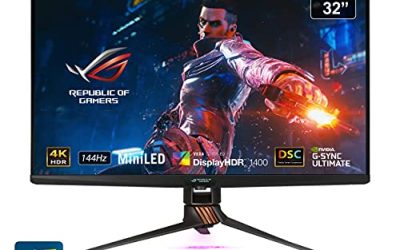
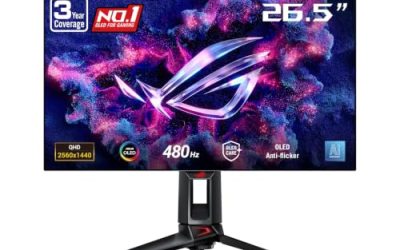
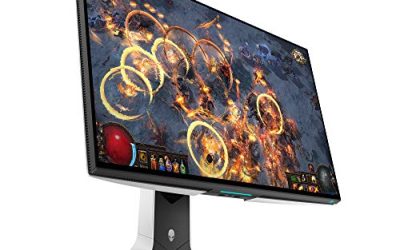
The ASUS ROG Swift PG27UQ review verdict: it is a 27-inch 4K IPS gaming monitor that runs 120Hz natively and 144Hz with an overclock, with G-SYNC HDR and a 384-zone backlight. It was a landmark screen in 2018, but it is an older, discontinued model, so treat it as a used or leftover find and compare it with newer 4K OLED and Fast IPS panels first.
Our Top Picks
Pros & cons
- Neo Proximity sensor helps guard against OLED burn-in
- DisplayPort 2.1a with 80Gbps bandwidth future-proofs connections
- 3-year coverage includes burn-in protection
- Nearly 17-pound panel needs a sturdy stand or mount
- 4th-gen QD-OLED still needs care around static images
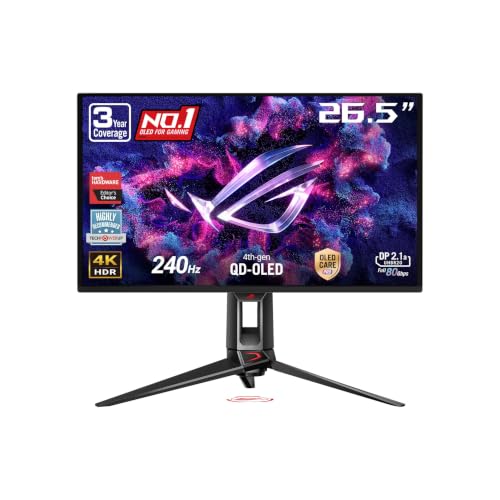
 ASUS ROG Strix XG27UCGR 27 Inch 4K 162Hz14.4" x 24.2" x 3.4"7.4 x 24.17 x 19.8 inches14.99 poundsCheck on Amazon

Top 3 picks at a glance
Quick Verdict on the ASUS ROG Swift PG27UQ
The PG27UQ was the first gaming monitor to combine 4K resolution, a high refresh rate, a native G-SYNC module and a full-array local dimming backlight with DisplayHDR 1000. On paper it still reads like a flagship. In practice it shows its age in three places: the backlight has far fewer zones than modern mini-LED screens, the single DisplayPort 1.4 connection forces compromises at 144Hz, and the fan-cooled design adds a small amount of noise.
It is a good buy only if you find one in good condition at a sensible cost and you value the 27-inch size. For everyone else, newer 4K screens deliver the same or better image quality with fewer trade-offs. This review explains what the PG27UQ does well, where it falls short, and what to buy instead.
ASUS ROG Swift PG27UQ Specs at a Glance
The figures below come from the maker’s launch material and long-form editorial reviews. Anything not confirmed is marked as such.
| Spec | ROG Swift PG27UQ |
|---|---|
| Screen size | 27 inches, 16:9 |
| Resolution | 3840 x 2160 (4K UHD), about 163 pixels per inch |
| Panel type | IPS-type with quantum-dot enhancement |
| Refresh rate | 120Hz native, 144Hz with overclock |
| Response time | 4 ms gray-to-gray (maker rating) |
| Adaptive sync | NVIDIA G-SYNC with native module (G-SYNC HDR) |
| Backlight | 384-zone full-array local dimming |
| HDR | VESA DisplayHDR 1000, UltraHD Premium certified |
| Brightness | 300 nits typical SDR, 1000 nits typical HDR |
| Contrast | 1000:1 SDR, 50,000:1 HDR (maker figures) |
| Video inputs | 1 x DisplayPort 1.4, 1 x HDMI 2.0 |
| USB | 3 x USB 3.0 (1 upstream, 2 downstream), 3.5 mm audio |
| Status | Older model; check the maker for support details |
Is the ASUS ROG Swift PG27UQ Still Worth Buying?
It depends entirely on condition and cost. The panel itself remains sharp. At 27 inches and 4K, text and game detail look crisp, and the 163 pixels per inch density is higher than a 32-inch 4K screen. The wide color gamut and strong peak brightness still make HDR content pop in the zones that light up.
The weaknesses are structural. A 384-zone backlight cannot match the per-pixel control of OLED, so bright objects on dark backgrounds show haloing around them. The IPS-type panel has the usual limited native contrast in SDR. And the screen was designed before HDMI 2.1, so console owners lose out on 4K 120Hz.
- Buy it if: you want a 27-inch 4K G-SYNC monitor, you are comfortable with used hardware, and your GPU has a DisplayPort output.
- Skip it if: you want deep blacks without blooming, a PS5 or Xbox Series X connection at 4K 120Hz, or a warranty-backed new purchase.
27 ASUS ROG Swift PG27UQ: Why the Size and Resolution Matter
Many shoppers look for the “27 asus rog swift pg27uq” because the 27-inch size is a core part of the appeal. A 27-inch 4K display sits at roughly 163 pixels per inch, which makes it noticeably sharper than a 32-inch 4K screen at around 138 pixels per inch. At a normal desk distance, that means very little visible aliasing and clean text without much scaling.
The trade-off is that Windows needs display scaling. Most people run 125 to 150 percent scaling at this size. Games render at the full native resolution, so the GPU load is the main concern, not the pixel density itself.
Graphics card needed for 4K at high refresh
Driving 4K at 144Hz in modern games takes a very strong GPU. Most people will run demanding titles well below the refresh ceiling and use G-SYNC to smooth out the frame rate swings. The monitor’s G-SYNC range is a good fit for that mixed use. For esports titles that run at several hundred frames per second at lower settings, the 4K panel will cap you at its refresh limit rather than exceed it.
ASUS ROG Swift 32 4K HDR 144Hz: How the PG27UQ Compares
Shoppers who search for “asus rog swift 32 4k hdr 144hz” are usually weighing the PG27UQ against larger 32-inch 4K ROG Swift screens. The two are different tools. The PG27UQ is smaller and denser. The 32-inch models, such as the PG32UQ and the mini-LED PG32UQX, offer a larger picture and, in the case of the PG32UQ, HDMI 2.1 for consoles.
| Question | PG27UQ (27 inch) | 32-inch 4K ROG Swift class |
|---|---|---|
| Pixel density | Higher, about 163 ppi | Lower, about 138 ppi |
| Desk fit | Better for smaller desks | Needs more depth and width |
| Console 4K 120Hz | Not supported (HDMI 2.0) | Available on models with HDMI 2.1 |
| HDR hardware | 384 zones, DisplayHDR 1000 | Varies by model; check the maker |
| Availability | Used or leftover stock | Mixed; newer models in stores |
If you want a larger screen with similar features, read our ROG Swift PG32UQ review for the HDMI 2.1 option. This review stays focused on the PG27UQ.
Image Quality: Color, Brightness and Contrast
The PG27UQ uses a quantum-dot film to widen its color gamut, and it was among the first monitors certified for UltraHD Premium. In SDR, the maker lists 300 nits typical brightness and 1000:1 contrast, which is normal for an IPS-type screen. Black levels in a dark room look gray rather than black, which is the main reason people moved to OLED.
In HDR, the picture changes. The maker lists 1000 nits typical peak brightness and a 50,000:1 contrast figure with local dimming active. Highlights such as sun glints, muzzle flashes and neon signs look bright and clean. The compromise is that the 384 zones are large compared with the pixel grid, so small bright items on black produce a soft glow around them.
HDR in games and video
HDR works best in games that have a proper HDR implementation and a good tone-mapping slider. Single-player adventure and racing titles tend to look the best. In fast shooters, many players switch HDR off to avoid local dimming lag and keep the brightness consistent. For video, HDR playback on a PC works, but the 27-inch size is small for movie viewing.
Viewing angles and uniformity
IPS-type panels have wide viewing angles, so the picture holds up when seen from the side. As with most IPS screens, a mild glow in the corners in a dark room is common. Panel uniformity varies from unit to unit, so inspect a used one in person if you can.
Refresh Rate, Overclocking and the DisplayPort Limit
This is the part of the PG27UQ that confuses most buyers. The panel is 120Hz natively, and an overclock option in the on-screen menu raises it to 144Hz. The catch is bandwidth. The single DisplayPort 1.4 connection cannot carry full 4K, 144Hz, 10-bit HDR color with a full RGB signal at once.
Editorial reviews describe the practical result: at 144Hz with HDR, the signal falls back to 4:2:2 chroma subsampling. For game footage, the difference is hard to see. On a desktop with fine colored text, it can show as slight fringing.
| Mode | What to expect |
|---|---|
| 4K at a lower refresh, 10-bit, full RGB | Cleanest color; reviewers cite a limit well below 144Hz, so check the maker for exact modes |
| 4K 120Hz | Native mode; chroma behavior depends on the HDR setting |
| 4K 144Hz, overclock | Uses 4:2:2 chroma subsampling in HDR |
Practical advice: use 120Hz or 144Hz for gaming, and use a lower refresh with full RGB for desktop work if you notice color fringing.
Why HDMI 2.0 matters
The HDMI 2.0 port is limited to 60Hz at 4K and does not support G-SYNC. That makes it useful for a secondary source only. Modern consoles that output 4K 120Hz need HDMI 2.1, which this monitor does not have.
Does the ASUS ROG Swift PG27UQ Have a Fan?
Yes. The G-SYNC HDR module and the full-array backlight generate heat, and the monitor has an active cooling fan. Reviewers have described it as quiet in normal use, but a few owners notice it in a silent room. Plan for good airflow behind the monitor and avoid blocking the rear vents.
Design, Stand and Ergonomics
The PG27UQ follows the classic ROG Swift look: a thin-bezel front, a sturdy tripod-style stand and a projected ROG logo from the base. The stand supports height, tilt and swivel adjustment, which is helpful for eye-level positioning at a desk. The back has the standard VESA mounting pattern, but confirm the mounting details with the maker if you plan to use an arm, because the cooling vents and thick rear housing can affect clearance.
The on-screen menu uses a joystick-style control. It is easy to reach but feels dated compared with newer monitors that add companion apps and richer OLED-care or profile features.
ASUS ROG Swift PG27UQ for Gaming: Performance by Use
Single-player and open-world games
This is where the screen shines. The high pixel density, wide color gamut and HDR highlights give a detailed picture. G-SYNC keeps motion smooth when the frame rate drops below the refresh ceiling.
Competitive shooters
The 4 ms rated response and 120 to 144Hz refresh are fine for casual competitive play. Players who chase the lowest possible latency usually prefer a 1440p or 1080p screen at 240Hz or faster, because 4K frame rates are harder to sustain.
Productivity and creative work
The sharp 4K picture suits spreadsheets, code and photo editing. The wide gamut helps for color work, though color accuracy out of the box varies, so a calibration is wise if accuracy matters.
Consoles
The PG27UQ will show a PS5 or Xbox at 4K 60Hz over HDMI 2.0, without G-SYNC. That is a poor use of a gaming monitor. Choose an HDMI 2.1 screen for consoles.
Checklist Before Buying a Used PG27UQ
Because new stock is hard to find, most buyers will look at second-hand units. Go through this list before paying.
- Ask for a photo of the monitor showing a full white and a full black screen, to check for dead pixels, bright spots and uneven backlight.
- Confirm the box includes the DisplayPort cable, power brick and stand, since replacements can be hard to source.
- Listen for fan noise on startup if you can inspect it in person.
- Ask whether the monitor has ever been repaired or had its firmware updated.
- Check the maker for warranty and support status for older models, as coverage may not transfer to a second owner.
- Make sure your graphics card has a DisplayPort 1.4 output and an NVIDIA GPU, because G-SYNC with a native module is tied to NVIDIA cards.
Who Should Buy It and Who Should Skip It
Buy it if
- You want a compact 4K G-SYNC panel and can find a clean used unit.
- Your PC has a recent NVIDIA card with DisplayPort 1.4.
- You value HDR highlights and local dimming over OLED black levels.
Skip it if
- You need HDMI 2.1 or console 4K 120Hz.
- You are sensitive to backlight blooming in dark scenes.
- You want a full warranty from a retailer on a new product.
Pros and Cons
Pros
- High 163 ppi sharpness at 27 inches
- 384-zone local dimming with DisplayHDR 1000
- Native G-SYNC module for smooth variable refresh
- Wide color gamut from quantum-dot film
- Sturdy ROG stand with height, tilt and swivel adjustment
Cons
- Single DisplayPort 1.4 limits 144Hz HDR to 4:2:2 chroma
- HDMI 2.0 only, no console 4K 120Hz
- Backlight haloing around small bright objects
- Active cooling fan
Better Alternatives to the PG27UQ
Real listings from the store are shown below. Specs come from the product listings, so confirm details with the maker before buying.
ASUS ROG PG27UCDM: 27-Inch 4K QD-OLED
As an Amazon Associate we earn from qualifying purchases at no extra cost to you.
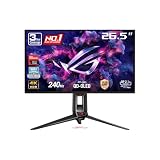
The ROG PG27UCDM keeps the 27-inch 4K format but swaps the backlit IPS panel for QD-OLED. The listing mentions 240Hz, OLED Care Pro, a custom heatsink, G-SYNC compatibility and a Neo Proximity Sensor. It is the most direct modern replacement for someone who liked the PG27UQ size and wants true blacks. OLED care habits, such as avoiding long static images, apply.
ASUS ROG Strix XG27UCGR: 27-Inch 4K Fast IPS

The ROG Strix XG27UCGR is a 27-inch 4K Fast IPS screen with a 162Hz refresh rate and a dual mode that drops to FHD at 485Hz, according to the listing. It also lists G-SYNC, 0.3ms response and USB Type-C. It suits players who want the 4K sharpness of the PG27UQ with more modern connectivity and no OLED care concerns.
ASUS ROG PG32UCDM: 32-Inch 4K QD-OLED

The ROG PG32UCDM is a 32-inch 4K 240Hz QD-OLED. The listing mentions 0.03ms response, G-SYNC compatibility, USB-C with power delivery and true 10-bit color. It is the choice if you want a larger picture and the best black levels, at the cost of lower pixel density than the PG27UQ.
How to Set Up a PG27UQ for the Best Picture
- Connect with the DisplayPort cable that came in the box, or a certified DisplayPort 1.4 cable. Avoid the HDMI port for gaming.
- Install the latest NVIDIA driver and enable G-SYNC for full-screen and windowed mode in the control panel.
- Choose your refresh mode. Use 120Hz for the cleanest signal, or enable the 144Hz overclock in the on-screen menu if you accept 4:2:2 in HDR.
- Turn on HDR in Windows only for games and video that support it. Keep SDR for the desktop.
- Set Windows scaling to 125 or 150 percent for comfortable text.
- Calibrate or load a reputable color profile if you do photo work.
PG27UQ vs Modern 4K Gaming Monitors at a Glance
The table below shows where the PG27UQ stands against the three alternatives above. Specs for the newer screens come from the store listings and should be confirmed with the maker.
| Model | Panel | Refresh rate | Best for |
|---|---|---|---|
| ROG Swift PG27UQ | 27-inch IPS, 384-zone backlight | 120Hz, 144Hz overclock | Used buyers who want HDR local dimming |
| ROG PG27UCDM | 27-inch QD-OLED | 240Hz | True blacks in the same size |
| ROG Strix XG27UCGR | 27-inch Fast IPS | 162Hz, dual mode to FHD 485Hz | Sharp 4K without OLED care |
| ROG PG32UCDM | 32-inch QD-OLED | 240Hz | A larger picture with deep blacks |
What changed since 2018
Three things moved the market forward. First, OLED monitors now offer per-pixel dimming, which removes blooming completely. Second, HDMI 2.1 and newer DisplayPort standards make 4K at high refresh far easier to run without chroma tricks. Third, dual-mode panels can switch between 4K and a lower resolution at a much higher refresh rate, which gives one monitor both a cinematic mode and an esports mode. The PG27UQ offers none of these, so its value depends on how good the used unit is and how little you spend on it.
When the PG27UQ still makes sense
A used PG27UQ can make sense for a workstation that doubles as a gaming screen, where the density of 27-inch 4K is valuable and static desktop elements make OLED burn-in a worry. It can also be a stopgap for a builder waiting to upgrade. Just keep your expectations realistic about HDMI and console use.
How We Chose What to Compare
This review is research-based. We did not use the monitors ourselves. Specs come from the maker’s launch material and long-form editorial reviews, and product details for the alternatives come from the store listings. Where a detail was not confirmed, we say so.
Frequently Asked Questions
Is the ASUS ROG Swift PG27UQ still good in 2026?
It is still a sharp 4K G-SYNC panel, but newer 4K OLED and Fast IPS screens beat it on blacks, ports and console support. It makes sense mainly as a used purchase.
Does the PG27UQ run 4K at 144Hz?
Yes, with the on-screen overclock. In HDR at 144Hz the single DisplayPort 1.4 link uses 4:2:2 chroma subsampling, so full RGB needs a lower refresh rate.
Does the PG27UQ support HDMI 2.1 or PS5 4K 120Hz?
No. It has HDMI 2.0, which is limited to 4K 60Hz and has no G-SYNC, so it cannot deliver 4K 120Hz from a PS5 or Xbox Series X.
How many dimming zones does the PG27UQ have?
The maker lists a 384-zone full-array local dimming backlight. That is far fewer than modern mini-LED screens, so some blooming around bright objects is normal.
What is the difference between the PG27UQ and the PG27UQR?
The PG27UQR is a later variant of the same design. Check the maker for the exact differences, as we do not list unverified changes here.
Is a 27-inch 4K monitor better than a 32-inch 4K monitor?
The 27-inch size is sharper, with about 163 ppi versus 138 ppi, and fits smaller desks. The 32-inch size gives a bigger picture and suits longer viewing distances better.
Does the PG27UQ have a fan?
Yes, it has an active cooling fan for the G-SYNC HDR module. It is usually quiet, but it may be audible in a silent room.
Which One Should You Buy?
Buy the PG27UQ only if a clean used unit is available and you want its compact 4K size with local dimming. If you want true blacks in the same 27-inch size, look at the ROG PG27UCDM. If you want 4K sharpness without OLED care, consider the ROG Strix XG27UCGR. If you want a bigger picture, the 32-inch PG32UCDM is the better direction.
Sources
- ASUS ROG, ROG Swift PG27UQ launch article
- TechSpot, ASUS ROG Swift PG27UQ review
- Tom’s Hardware, ASUS ROG Swift PG27UQ review
- DisplayNinja, ASUS ROG Swift PG27UQ review
- TweakTown, ASUS ROG Swift PG27UQ review
Last updated: November 2026
Related guides
More from Amazon
Programs that pair well with the guide above. Offers and eligibility are set by Amazon and may change.
Free shipping on eligible items, Prime Video and more. Eligible new members can start with a free trial.
Start a Prime free trialAd-free music streaming. Eligible new subscribers can start with a free trial.
Try Music Unlimited freeA Prime membership for ages 18-24 with a trial period. Eligibility is set by Amazon.
See Prime for Young AdultsAudiobooks and podcasts to listen to on the go. Eligible new members can start with a free trial.
Try Audible freeAs an Amazon Associate we earn from qualifying purchases.