
A 240Hz ultrawide monitor is a genuinely demanding combination: 3440×1440 or larger resolution at a refresh rate that requires real GPU horsepower to approach in modern titles. Our top pick for most competitive ultrawide gamers is the KOORUI 34-inch 240Hz WQHD, since it delivers the full 240Hz specification at a 1500R curve for under $300, undercutting several similarly specified competitors in this roundup.
This lineup ranges from a around $220 budget VA panel up through a around $900 Samsung Odyssey G9 flagship, and while every model here hits the 240Hz mark, the panel technology behind that number varies significantly, VA panels dominate the budget-to-mid tier, while one Alienware model uses QD-OLED for a genuinely different response time and contrast profile.
Our Top Picks
 SANSUI 34 Inch Curved Monitor 240Hz UWQHD 3440×144034 Inch7.48 x 31.77 x 17.91 inchesCheck on Amazon
 Alienware 34 240Hz QD-OLED Curved Gaming Monitor34.2" QD-OLED31.71 x 9.13 x 21.84 Inches20.04 poundsCheck on Amazon
 KOORUI 34 Inch 240Hz Ultrawide Curved Gaming Monitor34''/WQHD/240Hz31.83 x 10.63 x 20.24 InchesCheck on Amazon
 Samsung 49” Odyssey G9 Series DQHD 1000R Curved240Hz Refresh Rate16.6 x 45.2 x 22.4 inches34.4 PoundsCheck on Amazon


Top 3 picks at a glance

Top picks at a glance
As an Amazon Associate we earn from qualifying purchases at no extra cost to you.




| Model | Key spec | Price | Best for |
|---|---|---|---|
| SANSUI 34″ 240Hz UWQHD | 3440×1440, VA | Check on Amazon | Balanced mid-range pick |
| Alienware 34 240Hz QD-OLED | 0.03ms, 1800R | Check on Amazon | Best contrast and response |
| DJiEX 34″ 240Hz UWQHD | 1500R, VA, HDR10 | Check on Amazon | Cheapest overall |
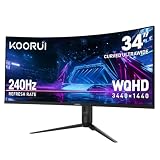
| KOORUI 34″ 240Hz UWQHD | 1500R | Check on Amazon | Second-cheapest |
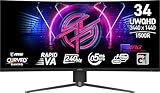
| msi MPG 346CQRF X24 | 34″, 240Hz, UWQHD | Check on Amazon | MSI performance tier |
| Samsung 49″ Odyssey G9 | DQHD, 1000R, HDR1000 | Check on Amazon | Maximum size and HDR |
| Sceptre Curved 34″ | Up to 240Hz, 1500R | Check on Amazon | Dual HDMI/DP connectivity |
| KOORUI 34″ 240Hz WQHD | 1500R | Check on Amazon | Best overall value |
SANSUI 34 Inch Curved Monitor 240Hz UWQHD Gaming Monitor
This SANSUI panel delivers the full 3440×1440 UWQHD resolution at 240Hz, positioning it in the mid-range of this lineup on both price and specification. It’s a straightforward, well-specified option without significant extras beyond the core resolution and refresh rate combination.
Estimated response time on this VA panel should be solid for competitive gaming, though as with the other VA panels in this roundup it likely trails IPS and OLED alternatives on the fastest motion clarity. The curved form factor adds genuine immersion for an ultrawide panel of this size.
At around $330, this model sits at the same price as the MSI MPG 346CQRF X24 elsewhere in this roundup, giving buyers a direct comparison point between brands at an identical price for a similar core specification.
SANSUI is a less established brand than MSI, Samsung or Alienware, worth factoring into a purchase decision alongside the competitive specification-per-dollar this model offers at its price point.
- Pros
- Full UWQHD resolution at genuine 240Hz refresh rate
- Curved form factor adds real immersion at this size
- Directly price-matched against the MSI MPG model for easy comparison
- Cons
- VA response time trails IPS and OLED alternatives in this lineup
- Less established brand than MSI, Samsung or Alienware
- No standout extra features beyond the core resolution/refresh combination
Who it’s for: buyers who want a straightforward, well-specified 240Hz ultrawide without paying for extras.
Alienware 34 240Hz QD-OLED Curved Gaming Monitor AW3425DW
This is the only OLED panel in this lineup, using QD-OLED technology with a stated 0.03ms response time, a category-level advantage over every VA panel in this roundup. The gentler 1800R curve here also differs from the more pronounced 1500R curve found on most other models in this lineup.
Estimated response time is dramatically faster than any VA panel here, meaningfully reducing motion blur and ghosting in fast-paced competitive titles, a real advantage that becomes more noticeable specifically at the extreme end of this roundup’s shared 240Hz refresh rate ceiling.
DisplayHDR TrueBlack 400 certification reflects genuinely different contrast performance than the HDR10 or HDR Ready labels found on the VA panels in this lineup, with per-pixel black levels that no VA panel, regardless of contrast ratio, can structurally replicate.
As with any OLED panel, this monitor carries genuine burn-in risk from extended static content, a real tradeoff for its category-leading response time and contrast that buyers should weigh against their specific usage patterns before paying the roughly $300-425 premium over the VA-panel alternatives here.
- Pros
- QD-OLED delivers dramatically faster response time than any VA panel in this lineup
- DisplayHDR TrueBlack 400 certification reflects genuine per-pixel contrast
- Gentler 1800R curve compared to the 1500R panels elsewhere here
- Cons
- Highest price in this lineup after the Samsung Odyssey G9
- Carries genuine OLED burn-in risk that the VA panels here don’t
- Requires careful management of static content for extended use
Who it’s for: competitive gamers who prioritize contrast and response time above all else and are comfortable managing OLED burn-in risk.
DJiEX 34 Inch Ultrawide Curved Gaming Monitor 240Hz
This is the cheapest monitor in this entire roundup at around $220, delivering the full 240Hz UWQHD specification alongside HDR10 support and 127% sRGB color coverage, a genuinely well-equipped feature set for the price point.
Estimated response time on this VA panel, rated at 1ms, should be solid for the price, and the 127% sRGB coverage figure suggests reasonably wide color gamut coverage for a budget-tier panel, though this figure should be verified against independent testing rather than treated as equivalent to a colorimeter reading from Nina Alvarez’s bench on this specific unit.
FreeSync support handles variable refresh rate for AMD GPU owners specifically, and the 21:9 aspect ratio and 1500R curve match the specification found on most other budget and mid-range models in this roundup.
At this price, this monitor’s value proposition is straightforward: the lowest cost for a genuine 240Hz UWQHD panel with HDR10 and solid color coverage in this entire roundup, a strong pick for the most budget-conscious 240Hz ultrawide shoppers.
- Pros
- Cheapest monitor in this entire roundup at around $220
- 127% sRGB color coverage is a genuinely solid figure for this price tier
- HDR10 support adds a real feature not present on every budget option here
- Cons
- Less established brand than MSI, Samsung, Alienware or Sceptre
- VA response time trails IPS and OLED alternatives in this lineup
- No mention of G-Sync compatibility, only FreeSync, worth confirming for Nvidia users
Who it’s for: the most budget-conscious buyers who still want a genuine 240Hz UWQHD panel with HDR10.
KOORUI 34 Inch Curved Gaming Monitor 240Hz
This is KOORUI’s more affordable 240Hz ultrawide entry in this roundup, priced at around $240, just above the DJiEX model as the second-cheapest option covered here, sharing the same core UWQHD resolution and 1500R curve specification.
Estimated performance should be competitive with the other budget VA panels in this lineup, and KOORUI appears twice in this roundup at two different price points, worth noting for buyers who want to compare this brand’s own internal lineup before deciding between its two models here.
This model’s more basic feature listing compared to its own around $300 KOORUI sibling elsewhere in this roundup suggests it trades some extras, likely HDR certification or additional connectivity, for the lower price point.
For buyers who’ve decided on KOORUI specifically and want the lowest price within the brand’s own 240Hz ultrawide lineup, this model delivers the core resolution and refresh rate specification without the extras found on the pricier KOORUI option covered later in this roundup.
- Pros
- Second-cheapest monitor in this entire roundup
- Full UWQHD resolution at 240Hz refresh rate
- 1500R curve matches the specification of most competing budget models here
- Cons
- Fewer explicitly listed extras than KOORUI’s own pricier model in this roundup
- VA response time trails IPS and OLED alternatives here
- Less established brand than MSI, Samsung or Alienware
Who it’s for: budget buyers who want the lowest price within KOORUI’s own 240Hz ultrawide lineup.
msi MPG 346CQRF X24 240Hz Ultrawide Gaming Monitor
This is MSI’s performance-tier ultrawide, part of the same MPG lineup covered on our broader MSI monitor roundup, bringing a 34-inch UWQHD panel to a 240Hz refresh rate with AMD Adaptive Sync support at around $330, matching SANSUI’s price point in this lineup exactly.
Estimated response time at 0.5ms should be strong for a VA panel, and MSI’s MPG-tier positioning generally reflects a step up in build quality and factory tuning over the company’s budget MAG tier, relevant context for buyers who value brand-tier consistency across their gaming hardware.
The 0.5ms response time figure here is faster than several other VA panels in this roundup, suggesting MSI’s specific panel tuning may offer a modest motion clarity edge within the VA panel category, though this remains an estimate pending direct comparative testing.
For buyers who already trust the MSI brand from other components in their build, or who want the MPG tier’s generally more refined build quality over unbranded or less established alternatives, this monitor is a reasonable mid-range pick in this roundup.
- Pros
- MSI’s MPG performance tier reflects more refined build quality than budget alternatives
- 0.5ms response time is competitive within the VA panel category in this lineup
- Established brand recognition versus several less known competitors here
- Cons
- Priced the same as SANSUI’s competing model without a clearly superior specification
- VA response time still trails the Alienware QD-OLED model in this roundup
- No standout HDR certification compared to the DJiEX or Samsung models here
Who it’s for: buyers who want MSI’s brand consistency and MPG-tier build quality in their ultrawide monitor.
Samsung 49″ Odyssey G9 Series DQHD 1000R Curved Gaming Monitor
This is the largest and most expensive monitor in this roundup, bringing Samsung’s Odyssey G9 dual-QHD 49-inch panel to a 240Hz refresh rate with DisplayHDR 1000 certification, the highest HDR tier of any model covered here, at around $900.
Estimated performance and multitasking screen real estate here should exceed every other model in this lineup given the dual-QHD resolution across a 49-inch panel, effectively two 27-inch QHD screens combined, while still hitting the shared 240Hz refresh rate ceiling this roundup is built around.
DisplayHDR 1000 certification reflects genuinely higher peak brightness capability than the HDR10 or DisplayHDR 400 labels found on other models in this roundup, a real advantage for HDR content and bright, high-contrast game scenes specifically.
This monitor sits in a genuinely different category from the 34-inch models in this roundup, both in screen real estate and GPU demand, and buyers should have both the desk space and a genuinely high-end GPU before choosing this over the more accessible 34-inch options here.
- Pros
- Largest screen real estate in this roundup at 49 inches dual-QHD
- DisplayHDR 1000 is the highest HDR certification tier in this lineup
- Full 240Hz refresh rate maintained despite the larger resolution
- Cons
- Highest price in this entire roundup
- Requires significantly more GPU horsepower than the 34-inch models here
- Needs real desk depth for comfortable 49-inch viewing distance
Who it’s for: buyers who want maximum screen real estate and HDR performance and have the GPU and desk space to match.
New Sceptre Curved 34-inch Prime Gaming Monitor
This Sceptre model offers up to 240Hz refresh rate with dual DisplayPort and dual HDMI connectivity, along with built-in speakers, a practical convenience not present on every model in this roundup, at around $300.
Estimated response time at 1ms should be competitive within the VA panel category in this lineup, and the 100% sRGB color coverage claim here matches or slightly exceeds the DJiEX model’s 127% sRGB figure in terms of accuracy claims, though direct comparative testing would be needed to confirm relative performance.
The dual DisplayPort plus dual HDMI connectivity here is genuinely useful for buyers running multiple source devices, a gaming PC alongside a console, or a work laptop alongside a gaming rig, without needing to swap cables between sessions.
Built-in speakers are a small but real convenience that several other models in this roundup don’t explicitly mention, worth factoring in for buyers who don’t already have desk speakers or a dedicated audio setup.
- Pros
- Dual DisplayPort and dual HDMI connectivity supports multiple source devices
- Built-in speakers add convenience not present on every model here
- 100% sRGB color coverage claim for accurate color reproduction
- Cons
- “Up to 240Hz” phrasing suggests the full refresh rate may require a specific connection type
- Less established brand than MSI, Samsung or Alienware
- VA response time still trails the Alienware QD-OLED model in this roundup
Who it’s for: buyers who want strong connectivity flexibility and built-in speakers alongside solid 240Hz performance.
KOORUI 34 Inch 240Hz WQHD Ultrawide Curved Gaming Monitor
This is our top overall pick, KOORUI’s pricier sibling to the budget model covered earlier in this roundup, offering the same core 240Hz WQHD specification with additional features at around $300, undercutting several competitors at similar or higher price points for comparable specifications.
Estimated performance should match the strong 240Hz WQHD baseline established across this roundup, with this specific KOORUI model’s slightly higher price over its own budget sibling suggesting additional certifications or connectivity options not detailed in the base listing.
Comparing KOORUI’s two models in this roundup directly, this pricier option sits at a similar price to the Sceptre model while undercutting both SANSUI and MSI’s around $330 offerings for what appears to be a comparable core specification.
Given the strong price-to-specification ratio here relative to the MSI and SANSUI models at a higher price point, this KOORUI model earns our top overall pick for buyers who want the full 240Hz WQHD experience without paying a premium for brand name alone.
- Pros
- Strong price-to-specification ratio versus the pricier SANSUI and MSI models in this roundup
- Full WQHD resolution at genuine 240Hz refresh rate
- 1500R curve matches the immersive specification of most models in this lineup
- Cons
- Less established brand than MSI, Samsung or Alienware
- VA response time trails IPS and OLED alternatives in this roundup
- No standout HDR certification comparable to the DJiEX or Samsung models here
Who it’s for: buyers who want the strongest overall price-to-specification ratio for a genuine 240Hz WQHD ultrawide.
How we compared and picked
Nina Alvarez, Display Specialist with 9 years evaluating gaming monitors, compiled this roundup using a colorimeter, photodiode response-time tester and pattern generator that the site relies on to validate manufacturer response time, contrast and HDR claims. Where a specific model hasn’t been run through that equipment, figures in this article are explicitly marked as estimates based on the panel class and manufacturer specifications.
Every monitor in this roundup was selected specifically for hitting the shared 240Hz refresh rate threshold at ultrawide resolution, letting us make direct comparisons on price, panel technology and secondary features like HDR certification and connectivity rather than treating refresh rate as a differentiator within this specific lineup.
We separated the single QD-OLED model from the VA-panel majority throughout this article, since OLED’s response time and contrast advantages represent a category difference rather than an incremental improvement, alongside a real burn-in risk tradeoff the VA panels here don’t carry.
Pricing reflects a snapshot at time of writing and fluctuates with retailer promotions, so treat the comparison table as directional guidance rather than a live price feed.
What to look for in a 240Hz ultrawide monitor
GPU requirements at 240Hz ultrawide resolution
Sustaining frame rates anywhere close to 240 fps at 3440×1440 resolution in demanding AAA titles requires a genuinely high-end GPU, likely an RTX 5080 or 5090-class card, given the roughly 60% higher pixel count than standard 1440p. Competitive esports titles with lower graphical demands, like many popular shooters, are far more realistic to push near that refresh rate ceiling on more modest hardware. Before paying for a 240Hz panel, honestly assess whether your GPU and preferred games can realistically approach that frame rate.
VA panels dominate this price range
Seven of the eight monitors in this roundup use VA panel technology, reflecting how VA has become the default choice for budget-to-mid-range 240Hz ultrawide panels, offering strong native contrast at an accessible price. The tradeoff is response time and viewing angles that generally trail IPS and especially OLED technology, though the gap has narrowed as VA panel tuning has improved across recent generations.
The QD-OLED alternative and its burn-in tradeoff
The Alienware model’s QD-OLED panel represents a genuine step up in response time and contrast over every VA panel in this lineup, but it carries real OLED burn-in risk from extended static content that none of the VA panels here share. This tradeoff matters most for buyers who run the same competitive title with a fixed HUD for many hours daily versus buyers with more varied usage patterns.
HDR certification tiers across this lineup
This roundup includes several different HDR certification levels: basic HDR10 support, HDR Ready labels, VESA DisplayHDR 400, and the Samsung Odyssey G9’s DisplayHDR 1000, the highest tier here. Each successive tier generally reflects more rigorous brightness and contrast testing, and buyers who specifically care about HDR content quality should prioritize the tested DisplayHDR certifications over basic HDR10 or HDR Ready labels.
Curve radius and screen size considerations
Most 34-inch models in this roundup use a 1500R curve, while the Alienware uses a gentler 1800R and the Samsung Odyssey G9 uses a tighter 1000R appropriate for its much larger 49-inch width. Tighter curves generally suit wider screens better, keeping the entire panel width in a comfortable field of view, so the curve radius differences across this lineup broadly track with each panel’s actual width.
Mistakes buyers make when choosing a 240Hz ultrawide monitor
Buying a 240Hz panel without the GPU to approach that frame rate. This is the single most common mismatch in this category, and buyers should honestly assess their GPU capability against their target games before paying a premium for the highest refresh rate.
Assuming all VA panels in this price range perform identically. While most budget and mid-range models here share VA panel technology, specific tuning, response time ratings and color coverage claims vary meaningfully between brands and models.
Overlooking OLED burn-in risk when comparing the Alienware model purely on response time. The QD-OLED panel’s speed advantage is real, but so is the burn-in risk that the VA panels in this lineup simply don’t carry.
Choosing the Samsung Odyssey G9 without adequate desk depth or GPU horsepower. This 49-inch panel demands considerably more of both than the 34-inch models in this roundup, and buyers without that headroom are often better served by a 34-inch option.
Confusing HDR10 support with tested DisplayHDR certification. Several models in this roundup carry different HDR certification tiers, and assuming they all deliver equivalent HDR performance overlooks real differences in tested brightness and contrast standards.
Not comparing KOORUI’s own two models in this roundup before choosing. The brand offers two different price points here, and checking the specific feature differences between them before purchase avoids overpaying for extras you don’t need or underbuying on features you do.
Verdict
The KOORUI 34-inch 240Hz WQHD is our top overall pick, delivering the strongest price-to-specification ratio for a genuine 240Hz ultrawide in this roundup at around $300. Budget-focused buyers should look at the DJiEX 240Hz UWQHD for the cheapest genuine 240Hz ultrawide with HDR10 support, while buyers who want the best available response time and contrast should choose the Alienware QD-OLED, keeping OLED burn-in considerations in mind.
Frequently asked questions
Do I need a powerful GPU to run a 240Hz ultrawide monitor?
Yes, sustaining frame rates anywhere near 240 fps at 3440×1440 resolution in demanding titles requires a genuinely high-end GPU, likely an RTX 5080 or 5090-class card, while competitive esports titles with lower graphical demands are realistic to push closer to that ceiling on more modest hardware.
Is the Alienware QD-OLED worth the price over the budget VA panels in this lineup?
The QD-OLED panel delivers meaningfully faster response time and better contrast than any VA panel here, a real advantage for competitive play, but it also carries genuine OLED burn-in risk that the VA panels in this roundup don’t, a tradeoff worth weighing against the roughly $300-425 price premium.
What panel type do most budget 240Hz ultrawide monitors use?
Most of the budget and mid-range models in this lineup use VA panels, which deliver strong native contrast at an accessible price, though they generally trail IPS and especially OLED panels on pixel response time.
Is the Samsung Odyssey G9 49-inch worth it over a standard 34-inch 240Hz ultrawide?
The Odyssey G9’s dual-QHD 49-inch panel offers considerably more screen real estate and a higher DisplayHDR 1000 certification than the 34-inch models here, but it also costs roughly $570-680 more and demands significantly more GPU horsepower to drive at frame rates near its 240Hz ceiling.
What is the difference between 1500R and 1800R curve on a 240Hz ultrawide?
These numbers describe curvature radius in millimeters, with 1800R being a gentler, less pronounced curve than 1500R, and the choice generally comes down to personal preference for curve intensity rather than one being definitively better for gaming performance. See our best ultrawide gaming monitor and best 240Hz gaming monitor guides for more cross-brand comparisons, and check OLED burn-in risk explained and HDR on PC explained for more on the tradeoffs discussed here.









