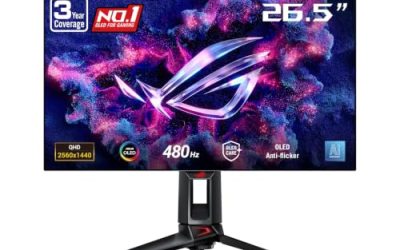
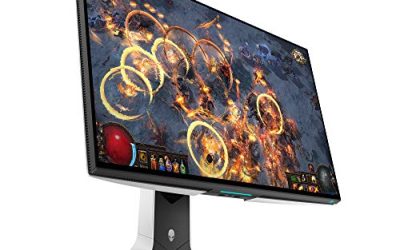
The best 27 inch 1440p 144Hz G-Sync monitor is the one that matches how you play and how much you want to spend: pick the ASUS TUF VG27AQ3A for a safe all-round Fast IPS, the AOC Q27G41ZE for the highest refresh on a tight budget, or the LG 27GX704A if you want an OLED panel with G-SYNC Compatible support. Every pick below is a 27-inch 2560 x 1440 screen at 144Hz or faster.
This guide is built for shoppers who want a 1440p monitor that works properly with an NVIDIA card. It explains the real difference between G-SYNC, G-SYNC Compatible and plain Adaptive-Sync, which matters because many listings use the words loosely. It is research-based: we did not use the monitors ourselves, and where a detail was not confirmed we wrote “check the maker”.
Our Top Picks
 ASUS TUF Gaming VG27AQ3A 27 Inch 1440p 180Hz14.4" x 24.2" x 2.1"24.2 x 8.4 x 17.9 inches10.1 poundsCheck on Amazon
Pros & cons
- 180Hz QHD panel with 1ms response suits competitive play
- ELMB Sync combines low blur with variable refresh rate
- Wide 130% sRGB gamut aids color-accurate visuals
- At over 10 pounds, it needs a sturdy desk or mount
- HDR10 support is basic compared to premium HDR tiers
 msi PRO MP273Q E14 27-inch IPS 2560 x14.3" x 24.2" x 2.3"18.53 x 24.15 x 7.91 inches13.67 poundsCheck on Amazon
 Acer Nitro 27in QHD 2560x1440 IPS 180Hz Gaming27-inch8.28 x 24.2 x 18.14 inches12.1 poundsCheck on Amazon


Top 3 picks at a glance
Picks at a Glance
| Pick | Best for | Refresh | Panel | Sync noted in listing |
|---|---|---|---|---|
| ASUS TUF VG27AQ3A | Best overall | 180Hz | Fast IPS | G-SYNC, FreeSync Premium |
| AOC Q27G41ZE | Fastest for the money | 240Hz, 260Hz overclock | IPS | G-SYNC Compatible |
| KTC H27T27S | Cheapest 144Hz | 144Hz | Check the maker | FreeSync and G-Sync |
| Dell S2725DSM | Mixed work and play | 144Hz | Check the maker | AMD FreeSync |
| MSI PRO MP273Q E14 | Simple 144Hz IPS | 144Hz | IPS | Adaptive-Sync |
| Acer Nitro KG271U | Budget 180Hz | 180Hz | IPS | AMD FreeSync |
| Samsung Odyssey G5 (G51F) | Feature-rich budget | 180Hz | Check the maker | AMD FreeSync |
| LG 27GX704A | Best image quality | 240Hz | OLED | G-SYNC Compatible |
Specs come from store listing text and maker pages. Items marked “check the maker” were not stated in the listing we read.
G-SYNC vs G-SYNC Compatible: What You Need to Know
G-SYNC means NVIDIA’s variable refresh technology, but there are three tiers. Native G-SYNC uses a hardware module inside the monitor. G-SYNC Compatible is NVIDIA’s validation of an Adaptive-Sync monitor. Plain Adaptive-Sync, often sold as FreeSync, works on many NVIDIA cards but is not validated.
- Native G-SYNC and G-SYNC Ultimate: module-based; the most consistent range, usually the highest cost.
- G-SYNC Compatible: NVIDIA-validated; works over DisplayPort on supported GeForce cards.
- FreeSync or Adaptive-Sync only: often works with NVIDIA, but results vary; check reviews for your model.
For most buyers, a G-SYNC Compatible 1440p monitor is plenty. Reserve a module-based screen for cases where the listing or reviews explain why it is worth the extra cost.
1. ASUS TUF Gaming VG27AQ3A: Best Overall
As an Amazon Associate we earn from qualifying purchases at no extra cost to you.

The listing describes a 27-inch 1440p Fast IPS monitor at 180Hz with G-SYNC, ELMB Sync, 1ms response, 130% sRGB, built-in speakers, FreeSync Premium, HDR10 and a 3-year warranty, aimed at PS5 and Xbox owners as well as PC players. It sits above the 144Hz target, so you get headroom for a faster GPU.
- 27 inches, 2560 x 1440, 180Hz
- Fast IPS with 1ms response and 130% sRGB listed
- G-SYNC and FreeSync Premium noted; HDR10 input
- Built-in speakers and a 3-year warranty listed
Best for: shoppers who want a balanced, well-known brand. Skip if: you want real HDR brightness; HDR10 here is a signal format, not a high-brightness guarantee.
Pros: 180Hz headroom; Fast IPS speed; G-SYNC labeling; ELMB Sync; warranty. Cons: HDR is basic; speakers are for convenience only; check the maker for stand adjustments.
2. AOC Q27G41ZE: Best for Maximum Refresh Rate
This AOC listing is a 27-inch QHD IPS monitor, 2560 x 1440, with a 240Hz native rate that can be overclocked to 260Hz, 0.3ms response, NVIDIA G-SYNC Compatible status, HDR, VESA mounting, audio out and a 3-year warranty.
- 27 inches, 2560 x 1440, IPS
- 240Hz native, 260Hz overclock
- 0.3ms response listed
- G-SYNC Compatible, HDR, VESA mount, audio out
Best for: competitive players who want the fastest 1440p IPS at a modest tier. Skip if: your GPU cannot reach those frame rates anyway.
Pros: very high refresh; G-SYNC Compatible; 3-year warranty; VESA mount. Cons: the overclock mode is a bonus, not a guarantee; HDR is basic.
3. KTC H27T27S: Cheapest 144Hz Option

The listing names a KTC 27-inch QHD 2K 1440p gaming monitor at 144Hz with FreeSync and G-Sync support, an eye-care feature, HDR10, HDMI and DisplayPort inputs, VESA mounting and a tilt-only stand.
- 27 inches, 2560 x 1440, 144Hz
- FreeSync and G-Sync noted in the listing
- HDMI and DisplayPort, VESA mountable
- Tilt adjustment only
Best for: the cheapest way into 1440p at 144Hz. Skip if: you want a height-adjustable stand or a well-known maker warranty.
Pros: low cost; 144Hz exact match; both ports; VESA mount. Cons: tilt-only stand; lesser-known brand; check the maker for panel type and warranty. Treat the “G-Sync” wording as compatibility, not a module.
4. Dell S2725DSM: Best for Work and Play

This Dell 27 Plus listing shows a 27-inch QHD 2560 x 1440 monitor at 144Hz and 1ms with two 3W speakers, HDMI and DisplayPort 1.4, a height, tilt, pivot and swivel stand and AMD FreeSync, in an Ash White finish.
- 27 inches, 2560 x 1440, 144Hz, 1ms
- 2 x 3W speakers
- HDMI and DisplayPort 1.4
- Height, tilt, pivot and swivel stand
Best for: a desk that doubles as a work and gaming station. Skip if: you need NVIDIA-validated G-SYNC Compatible status; the listing names FreeSync only, so check NVIDIA’s list before you rely on it.
Pros: full ergonomic stand; clean white look; DisplayPort 1.4; speakers. Cons: FreeSync-only wording; speakers are basic.
5. MSI PRO MP273Q E14: Simple IPS Value
The listing describes a 27-inch IPS 2560 x 1440 QHD monitor with a 144Hz refresh rate, Adaptive-Sync, 1ms response, HDMI and DisplayPort inputs, a speaker, tilt adjustment and VESA mounting in black.
- 27 inches, 2560 x 1440, IPS
- 144Hz, 1ms
- Adaptive-Sync, HDMI and DisplayPort
- Tilt stand, VESA mount
Best for: a no-frills IPS at the 144Hz target. Skip if: you need a height-adjustable stand.
Pros: exact 144Hz 1440p IPS match; VESA mount; simple. Cons: tilt-only stand; sync is Adaptive-Sync, not marked G-SYNC Compatible.
6. Acer Nitro KG271U: Budget 180Hz
This Acer Nitro listing is a 27-inch QHD 2560 x 1440 IPS monitor at 180Hz with 0.5ms response, AMD FreeSync, 95% DCI-P3, two HDMI ports, DisplayPort, a speaker, VESA mounting, a bluelight filter and flicker-free technology.
- 27 inches, 2560 x 1440, IPS, 180Hz
- 95% DCI-P3 listed
- 2 x HDMI and DisplayPort
- Bluelight filter, flickerless technology
Best for: color-rich budget play with two HDMI ports for consoles. Skip if: you want a validated G-SYNC Compatible label.
Pros: wide-gamut claim; 180Hz; multiple inputs. Cons: FreeSync wording; basic stand likely, check the maker.
7. Samsung Odyssey G5 (G51F): Feature-Rich Budget

The listing shows a 27-inch QHD 1440p Odyssey G5 monitor with 180Hz, 1ms, AMD FreeSync, HDR10, a height-adjustable stand, Black Equalizer, Virtual Aim Point and Auto Source Switch+.
- 27 inches, 1440p, 180Hz, 1ms
- HDR10, FreeSync
- Height-adjustable stand
- Black Equalizer, Virtual Aim Point, Auto Source Switch+
Best for: players who like in-monitor shooter helpers and a height-adjustable stand. Skip if: you need a confirmed IPS panel; check the maker for panel type.
Pros: height-adjustable; game features; 180Hz. Cons: FreeSync wording; panel type not stated in the listing.
8. LG 27GX704A: Best Image Quality
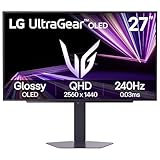
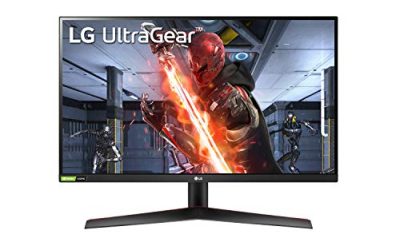
This LG UltraGear listing is a 27-inch QHD OLED gaming monitor with a 240Hz refresh rate, 0.03ms response, NVIDIA G-Sync Compatible, AMD FreeSync Premium Pro, VESA DisplayHDR TrueBlack 400, HDMI 2.1 and DisplayPort.
- 27 inches, QHD OLED, 240Hz
- 0.03ms response, DisplayHDR TrueBlack 400
- G-Sync Compatible and FreeSync Premium Pro
- HDMI 2.1 and DisplayPort
Best for: anyone who wants deep blacks and fast pixel response above all. Skip if: you want a static desktop with taskbars all day, since OLED care matters.
Pros: true blacks; very fast response; HDMI 2.1; G-SYNC Compatible. Cons: OLED burn-in care needed; costs more than IPS picks.
Also Consider
Alienware AW2723DF

The listing shows a 27-inch 2560 x 1440 monitor with a 240Hz display over DisplayPort 1.4, 1ms response, NVIDIA G-Sync and a fully adjustable stand. It suits shoppers who want a premium-brand 27-inch 1440p with native G-Sync wording.
Alienware AW2726DL

This listing is a 27-inch WQHD IPS monitor at 280Hz with 1ms response, 109 PPI, 93% DCI-P3, 400 cd/m2 and 1000:1 contrast, with HDMI and DisplayPort. It is for players who want more headroom than 144Hz.
Acer Nitro EDA270U

The listing describes a curved 27-inch QHD 2560 x 1440 Acer Nitro gaming monitor at 180Hz with 1ms response, AMD FreeSync Premium and two HDMI ports plus DisplayPort. It suits those who prefer a gentle curve.
Side-by-Side Details: Stands, Ports and Warranty
| Monitor | Stand adjustment in listing | Inputs in listing | Warranty in listing |
|---|---|---|---|
| ASUS TUF VG27AQ3A | Check the maker | Check the maker | 3 years |
| AOC Q27G41ZE | VESA mount; check the maker for stand | Audio out; check the maker for ports | 3 years |
| KTC H27T27S | Tilt only, VESA mountable | HDMI and DisplayPort | Check the maker |
| Dell S2725DSM | Height, tilt, pivot, swivel | HDMI and DisplayPort 1.4 | Check the maker |
| MSI PRO MP273Q E14 | Tilt, VESA mountable | HDMI and DisplayPort | Check the maker |
| Acer Nitro KG271U | VESA mountable | 2 x HDMI and DisplayPort | Check the maker |
| Samsung Odyssey G5 (G51F) | Height adjustable | Check the maker | Check the maker |
| LG 27GX704A | Check the maker | HDMI 2.1 and DisplayPort | Check the maker |
The “check the maker” cells are not gaps in the monitors, only in the listing text we used. Confirm them before you order, especially if you plan to use a monitor arm or a console.
Pre-Purchase Checklist
- Confirm the exact model number, since many monitors differ by one letter between regional versions.
- Check that your GeForce card has a DisplayPort output and that you own a DisplayPort cable.
- Look up the maker’s sync wording. G-SYNC Compatible is a stronger signal than “FreeSync” alone.
- Measure your desk depth. A 27-inch screen is easier to live with at roughly an arm’s length.
- Read the return policy and inspect the screen for dead pixels and uneven backlight in the first days.
- Decide whether you need speakers, a USB hub or a height-adjustable stand, and rule out models that lack them.
When to Spend More and When to Save
Spend more when the extra money buys something you will notice every day: OLED blacks, a 240Hz panel that your GPU can feed, a height-adjustable stand, or a longer warranty. Save when the upgrade is a number on the box. Moving from 144Hz to 180Hz is a small change, and a basic HDR10 label adds little on an edge-lit IPS panel.
A sensible plan for a mid-range PC is a 144Hz or 180Hz IPS monitor now and a GPU upgrade later. A sensible plan for a high-end PC is a 240Hz IPS or OLED panel that lets the card show what it can do.
How We Chose
We did not use these monitors. We screened the store catalog for 27-inch, 2560 x 1440 monitors at 144Hz or higher, removed anything unavailable or used, limited each brand to two picks, and compared listing specs with maker pages and editorial reviews. Sync claims are repeated as listed; we separate G-SYNC Compatible from FreeSync-only wording so you can judge for yourself.
Buying Guide
Refresh rate and GPU
144Hz is a good target for most modern GPUs at 1440p. Choose 180Hz or 240Hz only if your graphics card can reach those frame rates in your games.
Panel type
- IPS: best all-round color and viewing angles; expect gray blacks in dark rooms.
- VA: deeper blacks but slower dark transitions on some models.
- OLED: perfect blacks and the fastest pixel response; needs burn-in care and costs more.
Cables and ports
Use DisplayPort for G-SYNC on NVIDIA cards. HDMI 2.1 matters for consoles and for 1440p at high refresh over HDMI.
Stand and size
Height adjustment saves money on a monitor arm. Tilt-only stands are fine if your desk height suits you, and VESA mounting gives you an upgrade path.
Thresholds to remember
- Under 144Hz: skip for gaming at this size.
- 144-180Hz: ideal balance for mid-range GPUs.
- 240Hz and above: only with a strong GPU or competitive aims.
How to Turn On G-SYNC Correctly
Buying a G-SYNC capable monitor is only half the job. If the feature is not switched on, you still get tearing and stutter when frame rate drops. Follow these steps on a GeForce card.
- Connect the monitor with DisplayPort. It is the most widely supported connection for variable refresh on NVIDIA cards.
- Turn on Adaptive-Sync, FreeSync or the equivalent setting in the monitor’s on-screen menu if it is off by default.
- Open the NVIDIA Control Panel and choose Set up G-SYNC under the Display section.
- Tick Enable G-SYNC, G-SYNC Compatible, then choose whether to enable it for full screen mode only or also for windowed mode.
- Set the refresh rate to the highest value your monitor supports on the Change resolution page.
- In the Manage 3D settings page, set Vertical sync to On for the global profile, which is the approach NVIDIA’s own guidance describes for G-SYNC, then cap your frame rate a few frames below the monitor’s maximum in the game or driver.
If flicker appears in menus or loading screens, check for a monitor firmware note on the maker page, since some Adaptive-Sync screens show brightness flicker when frame rate swings widely.
1440p vs 1080p vs 4K: Why 1440p at 144Hz Works
| Resolution | Pixels | Typical sweet spot | GPU demand |
|---|---|---|---|
| 1080p | About 2.1 million | 24-inch esports screens | Lowest |
| 1440p | About 3.7 million | 27-inch all-round gaming | Moderate |
| 4K | About 8.3 million | Large screens and consoles | Highest |
At 27 inches, 1440p gives about 109 pixels per inch, which is noticeably sharper than 1080p on the same size and far easier to run than 4K. That is why 27-inch 1440p at 144Hz is the most common step up for players who outgrow a basic 1080p screen. A mid-range or better graphics card can drive it in most modern games at sensible settings, and variable refresh smooths the moments when frames dip.
Which Pick Fits Which Player?
| Player type | Choose | Reason |
|---|---|---|
| Competitive shooter fan | AOC Q27G41ZE | 240Hz native with 0.3ms response listed. |
| Balanced all-rounder | ASUS TUF VG27AQ3A | 180Hz Fast IPS with G-SYNC wording and a 3-year warranty. |
| Tight budget | KTC H27T27S or MSI PRO MP273Q E14 | Exact 144Hz 1440p match with a simpler stand. |
| Work plus play | Dell S2725DSM | Full ergonomic stand and speakers. |
| Color-rich single-player | Acer Nitro KG271U | 95% DCI-P3 listed with 180Hz. |
| Dark rooms, cinematic games | LG 27GX704A | OLED blacks and fast response. |
| Prefers in-monitor game helpers | Samsung Odyssey G5 (G51F) | Black Equalizer and Virtual Aim Point. |
Common Problems and Simple Fixes
The monitor runs at 60Hz
Open Windows display settings, go to Advanced display and choose the highest refresh rate. Use DisplayPort or a certified HDMI cable that supports the rate.
G-SYNC option is missing
The monitor may not be validated, Adaptive-Sync may be disabled in its menu, or you may be connected over a port that does not support variable refresh. Switch to DisplayPort and enable Adaptive-Sync in the monitor menu.
Screen flickers in menus
Variable refresh can cause brightness flicker on some panels when frame rate changes quickly. Cap the frame rate, limit menu frame rates, or turn variable refresh off for windowed apps.
Colors look washed out
Check the picture mode and color range in the NVIDIA Control Panel. Reset to the sRGB or standard mode before changing anything else.
IPS, VA or OLED for 27-Inch 1440p?
IPS dominates this size because it combines fast response with good color and viewing angles, which is why most picks above use it. VA panels, which we did not include, offer higher contrast but vary more in dark-scene response. OLED, represented by the LG 27GX704A, delivers true blacks and extremely fast pixel response, at higher cost and with long-term care requirements such as varying static content and using the maker’s screen-saving features.
If you mostly play in a bright room, IPS is the practical choice. If you play atmospheric single-player games in the dark, OLED makes a bigger difference than another 60Hz of refresh rate.
Popular Models Shoppers Ask About
LG 27GL83A-B (27gl83a b reddit)
LG lists the 27GL83A-B as a 27-inch QHD 2560 x 1440 IPS monitor at 144Hz with 1ms GtG, sRGB 99%, HDR10 and G-SYNC Compatible status. It is a popular older model, so check availability and warranty before buying.
LG 27GP950 (4K, not 1440p)
LG lists the 27GP950-B as a 4K UHD Nano IPS monitor at 144Hz, with DSC and overclocking up to 160Hz, G-SYNC Compatible, FreeSync Premium Pro, DCI-P3 98% and DisplayHDR 600. It is a step up in resolution and needs a stronger GPU than a 1440p screen.
ASUS VG278QR (asus vg278qr reddit)
ASUS lists the VG278QR as a 27-inch 1920 x 1080 TN monitor at up to 165Hz with 0.5ms GTG and G-SYNC Compatible validation. It is 1080p, not 1440p, so it fits a different goal.
Acer Nitro XF243Y (acer nitro xf243y reddit)
The sources we checked did not cover the XF243Y, so we are not listing specs. It is a 24-inch-class model by name, so check the maker for resolution, refresh rate and sync support.
ASUS TUF VG289Q and BenQ Mobiuz EX2510 for PS5
Both names appear in console searches. Confirm resolution, refresh rate and HDMI version on the maker pages before buying for PS5, because consoles need HDMI 2.1 for 4K 120Hz and a supported mode for 1440p.
32-inch 4K curved 144Hz monitors
If you want a larger 4K curved screen at 144Hz, you will need a stronger GPU than for 1440p. A 4K curved model in the store is the CRUA 32-inch 4K 160Hz curved VA monitor with 1500R, FreeSync and HDMI 2.1 noted in its listing.

FAQ
What is the best 27 inch 1440p 144Hz G-Sync monitor?
The ASUS TUF VG27AQ3A is our overall pick for balance, with the AOC Q27G41ZE for refresh rate and the LG 27GX704A for OLED quality.
Is G-SYNC Compatible as good as native G-SYNC?
For most players, yes. Native G-SYNC modules can offer a more consistent range, but G-SYNC Compatible screens give smooth variable refresh on supported GeForce cards.
Do I need DisplayPort for G-SYNC?
Use DisplayPort for the widest support. Some monitors also support G-SYNC over HDMI on newer GeForce cards; check the maker page for your model.
Is 144Hz still worth buying?
Yes. It is a large step up from 60Hz and easy to drive at 1440p. Choose 180Hz or more only if your GPU can feed it.
What is the cheapest 144 hertz monitor at 1440p?
The KTC H27T27S is the lowest-cost 144Hz 1440p option in this list. Check the maker for panel type and warranty details.
Is 27 inches the right size for 1440p?
Yes. 27 inches at 2560 x 1440 gives about 109 pixels per inch, sharp enough for gaming and text at normal desk distance.
Can these monitors work with a PS5?
Many can, but consoles use HDMI. Check the HDMI version and whether 1440p output is supported, since PS5 support for 1440p depends on system settings.
Which One Should You Buy?
Start with the ASUS TUF VG27AQ3A if you want a safe default. Choose the AOC Q27G41ZE if you play fast shooters and want maximum refresh on a modest budget. Pick the KTC or MSI if cost matters most, the Dell if the monitor also serves your workday, and the LG 27GX704A if image quality is the priority and you can handle OLED care.
Sources
- LG maker pages for the 27GL83A-B and 27GP950-B
- ASUS maker page for the VG278QR and TUF Gaming monitor listings
- NVIDIA G-SYNC Compatible monitor information
- Store listing text for each product named above
Last updated: November 2026
Related guides
More from Amazon
Programs that pair well with the guide above. Offers and eligibility are set by Amazon and may change.
Free shipping on eligible items, Prime Video and more. Eligible new members can start with a free trial.
Start a Prime free trialAd-free music streaming. Eligible new subscribers can start with a free trial.
Try Music Unlimited freeA Prime membership for ages 18-24 with a trial period. Eligibility is set by Amazon.
See Prime for Young AdultsAudiobooks and podcasts to listen to on the go. Eligible new members can start with a free trial.
Try Audible freeAs an Amazon Associate we earn from qualifying purchases.