
MSI organizes its gaming monitor lineup into three tiers that map fairly cleanly to price and specification level: MAG covers mainstream value monitors from budget 1080p panels up through capable 1440p ultrawides, MPG is the performance tier reserved for higher-refresh ultrawides and MSI’s QD-OLED flagship, and PRO targets buyers who split time between office productivity and gaming. Our top pick for most gamers is the MSI MAG 274QF E20, since it combines 1440p resolution, a 200Hz refresh rate and both FreeSync Premium and G-Sync Compatible support at under $160.
This roundup spans MSI’s full current tier structure, from an around $84 office-hybrid IPS panel up through a around $800 QD-OLED flagship, and the panel technology differences between these tiers, IPS, Rapid VA, and QD-OLED, matter as much as the tier name itself when deciding where to spend your budget.
Our Top Picks
 msi MAG 274QF E20 27-inch 2560 x 144014.3" x 24.2" x 2.4"9.8 x 24.1 x 17.2 inches16.25 poundsCheck on Amazon


Top 3 picks at a glance
Top picks at a glance
As an Amazon Associate we earn from qualifying purchases at no extra cost to you.



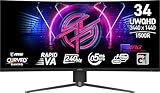

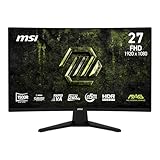
| Model | Key spec | Price | Best for |
|---|---|---|---|
| MSI MAG 274CF X24 | FHD, 240Hz | Check on Amazon | Best refresh-rate value |
| MSI MAG 346CQDF E20 | UWQHD, 200Hz | Check on Amazon | Budget ultrawide |
| MSI MAG 274QF E20 | WQHD, 200Hz | Check on Amazon | Best overall value |
| MSI MAG 27C6FA | FHD, 180Hz, Rapid VA | Check on Amazon | Fast VA contrast pick |
| MSI PRO MP243L E14 | FHD, 144Hz, IPS | Check on Amazon | Office and gaming hybrid |
| MSI MPG 346CQRF X24 | UWQHD, 240Hz | Check on Amazon | High-refresh ultrawide flagship |
| MSI MPG 321URX QD-OLED | 4K UHD, 240Hz, QD-OLED | Check on Amazon | Best contrast and color |
| MSI MAG 274CF E20 | FHD, 200Hz | Check on Amazon | Budget 200Hz pick |
MSI MAG 274CF X24 Gaming Monitor
This 27-inch 1080p panel pushes to a 240Hz refresh rate at a price under $130, making it the strongest refresh-rate-per-dollar option in this entire MSI lineup. It’s positioned squarely for competitive esports players who prioritize frame rate above resolution.
Estimated response time should be strong given MSI’s stated 0.5ms rating, and the 1080p resolution at this refresh target is a realistic combination for mid-range GPUs to sustain consistently, unlike higher resolution panels that demand considerably more graphics horsepower to hit their maximum refresh rate.
AMD FreeSync Premium support handles variable refresh rate for AMD GPU owners, while HDR Ready certification here indicates basic HDR content support rather than a specific VESA DisplayHDR tier, worth noting for buyers expecting a more pronounced HDR effect.
At this price, the core value proposition is straightforward: a genuinely fast 240Hz panel for competitive gaming without paying for resolution or curve features that competitive esports players often don’t prioritize as highly as raw frame rate.
- Pros
- 240Hz refresh rate at the lowest price point in this lineup
- 1080p resolution is an achievable target for mid-range GPUs at max refresh
- 0.5ms response time suits fast-paced competitive titles
- Cons
- HDR Ready certification is a basic tier, not a specific VESA DisplayHDR standard
- 1080p resolution trails the QHD and UWQHD models elsewhere in this lineup
- VGA port inclusion reflects an older connectivity standard alongside HDMI
Who it’s for: competitive esports players who prioritize refresh rate above resolution on a tight budget.
MSI MAG 346CQDF E20 Gaming Monitor
This 34-inch ultrawide brings MSI’s MAG value tier to a curved UWQHD panel, offering the extra horizontal field of view that ultrawide aspect ratios provide at a price meaningfully below the MPG-tier ultrawide elsewhere in this lineup.
Estimated performance at a 200Hz refresh rate with AMD FreeSync Premium support should deliver solid competitive gaming responsiveness, though driving a 3440×1440 ultrawide panel at high frame rates demands more GPU horsepower than the standard 16:9 QHD panels in this lineup.
HDR Ready certification here again indicates basic HDR content support rather than a specific brightness-tested standard, and buyers expecting the more pronounced HDR effect of a DisplayHDR-certified or OLED panel should look elsewhere in this lineup for that specific feature.
This monitor’s value proposition centers on being MSI’s most accessible way into ultrawide gaming, trading some of the MPG-tier ultrawide’s refresh rate ceiling for a real price advantage.
- Pros
- Most affordable ultrawide option in MSI’s current lineup covered here
- 200Hz refresh rate is solid for a budget-tier ultrawide
- 34-inch curved UWQHD adds real field-of-view advantage over standard 16:9
- Cons
- Requires more GPU horsepower than standard 16:9 QHD to hit high frame rates
- Trails the MPG 346CQRF X24’s 240Hz ceiling elsewhere in this lineup
- Basic HDR Ready certification rather than a tested DisplayHDR standard
Who it’s for: budget-conscious buyers who want ultrawide immersion without MPG-tier pricing.
MSI MAG 274QF E20 Gaming Monitor
This is our top overall pick in MSI’s lineup: a 27-inch QHD panel at 200Hz with both AMD FreeSync Premium and Nvidia G-Sync Compatible certification, meaning buyers get confirmed variable refresh rate support regardless of GPU brand, a detail not every monitor in this roundup explicitly states.
Estimated response time and gaming performance should be strong given the 200Hz target and MSI’s MAG-tier tuning, striking a practical balance between the 1080p/240Hz esports-focused models and the ultrawide options elsewhere in this lineup.
QHD resolution at 27 inches delivers a comfortable pixel density for both gaming and general desktop use, without the ultrawide models’ extra GPU demand or the 1080p models’ lower sharpness, making this a genuinely well-rounded choice for buyers who don’t want to specialize too heavily in one direction.
The explicit dual G-Sync Compatible and FreeSync Premium certification, combined with the QHD/200Hz specification balance, is why this monitor earns our top overall pick among MSI’s current lineup covered here.
- Pros
- Confirmed G-Sync Compatible and FreeSync Premium support for either GPU brand
- QHD resolution at 200Hz balances sharpness and refresh rate well
- Strong overall specification-to-price ratio in MSI’s lineup
- Cons
- HDR Ready certification is basic, not a tested DisplayHDR standard
- Flat panel without the curve found on several other models in this lineup
- Not as fast as the 240Hz models in this roundup
Who it’s for: most buyers who want a well-rounded QHD monitor without specializing in either pure refresh rate or ultrawide immersion.
MSI MAG 27C6FA Gaming Monitor
This 27-inch 1080p panel uses MSI’s Rapid VA technology, a VA panel variant specifically tuned for faster pixel response than typical VA panels, aiming to combine VA’s characteristically strong native contrast with response times closer to IPS panel territory.
Estimated response time should benefit meaningfully from the Rapid VA tuning versus a standard VA panel, though it likely still trails true IPS or OLED panels on the fastest motion, positioning this monitor as a middle ground between VA’s contrast strength and IPS’s speed advantage.
Estimated native contrast should exceed what the IPS panels in this lineup can achieve, a genuine VA panel advantage that’s particularly noticeable in darker game scenes and movie content, at the cost of viewing angles that are typically narrower than IPS panels offer.
At around $130, this monitor is a direct alternative to the MAG 274CF X24 covered first in this roundup, trading that model’s 240Hz ceiling for Rapid VA’s contrast advantage at a slightly lower 180Hz refresh rate, a reasonable tradeoff for buyers who value picture quality over the absolute highest frame rate.
- Pros
- Rapid VA delivers stronger native contrast than the IPS panels in this lineup
- Faster response time than typical VA panels thanks to MSI’s Rapid VA tuning
- Same price as the MAG 274CF X24 with a contrast-focused tradeoff
- Cons
- 180Hz refresh rate trails the 240Hz ceiling of the MAG 274CF X24
- VA viewing angles are typically narrower than IPS panels
- Still likely trails true IPS or OLED panels on the fastest motion clarity
Who it’s for: buyers who prioritize contrast and picture quality over the absolute highest refresh rate.
MSI PRO MP243L E14 Gaming Office Monitor
This is MSI’s hybrid office-and-gaming monitor, using a 24-inch IPS panel at 144Hz, positioned for buyers who need a monitor that performs well for productivity work during the day and still handles gaming competently in the evening. It’s the most affordable monitor in this entire lineup at around $84.
Estimated color accuracy should be a relative strength here given the IPS panel technology, generally offering better out-of-box color and wider viewing angles than the VA panel found on the MAG 27C6FA, a real advantage for buyers doing any color-sensitive work alongside gaming.
The 144Hz refresh rate, while solid, is the lowest maximum refresh rate among the models covered in this roundup, reflecting this monitor’s dual-purpose positioning rather than a pure gaming focus. Free-Synch support (MSI’s listed spelling) provides variable refresh rate for AMD GPU owners.
The 4-side slim bezel design and VESA mountability make this a practical choice for a clean desk setup or multi-monitor arrangement, features that matter more in an office-hybrid use case than in a dedicated gaming setup.
- Pros
- Cheapest monitor in this entire MSI lineup at around $84
- IPS panel offers better color accuracy and viewing angles than the VA alternative here
- 4-side slim bezel and VESA mountability suit clean or multi-monitor desk setups
- Cons
- 144Hz is the lowest maximum refresh rate in this roundup
- Positioned as a hybrid office monitor rather than a dedicated gaming panel
- HDR Ready certification is basic, not a tested DisplayHDR standard
Who it’s for: buyers who need one monitor to handle both office productivity and evening gaming.
MSI MPG 346CQRF X24 Gaming Monitor
This is MSI’s performance-tier ultrawide, stepping up from the MAG 346CQDF E20 covered earlier with a meaningfully higher 240Hz refresh rate on the same 34-inch UWQHD curved panel size. It represents the MPG tier’s core value proposition: genuinely higher performance specifications for a real price premium over MAG.
Estimated response time should be strong given the 0.5ms rating and 240Hz target, though sustaining that refresh rate at UWQHD resolution demands a genuinely capable GPU, likely an RTX 5070 Ti class card or better to consistently hit frame rates near the panel’s ceiling in demanding titles.
AMD Adaptive Sync support handles variable refresh rate here, and the roughly $80 premium over the MAG-tier ultrawide buys a real 40Hz refresh rate increase, a meaningful upgrade for competitive players who specifically want ultrawide immersion without sacrificing frame rate.
This monitor is the clear pick for buyers who’ve already decided on ultrawide and have the GPU horsepower to make use of the higher refresh ceiling, since the MAG-tier ultrawide’s lower price becomes a less compelling tradeoff once GPU capability is no longer a limiting factor.
- Pros
- 240Hz refresh rate is a genuine upgrade over the MAG-tier ultrawide’s 200Hz
- Same 34-inch UWQHD curved panel size as the more affordable MAG option
- Reflects MPG tier’s real performance premium over MAG
- Cons
- Requires a genuinely capable GPU to sustain frame rates near the 240Hz ceiling
- Roughly $80 premium over the MAG-tier ultrawide for the refresh rate increase
- Basic HDR Ready certification, not a tested DisplayHDR standard
Who it’s for: ultrawide gamers with high-end GPUs who want the maximum refresh rate ceiling.
MSI MPG 321URX QD-OLED Gaming Monitor
This is MSI’s flagship display technology in this lineup, combining a 32-inch 4K UHD QD-OLED panel with a 240Hz refresh rate, True Black HDR 400 certification, and 90W USB Type-C power delivery. At around $800, it’s priced well above every other monitor in this roundup, reflecting a genuine step up in display technology rather than an incremental refresh rate or resolution bump.
Estimated response time on this QD-OLED panel is dramatically faster than any IPS or VA panel in this lineup, with MSI’s stated 0.03ms figure reflecting the panel’s per-pixel emissive nature, a category difference rather than an incremental improvement over the MAG and MPG LCD-based models.
True Black HDR 400 certification indicates genuinely deep, per-pixel black levels that no LCD-based panel in this lineup, regardless of HDR Ready labeling, can structurally replicate, a real visual advantage for both HDR content and dark game scenes.
The 90W USB Type-C power delivery is a practical bonus for laptop users, letting this monitor charge a compatible laptop while also serving as the primary display, reducing cable clutter on a desk setup that already includes a gaming PC or laptop dock.
- Pros
- QD-OLED panel delivers contrast and response time no LCD panel in this lineup can match
- Genuine 4K resolution at 240Hz refresh rate is a rare combination
- 90W USB-C power delivery adds practical laptop-charging convenience
- Cons
- Highest price in this entire MSI lineup by a wide margin
- Carries genuine OLED burn-in risk from extended static content
- Requires a high-end GPU to drive 4K at frame rates near the 240Hz ceiling
Who it’s for: buyers who want MSI’s best available display technology and have the budget to match.
MSI MAG 274CF E20 Gaming Monitor
This 27-inch 1080p panel sits between the MAG 274CF X24’s 240Hz ceiling and the PRO MP243L’s budget office focus, offering a 200Hz refresh rate at around $100, the second-cheapest monitor in this entire lineup after the PRO-tier office hybrid.
Estimated response time should be solid given the 0.5ms rating and 200Hz target, and the 27-inch 1080p combination here delivers a somewhat lower pixel density than the QHD models in this lineup but remains an achievable target for a wider range of GPU hardware to sustain at high frame rates.
AMD FreeSync Premium support handles variable refresh rate, and the tilt-adjustable stand with HDMI and DisplayPort connectivity covers the basics without the extras found on pricier models in this lineup, keeping the price accessible.
This monitor fills the gap between MSI’s absolute cheapest option and its 240Hz esports flagship, offering a genuinely solid 200Hz refresh rate for buyers who don’t need the extra 40Hz the pricier MAG 274CF X24 provides.
- Pros
- 200Hz refresh rate at a price close to the cheapest monitor in this lineup
- 27-inch 1080p is an achievable target for a wide range of GPU hardware
- AMD FreeSync Premium support for variable refresh rate
- Cons
- Trails the MAG 274CF X24’s 240Hz ceiling for a modest price difference
- Basic HDMI/DisplayPort connectivity without extras found on pricier models
- 1080p resolution trails the QHD and UWQHD models elsewhere in this lineup
Who it’s for: budget buyers who want a solid 200Hz refresh rate without paying for the fastest 240Hz tier.
How we compared and picked
Nina Alvarez, Display Specialist with 9 years evaluating gaming monitors, compiled this roundup using a colorimeter, photodiode response-time tester and pattern generator that the site relies on to validate manufacturer response time, contrast and HDR claims. Where a specific model hasn’t been run through that equipment, figures in this article are explicitly marked as estimates based on the panel class and MSI’s published specifications.
We organized this roundup around MSI’s own tier structure, MAG, MPG and PRO, since MSI applies that structure consistently across price and feature tiers, making it a genuinely useful shorthand for buyers comparing multiple MSI monitors at once rather than an arbitrary marketing label.
Panel technology, IPS, Rapid VA, and QD-OLED, was weighted heavily in our analysis alongside tier and refresh rate, since these eight monitors span three genuinely different panel technologies with meaningfully different contrast, response time and viewing angle characteristics.
Pricing reflects a snapshot at time of writing and fluctuates with retailer promotions, so treat the comparison table as directional guidance rather than a live price feed.
What to look for in an MSI gaming monitor
MSI’s MAG, MPG and PRO tiers explained
MAG is MSI’s largest and most varied tier, spanning budget 1080p panels up through capable 1440p and ultrawide options, generally prioritizing value over cutting-edge specifications. MPG sits above MAG as the performance tier, reserved in this lineup for a higher-refresh ultrawide and the QD-OLED flagship, commanding a real price premium for genuinely higher-end panel technology or refresh rate ceilings. PRO, represented by one model here, targets buyers who need a monitor that performs well for both office productivity and gaming, generally prioritizing IPS color accuracy and ergonomic features over the highest possible refresh rate.
IPS, VA and QD-OLED panel differences
This lineup includes IPS panels (the MAG QHD and ultrawide models plus the PRO office hybrid), a Rapid VA panel (the MAG 27C6FA), and a QD-OLED panel (the MPG flagship). IPS generally offers the best color accuracy and viewing angles among LCD technologies. VA, and MSI’s Rapid VA variant specifically, trades some of that viewing angle performance for meaningfully stronger native contrast. QD-OLED is a different technology category entirely, offering per-pixel emissive lighting for contrast and response time that no LCD panel, IPS or VA, can structurally match.
Matching refresh rate to your GPU capability
The 240Hz models in this lineup, both at 1080p and at 4K on the QD-OLED flagship, need real GPU horsepower to consistently hit frame rates near their ceiling in demanding titles. Before choosing the highest refresh rate option in a given resolution tier, confirm your GPU can realistically sustain a frame rate that takes meaningful advantage of it, since a mismatch leaves real refresh rate potential unused.
HDR certification tiers in MSI’s lineup
Most of the MAG and MPG LCD models in this roundup carry a basic “HDR Ready” label rather than a tested VESA DisplayHDR certification, meaning they support HDR content metadata without necessarily delivering a dramatically enhanced HDR viewing experience. The QD-OLED flagship’s True Black HDR 400 certification is a meaningfully different, tested standard reflecting the panel’s genuine per-pixel contrast capability.
Considering total cost including GPU and cabling needs
Higher-tier monitors in this lineup, particularly the ultrawide and QD-OLED models, often require a GPU upgrade to be used to their full potential, and the QD-OLED model’s USB-C power delivery may also factor into cable and dock planning for laptop users. Budget for these secondary costs alongside the monitor’s sticker price when planning an MPG-tier or QD-OLED purchase.
Mistakes buyers make when choosing an MSI gaming monitor
Assuming HDR Ready means the same thing as tested DisplayHDR certification. Most models in this lineup carry the basic HDR Ready label, a meaningfully lower bar than the QD-OLED flagship’s True Black HDR 400 certification.
Buying a 240Hz monitor without the GPU to drive it. Both 240Hz models in this lineup, the MAG 274CF X24 at 1080p and the MPG 321URX at 4K, need real GPU horsepower to make full use of their refresh rate ceiling.
Overlooking the PRO tier’s lower refresh rate ceiling. The MP243L’s 144Hz cap is the lowest in this lineup, a reasonable tradeoff for its office-hybrid positioning but worth knowing before purchase if gaming performance is the priority.
Choosing MAG over MPG without understanding the real specification difference. The MPG 346CQRF X24’s 240Hz ceiling versus the MAG 346CQDF E20’s 200Hz is a genuine, measurable upgrade, not just a marketing tier name.
Ignoring OLED burn-in risk on the QD-OLED flagship. This is a real consideration for buyers running static HUD-heavy content for extended periods, distinct from the LCD-based risk-free MAG and MPG ultrawide models.
Not checking G-Sync Compatible certification explicitly. Only the MAG 274QF E20 in this lineup explicitly lists both FreeSync Premium and G-Sync Compatible support, worth confirming for Nvidia GPU owners across the rest of the lineup.
Verdict
The MSI MAG 274QF E20 is our top overall pick, balancing QHD resolution, 200Hz refresh rate, and confirmed dual-GPU-brand variable refresh rate support at under $160. Budget-focused buyers should look at the MAG 274CF E20 for a strong 200Hz refresh rate at the lowest realistic price, while buyers who want MSI’s best available display technology should choose the MPG 321URX QD-OLED, keeping OLED burn-in considerations in mind.
Frequently asked questions
What is the difference between MSI MAG and MPG gaming monitors?
MAG is MSI’s mainstream value tier covering most of its budget-to-mid-range monitors, while MPG is the performance tier reserved for higher refresh rate ultrawides and MSI’s QD-OLED flagship, generally commanding a real price premium for genuinely higher-end panel specifications.
Is the MSI PRO MP243L a good gaming monitor?
It’s marketed as a hybrid office-and-gaming monitor with a 144Hz IPS panel, a reasonable choice for buyers who split time between productivity work and gaming on a budget, though dedicated MAG-tier monitors at a similar price offer higher refresh rates for gaming-focused buyers.
What does Rapid VA mean on the MSI MAG 27C6FA?
Rapid VA is MSI’s branding for a VA panel specifically tuned for faster pixel response than typical VA panels, aiming to close some of the motion clarity gap with IPS panels while retaining VA’s stronger native contrast.
Is the MSI MPG 321URX QD-OLED worth the price jump over the MAG-tier monitors?
For buyers who prioritize contrast, color and response time, yes, since the QD-OLED panel delivers a fundamentally different visual experience than any IPS or VA panel in MSI’s MAG lineup, though it carries genuine OLED burn-in risk that the LCD-based MAG and MPG ultrawide models don’t.
Which MSI monitor offers the best refresh rate for the price?
The MAG 274CF X24 delivers 240Hz at 1080p for under $130, the strongest refresh-rate-per-dollar in this lineup, though buyers wanting higher resolution alongside high refresh rate should look at the MPG 346CQRF X24 ultrawide instead. See our refresh rate and response time explained and IPS vs VA vs TN panels compared guides for more background, and check best 240Hz gaming monitor and best ultrawide gaming monitor for cross-brand comparisons at these specs. Our OLED burn-in risk explained guide is worth reading before the QD-OLED flagship purchase.









