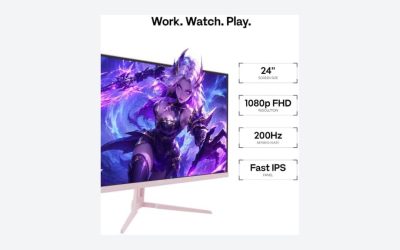
For a 24-inch esports screen at 240Hz, the ASUS TUF VG249QML5A and the GIGABYTE G25F2A are the two listings that combine a Fast-IPS-type panel with an adjustable stand, while the Dell SE2426HG and the CUNPU are the plainer, lower-cost routes. A 240Hz panel only helps if your PC can push 240 frames per second, so match the monitor to your hardware. Figures below come from listing titles, with anything missing marked for you to check on the page.
Our Top Picks
 GIGABYTE G25F2A 24.5" SuperSpeed IPS FHD Gaming MonitorFhd 240Hz7.38 x 19.62 x 21.93 inches13.2 PoundsCheck on Amazon
Top 3 picks at a glance
Quick picks
As an Amazon Associate we earn from qualifying purchases at no extra cost to you.


- Best-known brand and warranty claim: ASUS TUF VG249QML5A (3-year warranty in the title)
- Simple IPS 240Hz: Dell SE2426HG or GIGABYTE G25F2A
- Lowest-cost 240Hz in this group: CUNPU (Fast VA) or ArcticPro
- Sharper picture, more GPU demand: SANSUI QHD 1440p
- Not 240Hz: Sceptre Prime 165Hz (runner-up only)
All ten at a glance
| Model | Key point from the title | Best for |
|---|---|---|
| Dell SE2426HG | 23.8-inch IPS, 1080p, 240Hz, FreeSync Premium, TÜV 3-Star | Simple IPS buyers |
| ASUS TUF VG249QML5A | 24-inch Fast-IPS, 0.3ms, ELMB Sync, G-SYNC and FreeSync Premium | Competitive FPS play |
| ArcticPro 24 inch | 1080p 240Hz, 1ms, adaptive sync, frameless | Tight budgets |
| Sceptre E255B-FWD240 | 24.5-inch 240Hz, 1ms, built-in speakers, FreeSync Premium | Desks without speakers |
| SANSUI ES-G24C1 PRO | 24-inch curved 1500R, 240Hz, MPRT 1ms, FreeSync | Curve fans |
| CUNPU 24 inch | Fast VA, 240Hz, HDMI 2.1 and DP 1.4, console-ready | Console and PC mixed use |
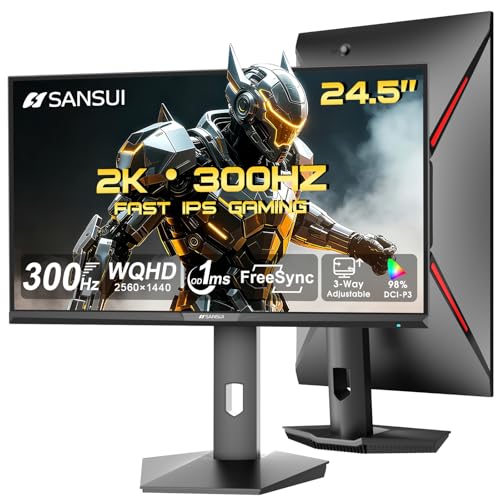
| SANSUI ES-G25X1 PRO | 24.5-inch Fast IPS, 300Hz and 240Hz named, DP x2, HDMI x2 | Higher refresh hopefuls |
| Sceptre E248B-FW165T | 24-inch Prime, 165Hz only | Runner-up for lower refresh |
| SANSUI ES-G25F6Q Pro | 24.5-inch QHD 1440p, 1ms Fast IPS, 300Hz and 240Hz named | Sharper image, stronger GPU |
| GIGABYTE G25F2A | 24.5-inch SuperSpeed IPS, 1080p, 240Hz, 1ms GTG, height adjustable | Ergonomic IPS pick |
Each monitor in detail
Dell 24 Gaming Monitor SE2426HG, 23.8-inch FHD, 240Hz
Dell’s title lists a 23.8-inch 1920×1080 IPS panel at 240Hz, AMD FreeSync Premium, a TÜV 3-Star certification, two HDMI ports, a DisplayPort 1.4 input and a tilt-only stand. The stand is the thing to note: tilt adjustment alone means you may need a desk riser or a VESA arm to set eye height. It does not state response time, so check the listing.
Pros
- IPS panel with 240Hz on a recognizable brand
- DisplayPort 1.4 and two HDMI inputs
Cons
- Tilt-only stand per the title
- Response time is not stated
Who it’s for: Players who want a straightforward IPS esports panel from a major brand.
ASUS TUF Gaming VG249QML5A, 24-inch 1080p 240Hz
The title crams in a lot: 24-inch 1080p, 240Hz, G-SYNC, ELMB Sync, FreeSync Premium, Fast-IPS, 0.3ms, 99% sRGB, an ergonomic stand and a three-year warranty. The G-SYNC wording suggests compatibility with Nvidia’s adaptive sync, but read the listing to see whether that is certified or compatible. The ergonomic stand and warranty claim are useful.
Pros
- Ergonomic stand and 3-year warranty named
- 99% sRGB with Fast-IPS and ELMB Sync
Cons
- G-SYNC wording needs confirmation
- Highest cost among the 1080p panels here
Who it’s for: Players who want the best-supported 1080p 240Hz listing and a long warranty.
ArcticPro 24 Inch 240Hz Gaming Monitor, FHD 1080p
A frameless, ultra-slim 24-inch 1080p panel with 240Hz, 1ms, adaptive sync, 3000:1 contrast, 120% sRGB, a blue light filter, HDMI and DP. The contrast figure suggests a VA-type panel, though the title never names the panel technology, so verify that. The 120% sRGB number is a coverage claim rather than an accuracy rating. The brand is little known, so check the warranty on the listing.
Pros
- Low cost for 240Hz
- Frameless slim design
Cons
- Panel type is not named
- Little-known brand, so warranty terms matter
Who it’s for: Cost-conscious players building a first competitive setup.
Sceptre 24.5-inch Gaming Monitor, 240Hz, E255B-FWD240
The 24.5-inch size gives slightly more screen than the 24-inch crowd. The title lists 240Hz, 1ms, two DisplayPort inputs, two HDMI inputs, 100% sRGB, FreeSync Premium and built-in speakers. The speakers are the notable extra, though built-in speakers are rarely better than basic. The title includes the year 2026 as a product label, which is not a spec. Panel type is not stated.
Pros
- Four video inputs (two DP, two HDMI)
- Built-in speakers
Cons
- Panel type is not stated
- Stand adjustment is not mentioned
Who it’s for: Players who want several inputs and basic audio at a modest cost.
SANSUI 24 Inch Curved 240Hz Gaming Monitor, ES-G24C1 PRO
This 24-inch 1080p screen has a 1500R curve, 124% sRGB, 3000:1 contrast, HDR, FreeSync and MPRT 1ms. A DisplayPort cable is included, which is handy. The HDR label on a monitor this size is more of a feature checkbox than a transformation. A tight curve on a small screen is a taste choice, and a flat 24-inch is the safer pick for aim practice.
Pros
- DisplayPort cable included
- 1500R curve suits those who like it
Cons
- Curve may feel odd for precise aiming
- HDR and gamut claims are marketing numbers
Who it’s for: Players who like a curved panel and want a cable in the box.
CUNPU 24 Inch 240Hz Gaming Monitor, Fast VA, 1080p
A Fast VA 1080p panel at 240Hz, 1ms, adaptive sync, 100% sRGB, HDMI 2.1 and DP 1.4, with VESA mounting and a PS5/Xbox pitch. VA panels often have deeper contrast than IPS, but their pixel transitions can be slower in dark scenes, which matters in fast shooters. The HDMI 2.1 mention is helpful for console owners, though it is unclear what resolution and refresh combinations it supports.
Pros
- HDMI 2.1 and DP 1.4 named
- VESA mount support
Cons
- VA panels can smear more in dark scenes
- Little-known brand, so check warranty
Who it’s for: Players who also use a console and want deeper contrast.
SANSUI 24.5 Inch Gaming Monitor, 300Hz 240Hz, ES-G25X1 PRO
The title says 300hz 240hz, which is confusing: it may be a 240Hz panel that can overclock, or a 300Hz panel with a lower mode. Check the listing for the native refresh rate before buying. The rest is solid on paper: Fast IPS, two DP and two HDMI ports, HDR, FreeSync, 120% sRGB, an audio jack and VESA support.
Pros
- Fast IPS and four video inputs
- Possibly a higher refresh rate than 240Hz
Cons
- Refresh rate wording is ambiguous
- Needs a 300fps-capable PC to benefit beyond 240Hz
Who it’s for: Players who want headroom above 240Hz and will verify the spec.
Sceptre 24-inch Prime Gaming Monitor, 165Hz, E248B-FW165T (not 240Hz)
This is a 165Hz monitor, not 240Hz, so it does not meet the target of this guide. It stays as a runner-up because it is a 24-inch gaming screen with two DisplayPort and two HDMI inputs and built-in speakers. At 165Hz, each frame lasts about 6.1ms rather than 4.2ms, which is a smaller step than it sounds. Choose it only if 240Hz is not a priority.
Pros
- Two DP and two HDMI inputs
- Built-in speakers
Cons
- Not 240Hz, as stated in the title
- Panel type is not named
Who it’s for: Players on a 165fps-class PC who do not need 240Hz.
SANSUI 24.5 Inch QHD 1440P Gaming Monitor, 300Hz 240Hz, ES-G25F6Q Pro
The only 1440p model here, with 1ms Fast IPS, 130% sRGB, two HDMI 2.1 and two DP 1.4 inputs, VESA support and a DP cable. The title says up to 300Hz on both HDMI and DP and also mentions 240Hz, so the refresh rate wording needs checking. QHD asks far more of a graphics card at high frame rates than 1080p, and many esports titles may not reach 240fps at 1440p on a mid-range card.
Pros
- 1440p resolution on a 24.5-inch panel
- HDMI 2.1 and DP 1.4 inputs
Cons
- Demands a stronger GPU than 1080p
- Refresh wording is ambiguous
Who it’s for: Players with a powerful GPU who want a sharper picture.
GIGABYTE G25F2A 24.5-inch SuperSpeed IPS Gaming Monitor, 240Hz
A 24.5-inch 1080p SuperSpeed IPS at 240Hz, 1ms GTG, HDMI and DisplayPort inputs, FreeSync Premium, and a stand with height and tilt adjustment. Height adjustment is the useful bit, since it gets the screen to eye level without books. The title does not state panel bit depth, speaker presence or the exact port counts.
Pros
- Height and tilt adjustable
- IPS at 240Hz from an established brand
Cons
- Port count not stated
- No speakers mentioned
Who it’s for: Players who want an adjustable stand and a plain IPS 240Hz panel.
How we picked these
We collected the ten listings for this search and read each title for size, resolution, refresh rate, panel type and inputs. Where a title is ambiguous, such as the SANSUI refresh wording, we say so. Nobody on the team used or measured these units. The basis is published specifications, manufacturer documentation and buyer reviews, and any claim we cannot confirm from the title is flagged for you to check on the listing.
What matters in a 24 inch esports monitor
Refresh rate and frame time
At 240Hz a new frame appears every 4.17ms (1000 divided by 240); at 165Hz it is 6.06ms. That gap is real but small, and it only matters if your game delivers the frames. Our guide to monitor refresh rate vs frame rate explains the difference in more detail.
Panel type
IPS panels typically offer wider viewing angles and consistent color, while VA panels often offer deeper contrast but slower pixel transitions. A Fast VA like the CUNPU tries to close that gap. For competitive shooters, most players prefer IPS for clarity in motion, but the choice is personal.
Response time claims
1ms, 0.3ms and MPRT 1ms are manufacturer claims defined under different conditions. They are not directly comparable, and GTG versus MPRT is the main difference. Treat them as rough indicators rather than ranks.
Ports and cables
Use DisplayPort for the full refresh rate unless the listing says your HDMI version supports it. A graphics card that tops out at HDMI 2.0 will limit what the monitor can show.
Stand, mounting and adaptive sync
Only the ASUS and GIGABYTE titles mention an adjustable stand; Dell says tilt only. Several others list VESA support, which lets you fit an arm. Adaptive sync (FreeSync, G-SYNC) stops tearing when frame rate dips below the refresh rate, which you will see in games that cannot hold 240fps. Check which standard your graphics card supports, since support varies by brand and model.
A quick check before you buy
- Write down your usual frame rate in your main game. If it averages 150fps, a 240Hz panel will not be fully used.
- Check that your graphics card has a DisplayPort output.
- Measure your desk height and see whether a tilt-only stand will put the screen at eye level.
- Read the warranty line for unfamiliar brands.
Mistakes buyers make
The most common is buying 240Hz while running 90fps. Others include trusting gamut numbers above 100% sRGB as a sign of accuracy, using an HDMI cable that limits the refresh rate, and forgetting to enable the high refresh rate in the operating system and game settings, so the monitor runs at 60Hz for weeks. Buying on the HDR label is another trap at this price, because an entry-level HDR badge rarely changes the picture in a meaningful way. Some buyers also put a 1440p panel next to a mid-range card and then turn settings down to hold frame rate, which defeats the point of the sharper screen. Finally, check the return window: panel quality and backlight bleed vary between units even within one model.
Verdict
The ASUS TUF VG249QML5A is the best-supported choice among these ten, with its warranty and ergonomic stand, while the GIGABYTE G25F2A is the sensible IPS alternative with height adjustment. Dell is the plain IPS option, and the lower-cost CUNPU and ArcticPro suit tight budgets. Verify the SANSUI refresh wording before purchase, and treat the Sceptre 165Hz model as a lower-refresh alternative rather than a true match for this list. If you only take one step, make sure your game and operating system are actually set to the monitor’s top refresh rate.
Questions buyers ask
Is 1080p the right resolution for a 24 inch esports monitor?
For most competitive players, yes. At 24 to 25 inches, 1080p keeps pixel density reasonable and asks less of the graphics card, so frame rates stay high. The one 1440p model here, the SANSUI QHD, sharpens the picture but needs more GPU power to feed 240Hz. Pick resolution by what your PC can actually push in your main game.
Does a 240Hz monitor need a graphics card that reaches 240 frames per second?
A 240Hz monitor only shows 240 distinct frames if the game delivers them. Many esports titles can reach that on a modern mid-range card at 1080p, but heavier games will not. A monitor still helps at lower frame rates by reducing tearing when adaptive sync is on, so it is not wasted, just underused.
Is HDMI or DisplayPort better for 240Hz?
DisplayPort is the safer choice, and every monitor here lists one. HDMI ports differ by version, and some can cap the refresh rate lower than the panel allows. If a listing names HDMI 2.1, as the CUNPU and SANSUI QHD do, it is better placed, but check that your own graphics card and cable support the same standard.
Is a curved 24 inch monitor a good idea for esports?
That is a personal preference. The SANSUI ES-G24C1 PRO has a 1500R curve, which some players like for an enveloping feel and others avoid because lines look slightly bent when judging angles. If you are used to flat panels for aiming, a flat screen avoids a period of adjustment.
Why is one Sceptre listing in this roundup?
The Sceptre E248B-FW165T is a 165Hz model, not 240Hz. We kept it as a labelled runner-up for readers who want a 24 inch esports monitor at a lower refresh rate, and it is clearly marked as not meeting the 240Hz target. If 240Hz is a firm requirement, skip it.
Related guides
- Monitor Refresh Rate Vs Frame Rate Explained
- Gaming Monitor For Competitive Shooters
- Low Latency 1080P High Refresh Monitors