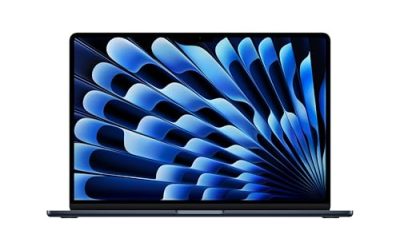
A business laptop is bought for a different reason than a gaming rig or a family computer: it has to open spreadsheets, hold video calls and survive years of daily use without a single surprise. When shoppers search for top rated laptops for business, they are really asking which machines give the most dependable work setup, and the answer depends on how you work. A person living in video meetings needs a good webcam and quiet cooling. Someone who builds large spreadsheets needs memory. Someone who plugs into a docking desk wants ports. Ratings alone cannot tell you any of that, so this guide reads each listing’s stated hardware and ties it to a work style.
The six laptops below are all aimed at office use and come from Dell, HP and Lenovo. They run from a 17.3 inch desk-replacement screen to touchscreen 15.6 inch models, and they span Windows 11 Home and Pro editions. Pricing moves constantly, so treat the tiers as budget, mid-range and premium based on the processor and storage in each title. The goal for 2026 is simple: pick the one that removes the most friction from your actual workday.
Our Top Picks
 Lenovo V15 Gen 4 Business Laptop16GB RAM | 512GB SSD14.13 x 9.29 x 0.78 inches3.64 PoundsCheck on Amazon
 Dell Latitude 5420 14" FHD Business Laptop Computeri5-1145G7-16-256-SV-Win1112.76 x 8.35 x 0.76 Inches3 poundsCheck on Amazon

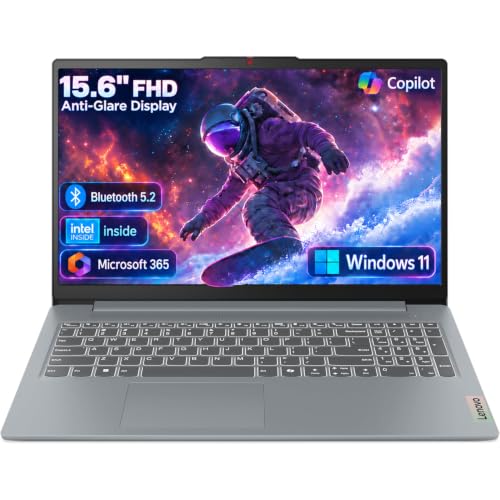


Top 3 picks at a glance
Quick Picks
As an Amazon Associate we earn from qualifying purchases at no extra cost to you.





| Product | Best for | Key spec from the title |
|---|---|---|
| HP 17 inch Business Laptop | Spreadsheet-heavy desk work | Ryzen 5, 16GB RAM, 512GB SSD, 17.3″ FHD, numeric keypad |
| Lenovo V15 Gen 4 | Wired office networks and docks | Core i5-13420H, HDMI, RJ45, Windows 11 Pro |
| Dell Inspiron 15 3530 | Touch input and big file storage | Core i7-1355U, 16GB RAM, 1TB SSD, 15.6″ FHD touchscreen |
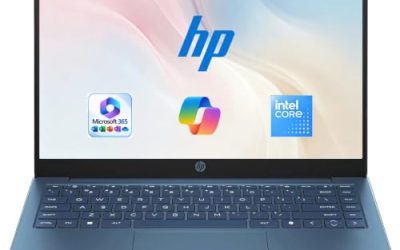
| Dell 15.6 Core Ultra 5 225U | Bright-room work and typing at night | 16GB DDR5, 512GB SSD, 300 nits anti-glare, backlit keyboard |
| Dell Inspiron Touchscreen (Windows 11 Pro) | Mixed business and student use | Core i5-1155G7, 16GB RAM, 1TB SSD, Full HD |
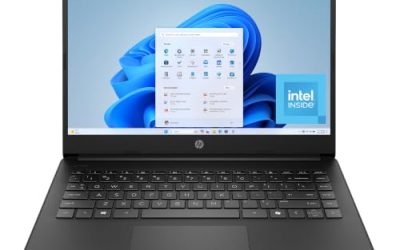
| HP 255 G10 | Privacy-minded managed fleets | AMD quad-core, 16GB RAM, 512GB SSD, webcam shutter, W11 Pro |
How to Choose
Memory and storage that match office software
For everyday business use, 16GB of RAM is the practical floor if you keep a browser with many tabs, email, a video call and a spreadsheet open together. Anything with 8GB will work for light tasks but feels cramped once collaboration apps pile up. On storage, a 512GB SSD handles most documents and local files, while 1TB gives breathing room for presentations, scanned records and project folders. Avoid configurations that rely on small flash storage if you plan to keep local data. It is also worth asking whether your files live mostly in the cloud; if they do, a smaller drive is less of a handicap, and the money is better spent on memory. If you work offline on flights or at client sites, lean toward the larger drive so nothing depends on a connection.
Operating system edition and security features
Windows 11 Pro adds business tools such as domain join, remote desktop hosting and drive encryption management that Home editions lack. If your employer or IT provider manages devices, Pro is usually a requirement rather than a luxury. Hardware security details matter too: a webcam privacy shutter, as on the HP 255 G10, is a simple physical safeguard that costs nothing to use.
Screen size, ports and ergonomics
A 15.6 inch Full HD panel is the standard office size, and a 17.3 inch panel suits people who sit at one desk all day. Numeric keypads speed up data entry for finance and operations work. Ports decide how smoothly the laptop fits an existing desk: HDMI for a monitor, RJ45 for wired Ethernet in offices with spotty Wi-Fi, and USB-C or newer for modern docks. Touchscreens are optional; they help with annotation but add weight and glare. Also look for a webcam that is named in the listing, because built-in cameras are not guaranteed on every budget configuration, and a Wi-Fi standard of Wi-Fi 6 or newer keeps video meetings steadier on a busy office network.
Where budget models cut corners
Lower-priced business laptops commonly use dimmer panels, plastic hinges and older processors rebadged as current. Read the processor name rather than the marketing line: model numbers ending in U, H or HX tell you a lot about power draw and performance class. Be wary of titles that compare their chip to a rival’s in bold claims; those comparisons are not specifications. Battery size is also seldom listed, so long battery claims in a title are a hope, not a number.
The 6 Best Options
HP 17 inch Business Laptop
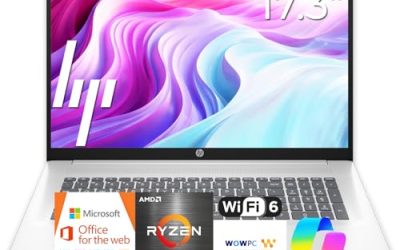
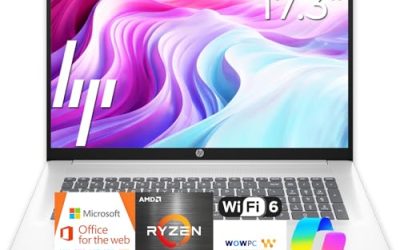
This is the desk-replacement pick. The listing pairs a 17.3 inch Full HD display with an AMD Ryzen 5 processor, 16GB of RAM and a 512GB SSD, plus a numeric keypad, which is the standout for accounting and data entry. A large panel lets two documents sit side by side without a second monitor, which is a real saving in a small home office or a shared desk.
- Strength: a big 17.3 inch screen and full keypad suit spreadsheet and ledger work.
- Strength: 16GB of RAM and a 512GB SSD cover multitasking comfortably.
- Trade-off: a 17 inch body is bulkier to carry between sites.
Skip it if you commute daily with the laptop in a small bag.
Lenovo V15 Gen 4
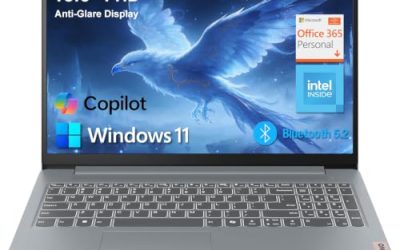
The V15 reads like a business machine on its spec line. It lists a 15.6 inch Full HD display, an Intel Core i5-13420H, HDMI, an RJ45 Ethernet port, a webcam, a numeric keypad, Wi-Fi and Windows 11 Pro. That wired Ethernet port is the real draw for offices where Wi-Fi is unreliable or heavily restricted.
- Strength: RJ45 plus HDMI means it plugs into office networks and monitors directly.
- Strength: Windows 11 Pro supports managed business environments.
- Trade-off: the title does not state RAM or storage, so check the exact configuration.
Skip it if you need a touchscreen or a thin ultraportable profile.
Dell Inspiron 15 3530
This Dell is aimed at users who want power and storage in a familiar 15.6 inch format. It lists a 13th-generation Intel Core i7-1355U, 16GB of RAM, a 1TB SSD, a Full HD touchscreen, a webcam, HDMI and Wi-Fi 6. The 1TB drive is the highest capacity among these picks, which matters for people who keep large local libraries.
- Strength: Core i7 and 16GB of RAM handle demanding office multitasking.
- Strength: 1TB SSD stores large project folders locally.
- Trade-off: the Inspiron line is positioned more for home and small office than for managed corporate fleets.
Skip it if you want the security features usually tied to a dedicated business line.
Dell 15.6 Core Ultra 5 225U
This one targets people who want a current-generation chip and a comfortable screen. The title lists an Intel Core Ultra 5 225U, 16GB of DDR5 memory, a 512GB SSD, a 15.6 inch Full HD anti-glare panel listed at 300 nits and a backlit keyboard. Anti-glare coating and decent brightness help in offices with overhead lighting or window glare, and the backlit keys keep typing comfortable in a dim conference room or on an evening train.
- Strength: DDR5 memory and a newer processor family suit a longer ownership window.
- Strength: backlit keyboard and anti-glare screen improve comfort in varied lighting.
- Trade-off: it ships with Windows 11 Home, which lacks some Pro business features.
Skip it if your employer requires domain join or managed policies.
Dell Inspiron Touchscreen (Windows 11 Pro)
Marketed to both business users and students, this Inspiron lists a 15.6 inch Full HD touchscreen, an Intel Core i5-1155G7, 16GB of RAM, a 1TB SSD and Windows 11 Pro. The Pro license is the notable point, since many touchscreen laptops default to Home. That makes it a fair compromise for a freelancer or consultant who wants business features without moving to a dedicated corporate line.
- Strength: Windows 11 Pro and a 1TB SSD in one configuration.
- Strength: touchscreen helps with note-taking and review workflows.
- Trade-off: an 11th-generation processor is older than most others here.
Skip it if you want the newest processor family or long-term platform support.
HP 255 G10
The 255 G10 is the conservative, fleet-friendly choice. Its title lists an AMD quad-core processor, 16GB of RAM, a 512GB SSD, Windows 11 Pro, a 15.6 inch Full HD display, a numeric keypad and a webcam with a privacy shutter. The G-series naming signals a product line meant for business buyers and bulk deployment.
- Strength: webcam shutter and Pro edition suit privacy-conscious teams.
- Strength: 16GB of RAM and a 512GB SSD give a solid everyday base.
- Trade-off: the title does not name the exact processor model, so performance class is less clear.
Skip it if you want a premium finish or a touchscreen.
Which One Fits Your Situation
You manage the books or run reports all day
Choose the HP 17 inch. The numeric keypad and the large 17.3 inch screen make cell-by-cell work faster than on a compact laptop.
You work in an office with fixed desks and wired networks
The Lenovo V15 Gen 4 fits, with RJ45 for Ethernet and HDMI for a monitor on the same chassis. Verify the memory and storage configuration before ordering.
Your IT team manages devices and wants privacy features
Pick the HP 255 G10. Its Windows 11 Pro edition and webcam shutter match the checklist most administrators write.
You split time between meetings in bright rooms and late-night work
The Dell Core Ultra 5 laptop suits that, thanks to its anti-glare 300 nit screen and backlit keyboard. If you keep very large files locally, the Dell Inspiron 15 3530 with its 1TB SSD is the alternative.
Common Mistakes
- Buying a Home edition of Windows when the workplace needs Pro features such as domain join.
- Accepting 8GB of RAM on a machine meant to run video calls and many browser tabs at once.
- Trusting bold chip comparisons in a listing instead of reading the actual processor model.
- Ignoring ports until the first day at the desk, then discovering that Ethernet or HDMI is missing.
- Choosing a 17 inch laptop for daily travel because the screen looked appealing on the page.
Related guides
- Can You Power A Portable Monitor With A Power Bank
- Monitors For Digital Signage And Video Walls
- Can A Portable Monitor Work With One Usb C Cable
Frequently Asked Questions
Is 16GB of RAM enough for business work?
For most office use, yes. Email, video calls, a browser with many tabs and spreadsheets run comfortably. Heavy data analysis or design work benefits from more, and since memory is rarely upgradable after purchase on thin laptops, it is better to buy the amount you need on day one.
Do I need Windows 11 Pro?
If your employer manages devices or you need features such as domain join and drive encryption management, Pro is the safer choice. For purely personal business use, Home is often enough.
Are touchscreens useful on a business laptop?
They help with annotation, signing documents and reviewing slides. They also add weight and can reflect more light, so they are a preference rather than a requirement.
Why does the Ethernet port matter?
Wired connections are steadier than Wi-Fi in crowded offices and are sometimes required by security policy. A built-in RJ45 port avoids carrying an adapter.