Fifteen inches is the size most people end up with when they want one laptop to do everything. It is big enough for a full keyboard, a second window beside the first, and a comfortable view of a video, yet it still slides into a regular backpack. The catch is that “15-inch” covers an enormous spread of quality, from premium aluminum machines with sharp displays to bare-bones models with cramped memory and slow storage. Picking well means knowing which line on the spec sheet really matters.
This guide is for buyers who have settled on the 15-inch class and now need to separate a smart purchase from a regret. The six models below range from a premium Apple option to modest Windows machines, and each is judged strictly on what its listing states. For 2026 shoppers the real decision is usually how much memory, display speed, and storage to pay for, rather than which brand name looks nicest on the lid.
Our Top Picks




Top 3 picks at a glance
Quick Picks
As an Amazon Associate we earn from qualifying purchases at no extra cost to you.




| Product | Best for | Key spec from the title |
|---|---|---|
| Apple MacBook Air 15-inch (M5) | Premium all-day portable | 15.3-inch Liquid Retina display, 16GB unified memory, 512GB SSD |
| ASUS Vivobook Go 15 | Rugged-minded students and travelers | 15.6″ FHD, Ryzen 5, 8GB RAM, 512GB SSD, WiFi 6E |
| Dell 15.6 (Core 3 100U, DDR4) | Straightforward home use | FHD anti-glare IPS, 8GB RAM, 512GB SSD |
| Dell 15.6 (Ryzen 5 7520U) | Smoother scrolling and video | FHD 120Hz IPS, LPDDR5, 512GB SSD |
| Dell 15.6 (Core 3, DDR5) | Brighter screen on a modest plan | 300 nits anti-glare, 8GB DDR5, 512GB SSD, Wi-Fi 6 |
| HP Portable 15-inch | Basic browsing and homework | Pentium processor, 4GB DDR4, 128GB SSD, HDMI |
How to Choose
Match memory to how long you will keep it
Four gigabytes of RAM is barely enough for a modern browser, which is why it only suits the lightest use. Eight gigabytes is a workable floor for web, office apps, and streaming. Sixteen gigabytes gives a laptop several more years of useful life and makes video calls with many tabs open far less painful. If a listing does not state whether memory is upgradeable, assume it is not. Newer memory types such as DDR5 and LPDDR5 move data faster than older DDR4, though that gap matters less than total capacity.
Display quality beyond the size
All six machines share the 15-inch footprint, but the panels differ. Full HD resolution is the practical minimum; a plain HD panel looks soft on this much glass. Look at the brightness figure when one is listed, since 250 or 300 nits is fine for indoor use while lower numbers struggle near a window. A 120Hz refresh rate makes scrolling and cursor motion noticeably smoother than the common 60Hz, even for office work. IPS panels offer wider viewing angles than cheaper alternatives.
Storage and connections
A 512GB SSD handles an operating system, apps, and a reasonable pile of files. A 128GB drive is workable only if you lean on cloud storage and clear it regularly. Check for HDMI if you plan to connect a monitor, and for Wi-Fi 6 or 6E if your router supports it, since newer wireless standards help in crowded households. Ignore vague phrases like “ultra-fast” and look for named standards instead.
Where budget models cut corners
Entry-level 15-inch laptops commonly save money on the processor tier, memory amount, screen brightness, and keyboard feel. Plastic bodies and modest speakers are common and rarely deal-breakers. What does matter is a very small SSD or a very low RAM count, because those problems cannot be fixed afterward and make the machine feel slow within a year.
The 6 Best Options
Apple MacBook Air 15-inch with M5
This is the premium pick of the group. The listing shows a 15.3-inch Liquid Retina display, an M5 chip, 16GB of unified memory, a 512GB SSD, and a 12MP Center Stage camera. It targets people who want a large screen without giving up portability, such as writers, analysts, and creatives who live on video calls. The 15.3-inch panel gives a little extra room for timelines, documents, and chat windows compared with a 13-inch model, without turning the machine into a brick.
- Strength: 16GB of unified memory and 512GB of storage lead this lineup on paper.
- Strength: The Center Stage camera on the spec sheet is useful for frequent video meetings.
- Trade-off: It sits at the premium end of the group, and several near-identical listings exist, so confirm the exact configuration in the listing.
Skip it if you depend on Windows-only software or want to keep the spend modest, since this is the most expensive tier among the six models and the extra capability will go unused by light browsing.
ASUS Vivobook Go 15
The Vivobook Go 15 lists a 15.6-inch full HD 60Hz screen, an AMD Ryzen 5 processor, Radeon graphics, 8GB of RAM, a 512GB SSD, WiFi 6E, and an ErgoSense keyboard, along with a military-grade durability claim. That mix suits students and commuters who toss a laptop in a bag daily and want some resilience. The Radeon graphics listed alongside the Ryzen 5 are aimed at everyday video and light creative work rather than serious gaming, which is a fair match for the target buyer.
- Strength: WiFi 6E is a newer wireless standard than several rivals here list.
- Strength: The durability claim and ergonomic keyboard suit rough-and-tumble use.
- Trade-off: 8GB of RAM is adequate but not generous for long-term use.
Skip it if you need a faster 120Hz screen or more memory, because the 60Hz panel and 8GB of RAM make it a steady performer rather than a standout.
Dell 15.6 with Core 3 100U and DDR4
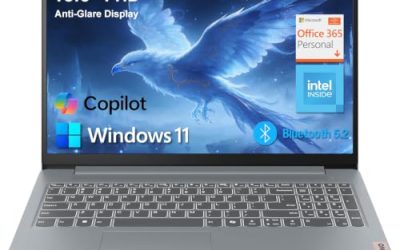
A plain, sensible home laptop. The listing shows a full HD anti-glare IPS panel at 250 nits, Intel UHD graphics, 8GB of DDR4 memory, a 512GB SSD, and Wi-Fi 6 with Bluetooth. It is meant for streaming, email, schoolwork, and web shopping without any gaming ambitions. Households that share one family computer often land on this kind of configuration because nothing about it is fussy or hard to set up.
- Strength: The anti-glare IPS screen is comfortable for reading and documents.
- Strength: A 512GB drive is a roomy amount for a modest laptop.
- Trade-off: DDR4 memory and integrated graphics limit it to light workloads.
Skip it if you plan to edit video or run demanding creative software, or if you want a screen faster than the standard 60Hz style found on most entry models.
Dell 15.6 with Ryzen 5 7520U
This one stands out for its panel. The listing shows a Ryzen 5 7520U with Radeon 610M, a full HD 120Hz IPS screen, LPDDR5 memory, a 512GB SSD, Wi-Fi 5, Bluetooth, and a Carbon Black finish. The high refresh rate makes everyday scrolling feel quicker than on typical 60Hz panels. Pairing that screen with LPDDR5 memory suggests a thoughtful balance, and buyers who spend hours in spreadsheets or long web pages are the ones likely to notice the difference first.
- Strength: A 120Hz IPS display is rare at this level and makes on-screen motion smoother.
- Strength: LPDDR5 memory and a 512GB SSD round out a capable everyday spec.
- Trade-off: Wi-Fi 5 is an older wireless standard than the Wi-Fi 6 on sister models.
Skip it if future-proof wireless matters most, or if you cannot confirm the memory capacity in the listing, because the truncated title leaves that detail unclear.
Dell 15.6 with Core 3 and DDR5
The third Dell lists a 300-nit anti-glare WVA panel, an Intel Core 3 processor, 8GB of RAM, Intel UHD graphics, DDR5 memory, a 512GB SSD, and Wi-Fi 6. It looks like a lightly upgraded sibling of the DDR4 model, with a brighter screen and newer memory type. If you are comparing the three Dell listings side by side, this is the one that fits someone who values a clearer screen in a bright room but does not need a high refresh rate.
- Strength: 300 nits of brightness beats the 250-nit figure on the DDR4 version.
- Strength: DDR5 memory offers more bandwidth than DDR4 at the same 8GB capacity.
- Trade-off: It still has only 8GB of RAM and integrated graphics.
Skip it if you want a faster refresh rate or more than 8GB of memory, or if you would rather pay for the smoother panel on the Ryzen 5 model.
HP Portable 15-inch
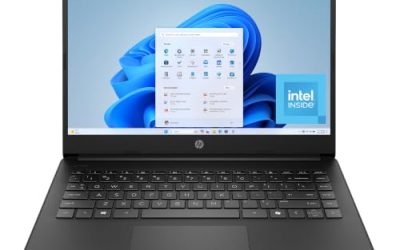
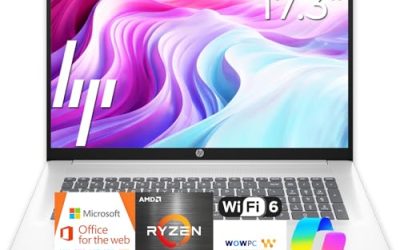
The HP is the entry-level option. The listing shows a 15-inch HD micro-edge IPS display, an Intel Pentium processor up to 3.68GHz, 4GB of DDR4, a 128GB SSD, HDMI, a webcam, and 6th-generation WiFi. It targets a buyer who needs a basic screen for browsing, online classes, and documents. A younger student doing homework, or a household that wants a spare laptop for occasional use, is the sort of buyer this model is built for.
- Strength: Micro-edge bezels and HDMI keep the layout practical.
- Strength: Wi-Fi 6 support is welcome at this tier.
- Trade-off: 4GB of RAM and 128GB of storage will feel cramped fast.
Skip it if the laptop must last several years or hold a large file library, since the 128GB drive and 4GB of memory leave very little room to grow.
Which One Fits Your Situation
You want one premium laptop for everything
The Apple MacBook Air 15-inch with M5 offers the strongest memory and storage on the list. It suits professionals who value a big screen, good camera, and long-term headroom.
You are a student on a moderate plan
The ASUS Vivobook Go 15 combines a durability claim with a roomy SSD and modern WiFi 6E, which fits a backpack-heavy routine. The Dell with Core 3 and DDR5 is a calm alternative if you prefer a brighter screen.
You care about smooth scrolling and video
The Dell 15.6 with Ryzen 5 7520U is the pick for the 120Hz panel. It is the model that will feel most fluid for browsing, spreadsheets, and streaming.
You only need the basics
The HP Portable 15-inch covers email and web at the lowest tier, as long as you accept its small memory and storage. If you can stretch the plan, the Dell with Core 3 100U gives double the headroom.
Common Mistakes
- Choosing 4GB of RAM because the laptop looks like a bargain, then finding it sluggish within months.
- Assuming all 15.6-inch screens are equal, when brightness, resolution, and refresh rate differ widely.
- Skipping the wireless standard, then pairing an older Wi-Fi 5 laptop with a newer router.
- Treating several near-identical listings as separate products without comparing configurations carefully.
- Ignoring storage size and filling a 128GB drive after a few updates.
Related guides
- Can You Power A Portable Monitor With A Power Bank
- Monitors For Digital Signage And Video Walls
- Can A Portable Monitor Work With One Usb C Cable
Frequently Asked Questions
Is 15.6 inches the same as a 15-inch laptop?
Yes, in practice. Most laptops sold as 15-inch have a 15.6-inch panel, while some premium models use 15.3 inches. The difference is small enough that it rarely changes how the laptop feels.
Is 8GB of RAM enough?
For web, office apps, and streaming, yes. If you keep many tabs open or plan to use the laptop for several years, 16GB is a safer choice.
Does a 120Hz display really matter?
It makes scrolling and cursor movement look smoother, even outside games. It is a pleasant extra rather than a necessity.
Should I choose Mac or Windows?
Choose based on the software you rely on. A Mac suits people invested in Apple services, while Windows offers more variety and lower entry points.