Hewlett Packard sells more laptop variations than almost any other brand, which makes a search for the best HP laptop surprisingly hard. The same company ships a 128GB entry model with a Celeron-class feel next to a Core i7 machine with a 1TB drive, and the product names rarely explain which is which. The real decision is not whether to buy HP; it is which HP tier matches the work you do and how much of the listing you can verify before you commit.
This guide is for shoppers who already prefer HP for its keyboards, service network, or familiar Windows setup, and who want a clear way to separate the 14-inch starter models from the 17-inch workhorses. We compare seven HP listings using only what their titles state: processors, memory, storage, and screen size. Where a title is silent, the guide tells you what to confirm. In 2026 the gap between HP tiers is mostly memory and drive size, so that is where we focus.
Our Top Picks


Top 3 picks at a glance
Quick Picks
As an Amazon Associate we earn from qualifying purchases at no extra cost to you.



| Product | Best for | Key spec from the title |
|---|---|---|
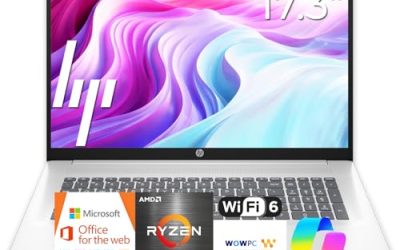
| HP 17 Business (Ryzen 5) | Big-screen office work | Ryzen 5, 16GB RAM, 512GB SSD, 17.3-inch FHD |
| HP OmniBook 3 17 (Core Ultra 5) | Modern Intel platform on a large screen | Core Ultra 5 225U, 8GB RAM, 512GB SSD |
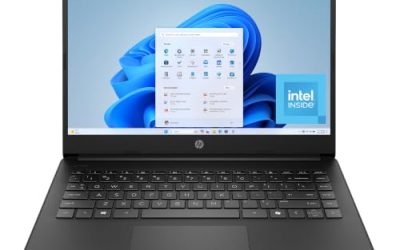
| HP 14 (N150, Microsoft 365) | Simple starter laptop | Intel N150, 4GB RAM, 128GB UFS |
| HP 14 Ultra-Light | Students needing light weight | N150, 4GB RAM, 128GB plus SD card |
| HP Core i7 15.6 | Fastest general-purpose pick here | Core i7-1255U, 16GB RAM, 1TB PCIe SSD |
| HP 17.3 Business (Core 5-120U) | Large storage on a business tier | 10-core Core 5-120U, 12GB RAM, 768GB |
| HP OmniBook 3 17 (Ryzen 3) | Budget large-screen OmniBook | Ryzen 3, 8GB RAM, 512GB SSD, Radeon 610M |
How to Choose
Decode the processor tier first
Within HP, performance follows the processor name more than the product name. An Intel N150 is an entry chip for browsing and documents. A Core 5, Core Ultra 5, or Ryzen 5 sits in the middle for multitasking, and a Core i7 or Ryzen 7 is the step for heavier spreadsheets and photo work. If a title names only an Intel Processor without a model, ask what chip is inside before paying more.
Match RAM and storage to the tier
Aim for 8GB of RAM at minimum and 16GB if you keep many apps open. Be careful with storage wording: UFS and SD card storage are not the same as a PCIe SSD. A 768GB total that combines a 256GB SSD and a 512GB SD card is mostly slower removable storage, while a 1TB PCIe SSD is fast internal space. Prefer the drive that holds Windows and your apps to be a genuine SSD, and treat any SD card as a place for archives, photos, and backups rather than programs.
Pick a screen size for how you carry it
A 14-inch HP is about portability; a 15.6-inch gives a balance; a 17.3-inch model gives a full-size numeric keypad and room for two windows, but it is heavy to carry daily. Full HD (1920 by 1080) is the practical standard, and a plain HD panel is a trade-off to accept only at the lowest tier. Text looks softer on HD at 14 inches and noticeably coarse at 15.6, which you will see in long documents and spreadsheets.
What to ignore, and where cuts happen
Ignore phrases such as long battery life or fast charge when no figure follows. HP budget models save money on memory, screen resolution, and internal storage, and they often rely on bundled software subscriptions to look generous. Check the Windows edition too: S mode and Home limit some software choices, while a Pro edition adds business features like device encryption management.
The 7 Best Options
HP 17 Business (Ryzen 5)
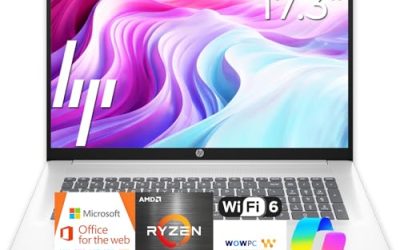
A full-size business laptop built around an AMD Ryzen 5, 16GB of RAM, a 512GB SSD, and a 17.3-inch Full HD display with a numeric keypad. It suits someone who works in spreadsheets all day and wants a desktop-style layout. The memory and drive are generous for the tier, and the title promises long battery life without giving hours, so treat that as marketing until you see a figure. For an accountant, a bookkeeper, or a student writing long papers, the layout is the main attraction.
- Strength: 16GB RAM and 512GB SSD leave room to grow.
- Strength: Numeric keypad and a large screen help data entry.
- Trade-off: A 17.3-inch chassis is bulky for commuting.
Skip it if you carry your laptop on foot every day or need a compact travel machine.
HP OmniBook 3 17 (Core Ultra 5)
The OmniBook line is HP’s newer consumer family, and this model lists an Intel Core Ultra 5 225U, 8GB of RAM, a 512GB SSD, Intel graphics, Windows 11 Home, and a 17.3-inch Full HD display in Glacier Silver. It is a good fit for a large, modern-looking home laptop where the family streams, shops, and does paperwork. The title does not say whether memory is upgradeable, so assume the 8GB is what you will live with.
- Strength: Newer Core Ultra platform with a 512GB SSD.
- Strength: Large Full HD screen for movies and documents.
- Trade-off: Only 8GB of RAM, with no obvious upgrade path stated.
Skip it if you want more than 8GB of memory out of the box for heavy multitasking.
HP 14 (N150, Microsoft 365)
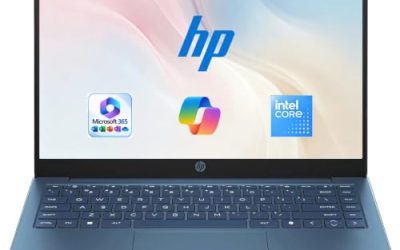
An entry-level 14-inch HP with an Intel N150, a plain HD display, 4GB of RAM, a 128GB UFS drive, Intel graphics, Windows 11 Home, and a one-year Microsoft 365 Personal subscription. It is a modest starter for web, email, and school documents. The bundled subscription saves a separate purchase, but the term is one year, so budget for renewal or switch to a free web suite afterward.
- Strength: One year of Microsoft 365 Personal is included.
- Strength: Small 14-inch footprint for easy carrying.
- Trade-off: HD resolution, 4GB of RAM, and 128GB of UFS storage are tight.
Skip it if you plan to run many tabs or keep a large local library.
HP 14 Ultra-Light
This 14-inch HP also uses an Intel N150 with 4GB of RAM, but pairs 128GB of storage with a 128GB SD card and a one-year Office 365 subscription, aimed at students and home use. The title highlights an LED display and fast charge. A buyer who mostly writes, researches, and attends online classes would be the intended audience, and the extra card slot storage suits archived files rather than daily apps.
- Strength: Extra 128GB SD card lifts total storage.
- Strength: Light, portable build intended for students.
- Trade-off: SD card storage is slower than internal SSD space.
Skip it if you want one fast internal drive instead of a split storage setup.
HP Core i7 15.6
The most powerful processor of the group: an Intel Core i7-1255U, listed as up to 4.7GHz, with 16GB of RAM, a 1TB PCIe SSD, a webcam, and a Full HD 15.6-inch display. It is the pick for someone who wants speed and storage without moving to a 17-inch body. Photo editing in light amounts, large spreadsheets, and many browser tabs all sit comfortably in this class, and the webcam is included for calls.
- Strength: Core i7 with 16GB and a 1TB PCIe SSD.
- Strength: 15.6-inch size is easier to carry than the 17-inch models.
- Trade-off: The 12th-generation chip is not the newest platform.
Skip it if you prefer a current-generation processor or a very thin machine.
HP 17.3 Business (Core 5-120U)
A 17.3-inch HP with a 10-core Intel Core 5-120U, 12GB of RAM, AI Copilot features, and 768GB of storage, split between a 256GB SSD and a 512GB SD card, with Windows 11 named in the title, though the edition is cut off, so confirm whether it is Home or Pro. It targets business users who want a large screen and plenty of storage. The 12GB of RAM sits between the 8GB and 16GB tiers, a sensible middle for office suites, video meetings, and a browser full of tabs.
- Strength: 10-core processor with 12GB of RAM.
- Strength: AI Copilot features are named in the title.
- Trade-off: Only 256GB of the storage is an SSD; the rest is SD card.
Skip it if you need a large fast internal drive for big files.
HP OmniBook 3 17 (Ryzen 3)
The budget-leaning OmniBook, with an AMD Ryzen 3, 8GB of RAM, a 512GB SSD, Radeon 610M graphics, Windows 11 Home, a 17.3-inch Full HD display, and a Mica Silver finish. It brings the large-screen layout at a lower tier than the Ryzen 5 business model. For a household that wants a big display for video and documents rather than raw speed, the lower processor tier is an acceptable compromise.
- Strength: 512GB SSD and a Full HD 17.3-inch screen.
- Strength: Radeon graphics cover everyday visuals and video.
- Trade-off: Ryzen 3 and 8GB of RAM limit heavy workloads.
Skip it if you plan demanding spreadsheets or content creation.
Which One Fits Your Situation
A home-office worker who lives in spreadsheets
Choose the HP 17 Business (Ryzen 5). The 16GB of RAM, 512GB SSD, and numeric keypad fit long data-entry sessions, and the large Full HD display keeps two windows readable side by side.
A student who walks across campus
The HP 14 Ultra-Light keeps weight down and adds SD card space for coursework. If you can stretch the budget, the HP Core i7 15.6 gives far more performance at a similar carry-around size.
Someone who wants one fast machine for years
The HP Core i7 15.6 combines the strongest processor with a 1TB PCIe SSD and 16GB of RAM. That combination should stay useful well past the point where cheaper HP models start to feel slow.
A shared living-room laptop for movies and browsing
The HP OmniBook 3 17 (Core Ultra 5) gives a large Full HD display and a 512GB SSD; the Ryzen 3 version is the cheaper alternative if the budget is tight and the workload is mostly video and web pages.
Common Mistakes
- Assuming every HP laptop with the same screen size performs alike.
- Treating SD card or UFS capacity as equivalent to a PCIe SSD.
- Paying for a software subscription bundle instead of memory.
- Buying 4GB of RAM for a laptop that will run many programs.
- Choosing a 17-inch model without thinking about daily carrying weight.
Related guides
- Can You Power A Portable Monitor With A Power Bank
- Monitors For Digital Signage And Video Walls
- Can A Portable Monitor Work With One Usb C Cable
Frequently Asked Questions
Is HP a good laptop brand?
HP offers reliable mainstream laptops across a wide price spread. Quality varies by tier, so judge the processor, memory, and storage of the specific model, and ignore the brand halo when comparing a 4GB entry listing with a 16GB mid-range one.
What is the difference between HP OmniBook and the regular HP lines?
OmniBook is HP’s newer consumer naming. The practical difference comes from the processor and memory in each listing rather than the name itself.
Does 128GB of storage work for a student?
It can if most files live in the cloud, but it fills up fast. A 256GB or 512GB internal SSD is much easier to live with.
Is a Core i7 worth it over a Ryzen 5?
For general work the two perform similarly in many tasks. The Core i7 listing here wins mainly because it pairs the chip with 16GB of RAM and a 1TB SSD.