“Laptop for streaming” means two different jobs, and the one you pick changes the whole shopping list. Watching a movie night on hotel Wi-Fi needs a sharp screen, decent speakers and a battery that survives a long film. Broadcasting your own feed to an audience adds an encoder, a webcam, a microphone and sustained processor load. This guide covers the first job well and the second one only at an entry level, and it says so plainly.
Every laptop below sits in the budget or mid-range tier, and none lists a dedicated graphics card in its title. That makes them a fit for viewers, students who stream lectures, and new creators who want to test the waters with a simple one-camera, one-scene setup. If you plan to capture console gameplay, run heavy overlays or stream at high frame rates every night, treat these as a starting point and read the memory and storage notes in the selection section before you commit.
Our Top Picks



Top 3 picks at a glance
Quick Picks
As an Amazon Associate we earn from qualifying purchases at no extra cost to you.


| Product | Best for | Key spec from the title |
|---|---|---|
| HP Essential Laptop | Simple Windows 11 viewing | 128GB storage, 1TB cloud storage |
| TRHRO 15.6-inch | Roomy memory on a budget | 12GB RAM, 128GB SSD, FHD IPS |
| 15.6-inch 6GB Laptop | Expandable storage | 6GB RAM, expandable to 512GB |
| Amzboy 15.6-inch | Travel and charging flexibility | 45W PD fast charging, privacy camera |
| Acer Aspire Go 15 | Newer processor platform | Core 3 N355, 8GB DDR5 |
| HP 14-inch | Compact carry and Microsoft 365 | Intel N150, 128GB UFS |
| ZENSAUN 14-inch | Most memory and ports | 32GB RAM, 512GB SSD, HDMI |
| Core Processor 15.6-inch | Larger SSD and 16GB RAM | 16GB RAM, 512GB SSD |
| HP 15 Renewed (15FD) | Higher-tier processor for less | Intel i7, 16GB, 1TB |
How to Choose
Memory decides whether the browser and encoder coexist
Streaming software, a browser with chat and a music player all want memory at once. Four gigabytes is the floor for watching and little else. Eight is the practical minimum for a casual broadcast, and 16GB leaves room for scenes, overlays and an editor open in the background. Several listings here sit at 4GB or 6GB, so match the number to the job.
Screen resolution and panel type
Full HD (1920 x 1080) is the line that matters for watching video and for previewing your own stream. An IPS panel keeps colors and viewing angles stable when the lid tilts. Titles that list only “HD” display usually mean a lower resolution panel, which suits a second screen for chat more than a main viewing display.
Storage type and the cloud trade-off
An SSD or UFS drive loads apps quickly, but 128GB fills fast once Windows updates and a few recordings land. Look for an SD or TF card slot, or a 512GB or 1TB drive, if you will save local clips. eMMC is the slowest of the common types, and cloud storage bundled in a listing does not replace local space for recordings.
Ports and wireless for real streaming
USB-C with power delivery lets you charge from a compact adapter, USB 3.2 helps with capture devices and external drives, and HDMI is handy for a monitor. Wi-Fi 5 is the minimum for a stable stream, and Wi-Fi 6 is a bonus. Ignore marketing terms such as “AI ready” unless the specs behind them are listed.
The 9 Best Options
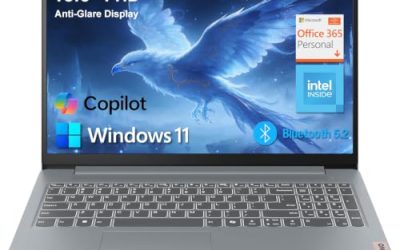
HP Essential Laptop
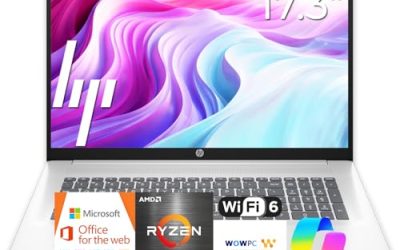
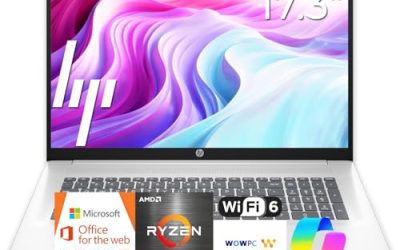
This HP is a no-fuss Windows 11 machine with an LED display, 128GB of storage and a pitch built around portability. It is meant for someone who streams video, browses and handles light office work, with 1TB of cloud storage in the listing for keeping files off the drive. It reads as a simple household laptop rather than a creator tool.
- Windows 11 with Copilot AI features and Office 365 listed
- Portable, lightweight design aimed at everyday carry
- Trade-off: the title gives no RAM figure, so confirm the memory before buying
Skip it if you plan to broadcast regularly, since local storage is only 128GB and the processor is not named.
TRHRO 15.6-inch Laptop
TRHRO pairs a 15.6-inch Full HD IPS screen with 12GB of RAM, which is generous for this tier. The Pentium Gold 6500Y is listed at up to 3.4GHz, and the port list covers USB-C, USB 3.2, Wi-Fi 5 and Bluetooth 5.2. For a first streaming laptop where chat, browser and a basic encoder must share memory, the numbers look balanced.
- 12GB RAM allows a browser and streaming app to share the machine
- FHD IPS panel with a modern wireless set
- Trade-off: the 128GB SSD fills quickly with recordings
Skip it if you need lots of local video storage without adding a card or external drive.
15.6-inch 6GB Laptop
A business-and-student style 15.6-inch machine with an FHD display, 6GB of RAM and 128GB storage that can be expanded up to 512GB. The listing mentions Win11, Wi-Fi 5, Bluetooth 4.2, a numpad and Type-C. It is a sensible middle ground for someone who wants a big screen for viewing and a keyboard with a number pad for spreadsheets.
- Expandable storage helps if you keep local clips
- Numeric keypad suits spreadsheets and chat moderation
- Trade-off: Bluetooth 4.2 is older than the 5.x versions on some rivals
Skip it if you want the newest wireless standards or more than 6GB of memory.
Amzboy 15.6-inch Win 11 Laptop
The Amzboy uses an N4020 processor with 4GB of RAM and 128GB eMMC storage behind a Full HD display. Its extras are the draw: 45W USB-C power delivery charging, a 180-degree lay-flat hinge, a privacy camera and TF card support up to 1TB. Think of it as a viewing laptop for a couch or a desk that is shared with family.
- Fast USB-C charging from a common adapter
- Large TF card support for stored video
- Trade-off: 4GB of RAM limits multitasking
Skip it if you want to run a stream encoder alongside other apps.
Acer Aspire Go 15
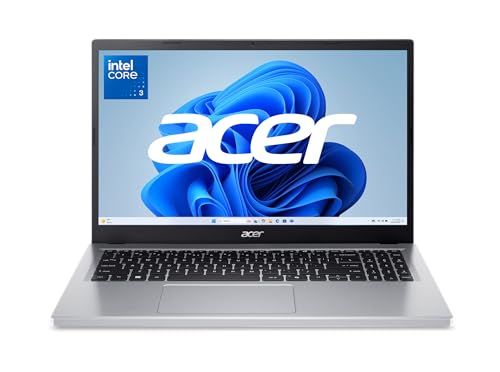
The Aspire Go 15 stands out for its newer platform: an Intel Core 3 N355 processor, 8GB of DDR5 memory and a 15.6-inch Full HD IPS display. The title also flags it as AI ready and lists 128GB UFS storage plus Wi-Fi. A known brand and a current-generation chip make it an easy default for buyers who dislike guessing at unfamiliar names.
- 8GB of DDR5 is a comfortable step up from 4GB machines
- Full HD IPS screen on a 15.6-inch frame
- Trade-off: only 128GB of UFS storage for local files
Skip it if you plan to keep a large library of recordings on the device.
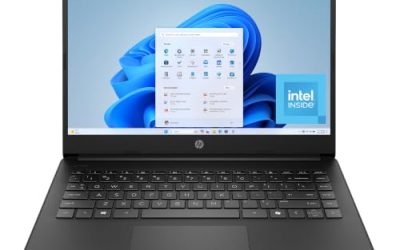
HP 14-inch Laptop
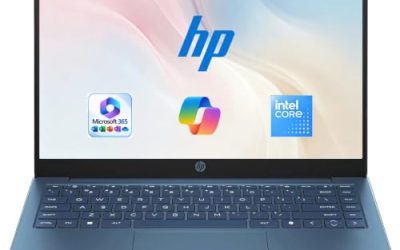
A compact 14-inch HP with an HD display, Intel N150 processor, 4GB RAM and 128GB UFS storage. It ships with Windows 11 Home and a one-year Microsoft 365 Personal subscription, which suits students and casual viewers who want documents and video on one small, easy-to-carry machine for lectures and watch parties.
- Compact screen size for travel and small desks
- Microsoft 365 included for the first year
- Trade-off: HD resolution and 4GB RAM keep it in viewer territory
Skip it if you want a Full HD preview of your own stream.
ZENSAUN 14-inch Laptop
ZENSAUN is the memory leader, at 32GB of RAM with a 512GB SSD in a lightweight 14-inch body. Dual USB-C, USB 3.2, HDMI and a TF card slot make it the most flexible connector set here for a capture card or an external monitor. It suits a hobbyist who wants to experiment with scenes and sources without running out of memory.
- 32GB RAM leaves headroom for scenes and browser tabs
- HDMI and dual USB-C ports for accessories
- Trade-off: the Pentium 6500Y is a low-power chip, so memory outweighs processing power
Skip it if you want a processor-first machine for demanding encoding.
Core Processor 15.6-inch Gaming Laptop
Sold under a gaming label, this 15.6-inch laptop lists a Core processor up to 3.40GHz, 16GB of RAM and a 512GB SSD with a Full HD display and Bluetooth 5.0. The title names no graphics chip, so treat the label with caution. On paper the memory and storage are a good match for a budget creator who wants room to grow.
- 16GB of RAM and a 512GB SSD at a budget tier
- Full HD display with Wi-Fi and Bluetooth 5.0
- Trade-off: no brand or GPU details are listed, so check the full specs
Skip it if you need a clearly named processor and graphics chip before buying.
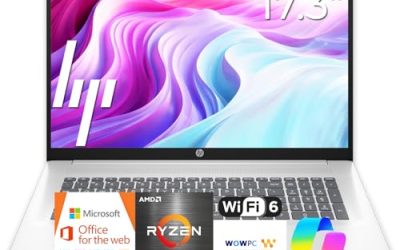
HP 15 Renewed (15FD)
This renewed HP 15 lists an Intel i7 processor, 16GB of memory and a 1TB drive, the strongest core specs in the group. It is a 15.6-inch silver laptop aimed at buyers who want more capability for the money and are comfortable with refurbished hardware, particularly anyone planning regular recording sessions.
- Intel i7 with 16GB RAM and 1TB storage
- Large drive for recordings and downloads
- Trade-off: renewed condition means checking the seller’s return and warranty terms
Skip it if you want a new unit with a full manufacturer warranty.
Which One Fits Your Situation
You stream a few shows and want the simplest setup
The HP Essential Laptop keeps things simple with Windows 11, Office and cloud storage included, and it asks nothing of you beyond signing in.
You are starting a small channel on a tight budget
The TRHRO 15.6-inch gives 12GB of RAM with a Full HD IPS screen, enough to try a basic one-camera session in 2026 without buying extra gear first.
You want the most RAM and ports for a capture setup
The ZENSAUN 14-inch has 32GB of memory plus HDMI and dual USB-C, so a capture card and a second monitor can both connect.
You want maximum processing and storage in one box
The renewed HP 15 with an i7, 16GB and 1TB is the pick if you accept refurbished status and read the return terms. It is the only listing here that pairs a higher-tier Intel chip with a terabyte of local space, which matters if you save every session.
You mostly watch and want a lighter bag
The HP 14-inch is the compact choice, with a one-year Microsoft 365 subscription for notes and documents between episodes and lectures.
Common Mistakes
- Buying 4GB of RAM for a broadcast machine and expecting smooth multitasking.
- Assuming a “gaming” label means a dedicated graphics chip when the title never names one.
- Counting cloud storage as local space for recordings.
- Ignoring ports when you plan to add a webcam, microphone or capture card.
- Skipping the return terms on a renewed laptop, then discovering a battery or hinge problem too late to send it back.
Related guides
- Can You Power A Portable Monitor With A Power Bank
- Monitors For Digital Signage And Video Walls
- Can A Portable Monitor Work With One Usb C Cable
Frequently Asked Questions
Can these laptops run a live stream?
Entry-level broadcasting with one camera and a simple scene is plausible on the higher-memory models. The listed specs do not promise heavy encoding, game capture or multi-scene overlays.
How much RAM do I need?
Eight gigabytes is a sensible minimum for broadcasting, and 16GB is more comfortable. Four gigabytes is fine only for watching video. If a laptop has soldered memory, you cannot add more later, so buy the amount you need on day one.
Does a Full HD screen matter?
It matters for judging your own picture and for crisp viewing. HD panels are acceptable on a second screen or a travel machine.
Are renewed laptops a good idea?
They can be, especially for higher-tier processors at a lower cost. Confirm the return window and warranty terms before purchasing.