A budget of under 800 dollars forces trade-offs that a higher cap would hide. At this level you cannot have a top-tier graphics card, a premium panel, 32GB of memory, and a thin aluminum body all at once. The real question is which compromise you can live with: an older but capable RTX 3050, a newer RTX 4050 with less memory than you would like, or an integrated-graphics machine that only suits lighter games. Knowing what each tier delivers keeps you from paying for numbers you never notice.
This guide is for first-time gaming laptop buyers, students who also want to play after class, and parents shopping for a teenager. It sorts seven options by what their titles actually promise, from RTX 3050 and RTX 4050 machines to two lighter models that rely on integrated graphics. One student-oriented listing was left out because nothing in its title mentions a gaming GPU. Actual pricing moves from week to week, so confirm that a configuration still falls under the cap on its current listing before you decide. The comparison below reflects what is on offer in 2026.
Our Top Picks
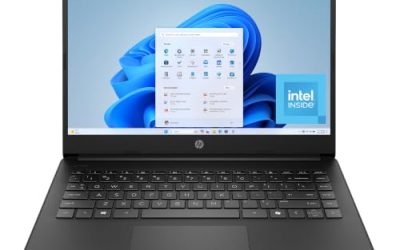
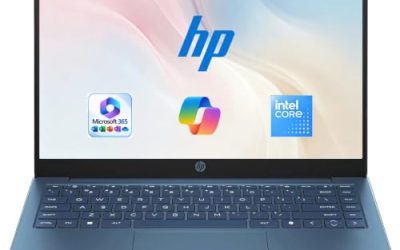
 HP Victus Gaming 15 Laptop: 15.6" FHD 144Hz8GB-512GB14.09 x 10.04 x 0.93 Inches5.06 PoundsCheck on Amazon
 HP Victus 15.6 inch FHD 144Hz Gaming Laptop16 GB RAM | 512 GB SSD | 13420H11.6 x 9.4 x 0.83 inches5.1 PoundsCheck on Amazon



Top 3 picks at a glance
Quick Picks
As an Amazon Associate we earn from qualifying purchases at no extra cost to you.



| Product | Best for | Key spec from the title |
|---|---|---|
| HP Victus Gaming 15 (RTX 3050) | Entry-level 1080p gaming | i5-13420H, RTX 3050, 8GB DDR4, 144Hz |
| HP Victus 15 (12th Gen i5) | Backlit keyboard budget gaming | i5-12500H, RTX 3050, 8GB, 512GB SSD |
| HP Victus 15.6 (RTX 4050) | Strongest GPU on a tight cap | RTX 4050 6GB, 16GB DDR4, 144Hz |
| Acer Nitro V (RTX 4050) | High-refresh screen and DDR5 | RTX 4050, 165Hz IPS, 8GB DDR5 |
| Light Gaming Laptop (Ryzen 7) | Esports and older titles | Ryzen 7 5700U, 16GB RAM, 512GB SSD |
| Acer Nitro V 16S AI | Stretching for newer hardware | RTX 5060 laptop GPU, 16 inch 180Hz |
| Generic Gaming Laptop | Lowest-effort entry | 16GB RAM, 512GB SSD, 15.6 inch FHD |
How to Choose
Put the graphics card first
In a gaming laptop, the GPU decides frame rates more than anything else. Within this budget class, an RTX 3050 handles popular esports titles and many modern games at medium settings at Full HD, while an RTX 4050 steps up the capability and brings newer features. Integrated graphics, which appear on the two lighter models, are suited to older games, indie titles, and cloud gaming rather than modern action games. When two laptops share a processor, let the graphics card break the tie and spend your money there.
Do not settle for 8GB of RAM if you can avoid it
Several budget gaming laptops list 8GB, which can run games but leaves little room for a browser, voice chat, and a launcher in the background. Sixteen gigabytes is the practical target, and the HP Victus with the RTX 4050 and the lighter Ryzen model both list it. If a model ships with 8GB and has two memory slots, an upgrade is often inexpensive, but confirm slot availability on the manufacturer’s page before relying on it. DDR5, listed on the Acer Nitro V, is faster than DDR4 but matters less than total capacity.
Look for a high-refresh screen and a real panel type
A 144Hz or 165Hz display is a notable improvement over 60Hz for fast shooters and racing games, as long as your frame rate reaches that level. IPS, mentioned on the Acer Nitro V models, generally gives better viewing angles and color than cheaper panel types. Budget laptops usually cut corners on brightness and color coverage, so treat a gaming laptop screen as good for games rather than for photo editing.
Mind storage, cooling, and generation
A 512GB SSD is the common baseline here, and it holds only a handful of large games at once. Gaming loads generate heat, so look for H-series processors, which are built for sustained performance, rather than U-series chips. Processor generation also matters; the 12th and 13th Gen Intel chips in these titles are older than the newest platforms but remain capable for Full HD gaming. Also look at the charger and ports: a gaming laptop that cannot pass video out over HDMI or USB-C will limit a later move to an external monitor, which is one of the cheapest upgrades to a gaming setup.
The 7 Best Options
HP Victus Gaming 15 (RTX 3050)
This is a straightforward entry into PC gaming. The title lists a 15.6 inch FHD 144Hz display, an Intel 8-core i5-13420H, an NVIDIA GeForce RTX 3050, 8GB of DDR4, a 512GB NVMe SSD, and Windows 11 Home. It suits students who want to play popular esports and open-world titles at modest settings. Its eight cores in the title point to ample multitasking room, and the 144Hz screen is a genuine quality-of-life feature for shooters, racers, and anything with fast camera movement.
- Strength: a 144Hz screen is uncommon at this level and helps in fast games.
- Strength: a 13th Gen H-series processor offers solid sustained performance.
- Trade-off: 8GB of DDR4 is tight for modern games and background apps.
Skip it if you want newer graphics features or plan to run demanding titles at high detail.
HP Victus 15 (12th Gen i5)
The older Victus 15 uses a 12th Gen Intel Core i5-12500H with an NVIDIA GeForce RTX 3050, 8GB of RAM, a 512GB SSD, a Full HD display, Windows 11 Home, and a backlit keyboard. The core graphics tier is the same as the previous model, though the processor generation is older and the title does not state a refresh rate. It is the sort of laptop that tends to appear in older stock at lower tiers, which can make it attractive for buyers watching the cap closely, as long as they accept the older generation.
- Strength: an H-series chip paired with an RTX 3050 handles Full HD gaming at modest settings.
- Strength: a backlit keyboard helps in dim rooms.
- Trade-off: the title lists no refresh rate, so you cannot assume a high-refresh display.
Skip it if you want guaranteed 144Hz and the newer processor in the other Victus.
HP Victus 15.6 (RTX 4050)
This Victus steps up to an NVIDIA GeForce RTX 4050 with 6GB of video memory, paired with an Intel Core i5-13420H, 16GB of DDR4, a 512GB SSD, and a 15.6 inch FHD 144Hz display in Mica Silver. Sixteen gigabytes of RAM paired with a stronger GPU makes this the most balanced configuration for the cap. The 6GB of video memory named in the title matters for texture-heavy games, since more video memory lets you keep higher texture settings without stutter at Full HD.
- Strength: the RTX 4050 and 16GB of memory are a strong pairing for the tier.
- Strength: a 144Hz Full HD panel suits both games and general use.
- Trade-off: DDR4 is older than the DDR5 used by some rivals.
Skip it if you want the fastest memory type or a 165Hz screen.
Acer Nitro V (RTX 4050)
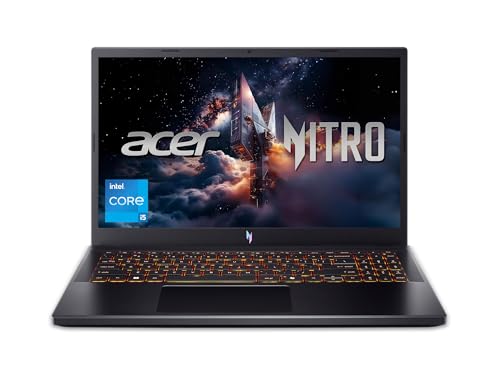
The Nitro V lists an Intel Core i5-13420H, an NVIDIA GeForce RTX 4050 laptop GPU, a 15.6 inch FHD IPS 165Hz display, 8GB of DDR5, and a 512GB Gen SSD. It adds a faster refresh rate and newer memory compared with the Victus models, though with half the RAM of the 16GB Victus. The IPS panel gives wider viewing angles, and the combination of a 13th Gen H-series chip with the RTX 4050 makes it a natural rival to the Victus. Shoppers comparing the two usually weigh refresh rate and memory type against RAM capacity.
- Strength: a 165Hz IPS panel is a clear step up for responsiveness.
- Strength: DDR5 memory offers higher bandwidth.
- Trade-off: 8GB of RAM limits multitasking, so plan to add more.
Skip it if you rarely upgrade hardware and need 16GB from day one.
Light Gaming Laptop (Ryzen 7 5700U)
This unbranded-style listing shows an AMD Ryzen 7 5700U that boosts up to 4.3GHz, 16GB of RAM, a 512GB SSD, a 15.6 inch screen, WiFi 6, Bluetooth 5.2, and an HDMI Type-C connection. The title describes eight cores and sixteen threads but names no discrete graphics card, so treat it as a light gaming machine. A U-series chip is built for efficiency rather than sustained gaming loads, so it fits long battery sessions and study better than demanding titles, but the core count is attractive for the money.
- Strength: eight cores and 16GB of RAM are handy for multitasking and study.
- Strength: WiFi 6 and Bluetooth 5.2 cover modern wireless basics.
- Trade-off: with no dedicated GPU in the title, expect older and esports titles only.
Skip it if you want to play recent 3D games at medium or higher settings.
Acer Nitro V 16S AI
The most advanced machine here lists an AMD Ryzen 7 260, an NVIDIA GeForce RTX 5060 laptop GPU quoted at 572 AI TOPS, a 16 inch WUXGA IPS 180Hz display, and 32GB of memory. Its specifications sit above what a tight cap usually allows, so check that a given configuration still lands under the limit before getting excited. It is also the most future-minded model here, since newer GPU generations tend to receive driver and feature support for longer, which matters if you plan to keep the laptop through several game releases.
- Strength: a newer GPU generation and 32GB of memory give long-term headroom.
- Strength: a larger 16 inch 180Hz screen suits both gaming and work.
- Trade-off: it is the likeliest model in the group to exceed a strict budget.
Skip it if the cap is firm and you cannot stretch even slightly.
Generic Gaming Laptop (16GB, 512GB)
The last listing is the vaguest. The title names a “Core processor (up to 3.40GHz)”, 16GB of RAM, a 512GB SSD, and a 15.6 inch Full HD 1920 by 1080 display, with WiFi and Bluetooth 5.0. It does not name the exact processor model or graphics card. Listings like this appeal to buyers on the tightest budget, but a missing processor model means you cannot compare it fairly to the named options, and support from an unnamed brand can be hard to find.
- Strength: 16GB of RAM and a 512GB SSD form a workable base.
- Strength: a Full HD display matches the other models.
- Trade-off: the lack of a named processor or GPU makes performance impossible to judge from the title.
Skip it if you want clear, verifiable specifications before spending money.
Which One Fits Your Situation
You want the most graphics power under the cap
The HP Victus 15.6 with the RTX 4050 and 16GB of RAM is the most balanced pick on paper. The Acer Nitro V is the alternative if a 165Hz screen matters more to you than memory capacity.
You play esports and older games
The HP Victus Gaming 15 with the RTX 3050 handles these well at Full HD, and it carries a 144Hz screen. The 12th Gen Victus 15 is an acceptable fallback if you find it discounted.
You mostly study and game occasionally
The Light Gaming Laptop with the Ryzen 7 5700U and 16GB of RAM suits schoolwork and lighter titles. Accept that heavier games will need lower settings.
You can stretch the budget a little
The Acer Nitro V 16S AI offers the newest GPU generation and 32GB of memory. It will not suit a hard cap, but it is the model that ages best if you are flexible.
Common Mistakes
- Choosing a laptop with a new processor but weak graphics, when the GPU matters most for games.
- Ignoring the refresh rate and finding out afterward that the panel is only 60Hz.
- Settling for 8GB of RAM without checking whether the laptop can be upgraded.
- Trusting a vague listing that never names the processor or the graphics card.
- Forgetting that a laptop priced just under the cap may go over it after a short price shift.
Related guides
- Can You Power A Portable Monitor With A Power Bank
- Monitors For Digital Signage And Video Walls
- Can A Portable Monitor Work With One Usb C Cable
Frequently Asked Questions
Is an RTX 3050 still good enough for gaming?
Yes for Full HD at medium settings in many popular games and for esports titles. It is not the choice for the newest demanding games at high detail, and it offers less video memory headroom than an RTX 4050 or newer card, so textures may need to be turned down over time.
RTX 4050 or more RAM, which matters more?
Both matter, but 8GB of RAM can be expanded in many laptops, while a graphics card cannot. If you must choose, favor the stronger graphics card and upgrade memory later.
Can a laptop without a dedicated GPU play games?
It can play older games, indie titles, and some esports games at low settings. Recent 3D games will struggle on integrated graphics.
Do I need a cooling pad?
It is optional. A pad can help keep temperatures down during long sessions, but proper ventilation and a clean fan path matter first. Using the laptop on a hard, flat surface rather than a blanket or bed does more for cooling than most accessories.