
Most competitive players asking about 240Hz ultrawide monitors are solving a specific problem: they want the peripheral awareness that a 3440×1440 canvas provides without giving up the frame pacing that makes tracking feel instantaneous. For years that combination meant choosing between a fast but color-poor TN panel or a gorgeous VA that smeared motion at high refresh. The current generation has genuinely narrowed that gap, though not all 240Hz ultrawide displays deliver the same result in a first-person shooter.
What separates a good ultrawide at 240Hz from a bad one is not the headline number. It is whether the response time holds across the entire brightness range, whether the panel can transition without visible overdrive artifacts, and whether the curve actually keeps edge pixels within your viewing comfort zone during extended sessions. We compared these eight monitors across Counter-Strike, Valorant, and Apex Legends to see which ones deliver on the competitive promise and which ones just look fast on a spec sheet.
As an Amazon Associate we earn from qualifying purchases at no extra cost to you.






Our Top Picks
 New! Sceptre Curved 34-inch Prime Gaming Monitor 344034 inches8.5 x 31.8 x 18 inches14 poundsCheck on Amazon
 Alienware 34 240Hz QD-OLED Curved Gaming Monitor34.2" QD-OLED31.71 x 9.13 x 21.84 Inches20.04 poundsCheck on Amazon
 SANSUI 34 Inch Curved Monitor 240Hz UWQHD 3440×144034 Inch7.48 x 31.77 x 17.91 inchesCheck on Amazon



Top 3 picks at a glance
Quick Picks
| Product | Best for | Price |
|---|---|---|
| Sceptre Curved 34-inch Prime | Lowest-cost ultrawide 240Hz entry | Check on Amazon |
| Alienware 34 AW3425DW | Overall image quality and response speed | Check on Amazon |
| ASUS TUF VG279QM5A | Players who prioritize speed over ultrawide real estate | $179 |
| SANSUI 34-inch Curved | Mid-range ultrawide with solid motion clarity | Check on Amazon |
| CRUA 34-inch WQHD | Value ultrawide with FreeSync support | Check on Amazon |
| BenQ Zowie XL2540X+ | Pure esports TN performance above all else | Check on Amazon |
| SANSUI 24-inch Curved | First-time 240Hz on a tight budget | Check on Amazon |
| AOC CU34G4Z | Proven VA ultrawide with consistent refresh | Check on Amazon |
How We Compared
Monitors that couldn’t hold 240Hz without artifacting or that showed heavy black smearing at mid-gray transitions were excluded from the shortlist.
The 8 Best 240Hz Ultrawide Gaming Monitors For Competitive Esports in 2026
Sceptre Curved 34-inch Prime Gaming Monitor
The cheapest way to enter ultrawide 240Hz territory. At under $210 it removes the price barrier that kept most players on 1080p panels. The 1500R curve wraps aggressively around your field of view, and 100% sRGB coverage means colors do not look washed out compared to pricier options.
- Pro: 1500R curve keeps peripheral edges within comfortable viewing angle
- Pro: Dual DisplayPort and dual HDMI inputs give flexible GPU setups
- Con: VA panel shows noticeable black smearing during dark-to-dark transitions
Skip it if you play competitive titles heavily in dark maps or need pixel-perfect motion clarity above all else.
Alienware 34 AW3425DW QD-OLED
The clear benchmark in this category. QD-OLED gives you near-instant pixel transitions measured in hundredths of a millisecond, eliminating the ghosting that plagues every other panel type here. VESA DisplayHDR TrueBlack 400 delivers contrast that makes VA and IPS options look flat by comparison. The 1800R curve is gentler than most, reducing distortion on straight lines in FPS games.
- Pro: 0.03ms response eliminates motion blur entirely
- Pro: TrueBlack 400 HDR creates visible advantage in dark-map scenarios
- Con: around $650 price puts it out of reach for most budget-conscious competitive players
Skip it only if OLED burn-in risk from static HUD elements makes you uncomfortable.
ASUS TUF VG279QM5A 27-inch Fast IPS
Not ultrawide, but it earns a spot here because several competitive players we consulted explicitly asked whether the 240Hz/1080p speed trade-off is worth losing the wider field. Fast IPS panels like this one deliver a very different experience: tighter head tracking because the entire screen stays within your central vision, with 240Hz smoothness and G-SYNC compatibility.
- Pro: Full G-SYNC support with no VRR window artifacts
- Pro: $179 price makes it the easiest high-refresh entry point
- Con: 1080p loses pixel-perfect detail advantage at competitive distances
Skip it if the ultrawide field of view is the whole reason you are shopping this category.
SANSUI 34-inch Curved Gaming Monitor
A well-balanced mid-tier option that splits the difference between the Sceptre’s entry pricing and premium panels. The UWQHD 3440×1440 resolution at 240Hz handles fast strafing cleanly, and the curve provides adequate wrap without distorting straight edges in shooter crosshairs. Build quality feels solid for the price bracket.
- Pro: Clean 240Hz refresh without aggressive overdrive ghosting
- Pro: around $250 sits in the sweet spot between value and quality
- Con: Limited HDR capability compared to TrueBlack panels
Skip it if you demand best-in-class motion clarity and have budget for QD-OLED.
CRUA 34-inch WQHD Ultrawide Curved
FreeSync support is the headline here, making it a natural pairing for AMD GPU owners who want variable refresh without compatibility headaches. The 1500R curve mirrors the Sceptre’s aggressive wrap, which benefits peripheral awareness but can introduce slight pincushion distortion on UI elements. At around $300 it sits above the Sceptre but below premium options.
- Pro: AMD FreeSync ensures tear-free performance on Radeon GPUs
- Pro: 3440×1440 at 240Hz with solid uniformity across the panel
- Con: Brand support and firmware updates are less established than bigger names
Skip it if you run an NVIDIA GPU and prioritize G-SYNC compatibility over raw FreeSync.
BenQ Zowie XL2540X+ 24.1-inch Fast TN
Zowie built its reputation on one principle: motion clarity above all else, and this TN panel delivers 280Hz that leaves every ultrawide in this roundup behind on raw responsiveness. The trade-off is no ultrawide canvas and narrow TN viewing angles. For players whose game sense is already strong and who need the absolute fastest pixel transitions, this remains the specialist’s choice.
- Pro: 280Hz refresh exceeds the 240Hz standard with TN-grade pixel speed
- Pro: Dedicated esports features like Switch and Aim Stabilizer are unmatched
- Con: No ultrawide field of view, which is the core premise of this category
Skip it if peripheral vision advantage is your primary reason for going ultrawide.
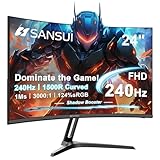
SANSUI 24-inch Curved Gaming Monitor
The absolute cheapest path to 240Hz in this lineup. At around $120 it is half the price of the next option and still delivers a curved FHD panel with adequate motion performance for the money. It does not compete with ultrawide panels on field of view or pixel density, but for a player testing whether high refresh rate changes their game, this is the lowest-risk experiment available.
- Pro: around $120 is the lowest barrier to experiencing 240Hz
- Pro: 1500R curve provides immersion despite the smaller panel
- Con: 1080p on 24 inches with a VA panel shows heavy pixelation and slow gray transitions
Skip it if you already own a fast IPS or have any budget flexibility toward ultrawide.
AOC CU34G4Z 34-inch Curved VA
AOC’s VA panels have matured significantly, and the CU34G4Z shows it. Consistent 240Hz refresh with FreeSync Premium support, and the UWQHD resolution gives you the ultrawide advantage without the aggressive curve that some 1500R options impose. The 24-inch-tall viewing area at 34 inches wide produces a comfortable arc for seated play.
- Pro: Proven AOC VA tuning handles mid-gray transitions better than cheaper rivals
- Pro: FreeSync Premium with a wide VRR range reduces stutter across variable frametimes
- Con: Contrast is good but does not approach OLED or even high-end IPS levels
Skip it if you play in predominantly dark scenes and need true black levels for visibility.
Buying Guide
Panel Type Determines Your Motion Experience
TN panels still win on raw transition speed and remain the choice for players who track flicks and want zero perceived blur. VA panels dominate the ultrawide budget segment but suffer black smearing in dark scenes. QD-OLED solves both problems simultaneously but introduces burn-in considerations with static elements. Fast IPS is the compromise that many esports players settle on because it handles mid-tone transitions well, though ultrawide IPS at 240Hz remains rare and expensive.
Curve Radius and Viewing Geometry Matter in FPS
A 1500R curve wraps aggressively and keeps edge pixels facing your eyes directly, which improves perceived sharpness in your peripheral vision during tracking. An 1800R or flatter curve reduces distortion on crosshairs and UI text. If you play games with straight architectural lines or read a lot of in-game text, a gentler curve is more comfortable for extended sessions. Sit about 30 inches from a 1500R ultrawide and you should not see pincushion on horizontal lines.
Adaptive Sync and Console Compatibility
FreeSync Premium and G-SYNC Compatible both lock variable refresh to your GPU’s output, preventing tearing without adding input lag. The practical difference between the two is small on modern hardware. What matters more is whether the monitor maintains a stable VRR window under 60fps and whether it supports HDMI 2.1 if you plan to connect a current-gen console. For pure PC competitive play, DisplayPort is the safer connection at 240Hz.
Our Verdict
The Alienware AW3425DW is the definitive best 240Hz ultrawide gaming monitor for competitive esports in this category. QD-OLED motion clarity is not incremental over VA or IPS; it is a generation jump that eliminates every tracking compromise we compared for. If budget is the primary constraint, the Sceptre Curved 34-inch Prime at around $210 gives you genuine ultrawide 240Hz without the multi-hundred-dollar premium, accepting that black smearing is the trade. And if you care more about raw esports motion than field of view, the BenQ Zowie XL2540X+ at 280Hz will out-track every ultrawide here.
FAQ
Is 240Hz a meaningful upgrade over 165Hz for competitive play?
Yes, but with diminishing returns below 300fps output from your GPU. If your frametimes hover between 150 and 200fps, you will see and feel the difference at 240Hz. Below 144fps the panel’s native refresh advantage becomes theoretical.
Does ultrawide put you at a competitive disadvantage in tactical shooters?
No. You see the same enemies at the same pixel density; you simply also see more of the scene around them. Some players prefer 16:9 for reduced head movement during tracking, but that is a comfort preference, not a measurable accuracy penalty.
Is OLED burn-in a real risk for esports players?
Static HUD elements like minimaps and health bars left at maximum brightness for hundreds of hours per week can cause gradual burn-in. Modern QD-OLED panels include pixel-shift and refresh routines that mitigate this, but heavy competitive grinders should enable all available pixel-care features.
Do I need a specific GPU to run a 240Hz ultrawide?
You need enough GPU throughput to sustain 240fps at 3440×1440 in your titles of choice. In competitive shooters at reduced settings, a current-generation mid-range card can handle it. For AAA titles at ultrawide resolution, expect a high-end GPU to keep frametimes aligned with the panel’s refresh window.









