Most laptops are sold on how small they can get. A large-screen laptop goes the other way: it gives up some portability to deliver the kind of workspace that normally needs a desktop monitor. If your eyes tire on a 13-inch panel, if you keep a spreadsheet and a browser open side by side, or if the machine mostly lives on a desk and travels only from room to room, a 17-inch or even 18.5-inch laptop can make daily computing noticeably more comfortable.
This guide is for people who have already decided that screen real estate matters most. It compares eight models with 17.3-inch and 18.5-inch displays, from familiar HP designs to lesser-known 18.5-inch machines, and it judges them only by what the listings state. For 2026 buyers the main questions are how much screen size is worth the extra bulk, which processor tier fits the work, and whether the memory and storage numbers hold up.
Our Top Picks
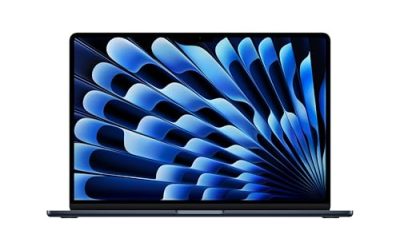
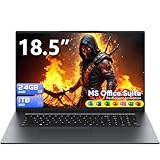
 EKY 18.5 Inch Large Screen Laptop Computer16GB RAM+1TB SSD16.8 x 10.97 x 0.83 inches1.9 KilogramsCheck on Amazon
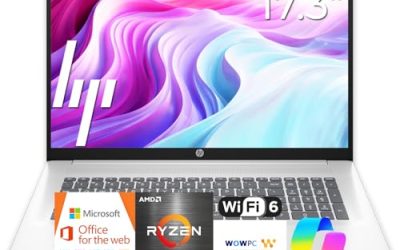
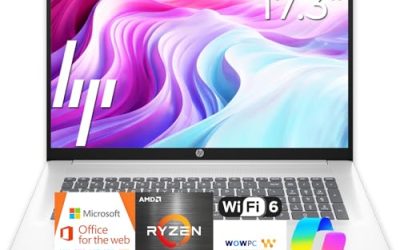
 HP 17.3" Touchscreen Laptop Computer32GB RAM | 1.5TB Storage14.14 x 9.31 x 0.78 inches6 PoundsCheck on Amazon


Top 3 picks at a glance
Quick Picks
As an Amazon Associate we earn from qualifying purchases at no extra cost to you.





| Product | Best for | Key spec from the title |
|---|---|---|
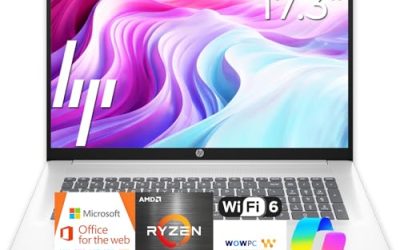
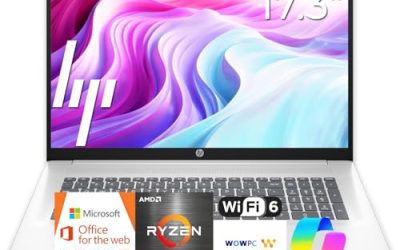
| HP 17 Business Laptop | Office and spreadsheet work | 17.3″ FHD, Ryzen 5, 16GB RAM, 512GB SSD, numeric keypad |
| EKY 18.5 Inch Laptop | Biggest screen with ports | 18.5″, 16GB RAM, 1TB SSD, 6316mAh battery, RJ45, HDMI |
| BWPED 18.5″ Laptop | Maximum memory on a plan | 24GB RAM, 1TB SSD, 48Wh battery, 3 USB ports |
| 18.5 Inch Core i9 Laptop | Color-conscious creators | Core i9 up to 4.8GHz, 100% sRGB FHD display, backlit keyboard |
| HP 17.3″ Touchscreen (Core Ultra 7) | Secure, docked work | Core Ultra 7, 16GB RAM, Win 11 Pro, fingerprint reader |
| HP 17.3″ Ryzen 5 7520U | Everyday family use | HD+ display, 16GB RAM, 512GB SSD, Windows 11 Home |
| HP OmniBook 3 17 (Ryzen 3) | Budget-minded large screen | FHD display, 8GB RAM, 512GB SSD, Radeon 610M |
| HP OmniBook 3 17 (Core Ultra 5) | Newer Intel platform | Core Ultra 5 225U, 8GB RAM, 512GB SSD |
How to Choose
Decide between 17.3 and 18.5 inches
A 17.3-inch laptop is the mainstream large-screen size, found on familiar brands with standard cases and sleeves. An 18.5-inch machine goes further, but it is a very different object: it needs a bigger bag, a bigger desk, and a stronger tolerance for weight. If the laptop will be carried once a week, 17.3 inches is the safer pick. If it will be a semi-permanent desk companion, the extra inch and a half adds real workspace.
Resolution and panel quality matter more at big sizes
Stretching a low-resolution panel over a big screen makes text look soft. Full HD is the sensible minimum. One HP listing here states an HD+ display, which is a step below full HD and worth weighing. If you edit photos, look for color coverage claims such as 100% sRGB, but treat them as a starting point rather than proof of professional accuracy. A touchscreen can help with annotation, though it is not required.
Memory, storage, and processor tier
Sixteen gigabytes of RAM is a comfortable target for a big-screen machine that will juggle many windows. Eight gigabytes works for lighter households but can feel tight. For storage, 512GB covers most users, and 1TB is better for media libraries. Processor naming varies wildly in this group, from Core Ultra and Ryzen chips to Core i9 and Core m3 listings; focus on the family name, the core count where given, and whether the memory pairing matches.
Ports, battery, and corners that get cut
Big laptops should offer the ports a desk setup needs: HDMI for an extra monitor, USB for peripherals, and an RJ45 jack for wired networking, all of which several listings state. Battery capacity is listed in different units across titles, such as milliamp-hours and watt-hours, so compare cautiously and do not assume an 18.5-inch laptop lasts all day. Lesser-known brands may trim on support and build quality, so check warranty details in the listing.
The 8 Best Options
HP 17 Business Laptop
The listing shows a 17.3-inch full HD display, a Ryzen 5 processor, 16GB of RAM, a 512GB SSD, a numeric keypad, and long battery life. It fits office workers and bookkeepers who want a larger view of reports without leaving the mainstream brand world. The title also mentions long battery life, but without a stated capacity the claim is hard to compare.
- Strength: A full-size keypad and 17.3-inch FHD panel suit long spreadsheet sessions.
- Strength: 16GB of RAM and 512GB of storage are balanced for daily work.
- Trade-off: Large chassis make it awkward on trains and planes.
Skip it if you need extra ports confirmed in the title or a stand-out display.
EKY 18.5 Inch Laptop
This lesser-known machine lists an 18.5-inch screen, 16GB of RAM, a 1TB SSD, a processor up to 3.4GHz, a 6316mAh battery, a privacy shutter camera, a TF card slot, RJ45, and HDMI. It suits someone who wants a huge display and plenty of connections without a premium-brand price tag, though the brand name is not one most shoppers will recognize, so research support options first.
- Strength: 1TB of storage and 16GB of RAM are generous for the screen size.
- Strength: RJ45, HDMI, and a TF card slot reduce the need for adapters.
- Trade-off: The processor is described only by clock speed, so confirm the exact chip in the listing.
Skip it if you want a recognizable brand or a clearly named processor family.
BWPED 18.5″ Laptop
The BWPED lists 24GB of RAM and a 1TB SSD, a 3.4GHz Core m3, a 48Wh battery, three USB ports, HDMI, RJ45, dual-band Wi-Fi, and Bluetooth 5.0 in grey. The memory figure stands out, and the ports make it a workable desk machine. It reads like a stationary workstation for someone who keeps many documents, browser tabs, and media files open all day.
- Strength: 24GB of RAM is the highest memory figure in this group.
- Strength: Three USB ports plus HDMI and RJ45 cover a full desk setup.
- Trade-off: A Core m3 is a low-power processor class, so heavy workloads may not suit it.
Skip it if your tasks demand strong processor performance, such as video editing.
18.5 Inch Core i9 Laptop
This unbranded-title listing stands out with a Core i9 up to 4.8GHz, 16GB of RAM, a 512GB SSD, Wi-Fi 6, a 100% sRGB full HD display, Windows 11 Home, a backlit keyboard, a numeric pad, and a fingerprint reader. It appeals to creators who want a wide, color-aware canvas.
- Strength: The listed Core i9 is the highest processor tier among the group.
- Strength: A 100% sRGB display and backlit keyboard suit creative work and dim rooms.
- Trade-off: The brand is not named in the title, so verify support and warranty details.
Skip it if you require a clearly named manufacturer or an easy-to-carry design.
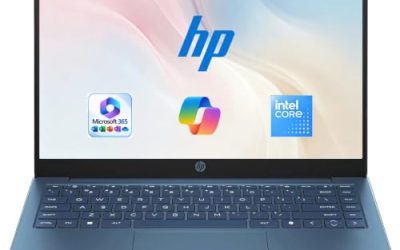
HP 17.3″ Touchscreen (Core Ultra 7)
The listing shows a 17.3-inch touchscreen, an Intel Core Ultra 7 processor, 16GB of RAM, 1TB of combined storage made from a 512GB SSD plus a 512GB external docking set, Windows 11 Pro, and a fingerprint reader. It targets professionals who want security features and a bundled expansion drive.
- Strength: Windows 11 Pro and a fingerprint reader suit business security needs.
- Strength: Touch input and a docking set add flexibility at a desk.
- Trade-off: Half of the 1TB is external, so the internal SSD is 512GB.
Skip it if you want all storage inside the chassis.
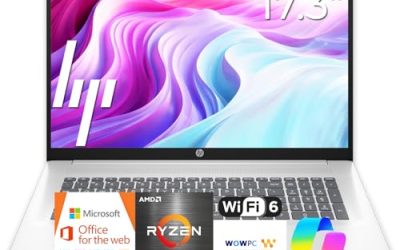
HP 17.3″ Ryzen 5 7520U
This HP 17-cp2199nr lists an HD+ display, a Ryzen 5 7520U, 16GB of RAM, a 512GB SSD, AMD Radeon graphics, and Windows 11 Home in Natural Silver. It is a household laptop for families who want a big screen for streaming and homework. Parents sharing a computer with children often prefer a recognizable brand and a model number they can look up easily.
- Strength: 16GB of RAM and 512GB of storage are comfortable for family use.
- Strength: A recognized brand with a specific model number simplifies support lookup.
- Trade-off: HD+ resolution is below full HD, which makes text less crisp on a large panel.
Skip it if sharp text and detail are priorities.
HP OmniBook 3 17 with Ryzen 3
The listing shows a 17.3-inch FHD display, an AMD Ryzen 3 processor, 8GB of RAM, a 512GB SSD, Radeon 610M graphics, and Windows 11 Home in Mica Silver. It is the budget-minded big-screen choice for web, video, and school. The larger display also makes it comfortable for reading long articles or following video lessons.
- Strength: A full HD panel is a step above the HD+ screen on the other HP.
- Strength: 512GB of storage is generous at this level.
- Trade-off: 8GB of RAM limits multitasking.
Skip it if you plan to keep many windows open or do demanding work.
HP OmniBook 3 17 with Core Ultra 5
This sibling lists a 17.3-inch FHD display, an Intel Core Ultra 5 225U, 8GB of RAM, a 512GB SSD, Intel graphics, and Windows 11 Home in Glacier Silver. It suits buyers who prefer Intel’s newer platform in a large frame.
- Strength: A Core Ultra 5 is a newer-generation processor name.
- Strength: FHD and 512GB of storage match its Ryzen sibling.
- Trade-off: The memory is limited to 8GB.
Skip it if you want 16GB of RAM or Windows Pro.
Which One Fits Your Situation
You want the biggest screen possible
The EKY 18.5 Inch Laptop and the BWPED 18.5″ Laptop go beyond standard sizing. The EKY offers 16GB with 1TB of storage, while the BWPED stretches to 24GB of RAM.
You work in spreadsheets
The HP 17 Business Laptop pairs a numeric keypad with a 17.3-inch full HD screen, a combination built for figures.
You edit photos or video
The 18.5 Inch Core i9 Laptop lists the strongest processor and a 100% sRGB display, which is the closest fit to creative needs here.
You need security and a mainstream brand
The HP 17.3″ Touchscreen with Core Ultra 7 adds Windows 11 Pro and a fingerprint reader. For basic family use, the HP OmniBook 3 17 with Ryzen 3 is the simpler option.
Common Mistakes
- Choosing an 18.5-inch laptop and then expecting it to travel like a thin 14-inch model.
- Ignoring resolution, then living with soft text on an HD+ panel.
- Assuming a bundled external drive counts as internal storage.
- Skipping warranty and support research for lesser-known brands.
- Buying 8GB of RAM for a big-screen machine meant for heavy multitasking.
Related guides
- Can You Power A Portable Monitor With A Power Bank
- Monitors For Digital Signage And Video Walls
- Can A Portable Monitor Work With One Usb C Cable
Frequently Asked Questions
Is a 17-inch laptop portable?
It can be carried, but expect a larger bag and more weight. It suits desk-based users who move occasionally.
Do bigger laptops last longer on battery?
Not necessarily. A larger panel uses more power, so battery life depends on capacity and the processor rather than the screen size.
Is an 18.5-inch laptop better than a 17.3-inch one?
It gives more workspace but costs more in bulk and often comes from smaller brands. For most buyers 17.3 inches is the balanced choice.
Can I connect an external monitor?
Most models here list HDMI, which lets you add a second display. Check the listing for the exact port you need.