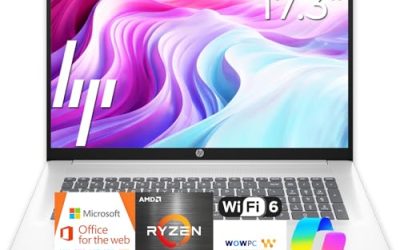
Choosing an HP laptop for business is less about picking a brand and more about picking the right tier inside it. HP’s listings range from rugged-minded 255 G10 workhorses with Windows 11 Pro to light 14-inch machines marketed at students and everyday office users. They share a logo, but they do not share a purpose. A bookkeeper who needs a numeric keypad and 32GB of memory has little in common with a field rep who answers email on the road, yet both might search for the same phrase.
This roundup lines up seven HP models and judges each strictly on its listed specs: processor, memory, storage, screen size, operating system edition, and extras. It is written for small-business owners, office managers, and employees choosing their own work machine for 2026. Where a title is cut short or unclear, the sensible move is to confirm the detail in the listing before ordering, and this guide flags those spots rather than guessing.
Our Top Picks
 HP Windows 11 Pro 15 15.6" FHD Business16GB RAM | 512GB PCIe SSD14.11 x 9.53 x 0.71 inches3.75 PoundsCheck on Amazon
 HP 255 G10 15.6" FHD Business Laptop32GB RAM | 1TB SSD14.17 x 9.29 x 0.73 inches3.35 PoundsCheck on Amazon


Top 3 picks at a glance
Quick Picks
As an Amazon Associate we earn from qualifying purchases at no extra cost to you.


| Product | Best for | Key spec from the title |
|---|---|---|
| HP 17 Business Laptop (Ryzen 5) | Large-screen desk work | 17.3″ FHD, Ryzen 5, 16GB RAM, 512GB SSD, numeric keypad |
| HP New Business Laptop (Ryzen 5 7430U) | Roomy display plus Wi-Fi 6 | 17.3″ FHD, Ryzen 5 7430U, 16GB RAM, 512GB PCIe |
| HP 255 G10 (Quad-core) | Managed offices on Windows Pro | 16GB RAM, 512GB SSD, W11 Pro, webcam with shutter |
| HP 15 Windows 11 Pro (Core i5) | Intel-preferring staff | 11th Gen Core i5-1135G7, 16GB RAM, Iris Xe graphics |
| HP 255 G10 (Ryzen 7 7730U) | Heavy multitasking | Ryzen 7 7730U, 32GB RAM, 1TB PCIe SSD, Windows 11 Pro |
| HP 14″ Business Students laptop | Lightweight carry and cloud work | 14″ LED display, Copilot AI, 128GB UFS, 500GB external drive |
| HP 14″ Business (Intel N150) | Basic email on a short plan | Intel quad-core N150, 4GB RAM, 128GB UFS, Windows 11 Home |
How to Choose
Windows Pro versus Windows Home
A business laptop often needs features that live in Windows 11 Pro, such as stronger disk encryption controls and the ability to join a company domain. Several listings here state Pro in the title, while others state Home. If your employer uses managed devices or you handle client records, a Pro edition removes a common roadblock. For a solo operator using cloud apps only, Home can be perfectly adequate. Ignore marketing language about AI helpers and confirm the edition by name.
Memory and storage that fit the workload
Sixteen gigabytes is the practical target for accounting software, video meetings, and a crowded browser. Thirty-two gigabytes gives room for large spreadsheets and virtual machines, while 4GB barely covers a single modern browser. For storage, a 512GB SSD suits most offices. Be cautious with UFS or eMMC-type storage on small 128GB listings, since capacity runs out quickly and speeds trail a full SSD. External drives bundled in the box are a convenience but not a replacement for internal space.
Screen size and keyboard layout
A 14-inch laptop is easiest to carry, a 15.6-inch model balances workspace and bulk, and a 17.3-inch display suits desk-bound users who juggle several windows. Numeric keypads show up on the larger models and matter if you enter figures all day. A webcam with a physical privacy shutter, which one of the 255 G10 models lists, is a thoughtful touch for confidential calls. Full HD resolution is the practical minimum for work.
What to ignore and where corners are cut
Titles that promise a chip “beats” a rival are marketing, so read the actual model number and core count. Budget business laptops usually skimp on memory, internal storage, and sometimes the operating system edition. Extras such as earphones or Office trials add little value compared with the core specs, so weigh the processor, RAM, and storage first.
The 7 Best Options
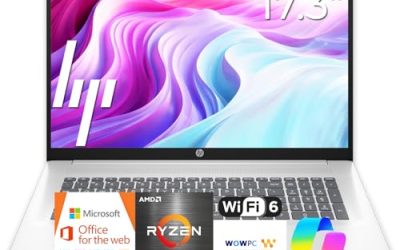
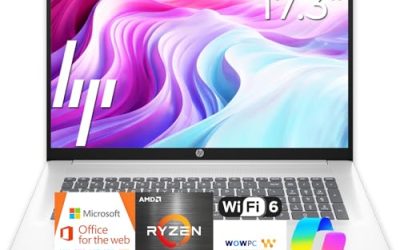
HP 17 Business Laptop with Ryzen 5
The listing shows a 17.3-inch full HD display, a Ryzen 5 processor, 16GB of RAM, a 512GB SSD, a numeric keypad, and long battery life. It suits accountants, estimators, and administrators who want a large canvas for spreadsheets and side-by-side documents without moving up to a workstation. Because the listing stresses battery life, it also suits people who occasionally work away from a desk, though the screen size means it stays a desk-first machine for most people, and a laptop sleeve plus a charger will add to the carrying weight.
- Strength: The large display and keypad are comfortable for long data-entry sessions.
- Strength: 16GB of RAM with a 512GB SSD is a balanced business configuration.
- Trade-off: A 17-inch body is bulky for frequent commuters.
Skip it if you need Windows Pro features confirmed in the title, or if you carry your laptop all day.
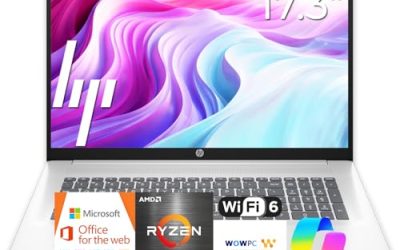
HP New Business Laptop with Ryzen 5 7430U
This model lists a Ryzen 5 7430U, a 17.3-inch full HD display, Wi-Fi 6, 16GB of RAM, and a 512GB PCIe drive. It sits close to the first HP in spirit, with a named processor model that makes comparison easier. The title also makes a bold comparison against an Intel chip, which is a claim to take lightly.
- Strength: A named Ryzen 5 7430U with Wi-Fi 6 gives a clear spec to check against other listings.
- Strength: 16GB of RAM and PCIe storage suit everyday business software.
- Trade-off: The large chassis limits portability.
Skip it if you prefer a smaller screen or want Pro-level management features stated up front, since the title does not name the Windows edition clearly.
HP 255 G10 with Quad-core AMD
The most office-ready listing in the middle of the pack. It shows an AMD quad-core CPU, 16GB of RAM, a 512GB SSD, Windows 11 Pro, a 15.6-inch full HD display, a webcam with a shutter, and a numeric keypad. IT-managed teams and small firms will appreciate the Pro edition and the privacy shutter.
- Strength: Windows 11 Pro and a shuttered webcam fit business security habits.
- Strength: 16GB of RAM and a numeric keypad suit daily office routines.
- Trade-off: The processor is described only as quad-core, so check the listing for the exact model.
Skip it if you need to know the exact CPU generation before buying.
HP 15 Windows 11 Pro with Core i5
This 15.6-inch full HD laptop lists an 11th Gen Intel Core i5-1135G7, 16GB of RAM, a 512GB SSD, Intel Iris Xe graphics, a numeric pad, and Windows 11 Pro. It is a fit for offices that prefer Intel and want a mainstream 15-inch format with integrated graphics that handle everyday visuals. For a team that already standardizes on Intel laptops, matching processors can also simplify driver and support habits.
- Strength: Iris Xe graphics and a Core i5 offer a familiar, well-understood combination.
- Strength: Windows 11 Pro is stated in the title.
- Trade-off: An 11th Gen processor is older than the Ryzen 7000-series chips elsewhere in this roundup.
Skip it if you want the latest processor generation or a large amount of memory headroom.
HP 255 G10 with Ryzen 7 7730U
The powerhouse here. The listing shows a 15.6-inch full HD display, an AMD Ryzen 7 7730U, 32GB of RAM, a 1TB PCIe SSD, a numeric keypad, a webcam, Wi-Fi 6, HDMI, and Windows 11 Pro. It targets users who keep dozens of apps open, such as analysts, planners, and managers juggling large files.
- Strength: 32GB of RAM and a 1TB SSD are the largest figures in the group.
- Strength: An eight-core class Ryzen 7 with Windows 11 Pro targets heavy multitasking.
- Trade-off: It sits at the upper end of the group’s spending tiers.
Skip it if your work is light email and documents, since the extra memory would go unused.
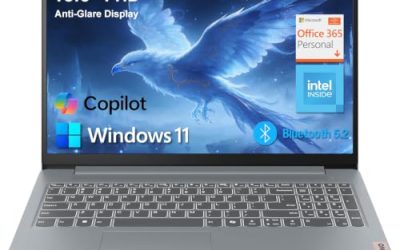
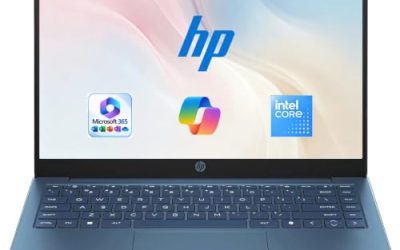
HP 14″ Business Students Laptop
A compact option that lists a 14-inch LED display, Copilot AI with Microsoft 365, an Intel CPU, 128GB of UFS storage, a 500GB external hard drive, and Wi-Fi 6. It is aimed at light users who move between classrooms, cafes, and offices and rely on cloud storage.
- Strength: A 14-inch ultra-light build is easy to carry.
- Strength: The bundled external drive adds extra file space.
- Trade-off: Internal storage is just 128GB, and the memory amount is not clear from the title.
Skip it if you need a heavy-duty workhorse or confirmed 16GB of RAM.
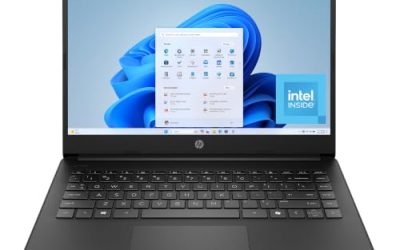
HP 14″ Business Laptop with Intel N150
The most basic model, listing a 14-inch display, a one-year Office 365 subscription, an Intel quad-core N150 processor, 4GB of RAM, 128GB of UFS storage, Windows 11 Home, and bundled earphones. It suits a very light user who needs email and documents on a short plan.
- Strength: The included Office subscription and earphones add everyday value.
- Strength: A compact 14-inch format is easy to carry.
- Trade-off: 4GB of RAM and Windows Home limit it for serious business use.
Skip it if the laptop must run accounting software or manage many tabs and windows.
Which One Fits Your Situation
A managed office with IT policies
The HP 255 G10 with the quad-core AMD processor lists Windows 11 Pro and a shuttered webcam, two traits that fit corporate expectations. The Core i5 HP 15 is a sensible alternative where Intel is preferred.
A data-heavy role with big files
The HP 255 G10 with Ryzen 7 7730U carries 32GB of RAM and a 1TB SSD, which makes it the strongest match for planners, analysts, and anyone running large spreadsheets.
A desk job with lots of windows
The HP 17 Business Laptop with Ryzen 5 and the HP New Business Laptop both offer a 17.3-inch screen, which helps with side-by-side documents.
A light carrier on a short plan
The HP 14″ Business Students Laptop and the Intel N150 model are the portable choices. Pick the first if the extra storage drive helps, and the second for the included Office subscription.
Common Mistakes
- Assuming every business-labeled laptop runs Windows 11 Pro, when several list Home.
- Buying a 4GB model for accounting or customer-management software.
- Counting a bundled external drive as a substitute for a larger internal SSD.
- Believing a “beats Intel” claim in a title instead of reading the processor model and core count.
- Forgetting the keypad when the job involves daily number entry.
Related guides
- Can You Power A Portable Monitor With A Power Bank
- Monitors For Digital Signage And Video Walls
- Can A Portable Monitor Work With One Usb C Cable
Frequently Asked Questions
Is Windows 11 Pro necessary for business use?
It is helpful when you need domain joining and stronger device management. Solo users working in cloud apps often manage fine with Home.
How much RAM should a business laptop have?
Sixteen gigabytes covers most office work. Choose 32GB for large datasets and heavy multitasking, and avoid 4GB for anything beyond basic email.
Is a 17-inch laptop practical?
It is a good choice for desk-based work and large spreadsheets, but it is bulkier to carry. Choose a 14-inch or 15.6-inch model for frequent travel.
Does UFS storage perform like an SSD?
It is a different storage type commonly found on small, light laptops. The capacity is usually modest, so check the size carefully before buying.