
Top 3 picks at a glance
The Short Answer
When planning a productive workstation, understanding the height clearance needed for vertical stacked dual monitors is crucial to avoiding cramped setups or neck strain. In short, you will need between 30 to 44 inches (76 to 112 cm) of total vertical clearance above your desktop surface. This measurement depends entirely on your screen sizes, the thickness of your monitor bezels, and your preferred viewing angles.
A standard vertical setup requires an extra-tall mounting pole—typically ranging from 31.5 to 39 inches in height. For example, a standard dual 27-inch stacked configuration requires approximately 33 to 36 inches of vertical clearance. If you scale up to dual 32-inch or 34-inch ultrawide monitors, your clearance requirement increases to 38 to 44 inches. High-quality vertical desktop mounts, which range in price from $35 to $70, are designed to support these tall profiles, with weight capacities generally sitting between 17.6 and 22 pounds per screen.
As an Amazon Associate we earn from qualifying purchases at no extra cost to you. Product prices and availability are accurate as of the date shown and are subject to change.
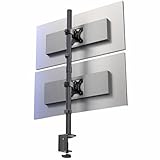


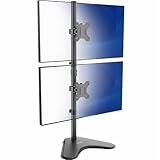
Standard Sizes
To help you map out your desk layout, the table below outlines the average physical dimensions of common monitor sizes when stacked vertically, alongside the actual height clearance you should plan for in your room or office cubicle.
| Monitor Size (Diagonal) | Avg. Single Screen Height (Inches / cm) | Stacked Screen Height (Inches / cm) | Recommended Height Clearance (Inches / cm) |
|---|---|---|---|
| 24″ Monitors | 13.0″ / 33.0 cm | 26.0″ / 66.0 cm | 30″ – 32″ / 76.2 – 81.3 cm |
| 27″ Monitors | 14.5″ / 36.8 cm | 29.0″ / 73.7 cm | 33″ – 36″ / 83.8 – 91.4 cm |
| 32″ Monitors | 17.0″ / 43.2 cm | 34.0″ / 86.4 cm | 38″ – 41″ / 96.5 – 104.1 cm |
| 34″ Ultrawide Monitors | 14.5″ / 36.8 cm | 29.0″ / 73.7 cm | 34″ – 38″ / 86.4 – 96.5 cm |
Note that the recommended clearance is always greater than the combined height of the two screens. This extra space accounts for the mounting base, the necessary ergonomic gap between the desk surface and the bottom edge of your lower monitor (usually 3 to 6 inches), and the upward/downward tilt angles of the screens.
How to Measure Your Space
Before purchasing a vertical mount, follow these steps to ensure your desk and wall space can safely accommodate the vertical stack:
- Measure Your Monitors: Use a tape measure to find the exact vertical height of your individual monitors, including the plastic bezels. Do not rely on the diagonal screen size advertised by manufacturers, as this does not reflect the actual height.
- Calculate the Combined Screen Height: Add the heights of both monitors together. If you plan to tilt the top monitor downward for a better viewing angle, add an extra 1 to 2 inches of depth clearance behind the mount.
- Factor in the Ergonomic Desk Gap: For comfortable viewing, the bottom monitor should sit 3 to 6 inches off the desk surface. Add this number to your combined screen height.
- Verify the Stand’s Pole Height: Check the specifications of your vertical mount. Standard vertical stands (priced around $39 to $45) feature poles that are 31.5 inches tall. Extra-tall models designed for larger screens (priced around $43 to $70) feature poles up to 39 inches tall. Ensure your wall or hutch clearance can accommodate the full height of the pole.
- Check for Overhead Obstructions: Measure the distance from your desktop surface up to any overhead obstructions, such as floating shelves, low-hanging light fixtures, ceiling fans, or sloped attic ceilings. Ensure this space exceeds your recommended height clearance by at least 2 inches to allow for easy installation and adjustments.
By Room or Use Case
The environment in which you place your vertical stacked monitors dictates how much clearance you need and how you should mount your hardware.
Standard Home Office Desk with Overhead Shelving
If your home office desk features a built-in hutch, overhead cabinets, or floating shelves, vertical clearance is highly restricted. Most standard desk hutches offer only 24 to 30 inches of vertical space. In this scenario, stacking dual 27-inch monitors is usually impossible. You will either need to opt for dual 24-inch screens pushed close to the desktop surface, or remove the overhead shelving entirely to allow a tall mounting pole to sit comfortably behind the desk.
Dedicated Gaming Rig in an Open Room
Gamers and streamers who use open, wall-facing desks have the freedom to maximize their vertical space. This setup easily accommodates dual 32-inch screens or even stacked 34-inch ultrawide monitors. Because there are no overhead obstructions, you can utilize an extra-tall 39-inch mounting pole. This allows you to position the primary gameplay screen at perfect eye level while tilting the top auxiliary screen down for chat windows, system monitors, or stream controls.
Sit-Stand Desk Configuration
In 2026, sit-stand workspaces are increasingly common, but they introduce unique cable management and clearance challenges. When using a vertical stacked setup on an adjustable desk, you must measure the clearance at both the lowest (sitting) and highest (standing) positions. Ensure that your monitor cables are long enough to stretch without tension when the desk rises, and that the top monitor does not hit low ceiling fixtures or overhead lighting when the desk is fully elevated.
Small Space & Corner Desk Setups
For compact bedrooms or small apartments, a vertical stacked configuration is an excellent way to save horizontal desk space. By stacking monitors, you reduce your desktop footprint by half. However, corner desks often have angled walls that can press against the top monitor if it is tilted back. In these tight corners, a heavy-duty C-clamp mount or a specialized free-standing vertical stand with a compact base is essential to keep the setup stable and flush against the wall intersection.
Common Sizing Mistakes
Avoiding these common pitfalls will save you time, returns, and potential damage to your screens:
- Using a Standard Dual-Arm Mount: A standard side-by-side dual-arm mount cannot be configured vertically unless it is specifically designated as a stacked vertical mount. Standard arms lack the pole height required to lift one screen entirely above another.
- Ignoring the Weight Limits: Stacking monitors puts a high concentration of weight on a single point of your desk. Standard mounts usually support up to 17.6 pounds per arm, while heavy-duty models support up to 22 pounds per arm. Exceeding these limits causes the top monitor to sag, potentially sliding down into the bottom screen.
- Forgetting Desk Material Strength: A C-clamp vertical mount concentrates the weight of two heavy monitors onto a small section of your desk edge. If your desk is made of hollow-core particleboard or thin glass, the clamp can warp or break the surface. Always check your desk material before mounting.
- Neglecting Neck Ergonomics: Placing the top monitor too high forces you to crane your neck upward, leading to fatigue and strain. The seam between the two monitors should ideally sit right at eye level, allowing you to look slightly down at your primary screen and slightly up at your secondary screen.
FAQ
Can you stack two 32-inch monitors vertically?
Yes, you can stack two 32-inch monitors vertically, but you must use a specialized, extra-tall vertical mount with a pole height of at least 31.5 to 39 inches. You will also need at least 38 to 41 inches of total vertical clearance above your desk to accommodate the physical height of both screens and the mounting hardware.
What is the ideal ergonomic height for a stacked monitor setup?
For optimal ergonomics, your primary (usually bottom) monitor should be positioned so that the top third of the screen sits at or slightly below eye level. The secondary (top) monitor should be mounted directly above it and tilted downward at a 10- to 15-degree angle to minimize neck tilt when looking up.
Is a C-clamp or a free-standing base better for vertical stacked monitors?
A C-clamp mount is generally superior for vertical setups because it anchors the high center of gravity securely to the desk edge, saving valuable workspace. Free-standing vertical mounts are highly portable and work on desks where clamping is not possible, but they require a heavy, wide metal base that occupies significant desk space to prevent tipping.
How much weight can a vertical dual monitor stand typically support?
Most standard vertical dual monitor stands support between 17.6 and 22 pounds (8 to 10 kg) per monitor arm. It is highly recommended to check the weight of your monitors (excluding their original desktop stands) to ensure they fall safely within these weight limits before purchasing a mount.
Related guides
- Max Desk Thickness for Clamp Monitor Arm Mount Size Guide With Measurements
- How Far to Sit From 4k 32 Inch Monitor? Size Guide With Measurements
- How Wide is a 49 Inch Super Ultrawide Monitor? Size Guide With Measurements
- What Screen Size Portable Monitor is Best for Travel? Size Guide With Measurements
