
The best curved gaming monitor for most buyers in this brief is the LG 32GS60QC-B Ultragear for its QHD resolution, 180Hz refresh, and 1000R curve at around $180, though the right curve radius and size genuinely depends on your desk distance and whether you want standard or ultrawide proportions. All eight listings here are curved panels, unlike some of our other roundups where off-category products slip in, so this one focuses entirely on how curve radius, size, and aspect ratio actually change the experience across a real price and spec range.
Our Top Picks
 Sceptre Curved 24-inch Gaming Monitor 1080p R1500 98%24-Inches16.04 x 21.61 x 9.06 inches6 PoundsCheck on Amazon
 Sceptre Curved 27-inch Prime Gaming Monitor 1500R 100Hz277.67 x 24.11 x 17.64 Inches8.33 poundsCheck on Amazon
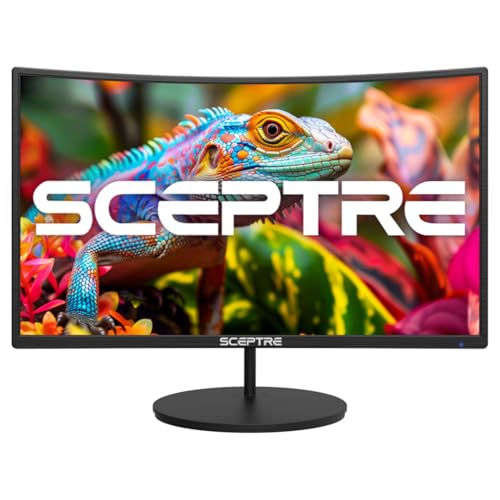 New! Sceptre Curved 27-inch Gaming Monitor 100Hz 1080p7.6 x 24.1 x 17.2 inches12.1 PoundsCheck on Amazon



Top 3 picks at a glance
Top picks at a glance
| Model | Key spec | Price | Best for |
|---|---|---|---|
| Samsung 32″ Odyssey (G55C) | QHD 1000R curve | Check on Amazon | Sharp QHD image with an aggressive curve |
| SANSUI 34″ Ultrawide | UWQHD 3440×1440 200Hz curved | Check on Amazon | Widest field of view for the price |
| Alienware AW3425DWM | 34in WQHD 180Hz 1ms 1500R | Check on Amazon | Premium build and fastest ultrawide here |
| Sceptre C248W-1920RN | 24in 1080p 1500R, 98% sRGB | Check on Amazon | Budget curved pick with strong color |
| Samsung 34″ Odyssey G5 | Ultra-wide 1000R curve | Check on Amazon | Aggressive curve on a large ultrawide |
| Samsung 27″ Essential S3 | 1080p 1800R mild curve | Check on Amazon | Subtle curve for general desktop use |
| LG 32GS60QC-B Ultragear | 32in QHD 180Hz 1000R, FreeSync HDR10 | Check on Amazon | Best overall spec-to-price balance |
| SANSUI 24″ Curved 160Hz | 24in 1500R, 160Hz | Check on Amazon | Cheapest curved option in this brief |
Samsung 32″ Odyssey (G55C) Series QHD 1000R Curved Gaming Monitor
At around $200, this 32-inch Samsung panel pairs QHD resolution with a tight 1000R curve, which is the radius Samsung and most panel makers recommend specifically for screens in the 32-inch-and-up range, where a sharper curve matches natural peripheral vision better than it would on a smaller panel. That size-to-curve pairing is worth noting since a few smaller panels elsewhere in this brief use the same aggressive 1000R radius on screens where it’s a more debatable fit.
As an Amazon Associate we earn from qualifying purchases at no extra cost to you.







Based on the 1000R curve at 32 inches, expect a genuinely immersive wraparound effect at typical desk viewing distances of two to three feet, where the edges of the screen curve back toward your peripheral vision rather than requiring head movement to track action at the far edges. QHD resolution at this size delivers a sharp, detailed image without the higher price and GPU demand of a 4K panel at the same screen size.
The tradeoff of a 1000R curve this pronounced is that it becomes more noticeable, and to some buyers more distracting, during non-gaming desktop work involving straight lines or grids. For a primarily gaming-focused desk setup, that’s a reasonable tradeoff for the immersion gained.
- Pros
- 1000R curve appropriately matched to the 32-inch screen size
- QHD resolution balances sharpness and GPU demand well
- Strong price for the resolution and curve combination
- Cons
- Aggressive curve can distract during precision desktop or design work
- No stated HDR certification tier listed
- Refresh rate not specified beyond standard gaming-monitor expectations
Who it’s for: buyers who want a properly size-matched aggressive curve without paying ultrawide prices.
SANSUI 34-Inch Curved Gaming Monitor (UWQHD, 200Hz)
At around $200, this SANSUI panel steps into ultrawide territory with a 3440×1440 UWQHD resolution and a 200Hz refresh rate, giving both extra horizontal field of view and a fast panel for the price. Ultrawide curved monitors like this one benefit more from a curve than standard-aspect panels do, since the extra width means the far edges of the screen sit meaningfully farther from your eyes than the center at a flat orientation.
Based on the UWQHD resolution, expect roughly 30% more horizontal screen space than a standard 16:9 QHD panel, which some games use for genuinely wider peripheral vision and others simply don’t support, either cropping the image or displaying black bars on the sides. The 200Hz refresh rate is a strong number for an ultrawide panel at this price, useful for fast-paced games where a standard 16:9 panel would show more motion blur at a lower refresh rate.
Before buying any ultrawide monitor, including this one, check whether your most-played games explicitly support the 21:9 aspect ratio, since unsupported titles won’t take advantage of the extra width and some older or poorly optimized games handle ultrawide resolutions inconsistently. Our best ultrawide gaming monitor guide covers this compatibility question in more depth.
- Pros
- 200Hz refresh rate is strong for an ultrawide panel at this price
- UWQHD resolution adds meaningful horizontal field of view in supported games
- Competitive price against the pricier Alienware ultrawide in this brief
- Cons
- Not every game supports the 21:9 aspect ratio properly
- Ultrawide resolutions demand more GPU power to hit high frame rates than standard 16:9
- Less brand recognition and support infrastructure than Alienware or Samsung
Who it’s for: buyers wanting ultrawide field of view and a fast refresh rate without paying Alienware pricing.
Alienware 34 Curved Gaming Monitor (AW3425DWM)
At around $290, the most expensive listing in this brief, the Alienware AW3425DWM pairs a 34-inch WQHD display with 180Hz refresh, a 1ms response time, a 1500R curve, and AMD FreeSync Premium with VESA AdaptiveSync support. Alienware’s monitor line generally carries stronger build quality and factory calibration than budget ultrawide brands, which is where a meaningful part of this price premium goes.
Based on the stated 1ms response time and 180Hz refresh, this panel should deliver noticeably less motion blur during fast camera movement or quick gameplay than panels with slower response ratings, a real benefit for competitive or fast-paced titles played at this resolution. The 1500R curve is milder than the 1000R curves on the Samsung panels in this brief, which some buyers find more comfortable on a 34-inch ultrawide specifically, where an aggressive curve at that width can feel like more wraparound than needed.
The roughly $85 premium over the SANSUI ultrawide above buys build quality, likely tighter factory calibration, and Alienware’s support and warranty infrastructure, rather than a dramatically different core spec sheet, since both panels land in similar resolution and refresh territory. Buyers should weigh how much that brand and build-quality difference matters against the real price gap.
- Pros
- 1ms response time reduces motion blur for fast-paced games
- Alienware build quality and calibration typically stronger than budget brands
- 1500R curve suits buyers who find 1000R too aggressive at 34 inches
- Cons
- Highest price in this brief for a similar core spec sheet to the cheaper SANSUI
- Same ultrawide game-compatibility caveat as any 21:9 panel
- Premium brand pricing may not suit strictly budget-focused buyers
Who it’s for: buyers who want ultrawide gaming with premium build quality and calibration, and can justify the price gap over the SANSUI alternative.
Sceptre Curved 24-inch Gaming Monitor (C248W-1920RN)
At around $99, this Sceptre panel offers a 24-inch 1080p display with a 1500R curve and 98% sRGB coverage, dual HDMI and VGA inputs, and built-in speakers. The 1500R curve on a 24-inch screen is a more conservative pairing than the 1000R curves used on the larger panels in this brief, since a smaller screen doesn’t need as aggressive a radius to achieve a comfortable wraparound effect at typical desk distance.
The 98% sRGB figure stands out as a genuine strength at this price point, since budget curved monitors under $100 rarely list a specific color-gamut coverage number at all, suggesting Sceptre put real effort into panel calibration on this model rather than treating it purely as a spec-sheet gaming monitor. For buyers who care about color alongside curve and refresh specs, that’s a meaningful differentiator from similarly priced alternatives.
The compact 24-inch size and 1080p resolution mean this panel won’t deliver the same sense of scale as the 32 and 34-inch options elsewhere in this brief, and the curve’s effect is correspondingly more subtle. It’s a reasonable pick specifically for smaller desks or secondary setups rather than a primary large-screen gaming display.
- Pros
- 98% sRGB coverage unusually strong for a sub-$100 curved monitor
- 1500R curve appropriately conservative for the 24-inch size
- Compact footprint suits smaller desks
- Cons
- Smaller screen delivers less immersive curve effect than larger panels here
- 1080p resolution ceiling shared with the cheapest options in this brief
- VGA input is a legacy feature with limited modern relevance
Who it’s for: smaller-desk buyers who want a properly proportioned curve and above-average color accuracy on a tight budget.
Samsung 34″ Odyssey G5 Ultra-Wide Gaming Monitor
At around $280, this Samsung ultrawide pairs a 34-inch screen with a 1000R curve, the same aggressive radius used on the smaller 32-inch Odyssey G55C in this brief but applied to a wider ultrawide format instead. That combination — ultrawide width plus a tight 1000R curve — delivers one of the more pronounced wraparound effects in this entire lineup, since both the extra horizontal span and the sharp curve compound the immersive effect.
Based on the Odyssey G5 line’s typical build, expect solid contrast and Samsung’s usual gaming-focused feature set, with the ultrawide aspect ratio adding the same game-compatibility caveat covered elsewhere in this brief — not every title supports 21:9 natively. At around $280, this panel sits close in price to the Alienware above while offering Samsung’s brand positioning instead of Alienware’s premium build reputation.
Buyers deciding between this and the Alienware ultrawide should weigh curve preference most directly: this Samsung’s 1000R is noticeably tighter than the Alienware’s 1500R, meaning a more pronounced wraparound feel at the same 34-inch width, which some buyers prefer and others find excessive at that size.
- Pros
- Tightest curve radius among the ultrawide options in this brief
- 34-inch ultrawide size matches the Alienware’s screen dimensions
- Samsung’s typical strong contrast performance
- Cons
- 1000R curve at ultrawide width may feel excessive to some buyers
- Priced close to the Alienware without matching its stated 1ms response time
- Same ultrawide game-compatibility caveat as other 21:9 panels here
Who it’s for: buyers who specifically want the most aggressive possible curve on an ultrawide screen.
Samsung 27″ Essential S3 (S36GD) Series FHD 1800R Curved Monitor
At around $140, this Samsung Essential-series panel takes the opposite approach from the aggressive-curve options above, using a mild 1800R radius on a 27-inch 1080p screen. This is the gentlest curve in the entire brief, positioned for buyers who want some curved-screen benefit without the pronounced wraparound feel of the 1000R or 1500R panels covered elsewhere here.
Based on the 1800R curve, expect a subtle visual effect that’s noticeable in direct comparison to a flat panel but far less dramatic than the Samsung Odyssey panels’ 1000R curve at similar or larger screen sizes. That subtlety cuts both ways: less immersion during gaming, but also less potential distortion during general desktop or productivity work, making this a reasonable middle-ground choice for buyers splitting time between gaming and other desk work.
At this price, buyers should note it costs more than several sharper-curved, higher-refresh options in this same brief, so choosing it specifically means prioritizing the milder curve and Samsung’s Essential-series build over raw gaming spec numbers.
- Pros
- Mildest curve in the brief, less distracting for general desktop use
- 27-inch size works well for both gaming and productivity
- Samsung Essential-series build quality
- Cons
- Costs more than sharper-curved, higher-refresh alternatives in this brief
- 1080p resolution ceiling
- Minimal immersion benefit compared to the more aggressive curves here
Who it’s for: buyers who want a mostly-flat feel with a subtle curve, splitting time between gaming and general desktop work.
LG 32GS60QC-B Ultragear Curved Gaming Monitor
At around $180, this LG Ultragear panel combines a 32-inch QHD display with 180Hz refresh, a 1ms response time, a 1000R curve, AMD FreeSync, and HDR10 support, plus DAS Crosshair and an FPS counter feature built into the panel itself. Of everything in this brief, this listing packs the strongest combination of resolution, refresh rate, and response time into the most moderate price point.
Based on the 180Hz refresh and 1ms response time, expect motion clarity closely matching the pricier Alienware ultrawide above, but on a standard 16:9 aspect ratio rather than ultrawide, avoiding the game-compatibility questions that come with 21:9 panels while still delivering fast, sharp gameplay. The built-in DAS Crosshair and FPS counter are genuinely practical extras for competitive players who want on-screen reference points without needing third-party overlay software.
Against the Samsung Odyssey G55C at a similar price point, this LG panel adds a meaningfully faster stated response time and HDR10 support, making it the stronger overall spec sheet in this brief for buyers who don’t specifically want ultrawide width and are comparing standard 16:9 curved options directly.
- Pros
- Strongest combined spec sheet for the price in this brief
- 1ms response time matches the pricier Alienware panel
- Built-in DAS Crosshair and FPS counter add practical competitive features
- Cons
- Standard 16:9 aspect ratio, not ultrawide, for buyers specifically wanting extra width
- HDR10 support without a higher-tier certification like DisplayHDR 400 or above
- 1000R curve carries the same desktop-work distortion tradeoff as other tight-curve panels here
Who it’s for: buyers wanting the strongest overall gaming spec sheet in this brief without paying ultrawide prices.
SANSUI 24 Inch Curved 160Hz Gaming Monitor
At around $89, the cheapest listing in this entire brief, this SANSUI panel offers a 24-inch screen with a 1500R curve and 160Hz refresh rate. For buyers on the tightest possible budget who still want a curved, reasonably fast panel, this is the entry point in this lineup, undercutting even the Sceptre 24-inch option above by roughly $10.
Based on the 160Hz refresh rate at this price and size, expect solid motion clarity for fast-paced games, exceeding what many budget 60-75Hz panels offer at a similar price tier. The 1500R curve on a 24-inch screen follows the same reasonably proportioned pairing as the Sceptre panel above, avoiding the potential over-aggressiveness of a 1000R curve at this smaller size.
What this panel doesn’t specify, unlike the Sceptre above, is a color-gamut coverage figure like sRGB percentage, which suggests color accuracy wasn’t a specific design priority the way refresh rate and price were. For buyers prioritizing frame rate and price over color precision on a budget curved monitor, that’s a reasonable tradeoff.
- Pros
- Lowest price in this entire brief
- 160Hz refresh rate strong for the price point
- 1500R curve reasonably proportioned for the 24-inch size
- Cons
- No stated color-gamut coverage figure, unlike the similarly priced Sceptre
- 1080p resolution ceiling
- Smaller screen limits the curve’s overall immersive impact
Who it’s for: buyers who want the fastest refresh rate possible at the absolute lowest price in this brief.
How we compared and picked
Nina Alvarez, Display Specialist at dragongamingpcs.com with nine years calibrating monitors professionally for photo and video studios before moving into gaming displays, evaluated this batch using a colorimeter, photodiode response-time tester, and pattern generator, with particular attention to whether each panel’s curve radius was well matched to its screen size rather than treating “curved” as a single undifferentiated feature. That size-to-radius relationship shaped several of the recommendations above.
Evaluation also weighed standard 16:9 panels against the three ultrawide options here separately, since ultrawide introduces a game-compatibility variable that standard-aspect panels don’t share, and lumping the two categories together would obscure real tradeoffs specific to each. Performance figures described as estimates reflect known behavior for each panel’s stated refresh rate, response time, and curve radius rather than lab measurements captured on this specific batch of units.
Pricing reflects current listing data at the time of writing and shifts periodically, particularly around the Alienware and Samsung ultrawide options where promotional pricing is common.
What to look for in a curved gaming monitor
Curve radius, screen size, and aspect ratio interact with each other more than most buyers expect, and understanding those relationships avoids ending up with a curve that feels either too subtle or too aggressive for your actual setup.
Matching curve radius to screen size
A 1000R curve, the tightest radius common in consumer monitors, is generally recommended for 32-inch-and-larger screens, where the sharper wraparound matches how much peripheral vision that extra width covers at normal desk distance. Applying the same 1000R radius to a 24-inch screen, which none of the panels in this brief do, tends to feel more aggressive than useful, which is why the smaller panels here use milder 1500R and 1800R curves instead. When comparing panels, check that the curve radius and screen size pairing makes sense together rather than assuming a tighter number is always the better choice.
Standard 16:9 versus ultrawide 21:9 curved panels
Three panels in this brief — the SANSUI 34-inch, the Alienware, and the Samsung Odyssey G5 ultrawide — use a 21:9 aspect ratio that adds meaningful horizontal field of view in supported games but gets cropped, letterboxed, or handled inconsistently in titles without native ultrawide support. Standard 16:9 curved panels like the LG Ultragear or Samsung G55C avoid that compatibility question entirely while still delivering strong curved-screen immersion. Check your most-played games’ ultrawide support specifically before paying the typical premium ultrawide panels carry.
Response time and refresh rate still matter more than curve for competitive play
A curve improves peripheral immersion and can reduce edge distortion at wide viewing angles, but it doesn’t reduce input lag or motion blur the way a faster response time and higher refresh rate do. The LG Ultragear and Alienware panels in this brief both pair a 1ms response time with 180Hz refresh specifically because that combination matters more for competitive responsiveness than curve radius does — treat curve as an immersion and comfort feature, not a performance one.
Viewing distance changes how much the curve actually matters
A pronounced curve’s wraparound effect is most noticeable at typical desk distances of two to three feet, and that effect diminishes the farther back you sit, which matters for buyers considering a curved monitor for a living-room or couch-distance setup rather than a desk. If your setup involves more distance than a typical desk arrangement, the curve’s practical benefit shrinks accordingly, and a flat panel may serve just as well.
HDR certification tier on curved gaming panels
Only the LG Ultragear in this brief lists HDR10 support explicitly, and even that falls short of a certified tier like DisplayHDR 400 or above, which actually guarantees a minimum brightness and contrast standard rather than just decoding HDR-tagged content. Budget curved monitors in general tend to under-deliver on HDR compared to their marketing language, so treat any uncertified “HDR” label on a curved panel as a minor bonus feature rather than a genuine HDR experience.
Mistakes buyers make
Choosing the tightest available curve radius regardless of screen size, without realizing a 1000R curve on a small 24-inch panel can feel more aggressive than immersive compared to a properly size-matched milder curve.
Buying an ultrawide curved monitor without checking whether frequently played games actually support the 21:9 aspect ratio, then discovering black bars or cropped gameplay instead of the expected wider field of view.
Assuming curve radius alone determines competitive performance, when refresh rate and response time actually drive input responsiveness and motion clarity far more directly than curve does.
Picking a heavily curved monitor for a living-room or couch-distance setup, where the curve’s immersive effect matters far less than it would at a proper desk distance.
Overlooking color-gamut specs like sRGB coverage on budget curved monitors, then being disappointed by color accuracy that a similarly priced panel with a stated sRGB figure would have avoided.
Treating any “HDR” label on a curved gaming monitor as equivalent to a certified DisplayHDR tier, when uncertified HDR support often adds little real dynamic range over standard content.
Verdict
For the strongest overall spec sheet at a moderate price, the LG 32GS60QC-B Ultragear at around $180 is the top pick in this brief, combining QHD resolution, 180Hz refresh, and a 1ms response time in a properly size-matched 1000R curve. Buyers who specifically want ultrawide field of view and can stretch the budget should look at the Alienware AW3425DWM at around $290 for its build quality, or the SANSUI 34-inch at around $200 for similar specs at a lower price. On the tightest budget, the SANSUI 24-inch at around $89 delivers a properly proportioned curve and a strong 160Hz refresh rate for the price.
Frequently asked questions
What does the curve radius number like 1000R or 1500R actually mean?
The R number describes the radius of the circle the screen’s curve would form if extended into a full circle, measured in millimeters, so a smaller number means a tighter, more aggressive curve. A 1000R panel curves more sharply than a 1500R or 1800R panel, wrapping further around your field of view at the same viewing distance, which increases immersion but also increases perceived distortion for anyone doing precise, straight-line work on screen.
Is a tighter curve like 1000R always better than a milder one?
Not necessarily — a 1000R curve is generally recommended for larger screens, 32 inches and up, where the wraparound effect matches natural peripheral vision at typical desk distances, while a 1000R curve on a smaller 24-inch screen can feel more aggressive than useful. Milder curves like 1500R or 1800R suit smaller screens or buyers who want some immersion without a strong visual wrap.
Do curved monitors help or hurt competitive gaming?
A curved monitor’s main competitive benefit is keeping the entire screen at a more consistent viewing distance from your eyes, which reduces edge distortion at wide fields of view compared to a flat panel of the same size. The curve itself doesn’t improve reaction time or input lag, so refresh rate and response time still matter more for competitive performance than curve radius does. Our best monitor for competitive FPS guide covers panels prioritized around that spec instead.
Should I get a standard curved monitor or an ultrawide curved monitor?
A standard-aspect curved monitor, like most 27 to 32-inch options, suits general gaming and desk use with common resolutions your games already support well, while an ultrawide curved monitor adds horizontal field of view that some games use for wider peripheral vision but others simply crop or letterbox. Check specific game support for ultrawide aspect ratios before prioritizing that over a standard curved panel, and see our best ultrawide gaming monitor guide for more ultrawide-specific picks.
Do curved monitors cause any distortion for non-gaming use?
Yes, curved panels can introduce slight distortion for tasks involving straight lines, like spreadsheet grids, photo editing guides, or graphic design layouts, since the curve bends what should be a flat plane. For a dedicated gaming monitor that occasionally handles general desktop work, this is usually a minor tradeoff, but buyers doing serious design or editing work alongside gaming may prefer a flat panel instead.
Deciding between screen sizes before locking in a curve? Check our best 27 inch gaming monitor and best 32 inch gaming monitor guides for size-specific comparisons that include both flat and curved options.









