
The boundary between our professional lives and our leisure hours has completely dissolved, and nowhere is this more visible than on our desks. Choosing a primary display is no longer just a technical decision; it is an interior design and lifestyle choice. If you are staring at your workspace trying to decide between a 38-inch ultrawide monitor and a 42-inch 4K OLED television, you are facing a fundamental spatial dilemma.
On one hand, you have the wide, sweeping curve of a productivity-focused ultrawide display. On the other, you have the towering, hyper-vivid canvas of a compact OLED television adapted for desktop use. This decision dictates not only how easily you can manage a massive spreadsheet, but also how much physical space is left on your desk, how far back you must sit to avoid neck strain, and how your workspace blends into the aesthetic of your home.
Top 3 picks at a glance
Quick Verdict
For the remote professional who games casually after hours, the 38-inch ultrawide is the superior home addition. It fits standard 30-inch deep desks, features an ergonomic curve, and will not suffer from static-image burn-in during long workdays. However, if your desk serves primarily as an entertainment hub, or if you can wall-mount your display and sit at least 3 feet away, the 42-inch 4K OLED offers an unmatched cinematic and gaming experience with infinite contrast ratios and perfect response times that no ultrawide IPS panel can match.
Side by Side
| Feature | 38-Inch Ultrawide (IPS) | 42-Inch 4K OLED TV |
|---|---|---|
| Comfort & Ergonomics | Excellent; curved panel reduces eye and neck rotation; height-adjustable stands. | Challenging; flat, tall screen requires significant backward tilt or wall mounting. |
| Durability & Lifespan | High; IPS panels have zero risk of permanent image retention (burn-in). | Moderate; susceptible to cumulative subpixel wear (burn-in) from static office UI elements. |
| Price Range | $1,000 to $1,300 | $950 to $1,200 |
| Maintenance | Set-and-forget; standard screen cleaning. | High; requires pixel cleaning cycles, auto-dimming management, and input switching. |
| Space Needed | Standard desk (24" to 30" depth); footprint is wide but shallow. | Deep desk (30" to 36" minimum) or wall mount required to avoid pixelation and eye strain. |
| Visual Style | Sleek, modern office aesthetic; looks like a premium workstation. | Dominating, living-room aesthetic; acts as a visual focal point in the room. |
| Resale Value | Stable; productivity monitors hold value well due to long operational lives. | Fast depreciation; TV tech cycles rapidly and buyers fear used OLED burn-in. |
| Best For | 80% work, 20% gaming; multi-window spreadsheets, coding, and panoramic simulation games. | 80% gaming/media, 20% work; console and PC gaming, HDR movie watching, dark-room setups. |
Where 38 Inch Ultrawide Wins
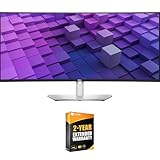
The 38-inch curved ultrawide monitor is built specifically for the ergonomics of human sight at a desk. With a 21:9 aspect ratio and a typical resolution of 3840 x 1600, it offers roughly 111 pixels per inch. This density provides incredibly sharp text rendering, which is essential if you spend hours reading documents, analyzing code, or editing spreadsheets. Monitors like the Dell U3824DW 37.5-Inch 21:9 USB-C Hub IPS LED Monitor ($1149) or the legacy Dell U-Series 38" 4K UHD 1600p Ultra Wide Screen LED-Lit Monitor (U3818DW) ($1050.28) are masterclasses in desktop integration. They feature built-in KVM switches and USB-C power delivery, allowing you to connect and charge your laptop with a single tidy cable.
As an Amazon Associate we earn from qualifying purchases at no extra cost to you. Product prices and availability are accurate as of the date shown and are subject to change.


From a spatial standpoint, the curvature (usually 2300R to 1600R) keeps the outer edges of the screen at the exact same focal distance as the center. This means your eyes do not have to refocus as you scan from left to right, dramatically reducing eye fatigue over a ten-hour workday. Additionally, because these displays are built on IPS panel technology, they are completely immune to image burn-in. You can leave static windows, taskbars, and design grids on the screen all day without a shred of anxiety. Finally, a 38-inch ultrawide is vertically compact, measuring only about 15 to 16 inches in panel height, which easily fits beneath hutch shelving or low-hanging wall art.
Where 42 Inch 4k Oled Gaming Wins
If your priority leans toward visual spectacle, cinematic depth, and raw gaming speed, the 42-inch 4K OLED category is unrivaled. Television displays such as the LG 42-Inch Class OLED evo AI 4K C6 Series Smart TV, 2026 Model ($1149.99) or its sister variant, the LG 42-Inch Class OLED evo AI 4K C6 Series Smart TV w/Dolby Atmos, Dolby Vision, HDR10, AI Super Upscaling 4K (OLED42C6PUA) ($985.5), offer visual performance that no traditional LCD monitor can match. Because OLED pixels are self-lit, they can turn off completely, yielding a contrast ratio of infinity-to-one. In a dim room, games with high dynamic range (HDR) look astonishingly lifelike, with blinding highlights set against ink-black shadows.
Gaming performance on these OLED panels is exceptionally smooth. They boast native 120Hz or 144Hz refresh rates combined with near-instantaneous response times of 0.1 milliseconds. This eliminates the ghosting and motion blur common to office-oriented IPS panels. Furthermore, the 16:9 aspect ratio of a 4K TV is the native format for all modern gaming consoles, meaning your PlayStation 5 or Xbox Series X will utilize every single square inch of the screen without black sidebars. You also get the added bonus of built-in smart TV platforms, letting you stream media via a remote control without even turning on your computer.
Cost Over 5 Years
When evaluating these screens as long-term additions to your home, the true cost of ownership goes far beyond the initial checkout price. While both options sit in a similar upfront bracket of $950 to $1,200, their financial footprints diverge over a five-year lifecycle.
First, consider energy consumption. A 38-inch IPS monitor typically draws between 45 and 65 watts during standard use. A 42-inch OLED TV, by contrast, is a larger display utilizing self-emissive pixels that draw significantly more power, particularly when displaying bright, white backgrounds or HDR content. Under typical office and mixed-use conditions, an OLED TV can average between 80 and 130 watts. Over five years of daily eight-hour use, this difference can add $60 to $120 to your household electric bill, depending on regional utility rates.
Second, and more importantly, is the cost of replacement or depreciation. IPS panels are incredibly robust, easily maintaining their peak brightness and color accuracy for seven to ten years of continuous office work. An OLED TV used as a primary PC monitor faces a much steeper degradation curve. The cumulative exposure to static Windows taskbars, browser tabs, and white document backgrounds will slowly but surely degrade the organic light-emitting diodes, leading to uneven wear or permanent burn-in within three to five years. If you must replace your OLED display early due to burn-in, or if its resale value plummets because of visible screen wear, your cost per year of ownership doubles compared to the highly stable IPS ultrawide.
Which One for Your Home
Small Apartment
In a tight studio or a small apartment, furniture must serve multiple purposes. The 42-inch 4K OLED TV is the clear winner here because it easily doubles as your main living room television. By mounting it on a heavy-duty articulating arm, you can pull it close to a small desk for daytime remote work, and then swing it outward toward your sofa or bed for evening movie watching. Its built-in speakers and smart TV interface eliminate the need for extra media streamers or desktop audio gear, saving precious square footage.
Family with Kids or Pets
For a busy family home where kids and pets roam freely, the 38-inch ultrawide is the safer, more durable choice. Ultrawide monitors sit on heavy, low-profile ergonomic stands that are difficult to tip over, and their screens feature durable anti-glare plastic coatings. OLED TVs, on the other hand, are incredibly thin (often just a few millimeters thick at the edges) and feature delicate, high-gloss glass screens. A stray toy, a wet nose, or sticky fingers can easily crack or scratch an OLED panel, which is not covered under standard manufacturer warranties.
Rental
If you live in a rental property, you likely want to avoid drilling large holes into your drywall to mount a heavy screen. A 38-inch ultrawide is ideal for this scenario. It easily clamps to the back of almost any desk using a standard monitor arm, keeping your walls pristine. It is also lightweight (usually around 18 to 22 pounds without the stand), making it easy to pack up and transport when your lease is up.
Long-Term Home
In a long-term home where you have a dedicated office or media room, you can design your environment around your screen. If you have the space to build or buy a deep, custom wood desk (at least 32 to 36 inches deep) or can run in-wall cable routing to wall-mount a display, the 42-inch 4K OLED becomes an incredible centerpiece. It creates a clean, minimalist aesthetic that turns your home office into a high-tech sanctuary, offering the ultimate setup for both high-end productivity and late-night cinematic gaming.
FAQ
Does a 42-inch OLED TV cause eye strain when used as a monitor?
Yes, it can, if you sit too close. Because a 42-inch flat screen is vertically tall, your eyes must constantly look upward to read menus, which can lead to dry eyes and neck fatigue. Additionally, the subpixel layout of some OLED panels can cause minor color fringing around text, making documents look slightly blurry. To prevent strain, you must sit at least 36 inches away from the screen.
Can I use a 38-inch ultrawide for console gaming?
You can, but it is not ideal. Gaming consoles like the PlayStation 5 and Xbox Series X do not natively support the ultra-wide 21:9 aspect ratio. When you plug a console into a 38-inch ultrawide, the monitor will either stretch the image horizontally (distorting the picture) or display black bars on the left and right sides of the screen, effectively reducing your active viewing area to that of a smaller 30-inch 16:9 monitor.
How do I prevent burn-in on a 42-inch OLED monitor?
To maximize the lifespan of an OLED monitor, you should hide your Windows taskbar, use dark mode for all applications, avoid keeping static windows open in the exact same spot for hours, and set your screen to turn off after two minutes of inactivity. Additionally, never unplug the TV from the wall overnight, as it needs standby power to run its automatic pixel-cleaning cycles.
Is a curved 38-inch monitor better for neck pain than a flat 42-inch screen?
Absolutely. The human field of view is naturally curved. A curved 38-inch monitor wraps around your peripheral vision, allowing you to see the entire screen with minor eye movements. A flat, 42-inch screen requires you to physically turn your head left, right, up, and down to see the corners, which can strain your neck muscles over long working sessions.

