
Setting up a productive home office or an immersive gaming station often starts with screen real estate, but horizontal dual-monitor setups come with a major downside: they consume massive amounts of desk space and force you to constantly turn your head from side to side. This repetitive horizontal panning can lead to severe neck strain, shoulder fatigue, and overall discomfort. Transitioning to a vertical stack solves this issue instantly by utilizing vertical air space, allowing you to view two screens with a simple, natural shift of your gaze.
When searching for the best stacked dual monitor arm for 27 inch monitors, you must balance pole height, weight capacities, and clamp stability. A 27-inch monitor is the sweet spot for modern workflows, but stacking two of them requires a tall, rigid center pole and robust arms that won’t sag under load. We have rounded up, analyzed, and ranked the top eight vertical dual-monitor stands on the market to help you find the perfect match for your desk, budget, and ergonomic needs.
As an Amazon Associate we earn from qualifying purchases at no extra cost to you. Product prices and availability are accurate as of the date shown and are subject to change.


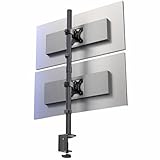
Top 3 picks at a glance
Quick Picks
| Product | Best For | Price |
|---|---|---|
| HUANUO 17-32 Inch Dual Monitor Stand | Best Overall Vertical Mount | $59.99 |
| ErGear Dual Monitor Stand | Best Budget Stability | $39.99 |
| HUANUO Vertical Dual Monitor Mount | Best Budget Height Adjustment | $39.99 |
| Dual Monitor Stand for 2 Screens up to 32 inch (Freelift) | Best for Heavy 27-Inch Monitors | $39.99 |
| STANDOPIA Dual Monitor Mount | Best Heavy-Duty / Future-Proof | $63.99 |
| MOUNT PRO Vertical Dual Monitor Mount | Best Premium Build Quality | $69.99 |
| VIVO Extra Tall Vertically Stacked (STAND-V012T) | Best for Sit-Stand Desks | $59.99 |
| VIVO Dual Vertically Stacked (STAND-V002T) | Best for Ultrawide Adjustability | $43.99 |
How We Picked
To find the absolute best options for stacking 27-inch screens, we evaluated dozens of mounts based on real-world desk requirements. Our primary testing criteria focused on three main pillars: vertical pole clearance, weight capacity stability, and ease of adjustment. A 27-inch monitor typically measures around 14 to 16 inches in height without its stand, meaning a stacked mount needs a minimum pole height of 30 inches to allow comfortable clearance for both screens. We also verified VESA compatibility, checking for standard 75x75mm and 100x100mm mounting patterns. Finally, we prioritized stands that offer both C-clamp and grommet mounting options to ensure they fit a wide variety of desk thicknesses and materials without causing structural damage.
The 8 Best Picks
HUANUO 17-32 Inch Dual Monitor Stand
The HUANUO 17-32 Inch Dual Monitor Stand is a premium choice for professionals seeking a clean, vertical workstation. This mount is built to hold two screens ranging from 17 to 32 inches, making it a perfect fit for dual 27-inch panels. Each arm supports up to 19.8 lbs, ensuring that even heavier professional-grade monitors stay secure without sagging. With a standard VESA 75x75mm or 100x100mm plate, installation is incredibly straightforward. Its ergonomic adjustments are its standout feature, offering smooth tilt, swivel, and 360-degree rotation. Whether you are coding, editing video, or analyzing data, this stand lets you fine-tune your screen angles to eliminate glare and reduce neck strain during long working hours.
- Pros: Excellent tilt and swivel range; supports heavy screens up to 19.8 lbs per arm.
- Cons: Cable management clips can feel slightly tight with thick power cords.
When to skip: Skip this model if you plan to upgrade to ultra-wide displays larger than 32 inches in the future.
ErGear Dual Monitor Stand
The ErGear Dual Monitor Stand offers incredible value for home offices and gaming setups alike. Designed to accommodate screen sizes from 13 up to 33 inches, this versatile vertical mount handles up to 19.8 lbs per arm with ease. It features an integrated C-clamp that distributes weight evenly across your desk surface, preventing any wobbling or shaking while typing. The upgraded cable management clips run along the center pole, keeping thick power cords and display cables neatly tucked out of sight. Supporting VESA 75x75mm and 100x100mm patterns, it provides budget-conscious users with premium stability and a clutter-free desk surface without forcing them to spend a fortune on high-end office ergonomics.
- Pros: Highly stable integrated C-clamp; upgraded cable management path.
- Cons: Fine-tuning the vertical height alignment requires loosening manual hex screws.
When to skip: Skip this model if you need tool-free, instant height adjustments on the fly.
HUANUO Vertical Dual Monitor Mount
The HUANUO Vertical Dual Monitor Mount is a streamlined, space-saving solution designed for users who want simple, reliable vertical stacking. Supporting two monitors from 17 to 32 inches, each arm holds up to 17.6 lbs, which easily accommodates standard 27-inch office displays. The mount secures tightly to your desktop via a heavy-duty C-clamp, minimizing desk footprint. Height adjustment along the central pole is manual but highly secure once locked into place. It is an excellent choice for remote workers who want to transition from side-by-side screens to a vertical stack to save desk space and align their displays with natural eye level, all at a very accessible price point.
- Pros: Very budget-friendly price; compact desk footprint.
- Cons: Maximum weight capacity of 17.6 lbs is lower than some competitors.
When to skip: Skip if you have heavy, older 27-inch monitors or plan to mount heavier gaming screens.
Dual Monitor Stand for 2 Screens up to 32 inch (Freelift)
The Freelift Dual Monitor Stand is engineered for users with heavier displays who still want full-motion adjustability. This vertical stacked mount fits two screens up to 32 inches. What sets it apart is its broad weight capacity, with each arm supporting between 4.4 and 22 lbs. This makes it highly compatible with older, heavier 27-inch monitors or robust gaming screens. Utilizing standard VESA 75x75mm and 100x100mm mounting patterns, the tall double monitor desk mount offers fluid motion adjustments, allowing you to tilt, swivel, and rotate your screens to achieve the perfect ergonomic alignment for intense gaming sessions or long hours of spreadsheets.
- Pros: Impressive weight capacity up to 22 lbs per arm; extremely smooth tilt adjustments.
- Cons: The base clamp assembly is bulky and takes up some under-desk space.
When to skip: Skip if you have an ultra-thin desk or glass desktop that cannot handle heavy clamp pressure.
STANDOPIA Dual Monitor Mount
The STANDOPIA Dual Monitor Mount is a heavy-duty powerhouse designed for users who want absolute stability and future-proof compatibility. It supports massive screen sizes ranging from 17 up to 40 inches, making it an outstanding option for dual 27-inch setups with plenty of physical clearance to spare. Each arm boasts an impressive weight capacity of up to 26.4 lbs, easily handling heavy graphic design monitors, all-in-one panels, or curved displays. Built with premium materials, this mount ensures your screens remain perfectly aligned without slipping over time. It is the ultimate choice for hardware enthusiasts who demand maximum load capacity and rugged construction.
- Pros: Massive 26.4 lbs weight capacity per arm; future-proof support up to 40 inches.
- Cons: At $63.99, it is one of the more expensive options on this list.
When to skip: Skip if you have very lightweight, basic monitors and want to save money on a simpler mount.
MOUNT PRO Vertical Dual Monitor Mount
The MOUNT PRO Vertical Dual Monitor Mount is a premium-tier vertical stand tailored for modern aesthetics and fluid motion. Designed for two computer screens up to 32 inches, each arm holds up to 17.6 lbs, which is ideal for lightweight and mid-weight 27-inch monitors. The tall display desk mount features a robust VESA plate design that simplifies the mounting process. With full-motion adjustability, you can tilt, swivel, and rotate each monitor independently to create a seamless vertical canvas. It is perfect for professional traders, programmers, and streamers who require a high-quality, reliable, and visually clean dual-screen configuration for daily high-intensity use.
- Pros: Sleek aesthetic finish; very smooth rotation and tilt mechanics.
- Cons: Slightly higher price tag than other 17.6 lbs capacity mounts.
When to skip: Skip if you are working with a tight budget and do not need a highly polished aesthetic.
VIVO Extra Tall Vertically Stacked (STAND-V012T)
The VIVO Extra Tall Vertically Stacked Dual Monitor Desk Mount Stand is specifically engineered for users who require extreme vertical range. Featuring a massive 39-inch stand-up pole, this mount is highly recommended for standing desk users who need to elevate their screens significantly above desk level. It is designed to fit two screens up to 27 inches perfectly, allowing for complete vertical alignment without any overlapping. The fully adjustable extended arms offer excellent articulation, tilt, and swivel. This stand is the go-to solution for taller individuals or sit-stand workstation users who want to maintain proper ergonomic posture whether they are sitting or standing.
- Pros: Extra-tall 39-inch pole is perfect for standing desks; specifically optimized for 27-inch screens.
- Cons: Limited to 27-inch screens, offering less room to upgrade to larger sizes later.
When to skip: Skip if you plan to upgrade to 32-inch or ultrawide monitors in the near future.
VIVO Dual Vertically Stacked (STAND-V002T)
The VIVO Dual Vertically Stacked Monitor Desk Mount (STAND-V002T) is a robust, tall adjustable stand designed to support demanding display setups. It is rated to hold two ultrawide monitors up to 34 inches, meaning standard 27-inch screens will fit with massive clearance and zero crowding. With a weight capacity of 22 lbs per screen, it easily supports heavy-duty displays. The extra-tall pole allows for versatile height adjustments, making it easy to stack screens vertically to save precious desk space. It is an excellent choice for multitaskers and gamers who use a mix of flat and curved screens and need highly durable, reliable steel construction.
- Pros: Supports ultrawide screens up to 34 inches; high 22 lbs weight capacity.
- Cons: Tall pole can look imposing on very small, minimalist writing desks.
When to skip: Skip if you prefer a low-profile, subtle mount that hides completely behind your screens.
Buying Guide
Pole Height and Screen Clearance
When shopping for a vertical stacked monitor arm, the overall pole height is your most critical spec. A typical 27-inch monitor stands roughly 15 inches tall. Stacking two of them directly on top of each other requires at least 30 inches of usable pole height just to fit them edge-to-edge. If you want to raise the bottom monitor off your desk surface to make room for a laptop, speakers, or desk accessories, look for poles that measure 35 to 39 inches tall. Ensuring you have this extra clearance will give you the flexibility to adjust your bottom screen to eye level without cramping the top display.
Weight Capacity and VESA Compatibility
Never ignore the per-arm weight capacity. While modern 27-inch screens are lighter than their predecessors, they still average between 8 and 15 lbs. Choosing a mount with a weight rating of at least 17.6 lbs per arm ensures structural stability and prevents the screens from slowly tilting downward over time. Additionally, verify that your monitors feature VESA-compatible mounting holes on the back—most commonly 75x75mm or 100x100mm. If your monitors lack these holes, you will need to purchase separate VESA adapters to attach them to the arms.
Desk Mounting Styles: C-Clamp vs. Grommet
As we look toward ergonomic workspace trends in 2026, versatility in mounting remains a key feature. Most premium stacked mounts offer a dual-installation design featuring both a C-clamp and a grommet mount. A C-clamp is ideal for quick, damage-free installation on standard desks, gripping the back edge tightly. However, if your desk features a back privacy panel or is pushed flush against a wall, a grommet mount (which bolts through a pre-drilled hole in the desktop) provides a cleaner, ultra-secure alternative. Always check your desk thickness and material to ensure it can support the concentrated weight of two stacked monitors.
Our Verdict
For the vast majority of users looking for the absolute best stacked dual monitor arm for 27 inch monitors, the HUANUO 17-32 Inch Dual Monitor Stand ($59.99) takes our top spot. It delivers the perfect combination of a robust 19.8 lbs weight capacity, smooth full-motion articulation, and solid VESA compatibility. If you are working with a tighter budget but still demand top-tier stability, the ErGear Dual Monitor Stand ($39.99) offers incredible value with its upgraded cable management and heavy-duty C-clamp. For standing desk enthusiasts or taller users, the VIVO Extra Tall Vertically Stacked Mount ($59.99) and its 39-inch pole is the undisputed champion for maintaining perfect ergonomic posture.
FAQ
Are stacked monitors better for neck strain?
Yes. Stacked monitors align your screens vertically, which encourages a natural up-and-down eye movement rather than constant left-to-right neck rotation. This significantly reduces strain on your neck and shoulder muscles, making it a much more ergonomic setup for long working sessions.
Will these mounts fit a standard 27-inch gaming monitor?
Absolutely. Standard 27-inch gaming monitors are highly compatible with all the mounts listed above, provided they have standard VESA 75x75mm or 100x100mm mounting holes on the back. Just be sure to check the weight of your gaming monitor (without its desktop stand) against the weight limit of your chosen arm.
Can I mount a curved 27-inch monitor on these arms?
Yes, curved monitors can be mounted on these stacked arms. However, because curved screens project their center of gravity slightly forward, they place more torque on the tilt joint. It is highly recommended to choose a mount with a higher weight capacity, such as the STANDOPIA or Freelift models, to prevent the screen from tilting downward.
Do I need to drill holes in my desk to install a stacked mount?
No, you do not have to drill holes. Most of these stacked dual monitor mounts come with a heavy-duty C-clamp that attaches securely to the edge of your desk without any drilling. Drilling is only required if you choose to use the alternative grommet mount option for desks with closed backs.
Related guides
- 8 Best Wall Mount Monitor Arms for Ultrawide Screen: Tested and Ranked (2026)
- 8 Best Vertical Monitors for Vertical Dual Monitor Gaming Setup: Tested and Ranked (2026)
- 8 Best 4k 144hz Monitors for Steam Deck Docked: Tested and Ranked (2026)
- 8 Best Dual Monitor Arms for Heavy 32 Inch Monitors: Tested and Ranked (2026)

