
Ultrawide monitors are an absolute game-changer for productivity, immersive gaming, and creative workflows. However, these massive screens come with a major drawback: their stock desktop stands are notoriously bulky, often consuming up to a third of your usable desk surface. If you are tired of your keyboard hitting the base of your monitor or struggle to find room for paperwork, elevating your screen is the logical next step. While desk clamps are popular, they can struggle under the intense forward leverage of a heavy, curved display, and can even crack glass or thin particle-board desks.
Wall mounting is the ultimate solution to reclaim your desktop real estate while achieving clean, minimalist aesthetics. By anchoring your screen directly into a wall stud, you gain unparalleled stability and safety for your expensive screen. In this comprehensive guide, we have tested, analyzed, and ranked the top options on the market to help you find the best wall mount monitor arm for ultrawide screen configurations, ensuring a secure fit and perfect ergonomic height.
As an Amazon Associate we earn from qualifying purchases at no extra cost to you. Product prices and availability are accurate as of the date shown and are subject to change.





Top 3 picks at a glance
Quick Picks
| Product | Best For | Price |
|---|---|---|
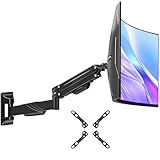
| MOUNT PRO Single Monitor Wall Mount (13-32″) | Best Budget for Smaller Ultrawides | $36.99 |
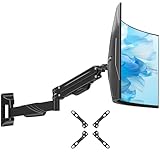
| ARES WING Wall Mount Monitor Arm (17-49″) | Best Premium Heavy-Duty Arm | $79.99 |
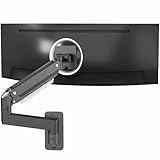
| MOUNT PRO Monitor Wall Mount (Max 43″) | Best Value for Mid-Sized Screens | $37.98 |
| VIVO Black Single Ultrawide Wall Mount (MOUNT-VW01M) | Best Low-Profile Fixed Mount | $19.99 |
| ErgoFocus Single Monitor Wall Mount (Max 43″) | Best Balance of Capacity and Price | $29.99 |
| Mountory Monitor Wall Mount (22″-49″) | Best Value for Large 49-Inch Displays | $35.99 |
| VIVO Black Monitor Arm Wall Mount (MOUNT-V101G1) | Best Premium Motion Range | $79.99 |
| MOUNTUP Monitor Wall Mount (24″-49″) | Best Overall Heavy-Duty Performer | $39.99 |
How We Picked
To compile this list, we evaluated each wall mount based on real-world utility, focusing on three core pillars: weight capacity, tilt/swivel resistance, and ease of installation. Ultrawide monitors (especially curved 34-inch and 49-inch models) place unique physical stress on mounting joints due to their center of gravity shifting forward. We analyzed structural materials, looking for heavy-duty steel and reinforced aluminum alloys. We also paid close attention to VESA compatibility (75x75mm and 100x100mm patterns) and verified how smoothly the gas spring systems counterbalanced different weight ranges without sagging over time.
The 8 Best Picks
1. MOUNT PRO Single Monitor Wall Mount (13-32″)
This mount is designed for users with compact ultrawides or standard monitors up to 32 inches. Featuring a smooth gas spring arm, it holds up to 19.8 lbs, allowing for effortless height, swivel, and tilt adjustments. The VESA plate supports 75x75mm and 100x100mm patterns, making it highly versatile for home offices.
- Pros: Very smooth gas spring height adjustments; highly budget-friendly under $37.
- Con: Limited weight capacity of 19.8 lbs, ruling out heavy 49-inch screens.
When to skip: Skip this mount if you own a larger, premium curved ultrawide that exceeds 32 inches or weighs more than 19 pounds.
2. ARES WING Wall Mount Monitor Arm (17-49″)
Engineered for massive 49-inch super-ultrawide monitors, this premium matte black arm handles the heavy leverage of deep-curved screens with ease. The gas spring mechanism is incredibly robust, absorbing vibration and keeping your screen perfectly level at any angle.
- Pros: Exceptional structural stability for massive 49-inch curved panels; sleek, premium aesthetics.
- Con: Priced higher at $79.99 compared to entry-level options.
When to skip: Skip if you are mounting a small, lightweight 24-inch monitor, as the heavy-duty tension system will be too stiff to adjust easily.
3. MOUNT PRO Monitor Wall Mount (Max 43″)
This middle-ground mount is built for screens up to 43 inches and is priced at an accessible $37.98. It offers dynamic full-motion articulation, allowing you to pull the screen away from the wall or push it back flush when your workday is done.
- Pros: Great price-to-performance ratio; fits popular 34-inch and 38-inch ultrawides perfectly.
- Con: Tension adjustments can be stiff out of the box.
When to skip: Skip if you plan to upgrade to a 49-inch super-ultrawide, as this model maxes out at 43 inches.
4. VIVO Black Single Ultrawide Wall Mount (MOUNT-VW01M)
If you prefer a fixed, ultra-low-profile setup, this mount is an absolute steal at $19.99. It supports massive screens up to 49 inches, securing them closely to the wall like a picture frame, making it perfect for dedicated, clean-looking workstations.
- Pros: Extremely budget-friendly under $20; ultra-low profile sits flush against the wall.
- Con: Lacks a gas spring arm for dynamic height or depth adjustments.
When to skip: Skip if you need to frequently pull your monitor forward or adjust the height throughout the day.
5. ErgoFocus Single Monitor Wall Mount (Max 43″)
This heavy-duty mount supports screens up to 43 inches and a hefty 33.1 lbs. Built with premium alloy steel, it prevents tilt sag, ensuring your curved ultrawide remains perfectly vertical. It is a fantastic, reliable choice for demanding professional environments.
- Pros: Generous 33.1-pound weight capacity for a mid-sized mount; very smooth tilt mechanism.
- Con: Wall plate has a wide footprint that requires precise stud alignment.
When to skip: Skip if you are mounting a 49-inch display, as this mount is strictly rated for screens up to 43 inches.
6. Mountory Monitor Wall Mount (22″-49″)
This heavy-duty workhorse fits flat and curved screens from 22 to 49 inches, safely holding weights from 2.2 to 44 lbs. With VESA 75x75mm and 100x100mm support, it offers a full range of motion for perfect ergonomic alignment at a fantastic price point.
- Pros: High 44-lb weight limit at an affordable $35.99; handles aggressive screen curves effortlessly.
- Con: Integrated cable routing clips are somewhat small for thick power cables.
When to skip: Skip if you want an ultra-slim, low-profile mount, as this articulated arm naturally sits several inches off the wall.
7. VIVO Black Monitor Arm Wall Mount (MOUNT-V101G1)
Built for elite setups, this premium $79.99 gas spring wall mount supports ultrawides up to 49 inches. It features a highly precise counterbalance system that allows you to float your heavy screen with a light touch, eliminating tilt drift entirely.
- Pros: Exceptional build quality and premium joints; effortless fluid movement in all directions.
- Con: Premium pricing makes it a larger upfront investment.
When to skip: Skip if you are on a tight budget or only mounting a lightweight, standard-aspect 24-inch office screen.
8. MOUNTUP Monitor Wall Mount (24″-49″)
This heavy-duty mount accommodates screens from 24 to 49 inches and holds 4.4 to 44 lbs. It features a robust mechanical structure with VESA 75×75/100x100mm compatibility, delivering excellent tilt, swivel, and rotation control to eliminate glare.
- Pros: Outstanding 44-lb weight capacity for under $40; heavy-duty steel construction prevents wobbling.
- Con: Tension adjustment screw requires significant force to turn during initial setup.
When to skip: Skip if your monitor weighs less than 4.4 pounds, as the arm’s internal spring tension will force the screen upward.
Buying Guide
Weight Capacity vs. Screen Size
When shopping for the best wall mount monitor arm for ultrawide screen setups, never rely solely on the screen size rating. Because curved screens shift their center of gravity forward, they exert more rotational torque on the tilt joint than flat screens do. Always check your monitor’s exact weight (excluding its original stand) and match it against the mount’s weight rating. For instance, a heavy 49-inch display will require a mount rated for at least 40 lbs, such as the Mountory or MOUNTUP models, to prevent annoying screen droop.
VESA Compatibility and Wall Anchoring
Most computer monitors utilize standard VESA patterns of 75x75mm or 100x100mm. Ensure your chosen mount matches your monitor’s rear mounting holes. Furthermore, safety is paramount when mounting heavy equipment. You must anchor the mounting plate directly into a wooden wall stud or a solid concrete/brick wall. Never mount a heavy ultrawide monitor directly into drywall alone, even with heavy-duty hollow-wall anchors, as the leverage will eventually pull the bracket out of the wall.
Gas Spring vs. Fixed Mounts
Articulating gas spring mounts allow you to adjust height, depth, and tilt on the fly with a light touch, which is highly beneficial if you alternate between sitting and standing. However, they require careful tension adjustment during installation to balance the monitor’s weight perfectly. If you do not need to move your screen once it is set up, a low-profile fixed mount is much cheaper, sits closer to the wall, and eliminates the risk of joint sag over time.
Our Verdict
For most users with massive 49-inch curved displays, the MOUNTUP Monitor Wall Mount ($39.99) or the Mountory Monitor Wall Mount ($35.99) offers the absolute best combination of a massive 44-lb weight capacity, full-motion flexibility, and value. If you prefer a highly refined, premium gas spring movement and have a higher budget, the VIVO MOUNT-V101G1 ($79.99) is an outstanding investment for elite setups. For those on a strict budget with a fixed desk height, the VIVO MOUNT-VW01M ($19.99) provides rock-solid stability at a fraction of the cost. As we look ahead to 2026, choosing a robust wall mount remains the single best way to future-proof your workspace and enjoy a clean, floating-screen aesthetic.
FAQ
Can I mount a curved ultrawide monitor on a standard wall mount?
Yes, as long as the mount supports the monitor’s weight and VESA pattern (typically 75x75mm or 100x100mm). However, curved screens put extra stress on the tilt joint, so ensure you choose a heavy-duty arm with a strong, lockable tilt mechanism to prevent the screen from drooping forward.
Is it safe to mount a 49-inch ultrawide monitor into drywall?
No, it is highly unsafe to mount a large ultrawide monitor directly to drywall using standard drywall anchors. The heavy weight and forward leverage will pull the mount out of the wall. Always secure the mounting bracket directly into a wooden wall stud or solid masonry using heavy-duty lag screws.
How do I stop my ultrawide monitor from tilting downward on an arm?
This issue is caused by loose tension on the tilt joint. To fix it, locate the hex bolt directly behind the VESA plate (the joint responsible for vertical tilting) and tighten it firmly with an Allen wrench. You may need to tighten it more than expected to counterbalance a heavy curved screen.
What is the benefit of a gas spring monitor arm?
Gas spring arms use a pressurized cylinder to counteract the weight of your monitor. This allows you to smoothly adjust the height, depth, and tilt of your screen with minimal physical effort, making it easy to reposition your screen when changing posture or sharing your screen.

