Choosing the best laptop for small business is different from shopping for a personal machine, because the laptop is a tool that has to earn its keep. It will run invoicing software, a card reader, video calls with customers, and probably a shared drive. When there is no IT department, the owner is also the help desk, so reliability, a sensible Windows edition, and enough memory to avoid slowdowns matter more than a flashy screen.
This guide is for founders, shop owners, contractors, and small teams equipping two to ten people. We compare six listings strictly by the facts in their titles: processor, memory, storage, display size, ports, and the Windows edition. Where a title is thin, we say so and tell you what to confirm. A few lines on how to match a model to a role, then a scenario list, will help you finish the decision in 2026 without overspending on features your business never touches.
Our Top Picks
 Lenovo V15 Gen 4 Business Laptop16GB RAM | 512GB SSD14.13 x 9.29 x 0.78 inches3.64 PoundsCheck on Amazon
 Dell Latitude 5420 14" FHD Business Laptop Computeri5-1145G7-16-256-SV-Win1112.76 x 8.35 x 0.76 Inches3 poundsCheck on Amazon



Top 3 picks at a glance
Quick Picks
As an Amazon Associate we earn from qualifying purchases at no extra cost to you.




| Product | Best for | Key spec from the title |
|---|---|---|
| HP 17 inch Ryzen 5 Business | Bookkeeping and data entry | 17.3 inch FHD, 16GB RAM, 512GB SSD |
| Lenovo V15 Gen 4 | Front-desk and wired setups | Core i5-13420H, RJ45, Windows 11 Pro |
| HP 255 G10 | Standard office staff | 16GB RAM, 512GB SSD, webcam shutter |
| Dell Latitude 5420 (Renewed) | Tight equipment budgets | 14 inch FHD, i5-1145G7, 16GB DDR4 |
| HP 14 inch N150 | Basic email and web tasks | N150 quad-core, 4GB RAM, 128GB UFS |
| Dell Pro 16 | Managers and long workdays | 16 inch FHD+, 16GB DDR5, 512GB SSD |
How to Choose
Match the machine to the job, not the title
Not every employee needs the same laptop. A person who only sends email and uses a web-based point-of-sale system can work on a low-power chip with modest memory. Anyone running accounting software, large spreadsheets, or several browser windows should have 16GB of RAM and a 512GB drive. Write down who needs what before you shop, and you will usually find that two or three profiles cover the whole team. Buying one tier for the whole team often means overspending on some desks and under-equipping others.
Insist on the right Windows edition
Windows 11 Pro adds BitLocker drive encryption, which protects customer data if a laptop is lost, and it supports remote desktop connections and joining a domain. Windows 11 Home, especially in S Mode, is simpler but more limited. If you store invoices, payment records, or customer information on the device, encryption is not optional, so lean toward Pro.
Check ports and practical hardware
Before you compare models, list the devices that must connect: a receipt printer, a second display, a card reader, a router cable. Small offices still rely on HDMI for displays, USB-C for docks, and sometimes a wired RJ45 port for a stable connection to a router or printer. A numeric keypad speeds bookkeeping. A webcam with a shutter or an IR camera adds privacy or sign-in convenience. Size matters too: 14 inches carries easily to client sites, while 17.3 inches suits a fixed desk.
Think about total lifespan
Business laptops usually stay in service for three to five years. Low memory and tiny drives age badly because software keeps growing. Renewed machines can stretch a budget, but ask about battery condition and return terms. Treat promotional claims about beating another chip as noise, and compare processor model numbers directly.
The 6 Best Options
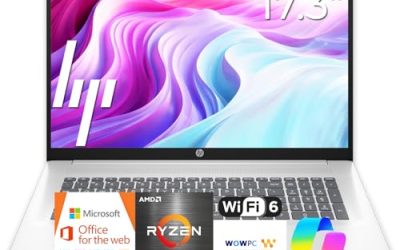
HP 17 inch Business Laptop (Ryzen 5)
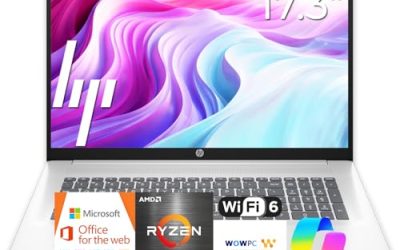
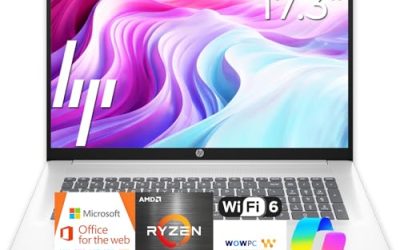
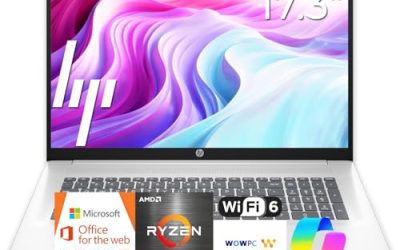
HP lists a 17.3 inch Full HD display, an AMD Ryzen 5 processor, 16GB of RAM, a 512GB SSD, a numeric keypad, and a long battery claim. It suits the person who handles books, schedules, and spreadsheets from one desk and wants a roomy screen with the data-entry keypad that bookkeepers like. The battery claim in the title has no hour figure, so for a desk-bound job it matters less than the screen and memory do.
- Strength: the 17.3 inch screen shows wide reports without constant scrolling.
- Strength: 16GB of RAM and a 512GB SSD cover everyday small-business software.
- Trade-off: a 17 inch laptop is heavy for client visits.
Skip it if staff travel between sites daily or if desk space is tight in a small shop.
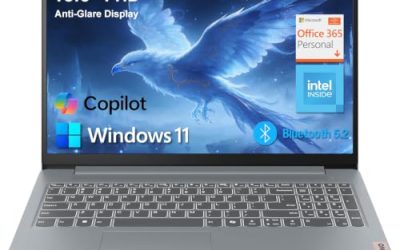
Lenovo V15 Gen 4 Business Laptop
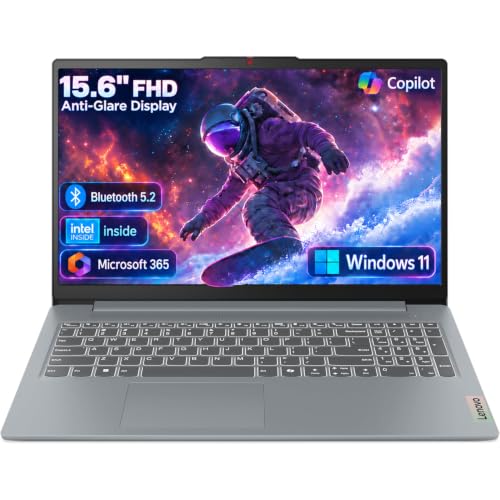
The V15 Gen 4 lists a 15.6 inch Full HD display, an Intel Core i5-13420H, HDMI, an RJ45 Ethernet port, a webcam, a numeric keypad, Wi-Fi, and Windows 11 Pro. It reads like a practical front-desk or back-office laptop, especially for sites with a wired network and a projector or second monitor. The H-series Core i5 is a performance-oriented class of chip, which suits staff who keep a point-of-sale dashboard, email, and a spreadsheet open together.
- Strength: Ethernet plus HDMI cover typical small-office connectivity without adapters.
- Strength: Windows 11 Pro enables encryption and remote management.
- Trade-off: the title does not list RAM or storage, so check both.
Skip it if you want an ultralight travel laptop or a screen larger than 15.6 inches.
HP 255 G10 Business Laptop
The 255 G10 lists an AMD quad-core CPU, 16GB of RAM, a 512GB SSD, Windows 11 Pro, a 15.6 inch Full HD display, a numeric keypad, and a webcam with a privacy shutter. That is a straightforward office spec with the shutter as a touch of privacy for customer video calls. For a business that buys several identical units, a plain, widely available model like this keeps training and replacement parts simple.
- Strength: 16GB RAM and Windows 11 Pro suit staff who juggle several apps.
- Strength: a physical webcam shutter helps when calls happen in shared spaces.
- Trade-off: the title does not give the exact AMD model, so confirm it.
Skip it if you need a touchscreen or a premium finish. Also skip it if the title’s missing processor name is a deal-breaker for your IT checklist.
Dell Latitude 5420 (Renewed)
This renewed Latitude lists a 14 inch Full HD display, an Intel quad-core Core i5-1145G7, 16GB of DDR4 RAM, a 256GB SSD, a camera, HDMI, and Windows 11 Pro. A 14 inch size is easier to carry between job sites, and the Latitude line is aimed at business use, which makes it a candidate when you are equipping a crew on a tight budget. The quad-core Core i5-1145G7 is an older model number, but it still covers estimating, email, and scheduling comfortably when paired with 16GB of RAM.
- Strength: 16GB of RAM in a 14 inch Windows 11 Pro machine is useful for contractors.
- Strength: HDMI makes it simple to present quotes on a customer display.
- Trade-off: it is renewed, so battery wear and the return policy deserve a close look.
Skip it if you require a brand-new unit with a full manufacturer warranty.
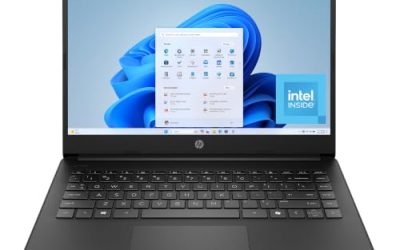
HP 14 inch Business Laptop (N150)
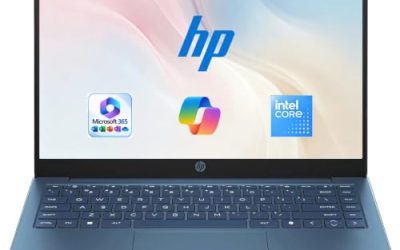
This HP lists a 14 inch display, an Intel quad-core N150 processor, 4GB of RAM, 128GB of UFS storage, Windows 11 Home, and one year of Office 365, plus a set of earphones. It is the most basic option here, aimed at light email, web apps, and document viewing. The UFS storage type is a flash format that differs from a typical SSD, so treat the 128GB as a hard ceiling for local files. It can serve as a loaner or a single-task terminal rather than a primary workstation.
- Strength: the 14 inch size is compact and the included Office subscription saves a setup step.
- Strength: bundled earphones help with simple call setups.
- Trade-off: 4GB of RAM and 128GB storage leave little headroom for growth.
Skip it if you run accounting software, many tabs, or need encryption. Owners who buy it for a seasonal helper should expect it to feel tight within a year as updates and apps accumulate.
Dell Pro 16
Dell lists a 16 inch Full HD+ anti-glare display, an Intel Core 5 120U, 16GB of DDR5 memory, a 512GB SSD, and a camera with IR, and it is described as a business AI PC and the next generation of the Latitude 5550. It is the most polished choice for owners and managers who spend long days on calls and documents. An IR camera can support face sign-in on Windows, and the 16 inch size gives space for two documents side by side without moving to a desktop monitor.
- Strength: the 16 inch FHD+ anti-glare screen is comfortable for long sessions.
- Strength: DDR5 memory and an IR camera point to a modern business build.
- Trade-off: the title mixes processor names, so verify the exact chip before ordering.
Skip it if your equipment plan is tight or you want the smallest travel size; a 16 inch body is not a pocket-friendly choice for site visits.
Which One Fits Your Situation
You run the books yourself
The HP 17 inch Ryzen 5 model gives the large display, keypad, and 16GB of RAM that long spreadsheets and accounting software reward.
You equip a front desk or shop counter
Choose the Lenovo V15 Gen 4. The wired Ethernet port and HDMI output are practical for fixed stations tied to a router or second screen. Because the title omits RAM and storage, ask the seller or read the full listing before you buy several.
You manage a crew in the field
The renewed Dell Latitude 5420 offers a 14 inch body with 16GB of RAM at a budget-conscious tier, as long as you verify battery condition and return terms.
You work from home and take lots of calls
The Dell Pro 16 pairs a roomy anti-glare screen with an IR camera and DDR5 memory, while the HP 255 G10 is an alternative with a webcam shutter and a Pro edition.
Common Mistakes
- Buying 4GB of RAM for a laptop that will run accounting software for years.
- Choosing Windows 11 Home when customer data needs drive encryption.
- Equipping everyone with the same machine regardless of their role.
- Skipping ports, then discovering a projector or router needs adapters.
- Buying renewed gear without confirming battery condition and return terms.
Related guides
- Can You Power A Portable Monitor With A Power Bank
- Monitors For Digital Signage And Video Walls
- Can A Portable Monitor Work With One Usb C Cable
Frequently Asked Questions
How much RAM does a small business laptop need?
16GB is the practical target for accounting software, many browser tabs, and video calls. 8GB can work for lighter roles, while 4GB is only suitable for very basic tasks.
Do I need Windows 11 Pro?
If the laptop holds customer or payment data, Pro is worth it for BitLocker encryption and remote management. Home is acceptable for low-risk, web-only work such as a shared kiosk, but it leaves out features most compliance checklists expect.
Are renewed laptops safe for a business?
They can be, especially business lines like the Latitude. Ask about battery health, warranty length, and return terms before you buy several at once.
Is a 17 inch laptop practical for small business?
It suits fixed desks and data-heavy jobs. For anyone traveling between locations, a 14 or 15.6 inch model is far easier to carry. If you split time between a desk and a van, a dock or external monitor at the main location gives you a big screen without the weight.