
Unboxing a premium 34-inch, 38-inch, or gargantuan 49-inch curved ultrawide monitor is an exhilarating experience. But that excitement often turns to dismay the moment you place it on your desk. The massive, splayed metal stands designed to support these heavy screens can easily consume 10 to 14 inches of desk depth. Your keyboard is pushed to the very edge of your desk, your mouse pad is cramped, and the screen sits uncomfortably close to your face.
If you are staring at a cramped workspace, you have likely asked yourself: is wall mounting a heavy ultrawide monitor worth it? Moving a massive, expensive piece of glass and plastic off your desktop and onto a vertical wall stud is a intimidating weekend project. However, when done correctly, it can completely transform your daily workflow, gaming immersion, and physical posture.
As an Amazon Associate we earn from qualifying purchases at no extra cost to you. Product prices and availability are accurate as of the date shown and are subject to change.

The Short Answer
Yes, wall mounting a heavy ultrawide monitor is absolutely worth it—provided you can anchor the mounting bracket directly into solid wooden wall studs or concrete. If your wall consists of hollow drywall with metal studs, or if you rent and cannot drill deep holes, the structural risks and installation headaches generally outweigh the benefits. For everyone else, the massive reclamation of desk space and the elimination of screen wobble make wall mounting a superior ergonomic choice.
What You Actually Get
When you transition a heavy ultrawide monitor (typically weighing between 18 and 40 pounds without its stand) from your desk to the wall, you are changing the physics of your workspace. Desktop stands occupy valuable visual and physical real estate. By suspending the monitor, you recover up to 1.5 square feet of usable desk space directly underneath the screen.
As we look toward workspace designs in 2026, the trend is moving rapidly toward minimalist, floating aesthetics that prioritize clean lines and hidden cable paths. Wall mounting aligns perfectly with this trend. It allows you to position your desk flush against the wall, which is often impossible with bulky, rear-jutting desktop stands or articulating desk-clamp arms that require clearance behind the desk frame.
Furthermore, wall mounting eliminates the persistent “desk wobble” effect. If you use a standing desk, even minor typing or mouse movements can cause a heavy, wide screen to shake because the energy transfers up the desk legs. Mounting the screen to a load-bearing wall completely isolates the monitor from your physical movements, resulting in a rock-solid, static viewing experience.
Pros
- Reclaimed Desk Real Estate: You can finally use a shallower desk (24 inches deep instead of 30 inches or more) because the monitor no longer sits on a massive, deep footprint.
- Absolute Stability: By anchoring the weight directly to the building’s framing, you eliminate all vibrations, shakes, and wobbles caused by typing, writing, or bumping your desk.
- Perfect Ergonomic Alignment: Most stock stands offer limited height adjustments. A wall mount allows you to position the exact center of the ultrawide screen at your precise eye level, reducing chronic neck and shoulder strain.
- Cleaner Aesthetics: Suspending the monitor creates a futuristic, clean “floating” look. Cables can be routed through the wall or hidden behind a neat paintable plastic conduit track.
- Better Safety for Kids and Pets: Heavy, wide monitors on desk stands have a high center of gravity. A curious cat or a bumping child can easily tip over a $1,000 display. Wall mounting keeps the screen safely out of reach.
Cons
- Difficult and High-Stakes Installation: Missing a stud or using cheap drywall anchors can result in catastrophic structural failure, potentially destroying your wall and your expensive monitor.
- Zero Portability: Once the mount is bolted into the studs, your desk layout is locked in. If you like to rearrange your home office furniture every few months, wall mounting will make that incredibly difficult.
- Complex Cable Management: Because the monitor is separated from the desk, cables must travel across open space to reach your computer tower. If you do not route them through the wall or use a cable sleeve, the dangling wires can look incredibly messy.
- Wall Damage: You will need to drill substantial holes (typically 2 to 2.5 inches deep using 1/4-inch lag bolts) into your studs. When you move, you must patch, sand, and repaint these holes.
Who Should Buy It
You should absolutely wall mount your heavy ultrawide monitor if you own a standing desk and are frustrated by screen wobble at standing heights. It is also an ideal choice for creative professionals, writers, and programmers who work on shallow desks and need every square inch of desktop space for physical sketchpads, notebooks, or audio interfaces. If you own your home and are comfortable using a stud finder, a level, and a power drill, the long-term ergonomic benefits make this a highly rewarding project.
Who Should Skip It
You should skip wall mounting if you live in an apartment with strict lease agreements regarding wall damage, or if your walls are made of plaster and lath, which can easily crumble under the torque of an articulating arm. Additionally, if you frequently change your sitting position, share your desk with family members of wildly different heights, or like to pull the screen close for gaming and push it back for movies, a heavy-duty desk-clamp arm might serve you better than a fixed or semi-fixed wall mount.
Cheaper Alternatives
If you want the benefits of a floating monitor but are hesitant to drill deep holes into your walls, there are several solid alternatives available on the market. These options range from heavy-duty mechanical desk clamps to simple desktop risers.
| Option | Estimated Cost | Major Trade-off |
|---|---|---|
| Heavy-Duty Desk-Clamp Arm | $100 – $350 | Requires a very sturdy desk edge (no particle board); can still wobble at standing heights. |
| Low-Profile Desktop Riser | $25 – $60 | Does not actually remove the monitor’s stand footprint; merely allows you to store items underneath it. |
| Fixed Low-Profile Wall Mount | $15 – $30 | Very cheap and strong, but offers absolutely zero height, tilt, or swivel adjustments after installation. |
| Premium Gas-Spring Wall Mount | $35 – $80 | Requires careful stud mounting, but offers fluid height and tilt adjustments (e.g., MOUNT PRO or ARES WING models). |
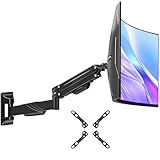
If you decide to go the wall-mounting route, you do not have to spend hundreds of dollars. For instance, the MOUNT PRO Monitor Wall Mount (designed for up to 43-inch ultrawide screens) offers robust gas-spring tension adjustments for around $37.98. If your screen is slightly smaller but still heavy, the ARES WING 17-40 Inch Ultrawide Single Monitor Wall Mount is another highly rated, heavy-duty black steel option priced at approximately $44.99.
FAQ
Can I mount a heavy ultrawide monitor to drywall alone?
Absolutely not. Heavy ultrawide monitors, especially curved models, exert a tremendous amount of forward torque (leverage) on a wall mount. Standard plastic drywall anchors, toggle bolts, or molly bolts will eventually pull through the drywall, resulting in a broken monitor and severe wall damage. You must screw the mounting bracket directly into wood studs or solid masonry.
How do I know if my wall mount can support a curved screen?
When shopping for a mount, check both the maximum screen size rating and the maximum weight capacity. Curved monitors sit further forward than flat screens, which shifts the center of gravity and increases the physical strain on the mount tilt mechanism. Always choose a mount rated for at least 5 to 10 pounds more than your monitor’s actual weight (excluding its original desktop stand).
Do I need a special VESA adapter for my ultrawide monitor?
Most heavy ultrawide monitors use standard VESA hole patterns (typically 100x100mm or 200x100mm). However, because many curved monitors have deep, circular recesses on the back where the original stand attaches, you may need a proprietary VESA adapter bracket. This bracket is almost always included in the original box your monitor came in, so check your packaging before buying a mount.
Will wall mounting void my monitor’s warranty?
No, wall mounting will not void your manufacturer’s warranty. Monitor manufacturers design their displays with VESA-compliant mounting holes specifically so consumers can use third-party mounting arms and brackets. Just ensure you use the correct screw lengths (typically M4 screws) so you do not puncture the internal components of the display panel.

