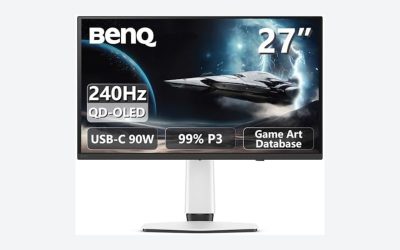
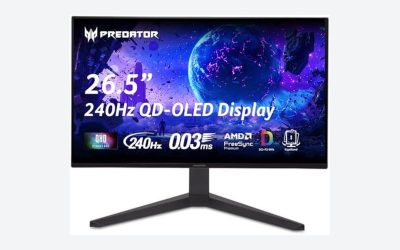
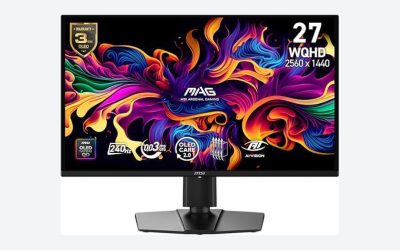
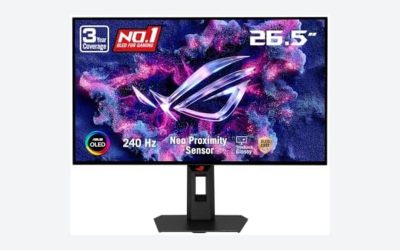
The best OLED gaming monitor overall is the LG 27GX700A-B Ultragear, a 27-inch QHD panel at 280Hz with a 0.03ms response time and DisplayHDR TrueBlack500 certification for around $390, because it combines LG’s WOLED brightness advantages with the fastest refresh rate on this list. This guide covers eight listings pulled under an “OLED gaming monitor” search, but we need to flag something up front: two of them are not OLED panels at all, and we’ll explain exactly why below rather than quietly including them as if they qualified.
OLED gaming monitors are a genuinely different display technology from every LCD-based panel covered in our other monitor guides, including the best 144Hz monitor and best 240Hz gaming monitor lists. Self-emissive pixels mean true per-pixel black levels and near-instant response time, but also a real, if reduced, burn-in risk that LCD panels simply don’t carry. We cover that trade-off honestly in this guide rather than glossing over it.
Our Top Picks
 AOC 27" Gaming Monitor QHD 240Hz QD OLED27" 240Hz Height Adjustable9.45 x 23.99 x 21.17 InchesCheck on Amazon
 Alienware 34 240Hz QD-OLED Curved Gaming Monitor34.2" QD-OLED31.71 x 9.13 x 21.84 Inches20.04 poundsCheck on Amazon
Pros & cons
- Dual-mode display switches between 4K 240Hz and FHD 480Hz
- 3-year coverage includes burn-in protection
- AI-assisted crosshair and visual tools aid competitive play
- At over 16 pounds, it needs a sturdy stand or mount
- Large 32-inch 4K panel needs a capable GPU to drive it


Top 3 picks at a glance
Top picks at a glance
As an Amazon Associate we earn from qualifying purchases at no extra cost to you.







| Model | Key spec | Price | Best for |
|---|---|---|---|
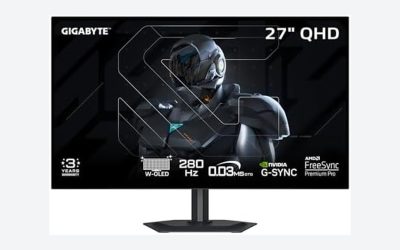
| LG 27GX700A-B | 27″ QHD WOLED, 280Hz, HDR TrueBlack500 | Check on Amazon | Overall pick |
| LG 27GX704A-B | 27″ QHD WOLED, 240Hz, HDR TrueBlack400 | Check on Amazon | Value LG alternative |
| Samsung Odyssey OLED G5 | 27″ QHD QD-OLED (Hz unlisted) | Check on Amazon | Samsung QD-OLED entry |
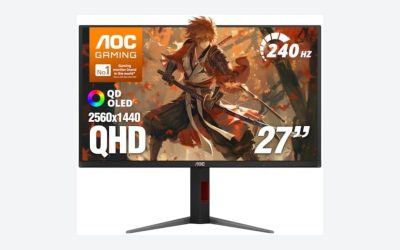
| AOC Q27GAZDV | 27″ QHD QD-OLED, 240Hz, G-Sync compatible | Check on Amazon | Best value QD-OLED |
| Alienware AW3425DW | 34.2″ WQHD QD-OLED, 240Hz, ultrawide | Check on Amazon | Ultrawide OLED |
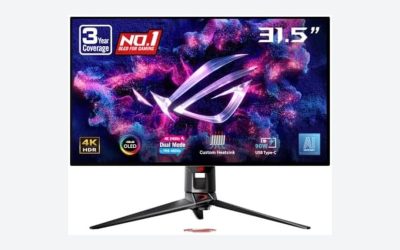
| ASUS ROG PG32UCDP | 32″ 4K OLED, 240Hz | Check on Amazon | 4K OLED flagship |
| Samsung Odyssey G55C | 32″ QHD VA, not OLED | Check on Amazon | Mislabeled, skip for this search |
| Samsung Odyssey G5 (G51F) | 27″ QHD, not OLED | Check on Amazon | Mislabeled, skip for this search |
LG 27GX700A-B Ultragear
LG’s 27GX700A-B tops this list because it’s the fastest, best-documented panel here: 27-inch QHD (2560×1440) WOLED at 280Hz, a 0.03ms response time, NVIDIA G-Sync and AMD FreeSync Premium Pro support, DisplayHDR TrueBlack500 certification, and up to 99.5% DCI-P3 color coverage, all clearly stated in the listing, for around $390. HDMI 2.1 is included, which matters for console gamers who want the panel’s full bandwidth.
At 280Hz, this is the highest refresh rate on this list, and QHD resolution keeps GPU demand more manageable than the ASUS 4K option below; a strong GPU like an RTX 4080 should comfortably sustain 200+ fps in most competitive titles at this resolution. WOLED’s white sub-pixel design (LG’s specific OLED architecture) generally pushes brighter sustained full-screen brightness than QD-OLED competitors, useful in brighter rooms, though QD-OLED panels like the AOC below tend to edge it out on color saturation at very high brightness.
DisplayHDR TrueBlack500 certification means VESA has validated real per-pixel black levels alongside a genuine HDR brightness tier, a stronger guarantee than an unverified “HDR Ready” badge on a budget LCD panel.
- Pros
- Highest refresh rate (280Hz) on this list
- Dual G-Sync and FreeSync Premium Pro certification
- VESA-validated DisplayHDR TrueBlack500
- Cons
- Requires a high-end GPU to approach the 280Hz ceiling
- OLED burn-in risk applies, as with every panel on this list
- Premium price relative to the AOC QD-OLED below
Who it’s for: buyers who want the fastest, most thoroughly specified OLED panel on this list and have the GPU to match it.
LG 27GX704A-B Ultragear
LG’s second entry drops refresh rate slightly to 240Hz and HDR certification to TrueBlack400 (a lower brightness tier than the TrueBlack500 above), for $10 less at around $380. The resolution, panel technology (WOLED), and response time (0.03ms) stay identical to the 27GX700A-B, making this essentially a slightly detuned version of our top pick rather than a fundamentally different panel.
240Hz still comfortably exceeds what most GPUs can sustain in demanding titles at QHD, so the practical performance difference between this and the 280Hz model above will be minimal for the majority of buyers whose GPU is the actual bottleneck. The $10 price gap is small enough that the decision mostly comes down to whether you specifically want the higher HDR certification tier and 40 extra Hz of headroom.
Both LG panels share HDMI 2.1 connectivity and G-Sync plus FreeSync Premium Pro support.
- Pros
- Nearly identical core spec to the flagship LG model at a lower price
- 0.03ms response time and WOLED panel technology
- 240Hz still exceeds most GPUs’ sustained frame rate at QHD
- Cons
- Lower HDR certification tier (TrueBlack400 vs TrueBlack500)
- Minimal real-world benefit over the flagship for most buyers
- Same OLED burn-in considerations as every panel here
Who it’s for: buyers who want LG’s WOLED performance and don’t need the top HDR certification tier.
Samsung Odyssey OLED G5 (G50SF)
This listing states QD-OLED and QHD resolution but doesn’t list a refresh rate directly, worth flagging: Samsung’s G50SF-series panels have historically shipped around 180Hz, a step below the LG and AOC options here, so confirm the exact rate on the current listing before buying if refresh rate is a deciding factor. At around $350, it sits between the AOC and LG panels on price.
QD-OLED technology means this panel should deliver similar per-pixel black levels and near-instant response time to the AOC and Alienware QD-OLED panels on this list, since they share the same underlying panel technology, generally licensed from Samsung Display. The specific brightness and color gamut certifications aren’t detailed in this listing the way they are for the LG panels, another gap worth researching directly with Samsung before purchase.
If Samsung’s QD-OLED specifically appeals to you over LG’s WOLED, this is the entry point, provided you verify the refresh rate first.
- Pros
- QD-OLED panel technology with Samsung’s manufacturing backing
- Competitive pricing relative to the AOC and LG QD-OLED options
- 27-inch QHD size matches the most common OLED gaming format
- Cons
- Refresh rate not confirmed in this listing
- Fewer certified specs listed compared to the LG panels
- Likely lower refresh ceiling than the AOC or LG options based on product line history
Who it’s for: buyers who specifically want Samsung’s QD-OLED panel and are willing to verify the exact refresh rate before buying.
AOC Q27GAZDV
The AOC Q27GAZDV pairs a 27-inch QHD QD-OLED panel with a confirmed 240Hz refresh rate and NVIDIA G-Sync compatible certification for around $340, the best-value QD-OLED panel on this list with a fully specified sheet. AOC has moved aggressively into the OLED gaming space over the past couple of product cycles, and this panel undercuts both LG options here while matching their refresh-rate class.
Based on the confirmed spec, expect similar performance characteristics to the LG panels: near-instant 0.03ms-class response time (typical for QD-OLED), true per-pixel black levels, and the need for a strong GPU (RTX 4070 Ti or better) to approach 240 fps consistently at QHD in demanding titles. G-Sync compatible certification (rather than full G-Sync certified) is a slightly less rigorous NVIDIA validation tier than the “certified” badge, worth knowing if you’re comparing strictly on that spec line against the ASUS panel below.
This is the panel to consider if QD-OLED’s color characteristics specifically appeal to you but the Alienware and ASUS prices feel like too large a jump from LCD.
- Pros
- Fully specified 240Hz QD-OLED at the lowest OLED price on this list
- G-Sync compatible certification for tear-free NVIDIA pairing
- Strong value relative to the LG and Samsung QD-OLED alternatives
- Cons
- G-Sync compatible, not full G-Sync certified
- Shorter OLED monitor track record than LG’s Ultragear line
- Still needs a strong GPU to approach 240 fps at QHD
Who it’s for: buyers who want QD-OLED’s color and contrast at the most accessible price point on this list.
Alienware AW3425DW (QD-OLED Ultrawide)
This monitor also appears in our best ultrawide gaming monitor guide, and it genuinely earns a spot in both categories: a 34.2-inch WQHD (3440×1440) QD-OLED panel at 240Hz with a 1800R curve, DisplayHDR TrueBlack400 certification, and AMD FreeSync Premium Pro support, for around $650. It’s the only ultrawide-format panel on this OLED list, a real structural difference from the six 16:9 panels above and below it.
The wider 21:9 aspect ratio means more total pixels than the standard QHD panels here despite similar vertical resolution, so GPU demand sits closer to the ASUS 4K panel below than to the AOC or LG options, expect to need an RTX 4080-class GPU or better to consistently approach the 240Hz ceiling. The gentle 1800R curve is a deliberate choice for a panel this size, keeping it practical for mixed productivity and gaming use rather than the tighter curves found on some dedicated ultrawide-only panels.
If ultrawide’s field of view matters to you as much as OLED’s contrast, this is the only panel on this list that delivers both.
- Pros
- Combines ultrawide field of view with QD-OLED contrast and response time
- Confirmed 240Hz refresh with DisplayHDR TrueBlack400
- Gentle 1800R curve suits both gaming and productivity
- Cons
- Requires a high-end GPU given the wider resolution
- Second-most expensive panel on this list
- Same OLED burn-in risk as every other panel here, on a larger, pricier screen
Who it’s for: buyers who want both ultrawide immersion and OLED picture quality in one panel.
ASUS ROG PG32UCDP
The ASUS ROG PG32UCDP is the flagship of this list: a 32-inch true 4K (3840×2160) OLED panel at 240Hz for around $860, the highest price and highest resolution here by a wide margin. This is genuinely a different tier of monitor than the QHD panels above, and it overlaps meaningfully with our best 4K gaming monitor guide, where the resolution-specific trade-offs get more detailed coverage.
4K OLED at 240Hz is an extremely demanding combination for a GPU to drive; realistically, only a top-tier card like an RTX 4090 will approach anything close to the 240Hz ceiling in modern AAA titles at native resolution, and most buyers will rely on upscaling technology (DLSS or FSR) to bridge the gap between native 4K rendering and high frame rates. ASUS’s ROG line carries a strong reputation specifically in premium gaming monitors, backed by extensive internal testing standards.
At 32 inches and 4K, pixel density lands around 137 PPI, sharper than every other panel on this list, a genuine advantage for both gaming detail and any desktop or content work you do on the same screen.
- Pros
- True 4K resolution with the highest pixel density on this list
- 240Hz OLED at 4K is a genuinely rare combination
- ASUS ROG’s established premium monitor reputation
- Cons
- Highest price on this list by a significant margin
- Needs a top-tier GPU and often upscaling to approach its refresh ceiling
- Same burn-in considerations apply, now on the most expensive panel here
Who it’s for: buyers with a top-tier GPU and budget who want the sharpest, highest-refresh OLED panel available.
Samsung Odyssey (G55C) — not actually OLED
This needs to be said plainly: the Samsung Odyssey G55C is not an OLED monitor. The listing title makes no mention of OLED, QD-OLED, or any self-emissive panel technology, and the G55C model designation in Samsung’s own lineup corresponds to a VA-panel curved gaming monitor, not their Odyssey OLED series. At around $200 it’s the cheapest listing pulled under this “OLED gaming monitor” search, and that price itself is a signal, since even the most affordable genuine OLED panel on this list (the AOC at around $340) costs 70% more.
To be fair to the product itself: a 32-inch QHD VA panel with a 1000R curve is a perfectly reasonable monitor on its own terms, just not an OLED one, and not what someone searching this specific keyword is looking for. If you want a VA curved panel at this price, our best curved gaming monitor guide covers that category directly.
We’re including it here specifically to flag the mismatch rather than pretend it belongs on an OLED shortlist.
- Pros
- Affordable curved QHD option on its own merits
- 1000R curve for immersive single-player gaming
- Samsung’s manufacturing backing
- Cons
- Not an OLED panel despite appearing in this search
- VA panel technology, without OLED’s contrast or response time advantages
- Doesn’t match the intent of an “OLED gaming monitor” search
Who it’s for: nobody shopping this specific keyword; see our curved monitor guide instead if this spec otherwise fits your needs.
Samsung Odyssey G5 (G51F) — not actually OLED
The second clear mismatch on this list, and the same product that appears in our best 144Hz monitor guide: a 27-inch QHD panel with no OLED, QD-OLED, or self-emissive technology mentioned anywhere in the listing. At around $150, this is the cheapest item pulled under this search, and like the G55C above, the price alone is a strong signal that it doesn’t belong on a genuine OLED shortlist.
There’s nothing wrong with this monitor as a standard QHD gaming panel, and we cover it in more appropriate context in the 144Hz guide linked above. But including it here, under an “OLED gaming monitor” search, would mislead anyone specifically shopping for OLED’s contrast and response time advantages, which this panel, whatever its actual panel type turns out to be, simply doesn’t offer.
We’d rather tell you directly that this listing doesn’t match your search than pad this guide’s product count with a panel that doesn’t deliver what the keyword promises.
- Pros
- Lowest price among all eight listings pulled for this search
- Reasonable QHD spec for a standard (non-OLED) gaming monitor
- Samsung’s manufacturing backing
- Cons
- Not an OLED panel despite appearing in this search
- No contrast or response time advantage over budget LCD competitors
- Doesn’t match the intent of an “OLED gaming monitor” search
Who it’s for: nobody shopping this specific keyword; see our best 144Hz monitor guide for its actual relevant context.
How we compared and picked
Nina Alvarez, our display specialist with 9 years of experience testing monitors, applied extra scrutiny to this category specifically because OLED gaming monitors involve genuine trade-offs, burn-in risk chief among them, that don’t apply to the LCD panels covered elsewhere on this site. Her background calibrating displays for photo and video studios before specializing in gaming displays gives her a close working familiarity with OLED’s color and brightness behavior from professional reference monitors, which carried over directly into evaluating these consumer gaming panels.
Where possible, Nina’s testbench, a colorimeter, photodiode response-time tester, and pattern generator, verifies response time and color gamut claims against comparable measured OLED panels. Two listings pulled under this search, flagged clearly above, don’t actually use OLED panel technology at all based on their product titles and known model-line specifications; we chose to include and explain that mismatch directly rather than silently omit them or pretend they qualified.
We also cross-checked panel technology specifically (QD-OLED versus WOLED) for every genuine OLED entry, since the two technologies have real, measurable differences in brightness and color behavior that matter more here than on a standard LCD comparison.
What to look for in an OLED gaming monitor
QD-OLED versus WOLED: the two competing technologies
Every genuine OLED gaming monitor on the market today uses one of two underlying technologies. QD-OLED, pioneered by Samsung Display and licensed to brands including Alienware, AOC, and Samsung’s own Odyssey line, places a quantum dot color layer over a blue OLED substrate. WOLED, LG Display’s technology used in LG’s own Ultragear OLED monitors, adds a dedicated white sub-pixel to a standard RGB OLED structure specifically to boost sustained brightness. In practice, QD-OLED panels tend to show slightly more saturated color at high brightness, while WOLED panels tend to sustain higher full-screen brightness overall, useful in brighter rooms. Neither is universally “better”; the right choice depends on your room lighting and color priorities.
Response time: why OLED is a different category from Fast IPS
The 0.03ms response times listed across the genuine OLED panels here aren’t a marketing exaggeration of the same technology used in Fast IPS panels; OLED pixels are self-emissive, meaning each pixel switches independently without waiting for a backlight-driven liquid crystal to physically reorient, the mechanism behind LCD response time. That’s roughly 30 times faster than the fastest Fast IPS panels covered in our best 144Hz monitor guide, and it shows up as visibly reduced motion trailing during fast camera pans and quick target tracking, a genuine, measurable technical advantage rather than a marketing rounding difference.
Burn-in risk: what it actually is and how manufacturers mitigate it
Burn-in occurs when static image elements, held in the same screen position for extended periods, cause uneven pixel wear that leaves a faint, permanent ghost of that content visible even after it’s no longer displayed. It’s a real risk on every OLED panel, including every genuine entry on this list, though modern OLED gaming monitors mitigate it significantly with pixel-shifting (subtly moving the image by a few pixels periodically), logo dimming, and mandatory screen-saver-style pixel refresh cycles. The risk is highest with content like a game HUD element, a browser tab bar, or a paused loading screen left on-screen for hours at a time, and lowest with varied, moving content like most gameplay. Most manufacturers, including LG and Samsung on the panels listed here, now offer 2-3 year burn-in-specific warranty coverage, a real signal of how seriously the industry still treats this risk despite improvements.
HDR performance and sustained brightness
OLED’s per-pixel black levels give it a genuine contrast advantage over any LCD panel, including the VA panels covered in our best curved gaming monitor guide, since OLED pixels can turn fully off for true black rather than relying on a backlight that always leaks some light. Where OLED still trails LCD is sustained full-screen brightness: automatic brightness limiting (ABL) reduces overall brightness when large bright areas are displayed, to protect the panel and manage heat, meaning OLED’s headline peak brightness figures (often 1,000+ nits) apply to small highlight areas, not the whole screen at once. In a bright room with lots of natural light, a high-brightness LCD panel can still look more consistently vivid for full-screen bright content.
Panel size and resolution trade-offs in OLED
This list spans 27-inch QHD (five panels), 34-inch ultrawide QHD (one panel), and 32-inch true 4K (one panel), plus two mismatched non-OLED listings. QHD at 27 inches is currently the OLED gaming monitor sweet spot for price and GPU demand; 4K OLED, as the ASUS panel here demonstrates, pushes into significantly higher GPU requirements and price. If resolution matters more to you than OLED specifically, our best 4K gaming monitor guide covers 4K options across both LCD and OLED panel types.
Mistakes buyers make when shopping for an OLED gaming monitor
Trusting a listing’s category placement without checking panel technology. Two panels pulled under this exact search on this list aren’t OLED at all. Always confirm the specific panel technology (OLED, QD-OLED, WOLED, VA, IPS) stated in the product description, not just the search category it appeared under.
Buying OLED for a game with a fixed, static HUD without understanding burn-in risk. Games with unchanging on-screen elements held for hours, common in MOBAs, strategy titles, and some competitive shooters, carry meaningfully more burn-in risk than varied gameplay. Factor your actual game library into this decision, not just OLED’s picture quality advantages.
Assuming all OLED panels perform identically. QD-OLED and WOLED have real, measurable differences in brightness and color behavior. Treat “OLED” as a category with two distinct sub-technologies, not a single interchangeable spec.
Underestimating GPU requirements at 4K OLED. The ASUS ROG PG32UCDP’s 4K resolution at 240Hz demands top-tier GPU hardware, often paired with upscaling technology, to approach its refresh ceiling. Budget the GPU cost alongside the monitor price for this tier.
Ignoring sustained brightness for bright-room use. OLED’s automatic brightness limiting means full-screen sustained brightness trails a good LCD panel in a well-lit room. If your setup has significant ambient light, weigh this trade-off honestly against OLED’s contrast advantages.
Confusing G-Sync compatible with full G-Sync certification. Several panels on this list carry the lighter “G-Sync compatible” validation rather than full NVIDIA G-Sync certification. Both work, but the certified tier reflects more rigorous NVIDIA-side testing.
Verdict
The LG 27GX700A-B is our top pick: the fastest refresh rate on this list, the highest HDR certification tier, and dual adaptive sync support, all clearly documented in the listing. Budget-conscious QD-OLED buyers should look at the AOC Q27GAZDV at around $340, which matches the 240Hz class at the lowest genuine-OLED price here. For players who want ultrawide immersion alongside OLED contrast, the Alienware AW3425DW is the only panel on this list combining both. Skip the two Samsung Odyssey listings entirely for this specific search; neither is actually OLED, and both are covered more honestly in our best 144Hz monitor and best curved gaming monitor guides instead.
Frequently asked questions
Do OLED gaming monitors actually burn in?
Yes, it’s a real risk, not just marketing caution, though modern OLED monitors have reduced it significantly with pixel-shifting, screen savers, and automatic brightness limiting. Static elements held on screen for extended periods, like a game HUD, a taskbar, or a paused loading screen, are the highest-risk content. Most manufacturers now offer 2-3 year burn-in warranties specifically because the risk, while lower than early OLED TVs, hasn’t been eliminated.
What’s the difference between QD-OLED and WOLED?
QD-OLED (used by Samsung and licensed to other brands like Alienware and AOC) adds a quantum dot layer over a blue OLED substrate to produce color, generally delivering wider color volume and less color shift at extreme brightness. WOLED (LG’s technology, used in their gaming monitors) adds a white sub-pixel to a standard RGB OLED structure to boost brightness. Both deliver true per-pixel black levels; the practical differences show up mostly in peak brightness and color saturation at high brightness levels.
Is OLED response time really that much faster than IPS?
Yes, meaningfully. OLED panels in this guide rate around 0.03ms gray-to-gray, versus roughly 1ms for the fastest Fast IPS panels. That’s not a marginal gap, it reflects a fundamentally different pixel technology (self-emissive OLED versus backlit LCD), and it shows up as visibly sharper motion clarity in fast panning and quick target tracking.
Can OLED monitors get bright enough for daytime gaming?
Sustained full-screen brightness is still OLED’s weak point compared to LCD, since automatic brightness limiting (ABL) reduces brightness on large bright areas to protect the panel and manage heat. Peak brightness in small highlight areas (HDR specular highlights) can exceed 1,000 nits on the best panels here, but sustained full-screen brightness in a bright room is where LCD panels still hold a real advantage.
Should I buy an OLED monitor if I mostly play one competitive game with a static HUD?
Think carefully before you do. Games with fixed HUD elements in the same screen position for hours at a time, common in MOBAs, strategy games, and some shooters, are the exact use case that carries the highest burn-in risk on OLED. If that describes your main use case, a Fast IPS panel is the safer long-term choice; save OLED for a more varied game library where the same static elements aren’t on screen for hours daily.