
Gaming monitor privacy screens solve a deceptively simple problem: someone is reading your screen. That person might be a coworker two desks away, a customer glancing over your shoulder at a hotel lobby laptop, or a partner walking past your setup while you are in the middle of a ranked match. The category sits awkwardly between office privacy filters and pure screen protectors, and most products in it were never designed with a gamer’s display in mind.
What separates a good one from a bad one comes down to three things: how much color and brightness you lose, whether the viewing-angle cutoff actually works at your sitting distance, and how well it handles curved or ultrawide panels. A flat 16:9 filter slapped on a curved display will gap at the edges and create a halo effect that ruins immersion. And a filter that dims your screen by forty percent will force you to crank brightness, which reintroduces the very visibility problem you were trying to solve.
As an Amazon Associate we earn from qualifying purchases at no extra cost to you.


![Peslv [2-Pack] 24 Inch Privacy Screen for Computer Monitor 16:9 Aspect Ratio, Eye Protection Anti Blue Light Glare Shield, 24inch Removable Black Blackout Anti Spy Desktop Security Private Filter](https://m.media-amazon.com/images/I/51LJJ4eL26L._SL160_.jpg)


Our Top Picks
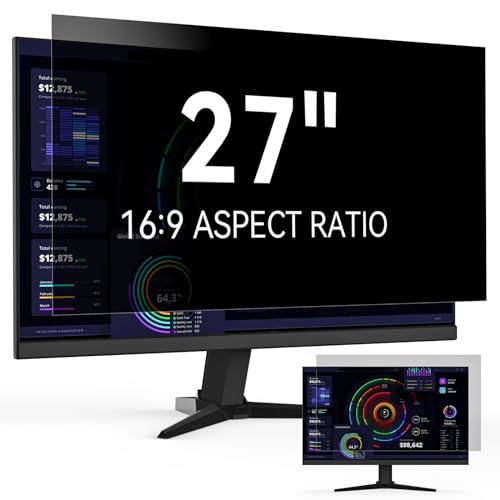 27 Inch Privacy Screen for Computer Monitor 16:927" (16:9)-1 pack27 x 27 x 0.5 inchesCheck on Amazon
 2-Way Privacy Filter for Samsung Odyssey G95C 49"49.3 inches47.4 x 13.5 x 0.5 inches2 poundsCheck on Amazon


Top 3 picks at a glance
Quick Picks
| Product | Best for | Price |
|---|---|---|
| 27 Inch Privacy Screen 16:9 | Larger flat panels on a budget | Check on Amazon |
| 2-Way Privacy Filter for Samsung Odyssey G95C 49″ | Curved ultrawide gaming monitors | Check on Amazon |
| SightPro 24 Inch Anti-Glare | Bright-room setups needing anti-glare | Check on Amazon |
| Computer Privacy Screen Filter 24 Inch | Absolute lowest cost entry point | Check on Amazon |
| Peslv 2-Pack 24 Inch Anti Blue Light | Multi-monitor desks with eye comfort | Check on Amazon |
| Magicmoon 2-Pack 24 Inch | Best value for dual-monitor setups | Check on Amazon |
| ACONETMAX 30 Inch 21:9 Curved | Mid-size curved ultrawides | Check on Amazon |
| GJOPU Desktop Screen Hood 24 Inch | Privacy plus glare blocking in one | Check on Amazon |
How We Compared
We evaluated these based on panel compatibility (flat versus curved, aspect ratio match, size fit), the balance between privacy effect and image degradation, build quality of the mounting system or adhesive method, and whether the product addresses a specific gaming-monitor pain point rather than just repackaging a generic office filter. For curved displays especially, a filter that does not follow the panel radius is a dealbreaker regardless of price.
The 8 Best Gaming Monitor Privacy Screens in 2026
27 Inch Privacy Screen for Computer Monitor 16:9 Aspect Ratio
This is the go-to for anyone running a flat 27-inch panel who wants basic privacy without spending much. At around $29 it covers the most common gaming monitor size in a single unit, and the 16:9 aspect ratio means you will not get black bars or dead zones on a standard display.
- Fits the most popular gaming monitor size without trimming
- Lowest per-screen cost for a flat 27-inch setup
- Single-pack pricing means no savings if you run dual monitors
Skip this if your 27-inch panel is curved; the flat filter will gap along the vertical edges and create visible light bleed that defeats the purpose. It also lacks any blue-light or anti-glare treatment, so pair it with your monitor’s software filtering if eye comfort matters to you.
2-Way Privacy Filter for Samsung Odyssey G95C 49″ Curved Gaming Monitor
The only product here designed specifically for a premium curved ultrawide, and it shows in both construction and cost. At around $320 it is nearly eleven times the price of the budget options, but it is shaped to match the Odyssey G95C’s exact curvature, which means edge gaps and halo effects are minimized. The “2-way” designation means it limits side viewing while allowing some top or bottom angle, which is a practical compromise for a display this wide.
- Precise curvature match eliminates the gapping that plagues generic filters on ultrawides
- Designed for a specific high-end panel, so fit is not left to your judgment
- Price is hard to justify if you might upgrade your monitor within a year
Skip this if you do not own a 49-inch curved Samsung Odyssey. The specificity that makes it work also makes it useless on any other panel.
SightPro 24 Inch 16:9 Computer Privacy Screen Filter for Monitor
Among the 24-inch options, the SightPro stands out because it combines a privacy filter with an anti-glare layer in one product. That dual treatment matters if your gaming room has windows or overhead lighting that creates reflections on your screen. The around $39 price is a few dollars above the cheapest competitors, but you are paying for that added glare reduction.
- Anti-glare coating handles reflections without a separate layer or matte film
- Established brand name suggests more consistent quality control than no-name alternatives
- Not a 2-pack, so dual-monitor users pay roughly double
Skip this if you already use a matte monitor overlay or your room is already dark. The anti-glare benefit is redundant and you are paying for something you will not notice.
Computer Privacy Screen Filter for 24 Inch 16:9 Aspect Ratio Monitor
At around $26 this is the cheapest entry point in the entire category. It does one thing: restricts off-axis viewing on a flat 24-inch panel. There is no brand attached, no extra coatings, and no 2-pack option. For a casual gamer who occasionally plays in shared spaces and does not want to invest heavily, it is functional.
- Lowest absolute cost to test whether a privacy screen helps your situation
- Standard 24-inch 16:9 fit means no trimming on common panels
- No brand transparency makes it hard to verify durability or adhesive quality
Skip this if you play in competitive fast-motion games where even slight brightness reduction is noticeable; the unbranded film is likely to have the thinnest optical coating of the group.
Peslv 2-Pack 24 Inch Privacy Screen with Anti Blue Light and Glare Shield
The Peslv two-pack is the most feature-dense option here. You get two privacy screens for around $59, which works out to roughly $30 per screen, and each includes blue-light filtering, anti-glare treatment, and a removable blackout design for desktop security. For anyone running dual 24-inch monitors, this is the strongest value proposition.
- Two screens plus three protective layers at a combined price lower than most single competitors
- Removable design means you can take the privacy layer off for solo gaming sessions
- Blue-light and anti-glare layers add slight color shift that is more noticeable on this pair than on single-layer filters
Skip this if color accuracy is critical for your work. The stacked coatings on this model will push whites toward a faint warmth that is visible in design or video-editing tasks.
Magicmoon 2-Pack 24 Inch Computer Privacy Screen Filter for 16:9 Monitor
Another 24-inch two-pack, but at around $36 the Magicmoon costs less than the Peslv while still offering two units. The tradeoff is a plain privacy filter with no extra coatings: no blue-light reduction, no dedicated anti-glare layer. For dual-monitor users who just need side-view blocking on the cheap, this is the most economical path.
- Lowest cost per screen in the entire list when you divide by two
- Simple single-layer design means less color distortion than multi-coating options
- No removable or adjustable mounting system described, so installation method may be adhesive-only
Skip this if you work in a bright room. Without an anti-glare layer, reflections will fight the privacy effect and make the screen harder to read from any angle.
ACONETMAX 30 Inches Privacy Screen Filter for Curved 21:9 Ultrawide Monitor
This addresses a specific and underserved need: curved ultrawide privacy at 30 inches. The 21:9 aspect ratio targets monitors like the Samsung Odyssey G7, LG 34GK95, and similar panels. At around $59 it sits in the same price bracket as the Peslv two-pack, but it solves a fit problem those budget options cannot. The UV and eye protection features round it out for long sessions.
- Curved design eliminates the gapping and light bleed that flat filters create on 21:9 panels
- UV protection and anti-scratch coating add durability for frequent removal and reattachment
- Only fits curved ultrawides; flat panels or 32-inch 16:9 displays are out of scope
Skip this if your ultrawide is 34 inches or larger. The 30-inch sizing will leave uncovered edges, and trimming a curved filter is impractical.
GJOPU Desktop Computer Screen Hood 24 Inch Adjustable Monitor Hood
The GJOPU is not a filter at all but a physical hood with a 180-degree adjustable angle. This is a fundamentally different approach: instead of restricting what others see through an optical layer, it blocks sightlines and ambient light with a shaped barrier around the screen. At around $32 it is slightly pricier than the cheapest flat filters but offers glare reduction and privacy simultaneously.
- Physical barrier works regardless of filter quality and does not degrade image brightness
- 180-degree adjustable angle lets you dial in privacy level per sitting position
- Bulkier on the desk than a thin film, and the open-front design is less effective against someone directly behind you
Skip this if you have a shallow desk. The hood extends forward and can interfere with keyboard clearance or mouse movement on compact setups.
Buying Guide
Match the Curvature Before Anything Else
This is the single most common mistake in the category. If your monitor is curved, you need a curved privacy screen. A flat filter on a 1000R or 1500R panel will not make contact along the edges, leaving gaps that let light in and ruin the privacy effect. Check the product name and description for explicit curved compatibility. The ACONETMAX and the Samsung-specific filter handle this correctly; most flat 16:9 options do not.
Calculate True Cost Per Screen
A 2-pack at around $36 is around $18 per screen. A single 27-inch at around $29 costs more per screen despite being a larger panel, because you cannot use a 27-inch filter on a 24-inch monitor effectively. Always divide the price by the number of screens included, then compare to your actual setup count. If you run three monitors, factor in the total cost, not the unit price.
Accept the Brightness Tradeoff or Choose a Hood
Every optical privacy filter reduces brightness, typically somewhere between twenty and thirty percent. On a dimly lit room you might not notice it, but in a well-lit space you will be pushing your monitor to maximum nits just to compensate. The GJOPU hood sidesteps this entirely because it blocks sightlines physically rather than optically. If your monitor is already at its peak useful brightness, a hood is the better path.
Our Verdict
For most gamers running a standard flat 16:9 monitor, the Peslv 2-Pack is the best overall pick in 2026. It gives you two screens, blue-light filtering, and a removable blackout design at a price that beats every single-pack competitor while adding protective layers. If budget is the only concern, the Magicmoon 2-Pack at around $36 delivers the same basic privacy for two screens at the lowest per-unit cost in this list. And if your display is a curved ultrawide, nothing else here can replace the ACONETMAX 30-inch for fit and the Samsung-specific filter for 49-inch owners.
FAQ
Do privacy screens make gaming look washed out?
All optical privacy filters reduce brightness and slightly shift colors, which can make dark game scenes look milky. Higher-priced filters tend to manage this better through multi-layer coatings, but even the best ones change how the image looks. If image fidelity matters to you, a physical hood is the alternative.
Can I use a privacy screen on a curved monitor?
Only if the screen itself is shaped for curved panels. Flat filters will not conform to the curve, leaving gaps at the edges where light enters and the privacy effect fails. Look for explicit curved or ultrawide labeling in the product name.
Will a privacy screen damage my monitor?
No. Most attach via adhesive tabs or a frame clip rather than direct contact pressure. The film sits slightly off the panel surface. Removing it leaves no residue on modern matte screens, though glossy panels can occasionally retain adhesive marks from cheap mounting tabs.
Are privacy screens worth it for gaming specifically?
They are most useful in shared spaces: dorm rooms, open offices, living rooms where others pass behind your setup. For solo play in a private room, the brightness loss and color shift are drawbacks with no offsetting benefit. The decision comes down to whether someone in your environment can actually see your screen.









