
All in one desktop computers on sale often get dismissed by buyers who assume you trade performance for a tidier desk. In 2026, that gap has narrowed enough to make a smart purchase worthwhile—but it has not closed. A well-chosen AIO delivers a bright panel, sufficient processing headroom, and a single-cable setup that genuinely saves space and clutter. A poorly chosen one leaves you staring at a dim, color-poor display while the processor throttles the moment you open more than a dozen browser tabs.
This roundup compares eight current listings across screen quality, processor class, memory type and capacity, storage speed, and whether essential peripherals are included. We also weighed published owner feedback on long-term reliability and whether advertised specs translated into a smooth daily experience. Prices here span from just over $310 for a renewed business unit to $783 for a touch-screen model with the strongest specs in the group. The right pick depends on how much of that performance you actually need.
As an Amazon Associate we earn from qualifying purchases at no extra cost to you. Product prices and availability are accurate as of the date shown and are subject to change.





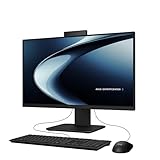

Top 3 picks at a glance
Quick Picks
| Product | Best for | Price |
|---|---|---|
| Acer Aspire C24 AIO | Smooth scrolling on a budget | $549.99 |
| Core Innovations 24″ | Lowest entry price | $420.29 |
| HP OmniStudio (8GB DDR5) | Modern RAM at a mid price | $549.96 |
| Lenovo 24″ FHD Business AIO | Office and multitasking | $579.99 |
| HP OmniStudio (16GB DDR5) | Upgraded storage and RAM | $699.97 |
| Lenovo IdeaCentre 24″ | Light everyday computing | $599.98 |
| ASUS P440VA Touch | Best specs on this list | $783 |
| HP ProOne 600 G4 (Renewed) | Deepest discount on business build | $318.9 |
How We Picked
We narrowed this list using four criteria specific to the all-in-one category. First, storage speed and capacity: a PCIe SSD is meaningfully faster than UFS or eMMC, and 128GB fills up before most owners realize why the machine feels sluggish. Second, RAM generation and size: DDR5 with 16GB provides noticeably more headroom than DDR4 with 8GB for anyone running a browser, document, and music app simultaneously. Third, display quality: panel type, resolution, and refresh rate matter more in an AIO than a separate monitor because you cannot upgrade the screen later. Fourth, value context: a lower price only wins if the spec trade-offs remain tolerable for the intended workload.
The 8 Best All In One Desktop Computers On Sale in 2026
Acer Aspire C24 AIO Desktop
The standout feature here is the 120Hz Full HD IPS panel, which makes window dragging, scrolling, and cursor movement feel fluid in a way that 60Hz budget screens do not. The Intel Core i3-1305U and 256GB PCIe SSD handle web browsing, streaming, and light productivity without friction. Wi-Fi 6 and included USB peripherals round out a ready-to-use package.
- Pro: 120Hz IPS display is rare at this price and immediately noticeable in daily use.
- Pro: PCIe SSD combined with Wi-Fi 6 gives a snappy, future-proof connectivity baseline.
- Con: DDR4 RAM and only 8GB capacity will limit multitasking as your workload grows.
Skip this if you need more than a browser and an office suite open at once.
Core Innovations 24″ All-in-One Desktop PC
At just over $420, this is one of the cheapest routes to a Windows 11 desktop with a 24-inch screen and nothing else to buy separately. Published specs beyond size and OS are sparse, which means buyers relying on the listing alone may be surprised by the hardware inside. Owner feedback generally positions this as a machine for basic tasks—email, documents, web—rather than anything requiring processing headroom.
- Pro: Lowest upfront cost for a full Windows 11 AIO on this list.
- Pro: 24-inch screen matches the panel size of units costing significantly more.
- Con: Minimal published specifications make it hard to judge the processor, storage speed, or display panel type before buying.
Skip this if spec transparency matters to you or if you plan to run anything heavier than a browser.
HP OmniStudio (8GB DDR5, 128GB UFS)
DDR5 RAM at this price point is a genuine upgrade over DDR4, and the HP build quality is consistent across their consumer line. The problem is 128GB of UFS storage. UFS is a flash standard borrowed from smartphones; it is not equivalent to a PCIe SSD and fills up quickly after Windows updates and a few applications. For a family computer doing homework and email, it works. For anything beyond that, the storage becomes the bottleneck.
- Pro: DDR5 memory provides better bandwidth than the DDR4 found in similarly priced competitors.
- Pro: HP’s consumer AIO line has a track record of solid build quality and reliable driver support.
- Con: 128GB UFS storage is both slow by SSD standards and too small for practical use after OS overhead.
Skip this if you install software regularly or store local files.
Lenovo 24″ FHD Business AIO
This unit pairs 16GB of RAM with a 256GB PCIe SSD, giving it real multitasking capability for office documents, video calls, and a heavily tabbed browser. Windows 11 Pro adds BitLocker, Remote Desktop, and domain-join features that matter for small businesses. Bluetooth 5.2, Wi-Fi 6, HDMI output, and included wireless peripherals make it a complete desk solution without extra purchases.
- Pro: 16GB RAM plus PCIe SSD is the most balanced performance combo in this price tier.
- Pro: Business-grade software features and Vent-Heat design support longer daily workloads.
- Con: The processor model is unspecified in the listing, making it harder to gauge raw compute performance before purchase.
Skip this if you need a confirmed CPU tier for a specific application workload.
HP OmniStudio (16GB DDR5, 640GB Storage)
This is the upgraded OmniStudio configuration that fixes the main complaints about its 8GB sibling. Sixteen gigabytes of DDR5 gives ample memory headroom, and 640GB of storage provides enough room for Windows, applications, documents, and media files without constant management. At $699.97 it sits above the mid-tier, but the spec gains over the base model are substantial and immediately felt in daily use.
- Pro: 16GB DDR5 and 640GB storage eliminate the two bottlenecks that plague budget AIOs.
- Pro: HP’s OmniStudio chassis and panel remain consistent with the design language reviewers praise.
- Con: The price premium over the base model is significant for a spec upgrade, though the gains justify it for most buyers.
Skip this if you want to stay under $600; the base model and Lenovo Business AIO cover similar ground for less.
Lenovo IdeaCentre 24″ FHD (Intel N100)
The Intel N100 is an Alder Lake-N efficiency processor designed for low power draw and quiet operation rather than raw speed. It handles web browsing, streaming, and office documents competently, but it is the weakest compute option on this list. The 24-inch FHD panel matches the display quality of more expensive units, and Lenovo’s build and software support are dependable.
- Pro: N100’s low thermals mean quieter operation and less fan noise during extended use.
- Pro: Lenovo’s IdeaCentre line has a reputation for understated design that fits home and small office settings.
- Con: The N100 will struggle with heavier multitasking, creative tools, or anything requiring sustained compute.
Skip this if you need more than light daily computing or run software with modest processor demands.
ASUS P440VA Touch
This is the most capable machine on the list by published specs. The Core i5-13420H is a performance-tier mobile processor, 16GB DDR5 and a 1TB SSD remove virtually every storage and memory concern, and the 23.8-inch anti-glare touch display adds a usability dimension none of the other units offer. At $783 it also commands the highest price, and the included keyboard and mouse are wired rather than wireless.
- Pro: i5-13420H plus 1TB SSD and 16GB DDR5 make this the only AIO here suited to photo editing, light video work, or heavier multitasking.
- Pro: Touch and anti-glare coating add practical daily convenience in a bright room.
- Con: Wired peripherals feel dated at this price, and the premium over other options on this list is steep.
Skip this if your budget caps out near $600 or if you do not need the extra processing and storage.
HP ProOne 600 G4 (Renewed)
A renewed business-class AIO at $318.90 represents the lowest price-to-build-quality ratio on this list. The ProOne 600 G4 was designed for corporate environments, meaning durable construction, manageable drivers, and a thermal profile built for eight-hour workdays. The trade-off is that “renewed” introduces uncertainty about remaining lifespan, battery-backed CMOS health, and warranty coverage, and the internal specs are not fully listed.
- Pro: Lowest price by a wide margin, with a build quality tier that exceeds all new consumer units here.
- Pro: Business-class hardware supports enterprise management features that home units omit.
- Con: Renewed status means unknown prior use, potentially shortened remaining service life, and limited published specifications.
Skip this if you want a factory warranty, current-generation components, or a machine you can run for several more years without concern.
Buying Guide
Storage Speed and Size Matter More Than RAM
A PCIe SSD is the single most impactful component in a budget AIO because it controls how quickly Windows boots, applications launch, and files load. UFS and eMMC storage, even when paired with DDR5 RAM, create a daily experience that feels sluggish the moment you open a folder or run an update. Aim for at least 256GB of PCIe SSD storage. If a listing specifies UFS, treat that as a hard limitation regardless of how modern the other components look.
Display Refresh Rate and Panel Type Are Non-Negotiable in an AIO
Unlike a traditional desktop, you cannot swap the monitor in an all-in-one. The screen is permanently attached to the machine, so panel quality determines your entire visual experience. Full HD resolution is the practical minimum at 23–24 inches. IPS panels deliver consistent color and viewing angles; TN panels do not. A 120Hz refresh rate, as found on the Acer Aspire C24, makes scrolling and window movement visibly smoother and is worth seeking out if your budget allows.
Processor Class Determines Longevity
An efficiency chip like the Intel N100 will feel adequate on day one but may frustrate you within a year as software demands increase. Core i3-class and i5-class processors provide a wider performance cushion. The specific model number matters: an i3-1305U is a 13th-generation chip with modern IPC, while older-generation i5 variants from previous architectures can be outperformed by newer lower-tier parts. When a listing omits the processor model, treat that omission as a red flag and assume the weakest component in its price range.
Our Verdict
The Lenovo 24″ FHD Business AIO is the top pick for most buyers. Sixteen gigabytes of RAM paired with a 256GB PCIe SSD, Windows 11 Pro, Wi-Fi 6, Bluetooth 5.2, and included wireless peripherals deliver the most complete package under $580 without a spec compromise that will nag you daily. For the deepest discount, the HP ProOne 600 G4 renewed unit at $318.90 wins on build quality per dollar, provided you accept the uncertainty that comes with renewed hardware. If raw performance is your priority and budget stretches to $783, the ASUS P440VA’s i5-13420H and 1TB SSD make it the only option here suitable for more demanding creative workloads.
FAQ
Are all-in-one desktops good for everyday use?
Yes, for web browsing, streaming, documents, and email, a modern all-in-one with at least a PCIe SSD and 8GB of RAM handles these tasks without noticeable lag. The advantage is a single setup with fewer cables and a smaller footprint. The disadvantage is that if any component fails—most commonly the display or power supply—the entire machine must be serviced or replaced.
Can you upgrade components in an all-in-one PC?
Most consumer all-in-ones allow RAM and storage swaps because those are the only serviceable parts, but the design varies by manufacturer and model. Displays, processors, and power supplies are typically soldered or proprietary. If upgradability matters to you, confirm whether the specific model uses standard SO-DIMM slots and M.2 storage before purchasing.
Is DDR5 RAM worth the price premium over DDR4 in an AIO?
For typical AIO workloads like browsing, office software, and media playback, the difference between DDR4 and DDR5 is marginal in practice. Where DDR5 helps is in bandwidth-heavy scenarios or when paired with integrated graphics that share system memory. If the DDR4 machine also offers more storage capacity or a faster SSD, prioritize those upgrades instead.
What should I expect from a renewed all-in-one?
Renewed units are previously owned and inspected, typically sold with a limited warranty of 90 days to one year depending on the seller. Build quality is often superior to new budget consumer machines, but component lifespan, thermal paste condition, and battery-backed hardware are unknown. Read the specific renewal grading and warranty terms before buying.

