
When you are designing a home office or a dedicated gaming station, your desk is more than just a surface—it is the command center of your room. Choosing how to arrange your displays is one of the most critical structural decisions you will make. The debate of stacked dual monitors vs side by side gaming monitors is not just about screen specifications or frame rates; it is an architectural decision that dictates your physical posture, your room’s visual flow, and how much desk space you have left for daily life.
For years, the default layout was simple: place two screens next to each other and call it a day. However, as desks have shrunk to fit into multi-purpose spare rooms and apartments, vertical space has become the new frontier. A side-by-side setup offers a sweeping, panoramic view that mimics our natural horizontal field of vision, but it demands an expansive desk. A stacked configuration climbs upward, leaving your desk surface wide open, but it introduces unique physical demands on your neck and eyes. Understanding how these layouts perform in real-world homes is the key to choosing the right one for your space.
As an Amazon Associate we earn from qualifying purchases at no extra cost to you. Product prices and availability are accurate as of the date shown and are subject to change.



Top 3 picks at a glance
Quick Verdict
If you primarily play immersive games, simulation titles, or require a seamless, wide field of view where you scan left-to-right at eye level, side-by-side gaming monitors are the superior choice. This classic layout protects your neck from vertical strain and accommodates ultra-high refresh rates across a wide plane. However, if your desk is less than 48 inches wide, or if you divide your time between gaming and productivity tasks like coding, streaming, or writing, stacked dual monitors win. They keep your primary focus dead-center while utilizing vertical space that would otherwise go to waste, all while keeping your desk footprint beautifully compact.
Side by Side
To understand how these configurations compare across the physical realities of home ownership, daily maintenance, and ergonomics, look at the direct breakdown below:
| Feature | Stacked Dual Monitors | Side-by-Side Gaming Monitors |
|---|---|---|
| Comfort & Ergonomics | Excellent central focus; requires controlled vertical head tilting (around 10 to 15 degrees) for the top screen. | Natural horizontal scanning; can cause minor neck fatigue if screens are overly wide (above 27 inches each). |
| Durability & Mount Wear | High stress on vertical poles; requires heavy-duty steel clamps to prevent forward tilting or desk warping. | Balanced weight distribution across dual articulating arms; lower center of gravity reduces desk stress. |
| Price Range (with Mounts) | $240 to $600+ depending on whether you use integrated portable dual screens or heavy vertical monitor arms. | $130 to $500+ for standard dual gaming panels and entry-level horizontal desktop mounts. |
| Maintenance | Cables route vertically down a single spine; dusting the top bezel requires a step stool or standing up. | Cables spread horizontally; easy to access rear ports and wipe down all surfaces from a seated position. |
| Space Needed (Desk Width) | Minimal footprint; fits comfortably on compact desks from 24 to 36 inches wide. | Substantial footprint; requires a desk of at least 48 to 72 inches wide to prevent room crowding. |
| Aesthetic Look | Modern, architectural, and compact; keeps the visual weight of the room contained to a single column. | Expansive, commanding, and high-tech; dominates the wall and acts as a major visual focal point. |
| Resale Value | Niche appeal for vertical mounts, though portable stacked panels retain solid value for mobile workers. | High demand; standard independent gaming monitors are incredibly easy to resell individually. |
| Best For | Streamers, programmers, writers, and those working on narrow desks or in small apartments. | Competitive FPS gamers, racing/flight simulators, and homes with wide, dedicated desks. |
Where Stacked Dual Monitors Wins
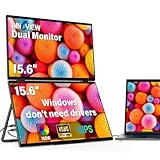
The primary triumph of stacked dual monitors is spatial efficiency. In a standard home office, horizontal desk surface is a finite, precious commodity. When you stack your screens vertically, you reclaim nearly half of your desk’s width. This allows you to place speakers, a desk organizer, or a notebook directly beside your setup. For compact setups, innovative options like the InnoView Dual Portable Monitor 15.6″ 1920×1080 Dual Stacked Foldable Monitor (priced at $239.99) show how verticality saves space. These foldable, portable systems do not require permanent, heavy desk clamps, and they offer a 315-degree screen adjustment to get the perfect viewing angle without taking over your room.
Furthermore, stacked setups excel at cognitive task separation. For users who stream on Twitch or YouTube, having your active game running on a lower, eye-level screen while your chat, OBS, and stream alerts sit directly above is incredibly efficient. You do not have to turn your head away from your camera to read chat; a simple upward glance keeps your face oriented toward your audience. If you choose another portable variation, such as the InnoView Portable Dual Monitor 15.6″ 1920×1080 Dual Stacked Foldable Monitor (also priced at $239.99), you can pack up your entire dual-screen workstation into a backpack, bringing that vertical productivity to a kitchen table or a hotel desk without needing a permanent mount.
Where Side By Side Gaming Monitors Wins
Side-by-side configurations remain the gold standard for pure gaming immersion. Our eyes are naturally positioned horizontally, giving us a wide field of view. When you play racing simulators, flight simulators, or open-world games, a side-by-side array wraps around your peripheral vision, drawing you into the virtual world in a way vertical screens never can.
This layout is also incredibly cost-effective to build with high-performance hardware. You do not need highly specialized vertical mounting poles or customized dual-panel casings. Instead, you can pair budget-friendly, high-refresh-rate displays. For instance, you could place two of the Sceptre New 22-Inch Gaming Monitor (E225W-FW144 Series, 2026) side-by-side. Priced at just $64.97, this 1080p display offers up to a 144Hz refresh rate, built-in speakers, and HDMI/DisplayPort connections, allowing you to build a massive, responsive horizontal gaming landscape for under $130.
If you want even faster response times for competitive shooters, you can step up to a pair of the AOC 24″ Gaming Monitor FHD 200Hz IPS (24G42HE), priced at $84.99. Boasting an ultra-fast 0.3ms response time and NVIDIA G-SYNC compatibility, two of these monitors mounted side-by-side create a high-speed, seamless visual zone. Because these monitors sit at the exact same height, your eyes glide effortlessly from your primary screen to your secondary map or Discord window without any vertical neck tilting, which keeps physical fatigue to an absolute minimum during long gaming sessions.
Cost Over 5 Years
When calculating the true cost of stacked dual monitors vs side by side gaming monitors over a five-year lifecycle, you must look beyond the initial purchase price of the screens. You must factor in mounting hardware, desk wear and tear, and power consumption.
For a side-by-side setup using two independent gaming monitors (such as two 24-inch panels costing around $170 total), a basic dual-arm horizontal desk mount will run you between $30 and $60. Because the weight is distributed widely, these mounts put minimal localized stress on your desk surface, meaning even a basic particleboard desk will survive the five-year span without cracking. Power consumption for two standard 24-inch LED monitors averages about 40 to 50 watts combined during active use. If you use your system for 4 hours a day at an average utility rate of $0.15 per kilowatt-hour, this setup will cost you approximately $35 to $45 in electricity over five years.
For a stacked setup, standard independent monitors require a tall, heavy-duty vertical pole mount, which typically costs $60 to $120. Because a top monitor acts as a physical lever, it applies significant downward and forward rotational force to a single point on your desk. Over five years, this concentrated pressure can warp or crack cheaper hollow-core desks, potentially forcing you to upgrade to a solid wood desktop (an extra $150 to $300). However, if you opt for integrated, USB-C powered stacked options like the foldable 15.6-inch models, they draw as little as 10 to 15 watts of total power directly from your laptop. This slashes your five-year electricity cost to under $15 and completely eliminates the need for expensive, desk-damaging mounting clamps.
Which One for Your Home
Your living situation, desk construction, and family dynamics should play a massive role in deciding which configuration is right for your home.
Small Apartment
In a small apartment or a studio loft, space is your most expensive asset. A wide, 60-inch desk for a side-by-side monitor setup can easily overcrowd a room, block walkways, or make your living area feel like a commercial office. Here, stacked dual monitors are the undisputed champion. By building your workstation upward rather than outward, you can easily fit a highly productive dual-screen setup onto a compact 30-inch corner desk or a narrow console table behind a sofa, keeping your living space open and airy.
Family with Kids or Pets
If you have young children or active pets (especially cats who love to climb behind warm electronics), a stacked monitor setup can pose a significant tip-over hazard. A tall vertical mount has a high center of gravity; a curious cat jumping onto the top screen or a toddler pulling on the desk edge can cause the entire assembly to twist or fall. For these households, a side-by-side setup mounted on low-profile, heavy desktop stands—or directly wall-mounted to studs—is vastly safer, more stable, and much harder to knock over.
Rental
Renters must avoid damaging walls and furniture to secure their security deposits. Aggressive C-clamps used for tall, vertical stacked mounts can leave deep indentations or scrape the veneer off desk edges, and wall-mounting two side-by-side screens requires drilling multiple large holes into drywall studs. If you rent, a portable, freestanding stacked monitor system is an exceptional compromise. It stands reliably on its own integrated base without clamps or screws, protecting both your desk and your landlord’s walls from damage.
Long-Term Home
If you own your home and have a dedicated, permanent office or gaming room, you have the freedom to build a dream setup. In this scenario, side-by-side gaming monitors mounted on a premium, wall-mounted dual articulating arm offer an incredibly clean, professional, and expansive look. You can run all your cables directly behind the drywall for a floating aesthetic, creating a clean, high-end entertainment station that adds functional value to your home office space.
FAQ
Does a stacked monitor setup cause neck pain?
It can if it is set up incorrectly. To avoid neck strain, your primary, most-used monitor should sit directly at eye level, so you gaze slightly downward (about 10 to 15 degrees) at its center. The top monitor should only be used for secondary, reference tasks—such as chat windows, music players, or system monitors—so you only need to glance upward with your eyes rather than constantly tilting your entire head back.
Can you play games across stacked dual monitors?
While you can physically stretch a game across stacked monitors using graphics card settings, it is rarely recommended. The thick bezels of the two monitors will sit directly in the center of your vertical field of view, slicing your game’s crosshairs or main action in half. For seamless multi-monitor gaming, side-by-side setups remain the superior choice.
What is the minimum desk depth required for side-by-side vs. stacked?
For side-by-side monitors, a desk depth of 24 inches is usually sufficient, as you can spread the screens wide to maintain a comfortable viewing distance. For stacked monitors, you should aim for a desk depth of at least 28 to 30 inches. Because the top screen sits higher up, having extra desk depth allows you to push the vertical stand further back, reducing the vertical viewing angle and preventing eye strain.
Are vertical monitor mounts safe for glass or particleboard desks?
Standard vertical mounts that clamp to the desk edge are generally unsafe for tempered glass desks, as the concentrated pressure can shatter the glass. For cheap particleboard or hollow-core desks (such as paper-filled IKEA tops), the intense twisting force of a tall, vertical stacked mount can crush the desk material over time. If you have these desk types, it is highly recommended to use a freestanding vertical stand, a wall mount, or lightweight portable stacked monitors.

