
Many professionals, remote workers, and gamers looking to expand their digital workspace rush to buy the first high-resolution secondary screen they find online. However, diving into the portable display market without a clear plan often leads to immediate buyer’s remorse. The most common mistake is focusing purely on resolution (seeking out that crisp 2560×1440 pixel count) while completely ignoring how that screen draws power, how it stands on a desk, or whether the host device can actually output the advertised refresh rate.
Buying a portable monitor isn’t like buying a standard desktop display. You are buying a device that must survive transit, draw power from limited sources, and sit stably on various surfaces, from coffee shop tables to tray tables. When researching what to look for in 1440p portable monitor setups, buyers often overlook power delivery specs, panel construction, and scale, resulting in flickering screens, dead pixels, or a heavy device that sits unused in a drawer. This guide will cut through the marketing jargon to show you exactly what matters for your workspace.
As an Amazon Associate we earn from qualifying purchases at no extra cost to you.



Our Top Picks
 InnoView 15.6-Inch Portable Monitor 1440p 120hz Monitor 100%15.6 inch 120Hz0.6 x 14.07 x 8.87 inchesCheck on Amazon
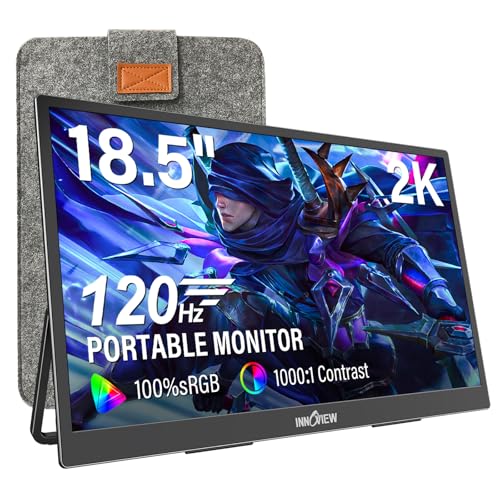 InnoView 2K Portable Monitor for Laptop 18.5" 2560x1440p18.516.7 x 0.57 x 10.2 InchesCheck on Amazon
 InnoView 18.5 Inch 280Hz Portable Gaming Monitor18.5"0.2 x 15.7 x 10.5 Inches2.7 PoundsCheck on Amazon

Top 3 picks at a glance
Decide These 3 Things First
Before comparing individual screen specs, you must define how the monitor will fit into your daily workflow. Answering these three questions first will immediately eliminate 80% of the wrong options:
- Your Primary Use Case (Work vs. Play): If you are primarily editing spreadsheets, writing code, or managing documents, a stable 120Hz refresh rate with 100% sRGB color accuracy is your sweet spot. If you are a competitive gamer, you need to prioritize ultra-high refresh rates (180Hz to 280Hz) and FreeSync or G-Sync compatibility to prevent screen tearing.
- Your Mobility Footprint: How often will this monitor actually leave your desk? If you travel weekly, a 15.6-inch display weighing under 1.8 pounds is the sweet spot for slipping into a standard laptop bag. If it is a semi-permanent “second screen” for a home office setup that only occasionally travels, you can comfortably step up to a heavier 18.5-inch model.
- Your Power Environment: Do you want a clean, single-cable setup where your laptop powers the monitor directly? Or are you prepared to plug the monitor into its own wall adapter? High-refresh-rate 1440p panels require substantial power (often 15W to 20W), which can quickly drain your laptop’s battery if you do not plan ahead.
1. Screen Size, Weight, and Portability
The physical footprint of your portable monitor dictates where and how you can work. In the 1440p (often marketed as 2K or 2.5K QHD) space, screens generally fall into three size categories: 15.6 inches, 16.1 inches, and 18.5 inches.
A 15.6-inch screen is the industry standard. It matches the footprint of most standard work laptops, making it incredibly easy to pack. These monitors typically weigh between 1.5 and 1.8 pounds and have a thickness of just 0.3 to 0.4 inches. If you step up to a 16.1-inch screen, you gain a bit more vertical real estate (often in a taller 16:10 aspect ratio), with weights averaging around 1.9 to 2.2 pounds.
For those who want a true desktop replacement, an 18.5-inch screen offers massive visual real estate. However, these models weigh between 2.8 and 3.5 pounds and require a much larger footprint. Looking ahead to 2026, the trend is moving toward ultra-thin bezels to keep these larger screens as compact as possible, but you must still ensure your backpack can physically accommodate an 18.5-inch panel, which often measures over 17 inches in width.
2. Material, Construction, and Stand Design
A portable monitor is subjected to constant movement, meaning its chassis material and stand design are critical for longevity. Budget models typically feature ABS plastic frames. While lightweight, plastic frames are prone to flexing, which can pinch the LCD panel and cause backlight bleeding over time.
Mid-range and premium monitors use CNC-machined aluminum alloy enclosures. Aluminum provides excellent structural rigidity, protects the panel from pressure points in your bag, and helps dissipate heat from the internal display controller.
Equally important is the stand mechanism. There are two primary types:
- Magnetic Smart Covers: These fold around the monitor to protect the screen during transit and fold back into a triangular stand. While they keep the profile slim, they offer limited angle adjustments (usually only one or two positions) and can slip on slick surfaces.
- Integrated Kickstands: Built directly into the back or base of the monitor, these metal stands allow for continuous tilt adjustment from 0 to 90 degrees. They are vastly superior for ergonomics but add a small amount of thickness (about 0.1 to 0.2 inches) to the device.
3. Display Performance: Refresh Rates, Brightness, and Color
The visual quality of a 1440p portable monitor is determined by three interconnected specs: refresh rate, peak brightness, and color gamut coverage. Do not buy a screen based on resolution alone.
For office work, a 120Hz refresh rate is highly recommended over standard 60Hz screens. It makes cursor movement, scrolling, and window dragging feel incredibly smooth, reducing eye strain during long working hours. Gamers should look for 180Hz to 280Hz panels to match high-end laptop GPUs.
Brightness is measured in nits. Avoid any monitor with a peak brightness below 250 nits, as it will be unusable near a window or under bright office lights. A peak brightness of 300 to 400 nits is ideal for comfortable viewing in diverse environments.
For color, look for panels offering at least 100% sRGB coverage. This ensures that colors look natural and accurate, which is essential for photo editing, design work, or simply enjoying media. Some premium panels offer up to 107% sRGB or wide DCI-P3 color gamuts, providing richer, more vibrant tones.
4. Power Delivery and Connectivity
Modern 1440p portable monitors rely on two main input configurations: USB-C (DisplayPort Alt Mode) and Mini-HDMI (or standard HDMI on larger models).
The gold standard is a dual USB-C port configuration that supports pass-through charging. This allows you to run a single USB-C cable from your laptop to the monitor for both power and video signals. If your laptop’s battery is running low, you can plug your laptop’s wall charger directly into the second USB-C port on the monitor; the monitor will take the power it needs (usually 15W to 18W) and pass the remaining wattage through to charge your laptop.
If you are connecting via HDMI (for older laptops, game consoles like the PS5 or Xbox, or a Nintendo Switch), you must run a separate power cable to the monitor. Be aware that many high-refresh-rate monitors do not include a wall adapter in the box to save on costs. You will need to supply a USB-C power brick that outputs at least 5V/3A (15W) or 9V/2A (18W) to ensure stable operation without screen flickering.
5. Price Tiers and What You Get
Understanding what your budget actually buys prevents you from overpaying or buying a underpowered display. The 1440p portable monitor market is divided into three distinct price tiers:
- Budget ($100 – $130): In this tier, you will find 15.6-inch panels with 120Hz refresh rates and plastic frames. They offer great value and 100% sRGB color, but often skip the wall charger in the box and feature basic magnetic smart covers rather than integrated metal stands.
- Mid-Range ($130 – $170): This sweet spot offers larger 16.1-inch to 18.5-inch screens, faster refresh rates (120Hz to 180Hz), and often transitions to aluminum frames or sturdier built-in kickstands. Color accuracy remains high (100% to 107% sRGB), and power management is more efficient.
- Premium ($170 – $250+): At the top end, you get specialized performance. This includes ultra-high-speed 280Hz gaming panels with AMD FreeSync support, premium aluminum chassis, integrated adjustable stands, and comprehensive cable kits.
6. Warranty and Long-Term Reliability
Because portable monitors are packed, unpacked, and bumped around, warranty terms matter more here than they do for stationary desktop screens. Most reputable brands offer a standard 12-month manufacturer warranty.
When reviewing warranty policies, look closely at the “dead pixel policy.” Because of the high pixel density of a 1440p screen on a small 15.6-inch or 16.1-inch canvas, a single dead pixel can be incredibly distracting. Some budget brands will only replace a monitor if it has three to five dead pixels clustered together. Premium brands often offer a “zero bright dot” guarantee for the first 90 days. Always check if the brand offers local customer support or if you will be required to ship the monitor internationally at your own expense for a warranty claim.
7. Out-of-the-Box Accessories and Setup
A portable monitor is only as good as the cables and protection it comes with. Buying additional high-bandwidth cables can easily add $20 to $30 to your total cost if they aren’t included in the box.
A complete setup package should include:
- A full-featured USB-C to USB-C cable (capable of carrying both 10Gbps data and 100W power delivery).
- A Mini-HDMI to Standard HDMI cable for console or older PC compatibility.
- A USB-A to USB-C cable (often used for auxiliary power).
- A protective sleeve or built-in magnetic cover to prevent screen scratches during travel.
Keep in mind that if the listing states “Adapter Not Included,” you must verify that you own a compatible USB power brick (minimum 15W to 18W) to power the screen when not running it directly off a high-output laptop port.
Spec Checklist
Use this quick-reference table to compare specifications across the three major market segments before making your purchase:
| Feature / Spec | Budget Tier ($100–$130) | Mid-Range Tier ($130–$170) | Premium Tier ($170–$250+) |
|---|---|---|---|
| Typical Screen Size | 15.6 inches | 15.6 to 16.1 inches | 16.1 to 18.5 inches |
| Refresh Rate | 120Hz | 120Hz to 180Hz | 180Hz to 280Hz |
| Chassis Material | ABS Plastic | Reinforced Plastic or Aluminum | CNC Aluminum Alloy |
| Color Gamut | 100% sRGB | 100% to 107% sRGB | 107% sRGB or DCI-P3 equivalent |
| Stand Type | Magnetic Smart Cover | Smart Cover or Integrated Kickstand | Heavy-Duty Adjustable Kickstand / VESA |
| Power Brick | Often Not Included | Sometimes Included (15W) | Included (18W to 30W PD) |
Red Flags
When shopping for a 1440p portable monitor, watch out for these common warning signs that indicate a sub-par product:
- “HDR Support” on Low-Brightness Screens: Many cheap monitors advertise HDR (High Dynamic Range) support but only feature a peak brightness of 250 nits. True HDR requires at least 400 nits (ideally 600+) and local dimming. On a cheap 250-nit screen, turning on HDR will simply wash out the colors and ruin the contrast.
- No Mention of “Full-Featured” USB-C: If the specs list a USB-C port but do not explicitly state it supports “DisplayPort Alt Mode” or “Power Delivery,” that port may only be wired for power, meaning you cannot send a video signal through it.
- Extremely Thin Bezels with No Protective Cover: While thin bezels look modern, they offer very little structural protection. If a monitor has razor-thin bezels and a plastic back without a rigid protective cover included, the screen is highly likely to crack under pressure inside a packed backpack.
- Single-Cable Claims Without Laptop Specs: Be skeptical of claims that a monitor “runs on a single cable” without mentioning that your laptop’s USB-C port must support at least 15W of power output. Many older or budget laptops limit USB-C power output to 5W or 10W, which will cause a 1440p high-refresh screen to constantly cycle on and off.
FAQ
Is a 1440p portable monitor worth it over a standard 1080p model?
Yes, absolutely. On screen sizes of 15.6 inches and larger, 1080p (Full HD) resolution can look slightly pixelated, especially when reading fine text or working on spreadsheets. A 1440p (QHD) resolution provides a much higher pixel density, resulting in incredibly sharp text, more usable workspace on your screen, and cleaner image quality for both media consumption and gaming.
Can I power a 1440p portable monitor with just one USB-C cable?
Yes, provided your host device (laptop, mini-PC, or compatible tablet) has a full-featured USB-C port that supports DisplayPort Alt Mode and can output sufficient power (typically 15W to 20W). If your laptop cannot supply enough power, the monitor will either fail to turn on or flicker at high brightness levels, requiring you to plug an external power supply into the monitor’s second USB-C port.
Do 1440p portable monitors work with gaming consoles like the PS5 or Xbox Series X?
Yes. You can connect these consoles to the monitor using an HDMI to Mini-HDMI cable. However, because gaming consoles do not output power through their HDMI ports, you must connect the monitor to an external wall charger or a high-output USB port on the console itself using a USB-C power cable to supply electricity to the display panel.
How do I safely pack and clean my portable monitor for travel?
Always pack the monitor with its screen facing inward toward the back panel of your laptop to protect the glass from direct impacts. Use a padded sleeve or its magnetic smart cover during transit. To clean the screen, never use harsh chemical cleaners or window sprays. Instead, use a dry, clean microfiber cloth. For stubborn smudges, slightly dampen the microfiber cloth with distilled water or a dedicated screen-cleaning solution, wipe gently, and dry immediately.









