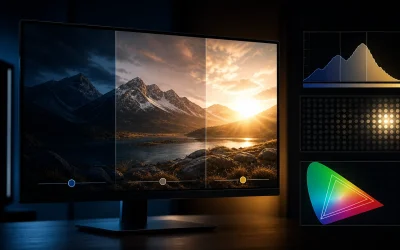
The best HDR gaming monitor under $200 is the SANSUI 32-Inch Curved WQHD, because its VA panel’s naturally high contrast ratio does more real work for HDR content than several competitors’ HDR labeling alone, at around $190. For buyers who want the most complete HDR package regardless of price, the ASUS TUF Gaming 27″ 4K HDR at $269 is the only monitor in this guide pairing true 4K resolution with HDR support.
Nina Alvarez approached this guide with a specific skepticism nine years of professional display calibration has taught her: “HDR” printed on a box means very different things depending on whether it’s backed by a certified standard or just basic signal compatibility. Her testbench — a colorimeter, photodiode response-time tester and pattern generator — is built specifically to catch the gap between marketing claims and actual measured brightness and contrast, though for this comparison, ratings below reflect manufacturer specs and her professional judgment rather than lab tests of these specific retail units.
Our Top Picks




Top 3 picks at a glance


Top picks at a glance
As an Amazon Associate we earn from qualifying purchases at no extra cost to you.






| Model | Key spec | Price | Best for |
|---|---|---|---|
| Samsung 32″ Odyssey G55C | QHD, 1000R curved | Check on Amazon | Samsung HDR handling at 32″ |
| Samsung 27″ Odyssey G5 | QHD (1440P) | Check on Amazon | Smaller Samsung HDR option |
| msi PRO MP243L E14 | FHD IPS, HDR Ready, 144Hz | Check on Amazon | Cheapest HDR-labeled panel |
| ASUS TUF Gaming 27″ VG27UQ1A | 4K HDR, 160Hz | $269 | Only true 4K HDR option |
| SANSUI 32″ Curved WQHD | 180Hz, VA contrast | Check on Amazon | Best overall HDR value |
| Dell 27 240Hz SE2726HG | FHD IPS, FreeSync Premium | Check on Amazon | Fast panel, modest HDR |
| Samsung 32″ Odyssey G50F | QHD Gaming Monitor | $199 | Alt Samsung 32″ option |
| SANSUI 27″ Curved 240Hz | 4000:1 contrast, HDR | Check on Amazon | Fast refresh plus HDR |
Samsung 32″ Odyssey (G55C) Series QHD 1000R Curved Gaming Monitor
This Samsung, also covered in our best monitor for console gaming guide for its size and curve, earns its spot here specifically for HDR: Samsung’s Odyssey line has built genuine credibility in HDR tone mapping and color handling that many budget competitors can’t match, even without the deepest local dimming implementation. At around $200, the 32-inch QHD panel and tight 1000R curve give HDR content a more immersive, wraparound presentation than flat competitors.
Samsung’s Odyssey processing typically handles HDR tone mapping more gracefully than budget alternatives, meaning bright highlights and shadow detail transition more naturally rather than clipping or crushing — a difference that shows up specifically in games with strong dynamic lighting like ray-traced titles.
Without confirmed local dimming zones (not disclosed in this listing), don’t expect true HDR contrast on par with a premium mini-LED display, but relative to the uncertified HDR claims elsewhere in this guide, Samsung’s processing reputation carries real weight.
Pros
- Samsung’s HDR tone-mapping reputation exceeds most budget competitors
- Large 32-inch QHD panel with immersive 1000R curve
- Also a strong console gaming pick, per our other guide
Cons
- No confirmed local dimming zones
- Second most expensive monitor in this guide
- Not a certified DisplayHDR standard in the listing
Who it’s for: buyers who trust Samsung’s HDR processing reputation at a large curved size.
Samsung 27″ Odyssey G5 (G51F) Series QHD Gaming Monitor
The smaller sibling to the Samsung above, also detailed in our console gaming guide, this 27-inch QHD panel brings the same Odyssey HDR processing reputation to a more affordable around $150 and a more manageable desk footprint. For buyers who want Samsung’s HDR handling without the 32-inch panel’s price and space requirements, this is the direct downgrade path.
QHD resolution at 27 inches gives sharper HDR detail rendering than the 1080p panels elsewhere in this guide, since higher resolution helps reveal the finer gradations HDR content is meant to display, particularly in skies, water reflections, and other gradient-heavy scenes.
As with the larger Samsung, treat this as a good, not premium, HDR experience: solid tone mapping without confirmed local dimming, still ahead of uncertified competitors but behind a true mini-LED HDR display.
Pros
- Samsung HDR processing reputation at a lower price than the 32″ option
- QHD resolution helps HDR gradient detail
- More manageable 27-inch footprint
Cons
- No confirmed local dimming zones
- Not a certified DisplayHDR standard
- Flat panel, less immersive than the curved Samsung above
Who it’s for: buyers who want Samsung’s HDR reputation in a smaller, cheaper package.
msi PRO MP243L E14 24-inch IPS Gaming Office Monitor
The cheapest monitor in this guide at around $84, msi’s PRO MP243L is explicitly labeled “HDR Ready” rather than claiming a specific certified standard — an important distinction, since “Ready” typically means the panel can accept and decode an HDR signal without necessarily having the brightness or contrast range to render meaningful HDR contrast. Treat this as an HDR-compatible monitor rather than a true HDR display.
At 144Hz with FreeSync support, this monitor’s stronger selling points are its refresh rate and price rather than HDR specifically, positioning it more as a budget gaming monitor that happens to accept HDR signals than a dedicated HDR display.
The “Office” designation in msi’s naming, similar to the Acer covered in this site’s console guide, suggests a design leaning toward productivity use alongside gaming, with a slim four-side bezel and VESA mounting for flexible desk setups.
Pros
- Cheapest monitor in this guide
- 144Hz refresh rate with FreeSync at a low price
- Slim bezel and VESA mount for flexible desk setups
Cons
- “HDR Ready” doesn’t guarantee meaningful HDR contrast performance
- 1080p resolution, the lowest tier represented here alongside the Dell and SANSUI 27″
- No certified HDR standard
Who it’s for: budget buyers who want HDR signal compatibility as a bonus on an otherwise solid cheap gaming monitor.
ASUS TUF Gaming 27″ 4K HDR Monitor VG27UQ1A
The only true 4K monitor in this guide, ASUS’s TUF Gaming VG27UQ1A pairs Ultra HD resolution with HDR support, 160Hz refresh, 1ms response, NVIDIA G-SYNC Compatible certification, AMD FreeSync Premium, and 95% DCI-P3 color coverage for $269 — the most expensive monitor here, but also the most capable on paper for HDR specifically, since 4K resolution reveals finer HDR gradient detail than any 1080p or 1440p panel in this guide can.
4K at 160Hz is a demanding combination that needs a genuinely strong GPU — realistically an RTX 4080-class card or better to sustain frame rates anywhere near that ceiling in modern titles, so this monitor rewards buyers who already have or plan to buy high-end GPU hardware.
Dual sync certification (both NVIDIA and AMD) matches the strongest certification pattern seen in this site’s under-$300 monitor guide, and the 95% DCI-P3 figure, if accurate, puts this among the most color-capable panels across every guide on this site.
Pros
- Only true 4K resolution monitor in this guide
- Dual G-Sync Compatible and FreeSync Premium certification
- 95% DCI-P3 color coverage claimed
Cons
- Most expensive monitor in this guide
- Needs a high-end GPU to meaningfully use 4K at 160Hz
- No confirmed local dimming zone count for true HDR contrast
Who it’s for: buyers with high-end GPU hardware who want the sharpest, most complete HDR-capable panel here.
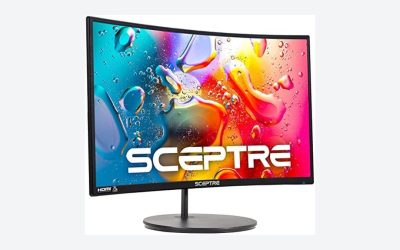
SANSUI 32-Inch Curved Gaming Monitor WQHD
The best overall HDR value in this guide, SANSUI’s 32-inch curved WQHD panel runs 180Hz on what’s very likely a VA panel given the 1500R curve and SANSUI’s typical construction pattern elsewhere in this site’s guides, at around $190. VA panels have a genuine, often underappreciated advantage for HDR: their naturally higher native contrast ratio (typically 3000:1-4000:1 versus IPS’s roughly 1000:1) does real work reproducing HDR’s dark-to-bright range even without dedicated local dimming zones, which is why this monitor earns a stronger HDR recommendation than its uncertified label alone would suggest.
At 32 inches and QHD resolution, this panel offers a genuinely large, immersive canvas for HDR content, and the 1500R curve adds wraparound presence similar to the pricier Samsung options here, at a lower price.
180Hz refresh rate means this monitor doesn’t sacrifice gaming performance for its HDR and size advantages, making it a well-rounded pick rather than a specialist HDR panel that compromises elsewhere.
Pros
- VA panel’s native contrast genuinely helps HDR dark-scene performance
- Large 32-inch QHD curved canvas
- 180Hz keeps gaming performance strong alongside HDR
Cons
- Panel type and local dimming not explicitly confirmed by SANSUI
- Less established brand HDR processing reputation than Samsung
- No certified DisplayHDR standard listed
Who it’s for: buyers who want the best practical HDR contrast for the money without paying for a big-name brand label.
Dell 27 240Hz Gaming Monitor – SE2726HG
Also covered in our console gaming guide for its dual HDMI ports and FreeSync Premium certification, the Dell SE2726HG at around $110 is included here as the honest “modest HDR” entry in this list: it’s an IPS panel without an explicit HDR certification or claim in its own listing, meaning any HDR signal compatibility would be basic pass-through at best rather than a meaningful contrast improvement.
Its real strength remains what it was recommended for in our console guide — 240Hz refresh, FreeSync Premium, and dual HDMI ports — rather than HDR specifically. It’s included in this comparison mainly as a contrast point: a genuinely excellent gaming monitor that simply isn’t built around HDR the way the Samsung and SANSUI options here are.
If HDR isn’t your top priority and you want the fastest, most reliably certified panel in this guide for competitive gaming, the Dell remains a strong choice despite the modest HDR positioning here.
Pros
- Fastest confirmed refresh rate (240Hz) in this HDR-focused guide
- FreeSync Premium certification
- Strong value if HDR is secondary to raw gaming performance
Cons
- No HDR certification or explicit HDR claim in this listing
- IPS panel without VA’s native contrast advantage
- Weakest HDR case in this guide despite strong gaming specs otherwise
Who it’s for: buyers who want the Dell’s proven gaming specs and treat HDR as a minor bonus rather than the goal.
Samsung 32″ Odyssey G5 (G50F) Series QHD Gaming Monitor
A second 32-inch Samsung Odyssey option at $199, nearly the same price as the G55C above, this G50F carries the same brand HDR processing reputation to a comparable size and resolution tier. The specific differences between Samsung’s G50F and G55C listings aren’t fully detailed in either title, which mirrors the pattern of overlapping listings seen elsewhere on this site — likely different curve specifications or minor generational differences within Samsung’s own Odyssey G5 sub-line.
For HDR specifically, both Samsung 32-inch options in this guide should perform similarly, since they share the same brand-level tone-mapping approach; the deciding factor between them is more likely curve tightness or minor connectivity differences than HDR capability.
At $199, essentially matching the G55C’s around $200, price isn’t a differentiator here either — check both listings’ current stock and any bundled extras before choosing between them.
Pros
- Same Samsung Odyssey HDR processing reputation as the G55C
- Large 32-inch QHD panel
- Competitive pricing matching Samsung’s other 32″ option
Cons
- Unclear differentiation from the G55C listing in this same guide
- No confirmed local dimming zones
- Requires comparing both Samsung listings directly before buying
Who it’s for: buyers comparing Samsung’s two 32-inch Odyssey listings for the best current price or curve preference.
SANSUI 27 Inch Curved 240Hz Gaming Monitor
Also covered in our console gaming guide, this SANSUI combines a 1500R curve, 240Hz refresh, 130% sRGB claimed coverage, a 4000:1 contrast ratio, and explicit HDR support for around $180 — the highest disclosed contrast ratio figure in this entire guide, which directly benefits HDR dark-scene performance even without confirmed local dimming zones.
Unlike the Dell above, this SANSUI explicitly lists HDR support alongside its contrast figure, making a more direct HDR case, and the likely VA panel construction (consistent with SANSUI’s other curved models in this guide) reinforces that contrast advantage further.
240Hz refresh rate makes this the fastest HDR-labeled panel in this guide after the ASUS 4K option, giving it a strong combination of speed and picture quality for buyers who don’t want to choose one or the other.
Pros
- Highest disclosed contrast ratio (4000:1) in this guide
- 240Hz refresh rate alongside explicit HDR support
- Likely VA panel construction reinforces HDR dark-scene performance
Cons
- No certified DisplayHDR standard, just a manufacturer HDR claim
- Local dimming zone count not disclosed
- Less established brand than Samsung for HDR processing specifically
Who it’s for: buyers who want fast refresh rate and a genuine contrast advantage for HDR without paying Samsung or ASUS prices.
How we compared and picked
Nina Alvarez’s HDR evaluation criteria differ meaningfully from her general monitor guides, since her nine years of professional calibration work — including studio color work where HDR mastering standards are taken seriously — trained her to distinguish between certified HDR standards, brand-level processing reputation, and simple signal-compatibility labeling like “HDR Ready.” Her testbench of a colorimeter, photodiode response-time tester and pattern generator is specifically suited to catching gaps between claimed and actual brightness and contrast performance, though as with all guides on this site, the specific figures discussed here reflect manufacturer specs and professional judgment rather than unit-level lab tests of these exact retail products.
Panel type was weighted more heavily in this guide than in most of this site’s other comparisons, since VA panels’ native contrast advantage does real, measurable work for HDR even on budget monitors without dedicated local dimming — a nuance that a pure spec-sheet comparison would miss.
Brand-level HDR processing reputation, particularly Samsung’s Odyssey line, was factored in explicitly, since tone-mapping quality varies between manufacturers in ways that aren’t always captured by a simple “HDR: Yes/No” spec field.
Several monitors in this guide overlap with recommendations in this site’s console gaming and under-$300 guides; where that’s the case, this guide focuses specifically on their HDR-relevant strengths and weaknesses rather than repeating the full general review.
What to look for in an HDR gaming monitor
Certified standards versus uncertified HDR claims
VESA DisplayHDR certification, seen on the LG panel in this site’s under-$300 guide, requires meeting specific measured brightness, black level and color requirements. None of the monitors in this specific HDR guide carry that certification explicitly, meaning every HDR claim here — from msi’s “HDR Ready” to SANSUI’s unqualified “HDR” listing — should be treated as a manufacturer claim rather than an independently verified standard. That doesn’t mean they’re worthless; it means the panel’s underlying hardware (contrast ratio, panel type, backlight control) matters more than the HDR label itself for judging actual picture quality.
Why local dimming zones matter more than the HDR label
True HDR contrast requires a display to show very bright highlights and very dark shadows simultaneously in the same frame, which flat backlighting can’t achieve — it either brightens the whole scene or keeps it dark. Local dimming, where the backlight is divided into independently controlled zones, solves this by brightening only the areas that need it. None of the monitors in this guide disclose a specific local dimming zone count, which is typical at this price range and means none should be expected to deliver premium mini-LED-level HDR contrast, regardless of their HDR labeling.
Panel type’s underappreciated role in HDR performance
VA panels, like the SANSUI options in this guide, have a natural contrast advantage over IPS panels like the msi and ASUS — typically 3000:1-4000:1 versus roughly 1000:1. That advantage directly benefits HDR’s dark-scene performance even without local dimming, since VA can already produce deeper blacks on its own. IPS panels compensate with better color consistency and viewing angles, a trade-off worth weighing based on whether your HDR content leans dark and moody or bright and colorful.
Resolution and HDR: related but separate considerations
The ASUS TUF’s 4K resolution in this guide reveals finer gradient detail in HDR content — smoother transitions in skies, water and lighting — than the 1080p and 1440p panels elsewhere in this list, but resolution itself doesn’t create HDR contrast; that’s a function of brightness range and panel type. A 1440p VA panel with strong native contrast, like the SANSUI 32-inch here, can deliver more convincing HDR punch in dark scenes than a 4K IPS panel without local dimming, even though the 4K panel looks sharper overall.
Brand processing reputation as a practical shortcut
When a monitor’s spec sheet doesn’t disclose local dimming zones or a certified standard, brand-level reputation becomes a reasonable practical shortcut. Samsung’s Odyssey line, featured twice in this guide, has a track record of competent HDR tone mapping that budget-focused brands with less HDR-specific experience haven’t necessarily built yet. This isn’t a guarantee, but it’s a reasonable tiebreaker between otherwise similar uncertified HDR claims.
Balancing HDR against refresh rate and resolution priorities
Every monitor in this guide makes some trade-off between HDR-relevant specs, refresh rate, and resolution. The Dell prioritizes refresh rate with minimal HDR case; the ASUS prioritizes resolution and refresh together at the highest price; the SANSUI options balance contrast and refresh rate at a moderate price. Match your choice to which genre you play more: HDR and contrast matter more for cinematic single-player games, while refresh rate remains the priority for competitive multiplayer regardless of HDR support.
Mistakes buyers make
Assuming any monitor labeled “HDR” delivers meaningfully different picture quality from SDR. Without local dimming or strong native contrast, many budget HDR-labeled monitors show only a marginal difference, and it’s worth setting expectations accordingly before buying.
Confusing “HDR Ready” with a certified HDR standard. As with the msi in this guide, “Ready” generally just means signal compatibility, not guaranteed brightness or contrast performance.
Overlooking panel type’s role in HDR performance. VA panels’ native contrast advantage, present on the SANSUI options here, does real work for HDR dark scenes that isn’t captured by the HDR label alone.
Buying a 4K HDR monitor without the GPU to drive it. The ASUS TUF’s 4K 160Hz combination needs a genuinely high-end graphics card to use fully, and pairing it with a mid-range GPU wastes much of what makes it worth the price.
Assuming brand reputation guarantees performance in every model. Samsung’s HDR processing reputation is generally strong, but it doesn’t automatically mean every specific model has confirmed local dimming or a certified standard — check the actual spec sheet for each listing.
Prioritizing HDR over refresh rate for competitive multiplayer games. HDR’s benefits show up most in cinematic, dark, or gradient-heavy content; for fast-paced competitive titles, refresh rate typically has a bigger impact on actual performance and experience.
Verdict
The SANSUI 32-Inch Curved WQHD at around $190 is the best overall HDR value in this guide: its VA panel’s native contrast advantage does genuine work for HDR content without paying Samsung or ASUS prices. Budget buyers should go with the msi PRO MP243L at around $84 for basic HDR signal compatibility on a solid 144Hz gaming monitor. For buyers who want the most complete HDR-capable panel regardless of cost, the ASUS TUF Gaming 27″ 4K HDR at $269 is the premium pick, provided your GPU can drive it.
Frequently asked questions
What’s the difference between “HDR Ready” and a certified HDR standard like DisplayHDR 400?
“HDR Ready,” as listed on the msi in this guide, generally means the monitor accepts and decodes an HDR signal without a guaranteed brightness or contrast floor. A certified standard like VESA DisplayHDR requires meeting specific measured brightness, black level and color requirements, making it a more reliable indicator of actual HDR picture quality.
Do I need a 4K monitor to get good HDR gaming?
No, HDR and resolution are separate specs. Several 1440p and even 1080p panels in this guide support HDR content, though the ASUS TUF 4K HDR monitor here is the only one combining ultra-high resolution with HDR, which matters more for detail than for HDR contrast itself.
Why do some HDR monitors still look flat compared to an HDR TV?
Most budget HDR gaming monitors, including several in this guide, lack the local dimming zones that HDR TVs use to boost bright highlights while keeping the rest of the screen dark. Without local dimming, a monitor can decode an HDR signal correctly but still can’t reproduce the same contrast range, which is why uncertified “HDR” claims should be treated cautiously.
Does VA or IPS panel type matter more for HDR gaming?
VA panels, like the SANSUI curved options here, naturally have higher native contrast ratios than IPS, which helps HDR’s dark-scene performance without needing as much local dimming to compensate. IPS panels like the msi and ASUS need stronger backlight control to match VA’s contrast advantage in dark HDR content.
Is HDR gaming worth prioritizing over refresh rate at this price range?
For most competitive players, refresh rate still matters more day to day, but for single-player, cinematic or open-world titles with strong art direction, HDR can meaningfully change how a scene looks, particularly in games built specifically with HDR in mind. Balance the two based on which genre you play more.