The best monitors for programming put sharp text, vertical space and simple laptop docking ahead of gaming specs. After comparing the 2026 lineup on pixel density, aspect ratio, USB-C or Thunderbolt power and ergonomics, our top pick is the BenQ RD280UG, a 28.2-inch 3:2 screen with 3840 x 2560 resolution, 120Hz and 90W USB-C that shows noticeably more lines of code than a standard 16:9 4K panel. The runner-up is the Dell UltraSharp U2725QE, a 27-inch 4K 120Hz IPS Black monitor with a Thunderbolt 4 hub that can charge a laptop at up to 140W over one cable.
Below are seven main picks across every budget and three alternatives, plus tables for pixel density, docking features and sizing, so you can match a screen to your editor, operating system and desk.
Disclosure: we may earn a commission if you buy through the product cards on this page, at no extra cost to you.
Our Top Picks
 BenQ RD320U 32” 4K 3840x2160 Programming Monitor with32.028 x 23 x 10.2 inches34.17 PoundsCheck on Amazon
Top Picks at a Glance
- Best Overall: BenQ RD280UG: 3:2 aspect ratio, 164 PPI, 120Hz, 90W USB-C and coding modes.
- Best for Laptop Docking: Dell UltraSharp U2725QE: 27-inch 4K 120Hz with Thunderbolt 4, up to 140W charging and 2.5GbE.
- Best 5K for Mac Developers: Samsung ViewFinity S8 S80HF: 27-inch 5K at 218 PPI with 90W USB-C.
- Best Ultrawide: LG UltraFine evo 40U990A: 40-inch 5K2K, 120Hz and Thunderbolt 5.
- Best 32-Inch Coding Monitor: BenQ RD320U: 31.5-inch 4K with coding modes and 90W USB-C.
- Best Premium: LG UltraFine evo 32U990A: 31.5-inch 6K at 224 PPI with Thunderbolt 5.
- Best Budget: Dell S2725QS: 27-inch 4K IPS at 120Hz for an entry-level price.
Best Monitors for Programming: Comparison Table
| Monitor | Best For | Size / Resolution | PPI | Refresh | Laptop Charging | Watch For | Price Tier |
|---|---|---|---|---|---|---|---|
| BenQ RD280UG | Most code on screen | 28.2″ / 3840 x 2560 (3:2) | 164 | 120Hz | 90W USB-C | 3:2 shape is less ideal for video | Upper-mid |
| Dell UltraSharp U2725QE | One-cable laptop docking | 27″ / 3840 x 2160 | 163 | 120Hz | Up to 140W Thunderbolt 4 | No speakers; 140W needs an EPR laptop | Upper-mid |
| Samsung ViewFinity S8 S80HF | Retina-class text on Mac | 27″ / 5120 x 2880 | 218 | 60Hz | 90W USB-C | 60Hz only, no speakers | Mid-range to Upper-mid |
| LG UltraFine evo 40U990A | Side-by-side editor, docs, terminal | 39.7″ / 5120 x 2160 (21:9) | 140 | 120Hz | 96W Thunderbolt 5 | Large and heavy; needs a deep desk | Premium |
| BenQ RD320U | Big 4K canvas for long files | 31.5″ / 3840 x 2160 | 140 | 60Hz | 90W USB-C | 60Hz, lower density than 27″ 4K | Upper-mid |
| LG UltraFine evo 32U990A | Sharpest text at 32 inches | 31.5″ / 6144 x 3456 | 224 | 60Hz | 96W Thunderbolt 5 | Premium price, 60Hz | Premium |
| Dell S2725QS | Sharp 4K text on a budget | 27″ / 3840 x 2160 | 163 | 120Hz | None (no USB ports) | No USB-C or hub | Budget |
What Makes a Monitor Good for Programming?
Coding is mostly reading text for hours. That shifts priorities away from gaming specs. The features that matter most are:
- Pixel density (PPI): higher density renders small fonts with cleaner edges, which reduces eye strain on long sessions. Around 140 PPI is good, 160+ is very sharp, and around 218 PPI is “Retina-class” on macOS.
- Vertical space: more vertical pixels mean more lines of code without scrolling. A 3:2 panel or a monitor rotated to portrait helps here.
- One-cable docking: USB-C or Thunderbolt with power delivery lets a laptop drive the screen, charge and use the monitor’s USB hub through one cable.
- Ergonomics: height adjustment, tilt and especially pivot to portrait matter more than HDR.
- Matte, glare-free panels: reflections are tiring when you stare at dark themes all day.
- Refresh rate: not essential, but 120Hz makes scrolling through long files and moving windows feel smoother.
1. BenQ RD280UG: Best Overall Monitor for Programming
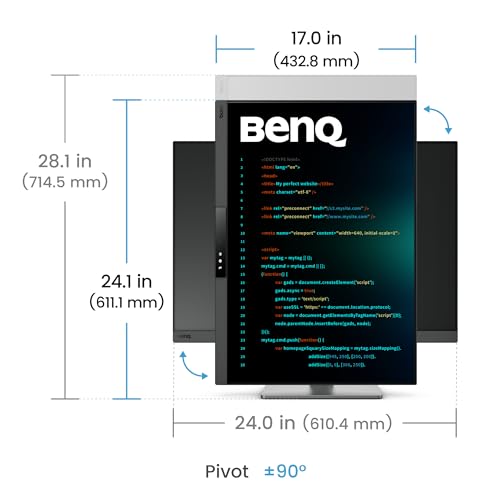
Key specs: 28.2-inch IPS, 3840 x 2560 (3:2), 164 PPI | 120Hz with FreeSync Premium | 350 nits typical, DisplayHDR 400 | 95% P3 | USB-C with 90W power delivery, USB-C out (15W) for daisy chaining | HDMI 2.1, DisplayPort 1.4 | KVM

BenQ Programming Monitor RD280UG 28.2" 4K+, 120Hz Refresh Rate, 3:2 Aspect Ratio, Nano Matte Panel, MoonHalo Backlight, Coding Modes, 2000:1 Contrast Ratio, Eye-Care to Deliver Effortless Coding View




As an Amazon Associate we earn from qualifying purchases. Product prices and availability are accurate as of the date/time indicated.
Best for: developers who want the most lines of code per screen and a single-cable laptop setup. Skip if: you also watch a lot of widescreen video or play games on the same monitor.
BenQ’s RD280UG is the upgraded version of the RD280U, the monitor most often recommended in developer communities, and it fixes the original’s biggest weakness by moving from 60Hz to 120Hz. The 3:2 panel has 2,560 vertical pixels, which is 400 more than a 16:9 4K monitor and 1,120 more than a 1440p screen. In practice, that means a meaningful number of extra lines in your editor without shrinking the font.
BenQ built the RD series around coding. The Nano Matte panel cuts reflections, dedicated coding modes tune contrast for dark and light themes, and the MoonHalo rear light provides soft bias lighting to reduce eye strain in a dim room. The 90W USB-C port is enough for most 13- to 16-inch laptops, and the downstream USB-C port supports daisy chaining a second monitor at full resolution and refresh rate. The built-in KVM lets you switch keyboard and mouse between a work laptop and a desktop.
Compared with the Dell U2725QE, you get more vertical space and a more coding-focused feature set, but lower charging power (90W versus up to 140W) and no Ethernet. At 164 PPI, text is about as sharp as a 27-inch 4K screen. It sits in the upper-mid tier, which is fair for a specialist monitor.
Pros
- 3:2 aspect ratio shows more code than 16:9
- 120Hz refresh for smoother scrolling
- Coding modes, matte panel and MoonHalo backlight
- 90W USB-C, daisy chaining and KVM
Cons
- 3:2 shape letterboxes widescreen video
- 90W may not fully charge high-power laptops under load
2. Dell UltraSharp U2725QE: Best for Laptop Docking
Key specs: 27-inch IPS Black, 3840 x 2160, 163 PPI | 120Hz | 3000:1 contrast, DisplayHDR 600 | 99% DCI-P3 | Thunderbolt 4 upstream with up to 140W (90W on non-EPR laptops) | Thunderbolt 4 out for daisy chaining | 2.5GbE | HDMI 2.1, DisplayPort 1.4

Dell UltraSharp U2725QE 27-Inch 4K UHD IPS Black Monitor | HDMI 2.1, USB-C, USB-A, Connectivity, Ethernet ports, giving you flexibility for virtually any device


As an Amazon Associate we earn from qualifying purchases. Product prices and availability are accurate as of the date/time indicated.
Best for: laptop developers who want one cable for display, charging, Ethernet and peripherals. Skip if: you want built-in speakers or the extra height of a 3:2 panel.
The U2725QE is the most complete docking monitor in this guide. Its Thunderbolt 4 hub carries video, data and up to 140W of power to laptops that support USB Power Delivery’s EPR mode, with 90W for others. Add a 2.5GbE Ethernet port, multiple 10Gbps USB ports and a Thunderbolt 4 output for daisy chaining, and it replaces a separate dock entirely.
Image quality is a step up from typical office panels. Dell’s IPS Black technology rates 3000:1 contrast, roughly double standard IPS, which makes dark editor themes look deeper and crisper. The 120Hz refresh makes scrolling smooth, and the 27-inch 4K resolution gives about 163 PPI. On Windows, 150% scaling gives a workspace similar to a 1440p screen with much sharper text.
Against the BenQ RD280UG, the Dell has better contrast, stronger charging and wired networking; the BenQ has more vertical space and coding-specific features. Dell’s stand offers height, tilt, swivel and pivot adjustment, so rotating it to portrait for long files is easy. The main omission is speakers.
Pros
- Thunderbolt 4 hub with up to 140W charging
- 2.5GbE Ethernet and daisy chaining built in
- IPS Black 3000:1 contrast and 120Hz
- Fully adjustable stand with pivot
Cons
- No built-in speakers
- 140W charging requires an EPR-capable laptop
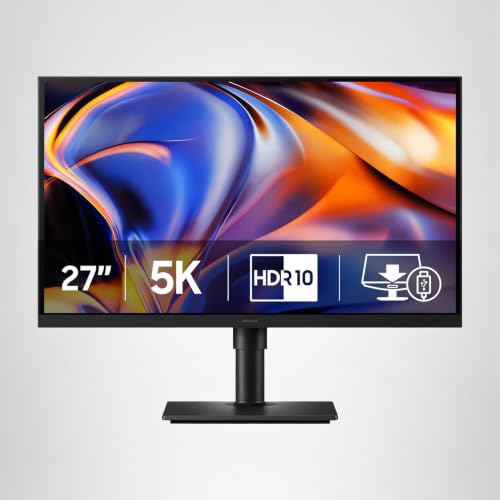
3. Samsung ViewFinity S8 S80HF: Best 5K Monitor for Mac Developers
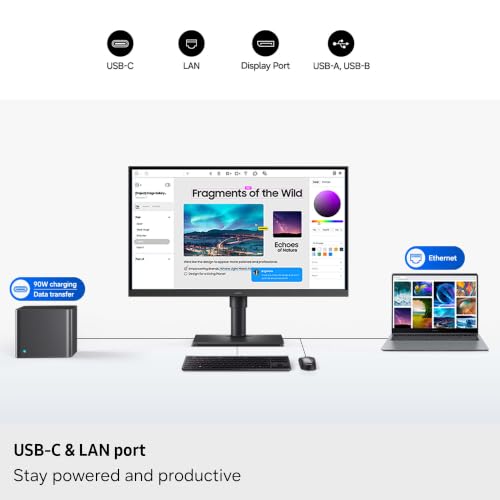
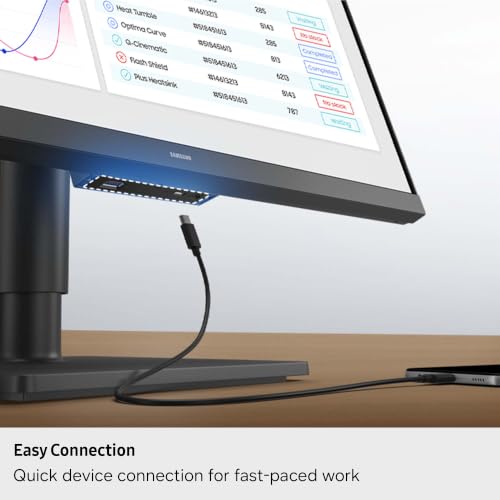
Key specs: 27-inch IPS, 5120 x 2880, 218 PPI | 60Hz | 350 nits, 99% sRGB, 10-bit color | USB-C with DisplayPort Alt Mode and 90W power delivery | HDMI 2.1, DisplayPort 1.4 | KVM, Ethernet | height, tilt, swivel and pivot stand

Samsung 27" ViewFinity S8 (S80HF) Series High-Resolution Monitor | 5K (5120x2880), HDR10, Eye Saver Mode, USB-C Port, Samsung Display Manager, LS27H800EFAXZA



As an Amazon Associate we earn from qualifying purchases. Product prices and availability are accurate as of the date/time indicated.
Best for: MacBook and Mac mini users who want true Retina-class text without paying Apple display prices. Skip if: you want 120Hz or built-in speakers.
macOS renders text best at about 218 PPI, where it can use clean 2x scaling. A 27-inch 4K monitor sits at about 163 PPI, so macOS either uses non-integer scaling or makes everything look large. The 5K S80HF solves that: at 5120 x 2880 on 27 inches, it gives the same “looks like 2560 x 1440” workspace as an Apple Studio Display with perfectly sharp text.
Samsung includes 90W USB-C charging, a KVM switch, picture-by-picture modes and an Ethernet port, plus a stand that pivots to portrait. Its limits are clear: the panel tops out at 60Hz, HDR support is basic, and there are no speakers. For text-heavy work, none of those matter much.
Compared with Apple’s own Studio Display, the S80HF trades the camera, speakers and premium build for a much lower price tier. Compared with the Dell U2725QE, it offers far sharper text on a Mac but less smooth motion and weaker charging. Windows users can enjoy it too at 200% scaling, though the benefit is biggest on macOS.
Pros
- 218 PPI 5K for crisp macOS text at 2x scaling
- 90W USB-C, KVM and Ethernet
- Pivot stand for portrait coding
Cons
- 60Hz refresh
- No speakers; basic HDR
4. LG UltraFine evo 40U990A: Best Ultrawide for Programming
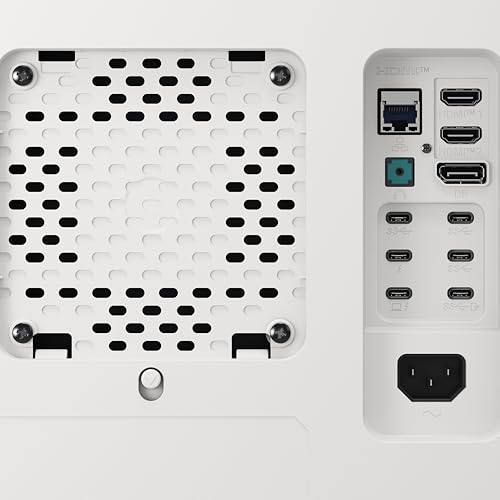
Key specs: 39.7-inch curved (2500R) Nano IPS Black, 5120 x 2160 (21:9), 140 PPI | 120Hz | 2000:1 contrast, 450 nits, DisplayHDR 600 | 99% DCI-P3 | Thunderbolt 5 with 96W charging and 80Gbps data | HDMI 2.1, DisplayPort 2.1 | KVM, Ethernet, speakers

LG 40U990A-W 40-inch Ultrafine evo 5K2K WUHD (5120 x 2160) Nano IPS Curved Monitor, Thunderbolt 5, DisplayHDR 600, Built-in Speaker, 120Hz, HDMI 2.1, DP 2.1, USB C, Tilt/Height/Swivel Stand, White



As an Amazon Associate we earn from qualifying purchases. Product prices and availability are accurate as of the date/time indicated.
Best for: developers who want an editor, documentation and a terminal side by side on one seamless screen. Skip if: your desk is shallow or you prefer two separate monitors.
A 5K2K ultrawide is the cleanest replacement for a dual-monitor setup. At 5120 x 2160, it has the same vertical resolution as a 4K monitor and a third more horizontal space, enough for three full code panes or an IDE with a browser and terminal beside it. LG’s 40U990A was billed as the first 5K2K monitor with Thunderbolt 5, and it runs at 120Hz.
The Thunderbolt 5 port carries video, 80Gbps data and 96W of charging over one cable, and it supports daisy chaining a second display. A built-in KVM, Ethernet and speakers make it a full desk hub. At 140 PPI, text is sharp but not quite as fine as 27-inch 4K; most users run it at 100% to 125% scaling on Windows.
Compared with Dell’s U4025QW, another 40-inch 5K2K 120Hz panel, LG’s newer model moves to Thunderbolt 5 while Dell sticks with Thunderbolt 4 at up to 140W. Note that some Mac users report needing specific settings or cables to get the full 120Hz; check compatibility with your Mac model. The monitor is large and heavy, so a sturdy desk at least 70 to 80 cm deep is recommended.
Pros
- Replaces two monitors with one seamless 5K2K screen
- 120Hz with Thunderbolt 5 single-cable docking
- KVM, Ethernet and speakers included
Cons
- Premium price and heavy footprint
- 96W charging is below Dell’s 140W docking monitors
5. BenQ RD320U: Best 32-Inch Coding Monitor
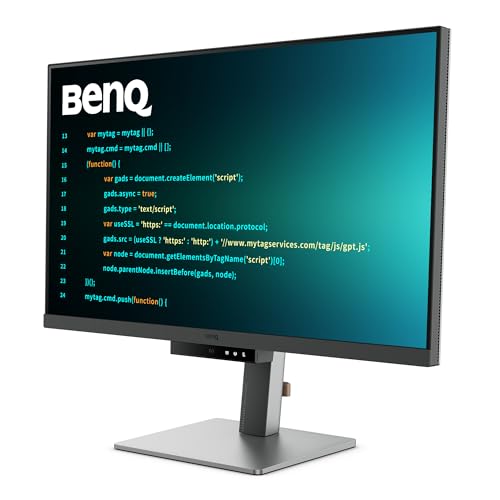
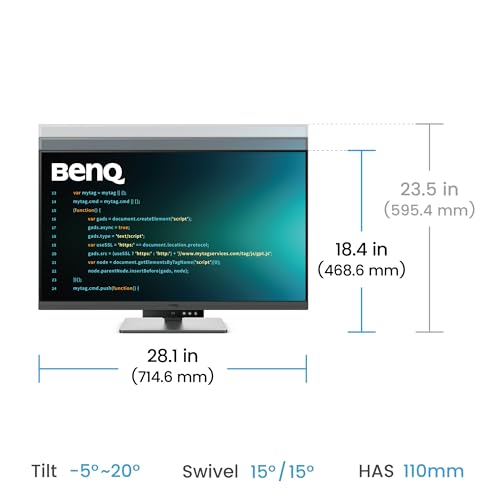
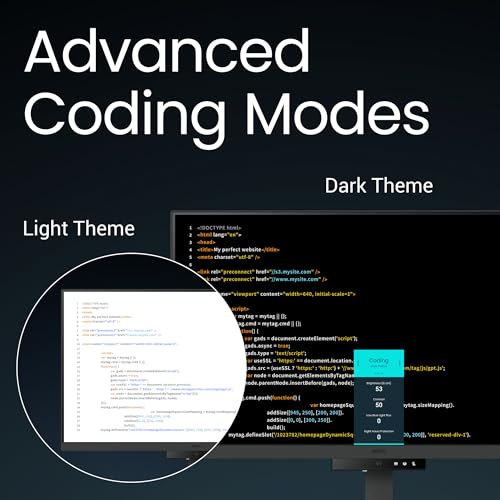
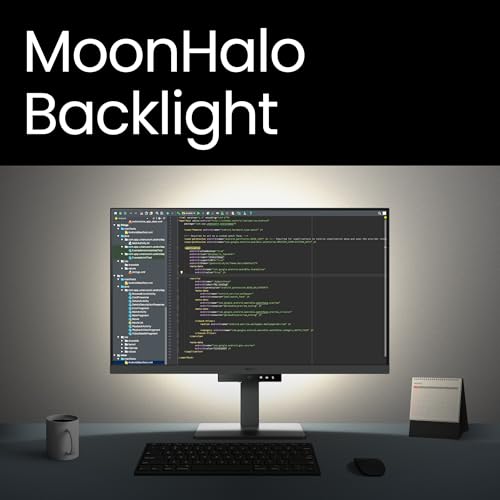
Key specs: 31.5-inch IPS, 3840 x 2160, 140 PPI | 60Hz | 2000:1 contrast, 400 nits | USB-C with 90W power delivery and MST daisy chaining | 2x HDMI 2.0, DisplayPort 1.4 | 2x 3W speakers | Nano Matte panel, MoonHalo backlight, coding modes
BenQ RD320U 32” 4K 3840x2160 Programming Monitor with 2000:1 Contrast Ratio, Nano Matte Panel, Backlight, 90W USB-C, Coding Modes, Night Hours Protection, Ergonomic Design, and Eye-Care Technology





As an Amazon Associate we earn from qualifying purchases. Product prices and availability are accurate as of the date/time indicated.
Best for: developers with a deep desk who want a large 4K canvas without going ultrawide. Skip if: you care about refresh rate or want the sharpest possible text.
The RD320U brings BenQ’s coding features to a 31.5-inch 4K panel. The larger size makes 4K usable at 100% to 125% scaling on Windows, which gives you more real workspace than a 27-inch 4K monitor run at 150%. That is ideal for two full-width code panes, or a code window plus a browser for documentation.
Like the RD280UG, it includes BenQ’s matte panel, coding display modes and MoonHalo backlight, along with 90W USB-C charging and MST daisy chaining. The 2000:1 contrast ratio is better than typical IPS, and BenQ adds 3W speakers. Most spec sheets list 60Hz as the maximum refresh rate, which is the main trade-off versus the 120Hz picks.
Compared with the RD280UG, the RD320U gives you a physically bigger screen and more horizontal space but lower density (140 versus 164 PPI) and a standard 16:9 shape. Compared with Dell’s 32-inch U3225QE, it costs less but lacks 120Hz and Thunderbolt.
Pros
- Large 4K workspace at comfortable scaling
- Coding modes, matte panel and backlight
- 90W USB-C, daisy chaining and speakers
Cons
- 60Hz refresh
- Lower pixel density than 27-inch 4K
6. LG UltraFine evo 32U990A: Best Premium Programming Monitor
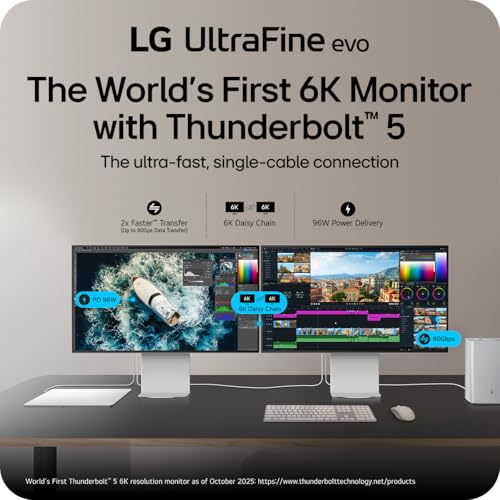
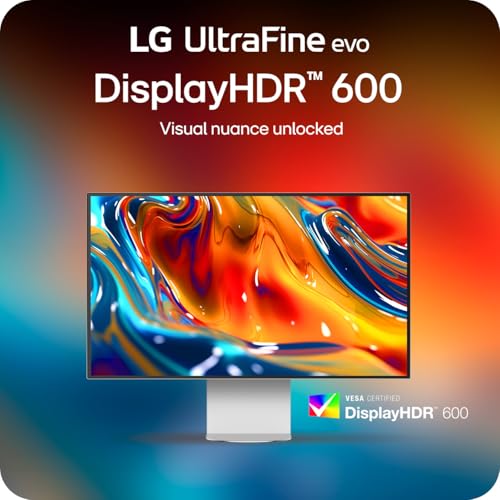
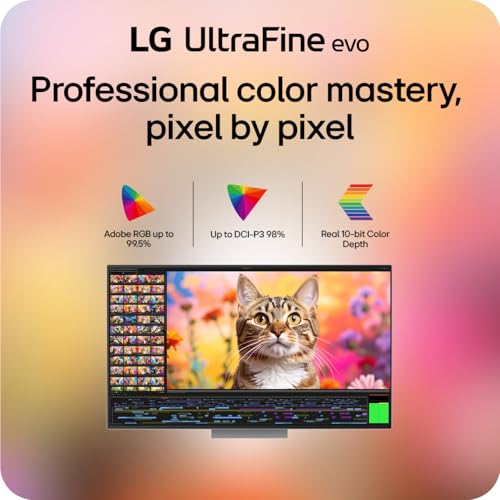
Key specs: 31.5-inch IPS Black, 6144 x 3456, 224 PPI | 60Hz | 2000:1 contrast, DisplayHDR 600 | 98% DCI-P3, 99.5% Adobe RGB | 2x Thunderbolt 5 (96W charging, 80Gbps) | DisplayPort 2.1, HDMI 2.1 | KVM, 2x 5W speakers

LG 32U990A-S 32-Inch Ultrafine 6K (6144 x 3456) Nano IPS Black Thunderbolt 5 Professional Monitor, 60Hz, DisplayHDR 600, Speakers, HDMI 2.1, DisplayPort 2.1, USB-C, Tilt/Height/Pivot Stand, Silver




As an Amazon Associate we earn from qualifying purchases. Product prices and availability are accurate as of the date/time indicated.
Best for: developers who want the sharpest text on a large screen, especially on a Mac. Skip if: you need 120Hz or are working to a tight budget.
The 32U990A is a 6K monitor with 224 PPI on a 31.5-inch panel, matching Apple’s Retina density at a larger size. On a Mac, that means 2x scaling with a workspace equivalent to roughly 3072 x 1728, noticeably roomier than a 27-inch 5K screen. Text is extremely crisp, which helps if you read code for eight or more hours a day.
LG calls it the first 6K monitor with Thunderbolt 5. One TB5 port delivers 96W of charging and 80Gbps data; the second supports daisy chaining a second 6K display. IPS Black contrast, DisplayHDR 600 and wide color coverage also make it a strong choice if you do design or photo work alongside development.
Against the Samsung S80HF, the LG offers a bigger screen at the same Retina-class density, more ports and Thunderbolt 5, at a much higher price tier. Against the Apple Studio Display XDR, it gives more screen area but lacks 120Hz, mini-LED and a camera. Dell’s 32-inch 6K U3224KB is an alternative with a built-in webcam, but it uses Thunderbolt 4.
Pros
- 224 PPI 6K for Retina-sharp text at 32 inches
- Dual Thunderbolt 5 with 96W charging and daisy chaining
- Wide color coverage for design work
Cons
- Premium price
- 60Hz refresh
7. Dell S2725QS: Best Budget Monitor for Programming
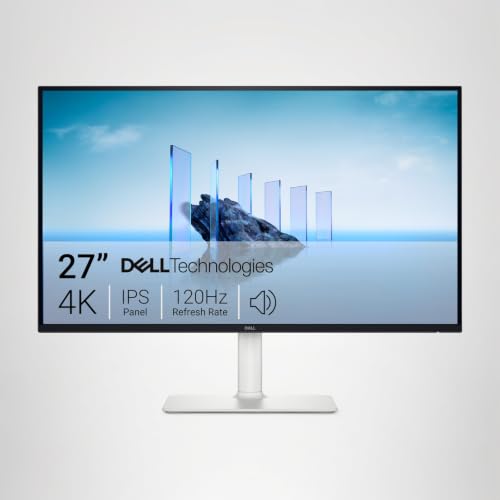
Key specs: 27-inch IPS, 3840 x 2160, 163 PPI | 120Hz with FreeSync Premium | 99% sRGB | 2x HDMI (4K 120Hz), DisplayPort 1.4 | dual 5W speakers | height, tilt, swivel and pivot stand

Dell 27 Monitor S2725QS, 4K UHD IPS, 120Hz, 5ms, FreeSync Premium | 350 cd/m2 Brightness, 1,500:1 Contrast, 99% sRGB, Anti-Glare, HDMI, DisplayPort, USB‑C, Height Adjustable, Swivel, Pivot


As an Amazon Associate we earn from qualifying purchases. Product prices and availability are accurate as of the date/time indicated.
Best for: anyone who wants sharp 4K text and smooth 120Hz scrolling for an entry-level price. Skip if: you need USB-C charging or a USB hub.
The S2725QS is the easiest recommendation for developers on a budget. It offers the same 27-inch 4K resolution and 163 PPI as monitors that cost two or three times more, plus a 120Hz refresh rate that many pricier productivity monitors lack. Dell’s stand includes height adjustment and pivot, so you can rotate it to portrait for long files.
The trade-off is connectivity. The S2725QS has only HDMI and DisplayPort inputs, with no USB ports at all, so there is no single-cable laptop docking. If you need that, Dell’s S2725QC adds USB-C with 65W charging and a small USB hub for a modest step up in price. For desktop developers, or laptop users who already own a dock, the S2725QS is outstanding value.
Pros
- 27-inch 4K at 163 PPI for sharp text
- 120Hz refresh rate at a budget price
- Pivot stand and built-in speakers
Cons
- No USB-C or USB hub
- Standard IPS contrast
Also Consider
Dell UltraSharp U3225QE

Dell UltraSharp U3225QE 32-inch 120Hz 16:9 IPS Black Monitor | Includes Monitor Screen Cleaner, and HDMI Cable
As an Amazon Associate we earn from qualifying purchases. Product prices and availability are accurate as of the date/time indicated.
Best for: a 32-inch docking monitor with everything. It has a 31.5-inch 4K IPS Black panel (3000:1), 120Hz, DisplayHDR 600, Thunderbolt 4 with up to 140W charging, 2.5GbE, KVM and an ambient light sensor. Trade-off: a higher price tier than the BenQ RD320U, and 140 PPI rather than 163.
Apple Studio Display XDR

Apple Studio Display XDR: Standard Glass, Tilt- and Height-Adjustable Stand


As an Amazon Associate we earn from qualifying purchases. Product prices and availability are accurate as of the date/time indicated.
Best for: Mac developers who want the best Apple display. Announced in March 2026, it has a 27-inch 5K panel at 218 PPI with a 2,304-zone mini-LED backlight, up to 120Hz with Adaptive Sync, two Thunderbolt 5 ports with 140W charging, a 12MP Center Stage camera and six speakers. Trade-off: premium pricing, and 120Hz requires an M4-or-later Mac on a recent macOS version.
LG 34WN80C-B

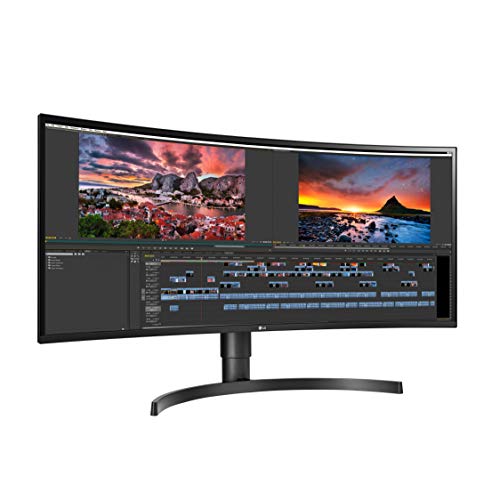
LG 34WN80C-B UltraWide Monitor 34” 21:9 Curved WQHD (3440 x 1440) IPS Display, USB Type-C (60W PD), sRGB 99% Color Gamut, 3-Side Virtually Borderless Design, Tilt/Height Adjustable Stand - Black


As an Amazon Associate we earn from qualifying purchases. Product prices and availability are accurate as of the date/time indicated.
Best for: a budget ultrawide for side-by-side windows. It offers a 34-inch curved 3440 x 1440 IPS panel with USB-C (60W power delivery) and 99% sRGB. Trade-off: about 110 PPI, so text is noticeably softer than on the 4K and 5K picks.
Pixel Density and Text Sharpness by Size
Pixel density is the single most important spec for a coding monitor. The table shows common size and resolution combinations, their density and how they typically scale on each operating system.
| Size and Resolution | PPI | Text Sharpness | Typical Windows Scaling | macOS Behavior |
|---|---|---|---|---|
| 24″ 1920 x 1080 | 92 | Soft | 100% | Low-density, visible pixels |
| 27″ 2560 x 1440 | 109 | Acceptable | 100% | Low-density, text less crisp |
| 34″ 3440 x 1440 | 110 | Acceptable | 100% | Low-density |
| 31.5″ 3840 x 2160 | 140 | Sharp | 125% to 150% | Non-integer scaling |
| 39.7″ 5120 x 2160 | 140 | Sharp | 100% to 125% | Non-integer scaling |
| 27″ 3840 x 2160 | 163 | Very sharp | 150% | Scaled “looks like 1440p” (non-integer) |
| 28.2″ 3840 x 2560 (3:2) | 164 | Very sharp | 150% | Scaled (non-integer) |
| 27″ 5120 x 2880 | 218 | Retina-class | 200% | Clean 2x, looks like 2560 x 1440 |
| 31.5″ 6144 x 3456 | 224 | Retina-class | 200% | Clean 2x, looks like 3072 x 1728 |
Docking and Connectivity Compared
| Monitor | Upstream Connection | Max Laptop Charging | Daisy Chain | Ethernet | KVM | Speakers |
|---|---|---|---|---|---|---|
| BenQ RD280UG | USB-C (DP Alt Mode) | 90W | Yes (USB-C out) | No | Yes | Yes |
| Dell U2725QE | Thunderbolt 4 | 140W (EPR), 90W otherwise | Yes (Thunderbolt 4 out) | 2.5GbE | Yes | No |
| Samsung S80HF | USB-C (DP Alt Mode) | 90W | Not listed | Yes | Yes | No |
| LG 40U990A | Thunderbolt 5 | 96W | Yes | Yes | Yes | Yes |
| BenQ RD320U | USB-C (DP Alt Mode) | 90W | Yes (MST) | No | Not listed | Yes |
| LG 32U990A | Thunderbolt 5 | 96W | Yes | Not listed | Yes | Yes |
| Dell S2725QS | HDMI / DisplayPort only | None | No | No | No | Yes |
How We Chose
We started with the current monitor lineup from BenQ, Dell, LG, Samsung and Apple, then narrowed it to models that suit text-heavy work. Each monitor was scored on:
- Pixel density: 140 PPI minimum for main picks, with extra credit for 160+ and Retina-class 218+.
- Vertical workspace: resolution, aspect ratio and whether the stand pivots to portrait.
- Docking: USB-C or Thunderbolt power delivery, hub ports, Ethernet, KVM and daisy chaining.
- Comfort: matte coatings, contrast, flicker-free backlights and refresh rate.
- Value: how each model compares with others in its price tier.
Our sources were manufacturer specification pages, retailer listing specs and independent monitor reviews from established publications. These picks are research-based. We did not run our own measurements, and any comparisons are based on published specifications.
Buying Guide: Choosing a Monitor for Coding
Pixel Density Beats Everything Else
For coding, aim for at least 140 PPI. That means 4K at 27 to 32 inches, 5K2K at 40 inches, or 5K and 6K for Retina-class text. A 27-inch 1440p monitor at 109 PPI is usable but text looks noticeably softer, especially with small fonts. If you use a Mac, 218 PPI (27-inch 5K or 32-inch 6K) gives the cleanest result because macOS can scale at exactly 2x.
Pick the Right Size for Your Desk
A 27-inch screen is the sweet spot for most developers at a typical 60 to 70 cm viewing distance. Choose 32 inches if you have a deep desk and want two full code panes side by side at comfortable scaling. Choose a 34- to 40-inch ultrawide if you want one screen to replace two; plan for at least 70 cm of desk depth for a 40-inch model.
Aspect Ratio and Vertical Space
Code is tall, not wide. A 3:2 monitor like the BenQ RD280UG gives 2,560 vertical pixels at 28 inches, 18.5% more than a 16:9 4K panel’s 2,160. A 16:9 monitor rotated to portrait gives even more height for a secondary screen showing logs or documentation. Ultrawides add width, not height, so they suit multi-pane layouts more than reading long files.
USB-C and Thunderbolt Docking
If you code on a laptop, single-cable docking is worth paying for. Match the monitor’s power delivery to your laptop: 65W covers most ultrabooks, 90W to 96W covers most 14- to 16-inch laptops, and 140W suits high-power machines like 16-inch MacBook Pros under heavy load. Thunderbolt adds faster data and more reliable daisy chaining; built-in Ethernet removes yet another dongle.
Refresh Rate: Nice, Not Required
Coding does not require high refresh rates, but 120Hz makes scrolling and window movement smoother and can feel easier on the eyes over a long day. Several 2026 productivity monitors, including the RD280UG, U2725QE and S2725QS, now offer 120Hz without gaming-monitor compromises. If you also game, a 120Hz 4K panel is a reasonable middle ground.
Ergonomics and Eye Comfort
Look for height adjustment, tilt, swivel and pivot. Matte anti-glare coatings help with dark themes, and flicker-free backlights are standard on reputable brands. A monitor light bar or bias light behind the screen reduces contrast between the bright display and a dark room, which many developers find more comfortable at night.
One Ultrawide or Two Monitors?
A single 5K2K ultrawide such as the LG 40U990A gives you one seamless surface with no bezel in the middle, one cable to your laptop and a tidy desk. It works best if you like three panes side by side and use window snapping heavily. Two monitors, for example a 27-inch 4K plus a second 27-inch 4K in portrait, give you more total pixels, more flexible positioning and a dedicated vertical screen for long files or logs, usually for less money. They also let you mix panel types, such as a 3:2 main screen and a cheaper secondary display.
Choose the ultrawide if desk simplicity and a single dock matter most. Choose two monitors if you want the most vertical space, the lowest cost per pixel or a portrait screen. If you work mainly on a laptop, a single high-PPI 27-inch monitor beside the laptop’s own screen is often enough.
FAQ
What is the best monitor for programming in 2026?
The BenQ RD280UG is the best monitor for programming for most people. Its 28.2-inch 3:2 panel at 3840 x 2560 shows more lines of code than 16:9 4K, it runs at 120Hz, and it offers 90W USB-C. For laptop docking with Thunderbolt and Ethernet, the Dell U2725QE is the top alternative.
Is 4K or 1440p better for programming?
4K is better. At 27 inches, 4K gives about 163 PPI versus 109 PPI for 1440p, so text is much sharper and easier on the eyes over long sessions. With 150% scaling on Windows, 4K gives a similar workspace to 1440p but with far cleaner fonts.
What size monitor is best for coding?
27 inches is the best size for most developers. It fits typical desks and gives sharp text at 4K. Choose 32 inches for a larger 4K workspace if your desk is deep, or a 34- to 40-inch ultrawide if you want to replace two monitors with one.
Is an ultrawide monitor good for programming?
Yes, if you like several windows side by side. A 5K2K ultrawide like the LG 40U990A gives 4K-level vertical resolution with a third more width. Lower-resolution 3440 x 1440 ultrawides are cheaper but have softer text at about 110 PPI.
Does a vertical monitor help with programming?
Yes. Rotating a 16:9 monitor to portrait shows far more lines of code, logs or documentation at once. Many developers use one landscape main screen and one portrait secondary screen. Make sure the stand supports pivot, or use a monitor arm.
What is the best monitor for programming on a Mac?
A 5K or 6K monitor at about 218 to 224 PPI gives the sharpest macOS text with clean 2x scaling. The Samsung ViewFinity S8 S80HF is the value 5K pick, the LG 32U990A is the larger 6K option, and the Apple Studio Display XDR adds 120Hz and a camera.
Do I need a high refresh rate monitor for coding?
No, but it helps. Coding works fine at 60Hz. A 120Hz panel makes scrolling through long files smoother and the desktop feel more responsive, and several productivity monitors now offer it without a big price premium.
How much USB-C power delivery do I need?
Match it to your laptop charger. 65W suits most ultrabooks, 90W to 96W handles most 14- to 16-inch laptops, and 140W is best for high-power laptops under sustained load. If the monitor supplies less than your laptop draws, it may charge slowly while you work.
Which Monitor for Programming Should You Buy?
- You want the most code on screen: BenQ RD280UG.
- You code on a laptop and want one-cable docking: Dell UltraSharp U2725QE.
- You use a Mac and want Retina-sharp text for less: Samsung ViewFinity S8 S80HF.
- You want one screen instead of two: LG UltraFine evo 40U990A.
- You want a big 4K canvas on a deep desk: BenQ RD320U.
- You want the sharpest large screen available: LG UltraFine evo 32U990A.
- You want 4K and 120Hz on a tight budget: Dell S2725QS.
If you are unsure, a 27-inch 4K or 28-inch 3:2 monitor with a pivoting stand covers nearly every coding setup well.
Sources
- BenQ: RD280UG, RD280U and RD320U specification pages
- Dell: UltraSharp U2725QE, U3225QE, U4025QW and S2725QS specifications
- LG: UltraFine evo 40U990A and 32U990A product pages
- Samsung: ViewFinity S8 S80HF specifications
- Apple: Studio Display XDR technical specifications (March 2026)
Last updated: October 10, 2026