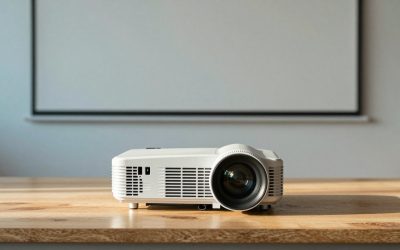
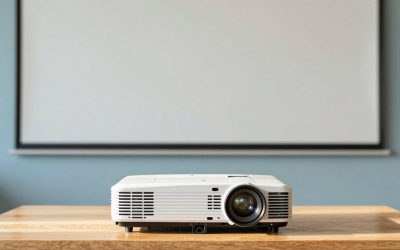
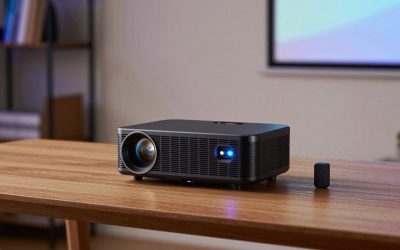
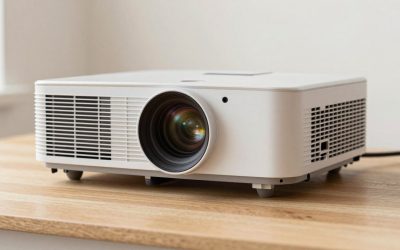
The slide deck is finished, the room is booked, and then the projector shows a gray, unreadable rectangle because the overhead lights are on. Presentation projectors exist to prevent that moment. They are chosen for brightness, for clear text, for ports that match the laptop in your bag, and for lens controls that fix a crooked image without a ladder. Movie qualities such as deep blacks and HDR matter far less than whether the back row can read a spreadsheet cell.
This guide is for teachers, trainers, small-business owners, and anyone who presents in a room they do not control. It covers eight projectors, from classroom-ready ViewSonic and Epson models with stated lumen figures to home-oriented Wi-Fi projectors that list HDMI and laptop compatibility but not a brightness number. Everything is judged from the listing titles for 2026 shopping, so where a title leaves out lumens or ports, the review says to confirm them before ordering.
Our Top Picks
Top 3 picks at a glance
Quick Picks
As an Amazon Associate we earn from qualifying purchases at no extra cost to you.




| Product | Best for | Key spec from the title |
|---|---|---|
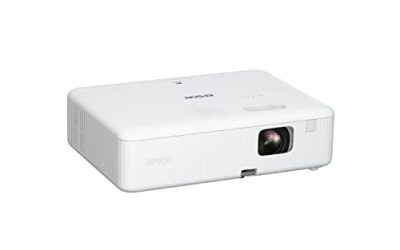
| Epson EpiqVision Flex CO-W01 | Portable presenting | 3-chip 3LCD, 3000 lumens, 300-inch display, HDMI |
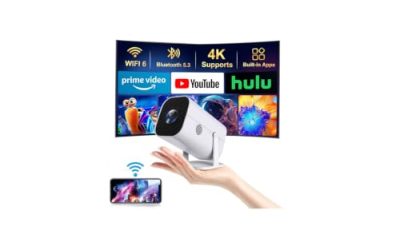
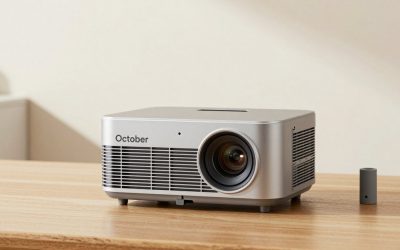
| High Brightness Large Projector | Home and business hybrid | WiFi, Bluetooth, 450-inch display, HIFI speaker |
| Native 1080P WiFi 6 Projector | Wireless casting at home | Native 1080P, WiFi 6, two-way Bluetooth |
| AuKing Mini Projector | Travel with a laptop | Full HD 1080P, HDMI, USB, AV inputs |
| ViewSonic PA503HD | Classrooms and training rooms | 1080p, 4000 lumens, optical zoom, auto keystone |
| ViewSonic LS740W | Fixed installs with long life | WXGA laser, 5500 lumens, optical zoom |
| ViewSonic PA503W | Budget bright rooms | WXGA DLP, 4000 lumens, VGA, vertical keystone |
| Roconia 5G WiFi Projector | Casual presenting from phones | Native 1080, 5G WiFi, Bluetooth, 300-inch display |
How to Choose
Brightness for the room you will actually use
Presentation rooms are rarely dark. A conference room with overhead lights typically needs 3000 lumens at the low end and 4000 or more for comfort, which is where the ViewSonic PA503HD and PA503W sit, with the LS740W higher at 5500. The Epson CO-W01 lists 3000 lumens of both color and white brightness, which helps charts keep their color under room lighting. Several home-style listings here state no lumens at all; treat that as a warning and find the measured number before relying on them in a lit space.
Audience size changes the math as well. A projector that looks fine to six people at a table can look dim to thirty in a hall, because the same light is spread over a larger screen. A rough guide: for screens under 80 inches in a room with the lights dimmed, 3000 lumens will do; for screens of 100 inches or more with lights partly on, move to 4000 lumens or higher. When in doubt, buy the brighter model and use an eco mode when the room is dark.
Resolution: XGA, WXGA, and 1080p
WXGA at 1280 by 800, as on the PA503W and LS740W, fits widescreen laptops well and renders slide text cleanly. 1080p, as on the PA503HD and several home models, gives more detail for dense charts and video clips. For a typical slide deck, either is fine. If your presentations are mostly dashboards or code, step up to 1080p; if they are mostly large-font slides, WXGA saves cost and is often brighter for the money.
Ports and wireless options
The most common failure point in a meeting is the cable. HDMI is standard, and a VGA port, listed on the PA503W, saves you when an older laptop or room switcher appears. USB can help for reading files from a drive. Wireless casting through Wi-Fi and Bluetooth, listed on several home models, is convenient but depends on the room network and device compatibility, so keep an HDMI cable as a backup. Business models in the group favor ports over apps; home models favor apps over ports.
Lens controls, mounting, and what budget units skip
Optical zoom, vertical keystone, and ceiling mount support, which the ViewSonic titles list, let you adapt to any room without moving the table. Budget projectors often rely on digital keystone, which shrinks the picture and softens it, and may skip zoom and mounting provisions. Also watch for lamp life on lamp-based units; laser projectors like the LS740W avoid lamp swaps. Ignore giant display-size claims such as 300 or 450 inches, which describe a maximum, not a usable size.
Finally, think about the unglamorous details that decide whether a talk starts on time. Audio matters if you play video clips: built-in speakers on small projectors are adequate for a quiet room but thin for a large one, so plan on a separate speaker for more than a dozen people. Startup and cool-down time matter when you share a room with the next speaker. And a remote with a pointer or page-advance buttons, where included, saves you from standing at the laptop for the whole session.
The 8 Best Options
Epson EpiqVision Flex CO-W01
A portable 3-chip 3LCD projector with 3000 lumens of color and white brightness, a display up to 300 inches, and an HDMI port. It suits presenters who carry their own projector and need strong color in moderately lit rooms.
- Strength: 3000 lumens of both color and white brightness help charts stay vivid.
- Strength: portable design is easy to carry between rooms.
- Trade-off: the title lists only one HDMI port and no VGA.
Skip it if you need ceiling mounting or 4000-plus lumens for a large lit room.
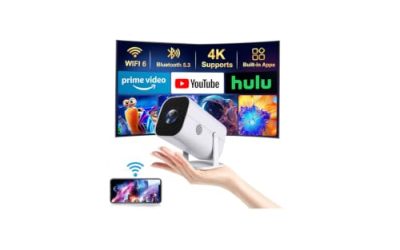
High Brightness Large Projector
A projector with Wi-Fi, Bluetooth, a stated 450-inch display, a HIFI speaker, and 4K claims for home theater and business use. It targets buyers who want one unit for both work and entertainment.
- Strength: wireless features and a speaker reduce extra gear.
- Strength: it explicitly lists business use among its roles.
- Trade-off: the title names no lumens or ports, so confirm both before buying.
Skip it if you need a verified brightness figure for a lit office.
Native 1080P WiFi 6 Projector
A native 1080P projector with Wi-Fi 6 and two-way Bluetooth, described for outdoor movies and home theater. It can present wirelessly from a phone or laptop, though its focus is entertainment.
- Strength: native 1080P is stated, which keeps text readable.
- Strength: Wi-Fi 6 and Bluetooth simplify casting and audio.
- Trade-off: it is positioned for movies, with no business-oriented brightness figure.
Skip it if the room has overhead lights on during presentations.
AuKing Mini Projector
A Full HD 1080P mini projector with HDMI, USB, AV, smartphone, TV box, and laptop compatibility. It is the most compact entry and works for informal demos, travel, or a quick pitch at a small table where the lights can be dimmed.
- Strength: many input types, including HDMI and USB, give flexible connections.
- Strength: small size makes it easy to pack.
- Trade-off: no brightness figure appears in the title, and mini units are usually dim.
Skip it if the room is bright or the audience is large.
ViewSonic PA503HD
A 1080p Full HD DLP projector with 4000 lumens, HDMI, USB, optical zoom, auto keystone, 120Hz, and ceiling mount support, designed for classrooms. It brings bright output and sharper detail than WXGA models, which makes it the safer choice when slides carry tables, small labels, or embedded video that must stay readable from the back of the room.
- Strength: 4000 lumens and 1080p suit lit rooms and detailed slides.
- Strength: optical zoom, auto keystone, and ceiling mount make installation easy.
- Trade-off: DLP business units focus on brightness more than cinematic color.
Skip it if you want built-in streaming apps.
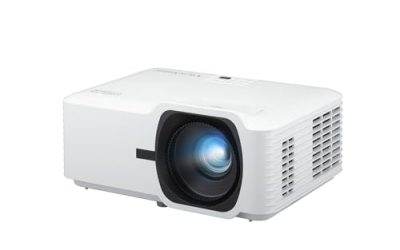
ViewSonic LS740W
A WXGA laser projector with 5500 lumens, optical zoom, keystone, and corner adjustment, aimed at education and fixed installs. It is the brightest unit listed, and the laser source avoids lamp replacement.
- Strength: 5500 lumens suit large rooms and bright halls.
- Strength: laser source reduces maintenance.
- Trade-off: WXGA resolution is lower than 1080p, so dense text is softer.
Skip it if you want full HD detail on a tight budget.
ViewSonic PA503W
A WXGA DLP projector with 4000 lumens, HDMI, vertical keystone, optical zoom, 120Hz, low latency, VGA, USB, and ceiling mount. It is a budget-friendly choice for classrooms and offices, particularly where a VGA cable still runs to the front of the room and a ceiling bracket is already in place.
- Strength: 4000 lumens and VGA suit older rooms and equipment.
- Strength: optical zoom and ceiling mount support install flexibility.
- Trade-off: WXGA is below the 1080p models for detail.
Skip it if you want smart apps or a high-resolution picture.
Roconia 5G WiFi Projector
A native 1080 projector with 5G Wi-Fi, Bluetooth, and a 300-inch display claim, compatible with iOS, Android, Xbox, and PlayStation. It suits phone-based casual presenting and home use.
- Strength: native 1080 resolution is stated.
- Strength: broad device compatibility makes casting simple.
- Trade-off: no brightness or business ports are listed.
Skip it if you need to present in a lit meeting room.
Which One Fits Your Situation
You teach in a bright classroom
The ViewSonic PA503HD offers 1080p, 4000 lumens, and ceiling mount support, while the PA503W gives a lower-cost WXGA alternative with VGA.
You present at client sites with your own gear
The Epson EpiqVision Flex CO-W01 is portable and bright enough for moderately lit rooms, with strong color from its 3LCD design.
You need a permanent install in a large room
The ViewSonic LS740W, with 5500 lumens and a laser source, fits a fixed install where low maintenance matters. Schools and training centers that run the projector for many hours each day benefit most from not having to schedule lamp replacements.
You mostly present from a phone at home or in small meetings
The Native 1080P Wi-Fi 6 projector or the Roconia casts wirelessly, but only if the room can be dimmed. Neither lists a stated brightness or a VGA port, so they suit living-room demos and small team huddles better than a full conference room. The High Brightness Large Projector is a third option in this camp, since its title names business use explicitly, though you should still confirm lumens and ports with the seller.
Common Mistakes
- Buying a home movie projector for a room with overhead lights on.
- Relying on wireless casting without an HDMI backup.
- Ignoring lens zoom and keystone, then struggling with an off-center image.
- Choosing 4K or display-size claims over measured lumens.
- Forgetting that a VGA or HDMI adapter may be needed for your laptop.
Related guides
- 24 Inch 240Hz Gaming Monitor For Esports
- Monitor Refresh Rate Vs Frame Rate Explained
- Gaming Monitor For Competitive Shooters
Frequently Asked Questions
How many lumens do I need for presentations?
Three thousand lumens is a practical minimum for rooms with some light, and 4000 or more suits lit meeting rooms. Dim, small rooms can use less.
Is 1080p necessary for slides?
No. WXGA is fine for large text and charts, but 1080p helps with dense spreadsheets and detailed visuals.
Laser or lamp?
Laser avoids lamp swaps and keeps steady brightness, which helps in fixed installs. Lamp models cost less up front.
Can I present wirelessly?
Many models support casting, but networks vary and delays happen. Keep an HDMI cable in your bag as a backup.