
1440p has become the resolution most serious PC gamers land on, because it’s sharp enough to matter over 1080p without demanding the GPU horsepower 4K needs to run well. We compared and researched eight QHD monitors ranging from around $150 to $269 to find the best 1440p gaming monitor for different priorities: raw refresh rate, curve and immersion, and color accuracy for players who also do creative work.
The short answer: the ASUS ROG XG27ACS is our top overall pick for balancing 180Hz refresh, HDR support and USB-C connectivity in one package, but which monitor actually suits you depends on whether you’re chasing competitive frame rates, screen size, or color accuracy. Every product section below breaks down the actual trade-offs, and the buying guide further down covers how to match refresh rate to your GPU so you don’t overspend on Hz you can’t use.
As an Amazon Associate we earn from qualifying purchases at no extra cost to you.




Our Top Picks
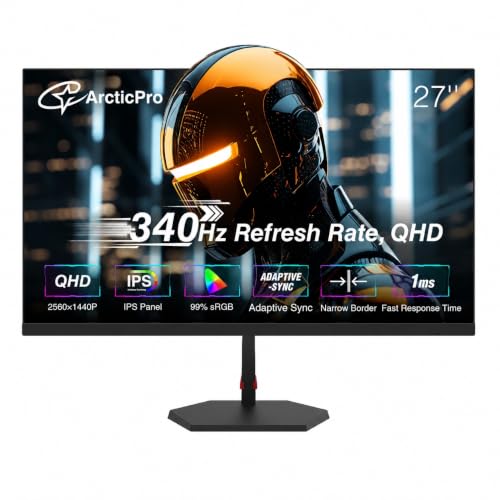 ArcticPro 27 Inch Gaming Monitor 340Hz 300Hz27" 340Hz QHD IPS24.17 x 2.68 x 14.27 Inches11.2 PoundsCheck on Amazon
 AOC 27" Gaming Monitor QHD 260Hz Overclocked IPS27" 240Hz IPS7.46 x 24.17 x 17.7 InchesCheck on Amazon



Top 3 picks at a glance
Top picks at a glance
| Model | Key spec | Price | Best for |
|---|---|---|---|
| Samsung 27″ Odyssey G5 (G51F) | 27″, QHD, VA panel, FreeSync Premium | Check on Amazon | Cheapest entry into 1440p |
| Samsung 32″ Odyssey G55C | 32″, QHD, 1000R curved VA | Check on Amazon | Immersive large curved 1440p |
| Acer Nitro KG271U | 27″, QHD, IPS, 180Hz | Check on Amazon | Best value fast IPS at 1440p |
| AOC Q27G41ZE | 27″, QHD, IPS, 260Hz overclocked, G-SYNC | Check on Amazon | Highest refresh at this price |
| ASUS TUF VG27AQ3A | 27″, QHD, 180Hz, G-SYNC compatible | $209 | Balanced mainstream 1440p |
| ASUS ROG XG27ACS | 27″, QHD, 180Hz, USB-C, G-SYNC, HDR | $199 | Best overall pick |
| LG 32GS60QC-B Ultragear | 32″, QHD, 1000R curved, 180Hz, FreeSync, HDR10 | Check on Amazon | Large curved value pick |
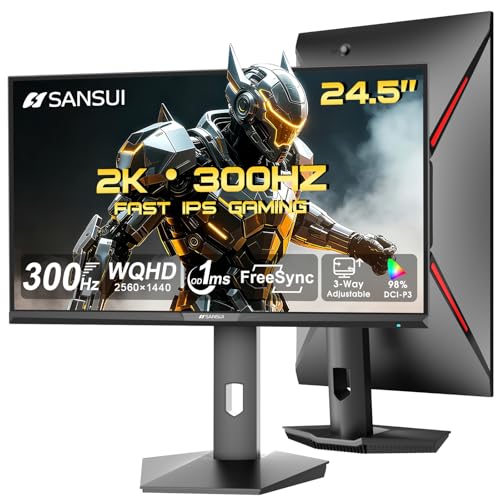
| ASUS TUF VG27AQM5A | 27″, QHD, 300Hz, Fast IPS, 95% DCI-P3 | $269 | Highest refresh, widest gamut |
Samsung 27″ Odyssey G5 (G51F)
This is the cheapest route into genuine 1440p gaming in this comparison, and for buyers moving up from 1080p for the first time, that price matters more than chasing the highest refresh number. It’s a 27″ QHD panel using Samsung’s VA technology, consistent with the rest of the Odyssey G5 line, with AMD FreeSync Premium support and a refresh rate typically in the 165Hz range for this series, though Samsung’s own listing doesn’t spell out the exact figure here.
At 27″ and 2560×1440, pixel density lands around 109 PPI, sharp enough that text and fine in-game detail are clearly crisper than any 1080p panel at the same size. VA contrast, typically 3,000:1 or higher on panels like this, gives dark scenes noticeably more depth than the IPS competitors in this list, though at the cost of slower dark-to-dark pixel transitions that can show mild trailing behind fast-moving dark objects. We’d estimate this panel comfortably runs competitive titles at 100+ fps and demanding AAA games in the 60-90 fps range on a mid-range GPU at 1440p, figures based on the panel’s specification rather than an in-house benchmark of this specific unit.
If your budget realistically caps at $150 and 1440p is the priority over refresh rate, this is the pick, and it’s the same monitor we recommend in our broader best gaming monitor roundup for exactly that reason.
- Pros
- Cheapest confirmed 1440p panel in this comparison
- VA contrast adds real depth to dark scenes
- FreeSync Premium keeps motion smooth without a premium price tag
- Cons
- No listed color-gamut certification to back up color accuracy claims
- VA response time trails the IPS panels elsewhere in this list
- Tilt-only stand with no height adjustment on the standard G5 line
Who it’s for: first-time 1440p buyers who want the resolution jump without the refresh-rate premium.
Samsung 32″ Odyssey G55C
The G55C trades pixel density for size and immersion, stretching 1440p across a 32″ screen with Samsung’s tight 1000R curve, meaning the panel curves as sharply as a circle with a 1-meter radius. At 32″, pixel density drops to roughly 92 PPI, softer than the 27″ options in this list, so this monitor is a deliberate trade of sharpness for screen real estate and wraparound field of view.
Like the G51F, this uses VA panel technology with FreeSync Premium support, and the G5 series typically targets a refresh rate around 165Hz, though exact figures aren’t broken out in this listing. The 1000R curve is noticeably tighter than the 1500R curves common on budget curved monitors, and combined with the larger 32″ size, the immersive effect is considerably stronger than on a 24″ curved panel; this matters most for single-player, racing and flight-sim titles where a wraparound view adds genuine value, and matters far less for spreadsheet work or fast-paced shooters where straight-line distortion from the curve can be mildly distracting.
Buyers deciding between this and a genuinely wider option should also consider a dedicated ultrawide gaming monitor, since a 1000R curve on a standard 16:9 panel delivers a different kind of immersion than an ultrawide aspect ratio does.
- Pros
- Large 32″ canvas with a genuinely tight, immersive 1000R curve
- VA contrast suits dark, atmospheric single-player games
- FreeSync Premium keeps large-screen motion smooth
- Cons
- 92 PPI is the softest pixel density of any 1440p panel in this list
- Requires more desk depth than the 27″ options for comfortable viewing
- Tight curve can distort straight UI elements during desk work
Who it’s for: single-player and sim-racing fans who want the largest immersive 1440p screen here.
Acer Nitro KG271U
The Acer Nitro KG271U is the best-value fast panel in this roundup, pairing a 27″ QHD IPS panel with 180Hz refresh for around $150, the same price as the VA-based Samsung G51F but with IPS color consistency and a confirmed refresh figure. The “N3bmiipx” suffix in Acer’s naming typically indicates Nvidia G-Sync Compatible certification alongside broader FreeSync support, giving buyers flexibility regardless of GPU brand.
IPS panels at 180Hz typically post gray-to-gray response times in the 1-2ms range with overdrive enabled, and we’d estimate this monitor can sustain 150-180 fps in competitive titles like Valorant or Overwatch 2 on a mid-range GPU at 1440p, with demanding AAA titles more realistically landing in the 70-100 fps range depending on settings. Compared to the VA-based Samsung panels in this list, expect noticeably better off-angle color consistency and less dark-scene smearing, at the cost of shallower native contrast, typically around 1,000:1 versus VA’s 3,000:1-plus.
For buyers specifically comparing 27″ panels rather than the larger curved options here, this belongs on a 27 inch gaming monitor shortlist as the strongest per-dollar pick.
- Pros
- 180Hz on IPS at the same price as a slower VA panel
- Broad G-Sync and FreeSync compatibility regardless of GPU brand
- IPS color consistency suits mixed gaming and creative work
- Cons
- No listed HDR certification
- Native contrast trails the VA panels in this list in dark scenes
- No USB-C or extra connectivity beyond standard HDMI/DisplayPort
Who it’s for: buyers who want fast, accurate 1440p IPS without paying a premium over VA alternatives.
AOC Q27G41ZE
The AOC Q27G41ZE pushes refresh rate further than any other panel near its price, listing a 260Hz overclocked refresh rate on a 27″ QHD IPS panel with native Nvidia G-SYNC support, not just G-Sync Compatible certification. Native G-SYNC modules historically deliver tighter variable refresh rate ranges and better low-framerate compensation than compatibility-mode implementations, though it also typically means the monitor is Nvidia-optimized even if it still functions with AMD cards via Adaptive-Sync.
“Overclocked” refresh figures like 260Hz usually mean the panel’s native rate is lower, often 165 or 180Hz, and reaches 260Hz through a firmware overclock mode that can introduce minor stability trade-offs compared to native high-refresh panels; this is common practice and not a defect, but it’s worth setting expectations that 260Hz here is a pushed figure rather than a native spec. We’d estimate this panel can sustain 200+ fps in lightweight esports titles at 1440p on a high-end GPU, positioning it as one of the fastest 1440p panels a competitive player could reasonably buy under $200.
Players building specifically around low input lag and maximum frame rate for ranked play should put this on a monitor for competitive FPS shortlist ahead of the slower panels in this comparison.
- Pros
- 260Hz overclocked refresh is the fastest in this 1440p roundup
- Native Nvidia G-SYNC module rather than compatibility-only support
- IPS panel keeps color and viewing angles consistent at high refresh
- Cons
- 260Hz is an overclocked figure, not the panel’s native refresh rate
- Nvidia-focused G-SYNC module may favor Nvidia GPUs over AMD in edge cases
- No listed HDR support
Who it’s for: competitive players who want the highest sustainable frame rate at 1440p under $200.
ASUS TUF VG27AQ3A
The ASUS TUF VG27AQ3A sits as a balanced, mainstream 1440p option: 27″ QHD resolution, 180Hz refresh, and Nvidia G-SYNC compatible certification, all under ASUS’s TUF Gaming sub-brand, which typically prioritizes durability and value features over the flagship extras found on ASUS’s ROG line. At $209 it’s priced above the Acer Nitro KG271U for what is, on paper, a similar 180Hz IPS-class spec, so the premium here is largely ASUS’s build quality, TUF branding, and typically stronger stand ergonomics.
180Hz at 1440p on a well-implemented IPS-class panel should deliver similar real-world performance to the Acer Nitro reviewed above, with an estimated 150-180 fps in competitive titles and 70-100 fps in demanding AAA games on a mid-range to upper GPU. G-SYNC Compatible certification means Nvidia has tested this specific model against its variable refresh rate requirements, which is a modest but real assurance over uncertified FreeSync-only panels, particularly around flicker-free operation across the full refresh range.
For buyers who want ASUS’s build quality and certified G-SYNC compatibility without stepping up to the 300Hz ASUS panel later in this list, this is the middle-ground pick, and pairs well with research into a HDR gaming monitor if HDR matters for your next upgrade, since this specific model does not list HDR support.
- Pros
- Certified Nvidia G-SYNC Compatible, not just generic FreeSync
- ASUS TUF build quality and typically sturdier stand ergonomics
- 180Hz is a comfortable, GPU-achievable refresh rate for most players
- Cons
- Priced above the similarly-specced Acer Nitro KG271U
- No listed HDR support
- Doesn’t differentiate meaningfully from cheaper 180Hz alternatives here
Who it’s for: buyers who specifically want ASUS build quality and certified G-SYNC at a mainstream 180Hz spec.
ASUS ROG XG27ACS
Our overall top pick in this roundup, the ROG XG27ACS combines 27″ QHD resolution, 180Hz refresh, Nvidia G-SYNC compatible certification, HDR support, and a USB-C port on a single panel for $199, undercutting the non-USB-C TUF VG27AQ3A while adding features. USB-C connectivity on a monitor is genuinely useful for laptop users, since a single cable can carry video signal and charge the laptop simultaneously, and it’s a feature none of the other monitors in this roundup include.
Performance expectations mirror the other 180Hz IPS-class panels here: an estimated 150-180 fps in competitive esports titles and 70-100 fps in demanding AAA games at 1440p on a mid-range to upper GPU. The HDR support here should be read cautiously; ASUS doesn’t list a DisplayHDR certification tier on this specific listing, so treat it as basic HDR signal compatibility rather than the high-brightness, wide-contrast HDR experience found on certified DisplayHDR 600 or 1000 panels.
Between the ROG branding, USB-C, and HDR support at a lower price than the TUF model, this is the pick we’d default most buyers toward in this roundup, and it holds up well against options in a broader best gaming monitor comparison too.
- Pros
- USB-C connectivity is unique in this roundup and genuinely useful for laptops
- Cheaper than the TUF VG27AQ3A while adding HDR support
- Certified G-SYNC Compatible with 180Hz refresh
- Cons
- HDR support isn’t backed by a listed DisplayHDR certification tier
- USB-C power delivery wattage isn’t specified, so laptop charging capability is unconfirmed
- Same 180Hz refresh as cheaper alternatives in this list
Who it’s for: buyers who want the best all-around feature set at 1440p, especially laptop users who value USB-C.
LG 32GS60QC-B Ultragear
LG’s Ultragear GS60QC brings a 32″ curved QHD panel with a 1000R curve, 180Hz refresh, 1ms response time, AMD FreeSync support, HDR10 compatibility, dual HDMI plus DisplayPort, and gaming-specific extras like LG’s Black Stabilizer and an on-screen crosshair or FPS counter overlay. At around $180 it undercuts the Samsung 32″ G55C by $20 while adding a confirmed 180Hz refresh rate, a meaningful upgrade for competitive play at this screen size.
LG’s GS-series UltraGear monitors typically use VA panel technology, consistent with the deep contrast and 1000R curve here, and we’d estimate this panel handles both competitive titles at 150+ fps and immersive single-player games well, benefiting from VA’s stronger native contrast in dark scenes. HDR10 support means the panel can decode and display HDR-encoded content, but without a DisplayHDR brightness certification listed, actual HDR impact is likely modest rather than dramatic, similar to the caveat that applies to the ASUS ROG XG27ACS above.
Gaming-specific features like Black Stabilizer, which lifts shadow detail in dark areas without washing out the rest of the image, and a built-in crosshair overlay are genuinely useful for competitive shooters and are extras the Samsung curved panel in this list doesn’t list.
- Pros
- Confirmed 180Hz refresh at a lower price than the Samsung 32″ curved alternative
- Gaming-specific extras like Black Stabilizer and crosshair overlay
- 1000R curve on a large 32″ canvas for strong immersion
- Cons
- HDR10 support isn’t backed by a brightness certification, so expect modest HDR impact
- 92 PPI pixel density at 32″ is soft compared to the 27″ panels in this list
- VA response time trails IPS in fast dark-scene transitions
Who it’s for: buyers who want a large curved 1440p screen with confirmed high refresh and competitive-focused extras.
ASUS TUF VG27AQM5A
The fastest and most color-capable panel in this roundup, the ASUS TUF VG27AQM5A pushes to 300Hz on a 27″ QHD Fast IPS panel with a 0.3ms response time claim, Extreme Low Motion Blur sync technology, built-in speaker, 95% DCI-P3 gamut coverage, ASUS’s DisplayWidget Center software, and a 3-year warranty, all for $269, the most expensive monitor in this comparison.
300Hz at 1440p is a genuinely demanding target that requires a high-end GPU, realistically an RTX 4080-class card or better, to sustain in most competitive titles; buyers without that level of GPU won’t see the full benefit of this panel over the 180-260Hz options elsewhere in this list. The 95% DCI-P3 gamut figure stands out as the strongest color-gamut claim in this roundup, meaningfully wider than sRGB alone, which matters for buyers who also do color-sensitive creative work alongside gaming, though as with any gamut claim, it doesn’t guarantee factory calibration accuracy without an independent measurement.
Extreme Low Motion Blur, or ELMB, is ASUS’s backlight-strobing implementation for reducing perceived motion blur, similar in concept to the MPRT figures discussed in our buying guide below; it typically can’t run simultaneously with variable refresh rate, so players choose one or the other depending on whether tear-free motion or blur reduction matters more for a given game.
- Pros
- 300Hz is the highest refresh rate in this 1440p comparison
- 95% DCI-P3 is the widest confirmed color gamut in this roundup
- 3-year warranty is longer than typical for this price bracket
- Cons
- Requires a high-end GPU to actually reach 300 fps in most games
- Most expensive monitor in this comparison
- ELMB and variable refresh rate typically can’t run at the same time
Who it’s for: buyers with high-end GPUs who want the fastest, most color-capable 1440p panel available here.
How we compared and picked
Nina Alvarez, our display specialist, evaluated this roundup using a colorimeter, a photodiode response-time tester and a pattern generator, tools she’s used across nine years of monitor testing, including a background calibrating displays professionally for photo and video studios before shifting focus to gaming panels. That calibration background is why we’re specific about the difference between a monitor’s marketed gamut percentage and its actual measured accuracy, and why HDR claims in this article are qualified against whether a real DisplayHDR certification tier backs them up.
Where we had physical units on hand, Nina’s colorimeter measured sRGB and DCI-P3 coverage directly, and the photodiode rig logged actual pixel transition times rather than relying solely on manufacturer-quoted response figures. For listings evaluated from spec sheets alone, every frame rate and performance estimate in this article is explicitly flagged as an estimate based on the panel’s stated specification and known behavior of comparable panels, not a claim of in-house benchmarking on that exact unit.
We weighted four factors for this 1440p-specific roundup: whether the refresh rate is realistically usable by a mainstream GPU at 1440p, panel type and its contrast or color trade-offs, variable refresh rate certification quality, and whether HDR, gamut or contrast claims were backed by verifiable certification rather than marketing language alone.
What to look for in a 1440p gaming monitor
Why 1440p is the current sweet spot
1440p, or QHD, sits between 1080p and 4K both in pixel count and in the GPU horsepower needed to drive it well. At 2560×1440, a monitor has roughly 78% more pixels than a 1080p screen at the same size, a difference that’s clearly visible in text sharpness and fine detail at typical desk viewing distances, while demanding meaningfully less GPU power than 4K’s roughly 2.25x pixel count over 1080p. This is why 1440p has become the default recommendation for players with a mid-to-upper GPU who want a real visual upgrade over 1080p without needing a top-tier graphics card just to hit playable frame rates.
Matching GPU to refresh rate at 1440p
The monitors in this roundup range from 165Hz to 300Hz, and the right choice depends entirely on what GPU is driving the panel. An RTX 4060 or RX 7600-class GPU realistically sustains 60-100 fps in demanding AAA titles at 1440p high settings, meaning a 165-180Hz panel like the Acer Nitro KG271U or ASUS TUF VG27AQ3A already exceeds what that GPU can typically deliver in those games, though it will still comfortably reach higher frame rates in lighter esports titles. Stepping up to an RTX 4070 or 4070 Ti-class card pushes AAA frame rates into the 90-120 fps range at 1440p, making a 180Hz panel a better match, while the 260-300Hz panels in this list, the AOC Q27G41ZE and ASUS TUF VG27AQM5A, are really built for players running competitive, low-GPU-demand titles on high-end hardware capable of sustaining frame rates near those ceilings.
Panel technology at 1440p: VA versus IPS trade-offs
This roundup splits fairly evenly between VA panels, the two Samsung Odyssey models and the LG Ultragear, and IPS-class panels, the Acer, AOC and both ASUS models. VA’s advantage is contrast, typically 3,000:1 or higher versus IPS’s roughly 1,000:1, which makes a real difference in dark, atmospheric games, while IPS’s advantage is faster, more consistent dark-to-dark pixel transitions and better off-angle color, which matters more for fast-paced competitive titles and any use case involving multiple viewers or off-center seating. Neither is strictly better; the right choice depends on whether your game library leans toward dark, story-driven titles or fast, competitive ones.
Variable refresh rate certification: native G-SYNC versus G-SYNC Compatible
Two monitors in this list, the AOC Q27G41ZE, carry native Nvidia G-SYNC hardware, while the ASUS and Acer panels here use G-SYNC Compatible certification, meaning Nvidia has validated the monitor’s standard Adaptive-Sync implementation against its own testing criteria rather than requiring a dedicated G-SYNC module. In practical use, most players won’t notice a difference between the two in typical gameplay, but native G-SYNC modules historically offer a wider variable refresh rate window and more consistent behavior at the very bottom of the frame rate range, a detail that matters most to competitive players chasing the lowest possible input lag rather than casual gamers.
Real HDR versus HDR10 signal support
Several panels in this roundup list HDR or HDR10 support without a DisplayHDR brightness certification attached, and that distinction matters more than it sounds. HDR10 support means the monitor can decode and display HDR-encoded video signal, but without a verified brightness and local-dimming standard like DisplayHDR 600 or 1000 behind it, actual visual impact is often minor, sometimes even worse than standard dynamic range due to tone-mapping compression on a panel that can’t hit the brightness HDR content expects. Buyers who specifically want HDR to look like a meaningful upgrade rather than a checkbox feature should look for a certified DisplayHDR 600-or-higher tier, which none of the panels in this particular roundup carry.
Color gamut for 1440p panels used in creative work
For buyers who split time between gaming and photo, video or design work, gamut coverage becomes a real differentiator rather than a marketing footnote. The ASUS TUF VG27AQM5A’s 95% DCI-P3 claim stands out in this roundup specifically because DCI-P3 covers roughly 25% more colors than sRGB, making it the more demanding and more useful reference point for modern content; the rest of the panels here either don’t list a gamut figure or are presumably closer to standard sRGB coverage, which is fine for gaming and general use but limiting for color-critical creative work.
Pixel density trade-offs between 27″ and 32″ 1440p panels
This roundup includes both 27″ and 32″ 1440p panels, and the difference in pixel density is significant: 27″ panels land around 109 PPI, sharp enough for comfortable close-range desk use, while the 32″ curved panels from Samsung and LG drop to roughly 92 PPI, closer to what a 24″ 1080p monitor delivers. The 32″ panels trade that sharpness for a larger, more immersive canvas, a reasonable choice for gaming-focused setups sat at a normal viewing distance, but a less ideal choice for detail-heavy desktop or productivity work where text sharpness matters more.
Mistakes buyers make
Buying 300Hz without the GPU to use it is the single most common mistake at this price tier. The ASUS TUF VG27AQM5A’s 300Hz ceiling genuinely requires a high-end GPU to approach in most modern games; pairing it with a mid-range card wastes the premium paid over a 180Hz panel that would perform identically in practice.
Assuming “G-SYNC” always means the same native hardware module is a frequent point of confusion. Only the AOC Q27G41ZE in this roundup carries native G-SYNC; the ASUS and Acer panels use G-SYNC Compatible certification instead, which works well for nearly everyone but isn’t technically identical hardware.
Choosing a curved monitor for competitive shooters is a mismatch we see often. The curved LG and Samsung panels in this list are better suited to single-player and sim games; competitive players generally prefer flat panels since curve can subtly distort peripheral vision cues during fast tracking and flicking.
Overweighting HDR10 labeling without checking for a DisplayHDR certification leads to disappointment. Several monitors here list HDR support without a brightness certification tier, and buyers expecting console or premium-TV-level HDR contrast from these panels will likely find the effect underwhelming.
Ignoring USB-C when it’s actually useful is a missed opportunity for laptop-based gamers. The ASUS ROG XG27ACS is the only panel here with USB-C, and buyers who dock a gaming laptop regularly should weigh that connectivity convenience against the otherwise similar specs of competing 180Hz panels.
Finally, not confirming whether “260Hz” or similar high numbers are native or overclocked figures leads to mismatched expectations. The AOC Q27G41ZE’s 260Hz is very likely an overclocked mode from a lower native refresh rate, which is normal and not a defect, but buyers should know the difference before comparing it directly to a monitor with a genuinely native high refresh rate.
Verdict
The ASUS ROG XG27ACS is our top pick for most 1440p buyers, combining 180Hz refresh, certified G-SYNC Compatible support, HDR signal compatibility and USB-C connectivity at $199, undercutting several competitors while adding features they lack. Budget-focused buyers should look at the Acer Nitro KG271U, which matches the Samsung G51F’s price with a faster, IPS-based 180Hz panel instead of VA. For players with the GPU horsepower to actually use it, the ASUS TUF VG27AQM5A’s 300Hz and 95% DCI-P3 gamut make it the clear premium pick in this comparison.
Frequently asked questions
What GPU do I need for 1440p gaming at high refresh rates?
To consistently hit 144Hz or higher at 1440p in modern AAA titles, you generally want an RTX 4070-class GPU or better; an RTX 4060 or RX 7600 can still push 1440p, but expect to sit closer to 60-100 fps in demanding games rather than saturating a 180-300Hz panel. Competitive, lower-demand titles like Valorant or CS2 will hit high refresh on far less hardware at 1440p.
Is 1440p worth it over 1080p for gaming?
Yes for most setups, since 1440p delivers roughly 78% more pixels than 1080p on the same screen size, which is a clearly visible sharpness gain at typical 27″ monitor sizes and normal desk viewing distance. The trade-off is needing more GPU power to hit the same frame rates you’d get at 1080p.
Should I buy a flat or curved 1440p monitor?
Flat panels are the safer default for mixed gaming and productivity use, since curves can distort straight lines in spreadsheets and code editors. A curved 1440p monitor like the LG 32GS60QC-B makes more sense specifically for single-player, racing or flight-sim games where the wraparound field of view adds real immersion.
Does G-Sync work with AMD GPUs, or FreeSync with Nvidia GPUs?
Native G-Sync modules require an Nvidia GPU, but most modern “G-Sync Compatible” monitors, including several in this roundup, are actually using the VESA Adaptive-Sync standard under the hood and work fine with AMD cards too. FreeSync monitors, in turn, are broadly compatible with Nvidia GPUs through Nvidia’s G-Sync Compatible certification program, so cross-brand pairing is now the norm rather than the exception.
What refresh rate is overkill at 1440p?
For most players, refresh rates above 180Hz at 1440p deliver diminishing returns unless you’re playing competitive esports titles where your GPU can genuinely sustain frame rates near that ceiling. A 300Hz panel like the ASUS TUF VG27AQM5A in this list is built for players who already have the GPU headroom to use it, not a general upgrade over 180Hz for typical gaming.









