
Choosing between a portable monitor and a tablet as a second screen is less about raw screen size and more about how you live and work at home. A portable monitor is a dedicated display: thin, simple, and usually ready to connect to a laptop with one USB-C cable. A tablet is more flexible, doubling as a reading device, video screen, smart-home controller, or travel companion when it is not extending your computer.
The real decision is whether you want a purpose-built workspace tool or a multipurpose device that can occasionally become a display. For a permanent-feeling desk setup in a small home, a portable monitor is usually the easier answer. For households that need every purchase to do several jobs, a tablet can make more sense—provided you are comfortable with app-based second-screen setups and a few more connection variables.
As an Amazon Associate we earn from qualifying purchases at no extra cost to you.


Our Top Picks
 MNN 15.6" FHD 60Hz Portable Monitor USB-C HDMI15.6" 1080P14.48 x 8.85 x 0.3 inches1.53 poundsCheck on Amazon
 Anyuse 15.6" FHD IPS USB-C HDMI Portable Monitor15.6" FHD16.9 x 1.96 x 11.4 inches1.42 PoundsCheck on Amazon
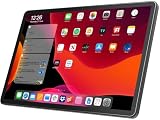
 Tablet 11 inch Android 16 Tablet 2026 Latest11 inches9.84 x 7.09 x 0.35 inches1 poundsCheck on Amazon

Top 3 picks at a glance
Quick Verdict
Choose a portable monitor if your main goal is adding screen space for a laptop, desktop, game console, or work-from-home station. A 15.6-inch 1080p model typically gives you a noticeably roomier second display than an 11-inch tablet, often costs just $40 to $130, and needs little more than a cable and a stand or folio cover.
Choose a tablet as a second screen if you also want a device for streaming, browsing, recipes, schoolwork, travel, video calls, and casual games. Expect to spend roughly $120 to $500 or more for a tablet suitable for regular use, plus possibly a stand, keyboard, stylus, cable, or second-display software. Tablets are more useful away from a desk, but they are generally less straightforward as external displays.
For most homes buying specifically for a second screen, the portable monitor wins. For buyers who need a second screen only sometimes and will use the device throughout the day in other ways, the tablet wins on versatility.
Side by Side
| Consideration | Portable Monitor | Tablet as Second Screen |
|---|---|---|
| Comfort | Usually 15.6 inches, with more room for documents, spreadsheets, and side-by-side windows. | Typically 10 to 13 inches; better for one reference app, chat, notes, or a small preview window. |
| Durability | Thin panels need a case, but fewer moving parts and no built-in battery to manage. | More likely to be carried around and dropped; a protective case and screen protector are sensible. |
| Price range | About $40 to $250 for common 1080p 14- to 16-inch models. | About $120 to $800+, depending on operating system, storage, display, and brand. |
| Maintenance | Wipe the screen, protect it in transit, and keep cables organized. | Requires charging, operating-system updates, storage management, and app updates. |
| Space needed | About 14 by 9 inches on a desk for a 15.6-inch model, plus room for its stand. | Often 10 by 7 inches or less; easy to place beside a laptop or use vertically. |
| Look | Creates a clean, coordinated dual-screen workstation. | Can feel more casual, especially when held in a tabletop stand beside a computer. |
| Resale | Modest resale value; budget displays depreciate quickly. | Generally stronger resale value if the tablet is a current, well-supported model in good condition. |
| Connection | Usually USB-C, mini HDMI, or HDMI; many models work as soon as they receive video and power. | May use wireless casting, a wired app, or ecosystem-specific features; compatibility varies by computer and tablet. |
| Best for | Dedicated workstations, remote work, gaming setups, and frequent laptop users. | Flexible homes, students, travelers, and people who want one device for many uses. |
Where Portable Monitor Wins
A portable monitor is the more practical choice when screen real estate is the priority. Most popular budget options use a 15.6-inch, 1920-by-1080 IPS panel. That is large enough to keep email open while writing, park a video meeting beside a document, view a full-size spreadsheet, or use a second screen for reference images without squinting.
It is also the simpler option. Many current models connect through USB-C, with one cable carrying video, data, and power when your laptop supports USB-C DisplayPort output and provides enough power. If not, HDMI plus a separate USB power cable is common. That simplicity is useful in a shared home office, where you may need to clear the dining table after work. Fold the monitor into its cover, coil one or two cables, and put it in a drawer.
Budget pricing is another major advantage. A 15.6-inch display such as the Anyuse 15.6-inch FHD IPS USB-C HDMI Portable Monitor can fall near around $39, while models like the MNN 15.6-inch FHD 60Hz Portable Monitor and the InnoView 15.6-inch FHD portable monitor are listed around $49. At those prices, a dedicated display can cost less than many entry-level tablets while offering a larger work surface.
Portable monitors also fit well in rooms where visual clutter matters. Most are roughly 0.3 to 0.5 inch thick and weigh around 1.5 to 2.2 pounds without a bulky desk stand. Their folio covers often fold into a stand, though a separate adjustable stand can improve viewing height and ergonomics. If you work for several hours, raise the monitor so its top edge is closer to eye level rather than leaving it flat on the desk.
The trade-off is specialization. A portable monitor cannot entertain a child on a road trip, display a recipe in the kitchen without another device connected, or act as an e-reader on the sofa. Its built-in speakers, if included, are generally convenience features rather than a replacement for real desktop speakers.
Where Tablet As Second Screen Wins
A tablet earns its higher cost through flexibility. When it is not serving as a second screen, it can become a streaming device, digital cookbook, calendar display, homework tool, video-call screen, or portable photo album. For a home with limited storage and limited appetite for single-purpose electronics, that matters.
Tablets also work especially well for light secondary tasks. An 11-inch screen is enough for a messaging app, to-do list, music controls, meeting notes, a reference PDF, or a vertical social-media preview. The Tablet 11 inch Android 16 Tablet 2026 Latest Update Octa-Core 128GB+20GB, listed at around $150, illustrates the category’s appeal: it offers considerably more functionality than a display-only panel at a still-accessible price.
However, “tablet as second screen” is not always plug-and-play. Some computer-and-tablet combinations have native display-extension features; others require a third-party app, a wired connection, or wireless screen-sharing. Wireless use can introduce lag or compression, particularly on busy Wi-Fi networks. Before buying, confirm that your specific laptop operating system, tablet operating system, ports, and desired software support extended display mode—not merely screen mirroring.
A tablet’s battery is both a benefit and a responsibility. It lets you place the screen away from an outlet for short sessions, but repeated use means regular charging. Most 11-inch tablets weigh roughly 1 to 1.3 pounds, making them easy to reposition, but a stand is still worth budgeting for. A sturdy $15 to $40 stand makes a tablet much more usable beside a laptop and keeps it safer from spills.
Cost Over 5 Years
A portable monitor is usually the lower-cost ownership choice. A basic 15.6-inch 1080p model may cost $40 to $100 upfront. Add $15 to $35 for a better stand or protective sleeve if needed, and the five-year total is often about $55 to $135. Electricity use is small: many portable monitors draw roughly 5 to 12 watts in use, so even several hours of daily use adds relatively little to a household power bill.
A tablet used as a second screen may start at $120 to $300 for an entry or midrange option, while premium tablets cost much more. Include a $15 to $50 stand or case, perhaps $10 to $30 for software if your setup requires it, and potential battery wear over time. A realistic five-year cash cost for a budget-to-midrange tablet is often $150 to $400, excluding accidental-damage repairs or an eventual replacement.
Resale narrows the gap somewhat. A recognizable tablet brand in excellent condition may retain meaningful value after several years, while an inexpensive portable monitor may have limited resale demand. Still, if the purchase is solely about extending a computer display, the portable monitor remains the better value.
Which One for Your Home
Small apartment
Choose a portable monitor if you regularly work from a laptop at a compact desk, kitchen counter, or dining table. A 15.6-inch panel gives a major productivity boost without committing to a full desktop monitor. Choose a tablet instead if storage is extremely tight and you will genuinely use it for entertainment, reading, and household tasks when work ends.
Family with kids or pets
A tablet in a rugged case may be more resilient for a busy household because it has obvious uses beyond work and can be stored quickly in a cabinet. But do not leave either option within reach of spills, wagging tails, or small hands. If the second screen stays in one adult work area, a portable monitor is the better dedicated tool; place it on a stable stand and store it in its sleeve after use.
Rental
A portable monitor is ideal for renters who want a better workstation without mounting anything or buying furniture that may not suit the next home. It can travel from a bedroom desk to a living-room table in seconds. A tablet is preferable if your work setup changes constantly and you also want a screen for travel, errands, and shared household use.
Long-term home
For a long-term home office, start with a portable monitor if you need a flexible second display now but may later add a larger fixed monitor. It can become a travel screen or guest-workstation accessory afterward. Choose a tablet when your household already has a comfortable main monitor and needs a compact, multipurpose companion screen rather than another dedicated display.
FAQ
Can a tablet work as a second monitor for any laptop?
No. Compatibility depends on the laptop operating system, tablet operating system, available ports, and the display-extension method. Some setups support a wired or native connection, while others need an app over Wi-Fi or USB. Check for extended-display support before purchasing; screen mirroring alone does not create a separate workspace.
Is a 15.6-inch portable monitor big enough for work?
For most laptop users, yes. A 15.6-inch 1080p portable monitor is large enough for email, documents, browser windows, chat, coding references, and video meetings. It will not feel as spacious as a 24- or 27-inch desk monitor, but it is a substantial improvement over working on one laptop display.
Does a portable monitor need its own power outlet?
Not always. Many USB-C portable monitors can draw power from a compatible laptop through a single USB-C cable. Others need separate USB power, especially when connected by HDMI or to devices that cannot supply sufficient power. Plan for a USB wall adapter or power bank if you want maximum flexibility.
Should I buy a tablet just to use as a second screen?
Usually not. If second-screen duty is the main purpose, a portable monitor offers more display area for less money and is easier to connect. Buy a tablet when its independent functions—streaming, reading, travel, apps, video calls, and family use—are valuable enough to justify the higher price and extra setup.









