
Choose the panel before the model, because that is where the eight Alienware listings truly differ. The best Alienware monitor for a premium ultrawide is the AW3426DW (QD-OLED, 280Hz), the best flat esports pick on paper is the AW2725DF (OLED, 360Hz), and the best value pick is the AW2726DL (IPS, 280Hz) if burn-in worries or cost rule OLED out. The remaining models fill in VA, Fast IPS and older 240Hz options. Everything comes from listing titles, so ports, brightness and warranty terms are marked as items to check. Below you will find a ranked table, a note on each listing, and a bandwidth worksheet that explains why cable choice matters more at these refresh rates.
Our Top Picks
 Alienware 34 240Hz QD-OLED Curved Gaming Monitor34.2" QD-OLED31.71 x 9.13 x 21.84 inches20.04 poundsCheck on Amazon
 Alienware AW2725DF OLED Gaming Monitor27.0 OLED9.59 x 23.98 x 15.99 inches13.89 poundsCheck on Amazon
The Alienware shortlist at a glance

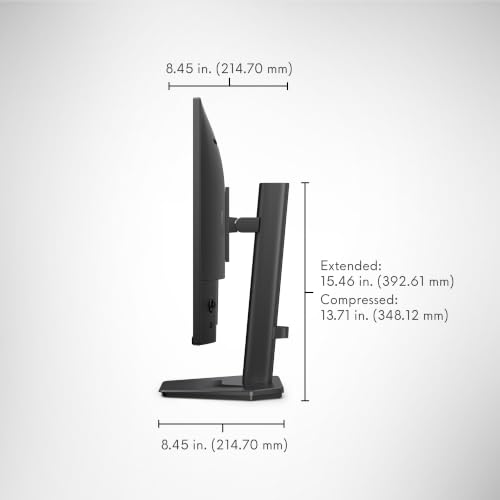
Alienware 27 Gaming Monitor AW2726DL, WQHD IPS Panel, 280Hz, 1ms | 109 PPI, 2560x1440, HDMI, DisplayPort, 93% DCI-P3, 400 cd/m2, 1000:1 Contrast, VESA 100x100




As an Amazon Associate we earn from qualifying purchases. Product prices and availability are accurate as of the date/time indicated.

Alienware 34 Gaming Monitor AW3426DW, UWQHD QD-OLED, 280Hz, 0.03ms, G-SYNC | DisplayHDR True Black 500, 1,500,000:1 Contrast, 99% DCI-P3, USB-C 15W, 2 HDMI 2.1, 1 DP 1.4, VESA 100x100


As an Amazon Associate we earn from qualifying purchases. Product prices and availability are accurate as of the date/time indicated.
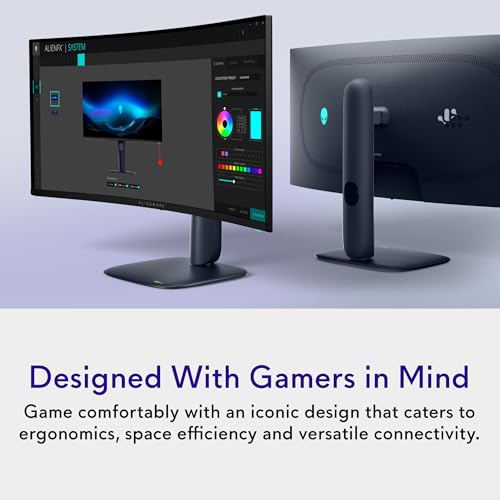
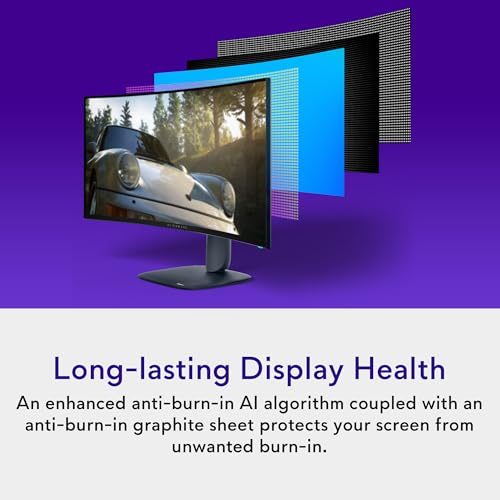
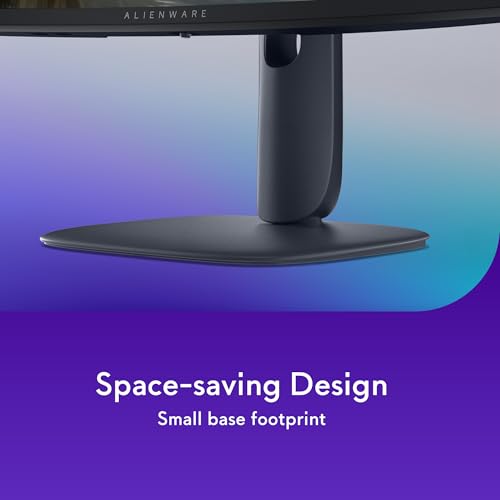
Alienware 34 240Hz QD-OLED Curved Gaming Monitor - AW3425DW - 34.2-inch WQHD (3440 x 1440) 0.03ms Display, 1800R Curve, AMD FreeSync Premium Pro, VESA AdaptiveSync, DisplayHDR TrueBlack 400




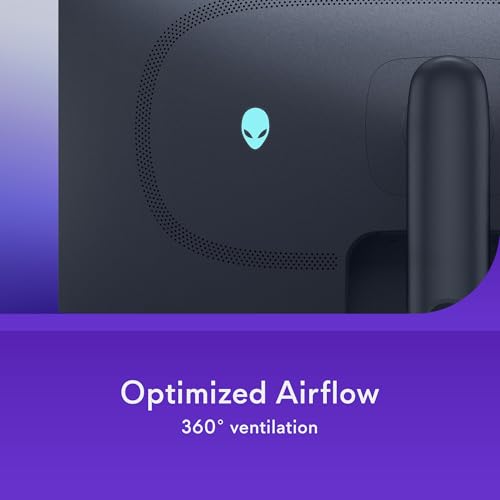
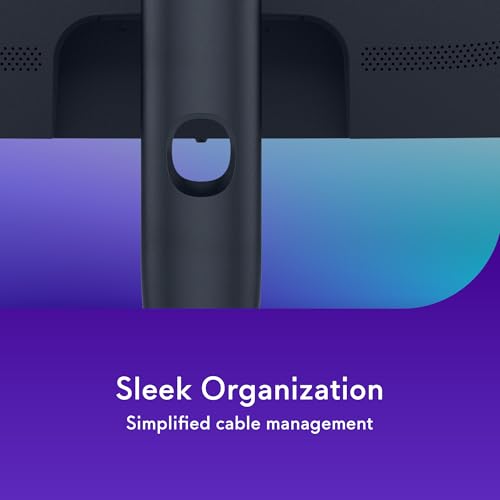


As an Amazon Associate we earn from qualifying purchases. Product prices and availability are accurate as of the date/time indicated.

Alienware 34 Curved Gaming Monitor – AW3425DWM - 34-inch WQHD 180Hz 1ms Display, 1500R, AMD FreeSync Premium, VESA AdaptiveSync.


As an Amazon Associate we earn from qualifying purchases. Product prices and availability are accurate as of the date/time indicated.

Alienware 34 Gaming Monitor AW3426DWM, WQHD VA Panel, 240Hz, 1ms | 1500R Curved, 95% DCI-P3, 400 cd/m² Brightness, 3000:1 Contrast, 178° Viewing Angle, VESA Mount 100x100


As an Amazon Associate we earn from qualifying purchases. Product prices and availability are accurate as of the date/time indicated.
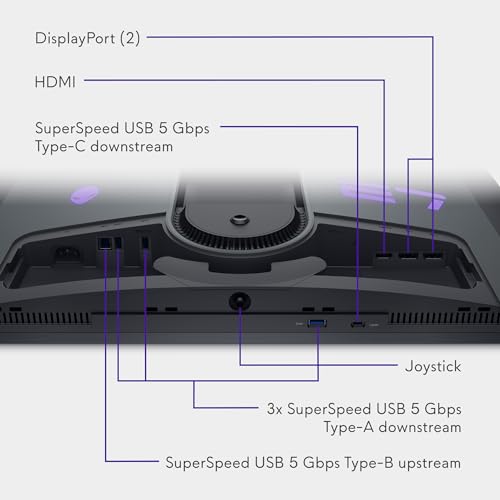
Alienware AW2725DF OLED Gaming Monitor - 26.7-inch Quantom-Dot WQHD (2560x1440) 360Hz 0.03Ms Display, AMD FreeSync Premium Pro, HDMI/DP/USB 3.2 Gen1, Height/Tilt/Swivel/Pivot Adjustability - Black


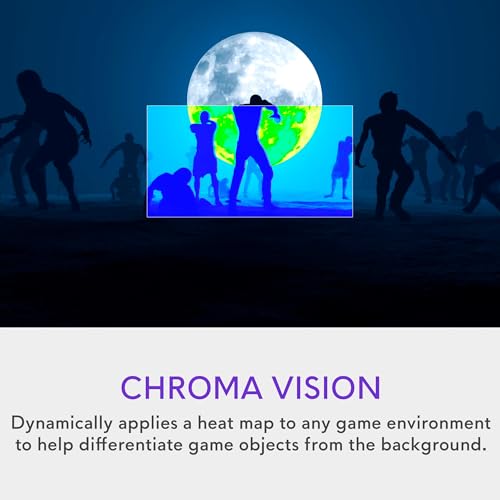


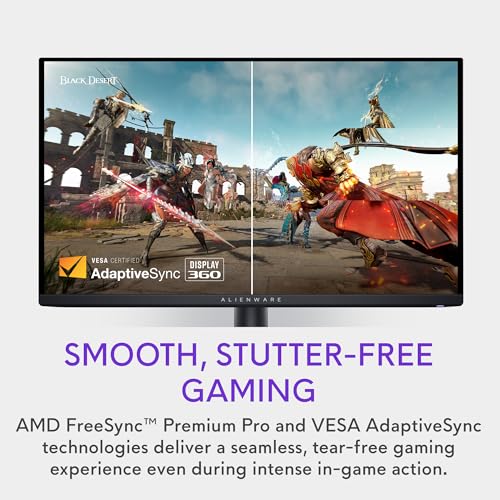

As an Amazon Associate we earn from qualifying purchases. Product prices and availability are accurate as of the date/time indicated.

Alienware AW2723DF Gaming Monitor - 27-inch (2560 x 1440) 240Hz Display (DP 1.4), 1ms Response Time, NVIDIA G-Sync, Preset OSD Modes, Height/Tilt/Swivel/Pivot Adjustability - Lunar Light


As an Amazon Associate we earn from qualifying purchases. Product prices and availability are accurate as of the date/time indicated.

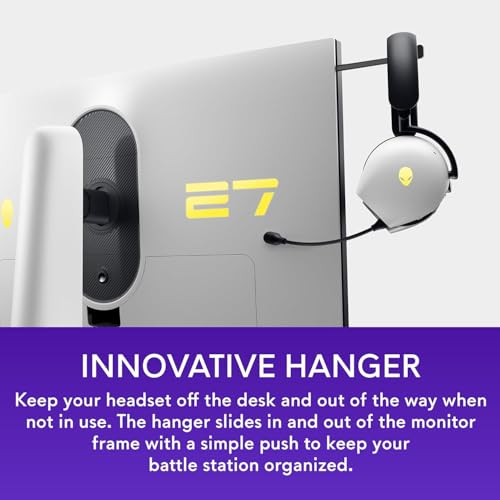
Dell Alienware 27" Gaming Monitor | 280Hz, 1ms, QHD | FreeSync Premium Pro + G-Sync | Fast IPS, VESA HDR600 | Height/Tilt/Swivel/Pivot, AlienFX RGB, Low Blue Light (QHD-280Hz)




As an Amazon Associate we earn from qualifying purchases. Product prices and availability are accurate as of the date/time indicated.
Tiers are relative to this set of eight.
| Model | Key point from title | Price tier | Best for |
|---|---|---|---|
| AW2726DL | 27-inch WQHD IPS, 280Hz, 109 PPI, 93% DCI-P3 | Budget | Flat 1440p high-refresh without OLED |
| Alienware 27 (QHD-280Hz) | 27-inch Fast IPS, 280Hz, HDR600, FreeSync and G-Sync wording | Mid-range | Flat 1440p with HDR labeling |
| AW2723DF | 27-inch 1440p, 240Hz, DP 1.4, G-Sync wording | Budget | Older flat 240Hz pick |
| AW2725DF | 26.7-inch WQHD OLED, 360Hz, 0.03ms | Mid-range | Competitive play on OLED |
| AW3425DWM | 34-inch WQHD curved, 180Hz, FreeSync Premium | Budget | Entry ultrawide |
| AW3426DWM | 34-inch WQHD VA, 240Hz, 1500R, 3000:1 | Budget | Ultrawide with high contrast on LCD |
| AW3425DW | 34.2-inch QD-OLED, 240Hz, TrueBlack 400 | Premium | Ultrawide OLED at 240Hz |
| AW3426DW | 34-inch UWQHD QD-OLED, 280Hz, USB-C, 2 HDMI 2.1 | Premium | Ultrawide OLED with full connectivity |
Each listing in turn
Alienware AW3426DW: ultrawide QD-OLED with the fullest port list
This is the most feature-dense title in the group: UWQHD QD-OLED at 280Hz, 0.03ms, a G-SYNC mention, DisplayHDR True Black 500, 1,500,000:1 contrast and 99% DCI-P3. Ports are listed as USB-C with 15W, two HDMI 2.1 and one DisplayPort 1.4, plus VESA 100×100 mounting. At 3440×1440 and 280Hz, the signal exceeds uncompressed DisplayPort 1.4 capacity in our estimate, so it likely relies on compression there; confirm on the listing. The G-SYNC wording does not say whether a hardware module is present.
Pros
- Broadest connectivity, including two HDMI 2.1 ports
- OLED contrast and wide-gamut color claims
Cons
- Top price tier and OLED care responsibilities
- Top refresh may depend on display stream compression
Who it’s for: Enthusiasts who want one ultrawide for gaming and media.
Alienware AW3425DW: the 240Hz QD-OLED ultrawide
A 34.2-inch curved QD-OLED at 3440×1440, 240Hz, 0.03ms, 1800R, with FreeSync Premium Pro, VESA AdaptiveSync and DisplayHDR TrueBlack 400. The title does not list ports, so check them on the listing. The curve is gentler than the 1500R VA models, which makes it a little less enveloping. At 240Hz the frame time is about 4.2 milliseconds, noticeably tighter than the 180Hz sibling. Treat the 0.03ms figure as a seller claim for the panel’s pixel response.
Pros
- Curved OLED with a lower HDR tier that suits typical room lighting
- 240Hz refresh for ultrawide play
Cons
- Port list is absent from the title
- HDR level is lower than the AW3426DW
Who it’s for: Players who want OLED ultrawide contrast and can accept the lower HDR tier.
Alienware AW2725DF: flat 360Hz OLED
The listing describes a 26.7-inch "Quantom-Dot" (sic) OLED at 2560×1440, 360Hz, 0.03ms with FreeSync Premium Pro, HDMI, DisplayPort and USB 3.2 Gen1. The spelling error suggests a quantum-dot panel but should be verified. Frame time at 360Hz is about 2.8 milliseconds, and 360Hz at 1440p carries roughly 32 Gbps of uncompressed pixel data in our estimate, beyond DisplayPort 1.4, so expect compression or a newer port. Height, tilt, swivel and pivot adjustments are all listed, which is rare. At 26.7 inches and 2560×1440 the density is about 110 pixels per inch, so text stays sharp.
Pros
- Highest refresh rate in the set
- Full stand adjustment including pivot
Cons
- Title typo makes the panel claim unclear
- Smaller screen than the ultrawides
Who it’s for: Fast-shooter players with a capable GPU who prefer a flat panel.
Alienware AW2726DL: 27-inch IPS at 280Hz
The cleanest value pick. The title lists WQHD IPS, 280Hz, 1ms, 109 pixels per inch, 93% DCI-P3, 400 cd/m2, 1000:1 contrast, HDMI, DisplayPort and VESA 100×100. IPS panels avoid OLED burn-in concerns, and the 1000:1 contrast means blacks will look grayer than the VA or OLED models. At 280Hz and 1440p the pixel data is roughly 25 Gbps by our estimate, right at the edge of uncompressed DisplayPort 1.4, so expect either compression or a reduced mode. This is the lowest-priced Alienware in the set, and the title mentions 400 cd/m2 brightness, which is reasonable for a normally lit room.
Pros
- Lowest price tier among the eight
- No OLED care concerns
Cons
- Contrast is plain compared with VA and OLED
- Top refresh sits near the DisplayPort 1.4 limit
Who it’s for: Players who want a sharp flat panel and a modest budget.
Dell Alienware 27 (QHD-280Hz): a close relative without a model number
Titled only as a Dell Alienware 27-inch with 280Hz, 1ms, QHD, FreeSync Premium Pro plus G-Sync, Fast IPS and VESA HDR600, with AlienFX RGB and low blue light. The missing model code makes it hard to compare against the AW2726DL, and the two share size, resolution, refresh rate and panel type. Whether they are the same product under different listing text is unknown. HDR600 on an IPS panel generally means limited local dimming, so highlights will look brighter, not deeper.
Pros
- Includes HDR600 and RGB lighting in the title
- Full stand adjustment listed
Cons
- No model number to anchor comparisons
- Overlaps the AW2726DL, with unclear differences
Who it’s for: Buyers who like lit accents and HDR labeling on a flat IPS.
Alienware AW2723DF: the older 240Hz G-Sync-labeled option
The title lists 27 inches, 2560×1440, 240Hz, DP 1.4, 1ms, NVIDIA G-Sync, preset OSD modes and full stand adjustment, in a Lunar Light finish. It is the only listing that explicitly names NVIDIA G-Sync, but a title does not show whether a hardware module is included. At 240Hz and 1440p the uncompressed data is about 21 Gbps in our estimate, which fits within DisplayPort 1.4. Panel type is not stated. A white finish suits light desks, and the preset OSD modes mean you can switch profiles without opening a desktop app.
Pros
- Fits DisplayPort 1.4 without compression at its top rate
- Pivot, swivel and height adjustments
Cons
- Panel type is not named
- Lower top refresh than the newer 280Hz IPS
Who it’s for: NVIDIA users who value sync labeling and a pale finish.
Alienware AW3426DWM: ultrawide VA at 240Hz
A 34-inch WQHD VA panel at 240Hz, 1ms, 1500R, 95% DCI-P3, 400 cd/m2, 3000:1 contrast, 178 degree viewing angle and VESA 100×100. VA’s 3000:1 contrast is three times the IPS figure on the AW2726DL, which helps with dark scenes, though VA panels can show motion smearing in dark transitions. The 3440×1440 signal at 240Hz is about 28.5 Gbps uncompressed in our estimate, so compression is likely. The 95% DCI-P3 claim is a seller figure for gamut coverage.
Pros
- High contrast figure at a lower tier
- Deep 1500R curve for immersion
Cons
- Possible dark-scene smearing, typical of VA
- No sync standard named in the title
Who it’s for: Dark-room players who want ultrawide on a limited budget.
Alienware AW3425DWM: the 180Hz entry ultrawide
The thinnest title here: 34-inch WQHD, 180Hz, 1ms, 1500R, AMD FreeSync Premium and VESA AdaptiveSync. Panel type and contrast are not stated, and its name is nearly identical to the AW3426DWM and the AW3425DW, so double-check the model code before ordering. At 180Hz and 3440×1440, the uncompressed data is about 21.4 Gbps, which fits within DisplayPort 1.4. For a first ultrawide, 180Hz is generally ample unless your frame rate exceeds it, and the frame time of about 5.6 milliseconds is easy to feed with a mid-range graphics card.
Pros
- 180Hz fits DisplayPort 1.4 uncompressed
- Lowest-tier ultrawide with a sync standard
Cons
- Panel type is unstated
- Easy to confuse with two neighboring model codes
Who it’s for: First-time ultrawide buyers focused on cost.
How this list was assembled
The Editorial team compiled it from published specifications, manufacturer documentation and buyer reviews. Nobody on the team used or measured these units, so claims about HDR performance, burn-in resistance and text clarity are not ours to confirm. We kept every Alienware-branded listing in the set, flagged the typo, the missing model number and the near-duplicate codes, and labeled all bandwidth figures as estimates. Seller claims such as 0.03ms response and sync wording appear as claims rather than facts.
What to look for in an Alienware monitor
OLED, VA or IPS
QD-OLED gives per-pixel dimming and the fastest stated response. VA gives high static contrast at a lower price, with possible smearing in dark transitions. IPS keeps colors steady from the side and avoids OLED care worries. Pick based on how much of your time is spent on static desktop content, since OLED needs more thought about that. Our guide on whether an OLED gaming monitor is worth it covers the trade-offs in more detail.
Ultrawide versus flat 16:9
3440×1440 has 4,953,600 pixels against 3,686,400 for 2560×1440, which is 34 percent more. If a GPU renders 200 fps at 16:9 1440p and is the only limit, expect roughly 150 fps on the ultrawide. Ultrawide mounts need attention too, so see monitor arms for ultrawide screens.
Bandwidth worksheet
| Mode | Frame time | Uncompressed data (24-bit, est.) |
|---|---|---|
| 3440×1440 at 180Hz | 5.6 ms | about 21 Gbps |
| 2560×1440 at 240Hz | 4.2 ms | about 21 Gbps |
| 3440×1440 at 240Hz | 4.2 ms | about 29 Gbps |
| 2560×1440 at 280Hz | 3.6 ms | about 25 Gbps |
| 3440×1440 at 280Hz | 3.6 ms | about 33 Gbps |
| 2560×1440 at 360Hz | 2.8 ms | about 32 Gbps |
DisplayPort 1.4 carries roughly 25.9 Gbps of payload, before blanking overhead. HDMI 2.1 is much higher. Modes above that line rely on display stream compression or a lower bit depth, so check the monitor and your graphics card.
HDR labels are not all equal
DisplayHDR True Black 500 and TrueBlack 400 are tiers aimed at OLED panels, where each pixel can switch off. HDR600 is an LCD tier that describes brightness targets, and it generally lacks the per-pixel contrast of OLED. These labels are the seller’s wording, and room lighting changes what you see.
Desk width and stand
As an estimate from the 21:9 shape, a 34-inch ultrawide is roughly 31 inches wide, against about 23.5 inches for a 27-inch 16:9 screen. Measure the desk, leave a few inches each side, and check whether the stand foot fits your depth. VESA 100×100 appears in several titles, but weight is rarely given.
Sync wording
FreeSync, AdaptiveSync and G-SYNC wording differ across titles. Setting them correctly in the driver matters more than the label. Our FreeSync monitor comparison explains the tiers.
Mistakes buyers make with Alienware listings
- Mixing up near-identical codes. AW3425DW, AW3425DWM and AW3426DWM look alike but differ in panel and refresh rate.
- Using an old cable. The refresh rate on the box depends on the cable and port standard.
- Judging by refresh alone. A 360Hz screen needs a graphics card that can supply 360 frames per second to matter.
- Leaving OLED static elements on screen. Hide taskbars and change wallpapers on a schedule.
- Skipping the mount check. VESA 100×100 is listed on several, but weight is not.
- Forgetting the desk width. A 34-inch curved screen is about 31 inches across, which crowds a narrow desk.
- Leaving the refresh rate at default. Many systems start at 60Hz until you change the setting in display options.
Pick by the question you answer first
If you want the biggest picture and best ports, choose the AW3426DW. If speed on a flat panel is the goal, choose the AW2725DF. If cost and no OLED care matter, choose the AW2726DL. For a cheaper ultrawide, the AW3426DWM gives VA contrast at 240Hz. Whichever you choose, confirm the cable in the box supports the refresh rate you are paying for, and set the top rate in your operating system. Competitive players deciding on refresh and size may also read our Valorant monitor comparison.
Frequently asked questions
Which Alienware monitor is best overall?
On paper, the AW3426DW is the most complete listing here: 34-inch UWQHD QD-OLED, 280Hz, DisplayHDR True Black 500, USB-C and two HDMI 2.1 ports. It also sits in the top price tier. If you prefer a flat 16:9 screen, the AW2725DF offers 360Hz OLED at 26.7 inches. Neither is proven by us, so rely on the listing details.
Is an Alienware OLED monitor safe from burn-in?
No OLED panel is immune. Static elements such as taskbars and health bars can leave lasting marks over long periods, and manufacturers handle this differently with pixel-shift features and warranty terms. Read the warranty wording on the listing, vary your content and use the screen’s built-in care options. If that worry is dominant, the IPS and VA models avoid the issue.
Does an ultrawide Alienware need a stronger graphics card?
Yes, somewhat. A 3440×1440 screen pushes about 34 percent more pixels than 2560×1440. If your GPU is the limit, frame rates may fall to roughly three-quarters of what you get at 16:9 1440p. That is an estimate that assumes a fully GPU-bound game; processor-limited titles will show a smaller change.
What does G-SYNC on the title actually mean?
The wording varies. Some titles say G-SYNC or G-Sync, others say FreeSync Premium Pro or VESA AdaptiveSync. A title alone does not tell you whether a dedicated hardware module or a compatibility mode is used. Check the listing and the manufacturer page, then confirm the setting in your graphics driver after you connect the monitor.
Which cable should I use for 240Hz or higher?
Use DisplayPort or HDMI 2.1, whichever the listing says supports the refresh rate you want, and a cable certified for that standard. At 2560×1440, 240Hz fits within DisplayPort 1.4 and 280Hz sits at its edge; 360Hz, or ultrawide at 240Hz and above, generally needs compression or HDMI 2.1. Check the monitor’s input table.









