
Our Top Picks


The Short Answer
Yes, a dual monitor mount is a highly beneficial upgrade for a standing desk, but with one crucial condition: your standing desk must have a stable, heavy-duty steel frame (ideally dual-motor) and a solid wood or high-density MDF desktop to handle the shifted center of gravity without severe wobbling at standing height. When analyzing the dual monitor mount pros and cons for standing desk setups, the dramatic ergonomic improvements and reclaimed desktop space are undeniable. However, if you are mounting heavy screens on a cheap, single-motor desk with a hollow-core top, the physical leverage created by extended monitor arms will turn minor typing vibrations into a frustrating, constant screen shake.
What You Actually Get
A dual monitor mount replaces the bulky, static plastic bases that come with your computer screens, consolidating them into a single heavy-duty metal pole or a pair of articulating mechanical arms. These arms clamp directly to the back edge of your standing desk using a heavy steel C-clamp, or bolt directly through the desktop using a pre-drilled grommet hole.
As an Amazon Associate we earn from qualifying purchases at no extra cost to you.
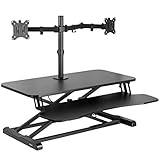

Once installed, you gain three-dimensional control over your screens. Instead of your monitors being locked at a fixed height and angle, you can independently adjust their elevation, tilt them forward or backward, swing them closer to your face, or rotate them into a vertical (portrait) orientation.
The physical reality of integrating a dual mount onto a moving desk involves managing dynamic weight distribution. Standard articulating systems, such as the HUANUO FlowLift™ Dual Monitor Stand (priced around $59), utilize internal gas-spring cylinders. These cylinders are adjustable via tension screws to perfectly counterbalance screens ranging from 13 to 32 inches and weighing between 4.4 and 19.8 pounds per arm. When your desk transitions from a sitting height of 28 inches to a standing height of 45 inches, these gas-spring arms keep your screens perfectly level, preventing them from drifting or sagging due to gravitational shifts during the desk’s vertical movement.
Pros
- Massive Reclaimed Desktop Real Estate: Standard OEM monitor stands are incredibly deep, often consuming 8 to 12 inches of depth on your desk. By suspending your monitors on a dual mount, you free up roughly 2 to 3 square feet of usable surface area. This is especially critical on standing desks, which tend to have shallower depths (typically 24 to 30 inches) than traditional executive desks.
- Seamless Ergonomic Transitions: Your ideal monitor height changes when you stand up. When sitting, your spine naturally compresses and your eye level drops; when standing, your posture straightens, requiring your screens to be slightly higher and tilted differently to prevent neck strain. Dual articulating arms allow you to adjust both screens simultaneously with a light touch, keeping your neck in a neutral, pain-free position at any desk height.
- Dynamic Screen Layouts: Whether you are a programmer who needs one vertical screen for reading code and one horizontal screen for testing, or a designer who needs two horizontal screens perfectly flush with zero gap, a dual mount provides infinite layout customization. You can easily pivot screens to share your work with a colleague standing next to you.
- Integrated Cable Protection: Moving desks are notorious for snagging and pulling cables, which can damage your computer ports or pull monitors off your desk. High-quality dual mounts feature integrated plastic routing channels along the underside of the steel arms. This keeps your power and display cables tucked away and gives them the necessary slack to expand and contract safely as the desk raises and lowers.
Cons
- The Standing Desk Wobble Multiplier: This is the most common complaint among users. Standing desks naturally become less stable as they extend past 40 inches high. When you attach a dual monitor mount, you are extending 15 to 35 pounds of metal and glass forward on long articulating arms. This creates a physical lever. Simple vibrations from typing or resting your wrists on the desk are transferred up the frame and amplified through the arms, causing your screens to shake noticeably.
- Extreme Point-Load Stress on Desktops: A dual monitor mount concentrates the weight of two heavy screens onto a tiny 4×4-inch clamping surface at the very back edge of your desk. If your standing desk has a hollow-core desktop (such as those filled with cardboard honeycomb paper) or thin particleboard, the immense clamping pressure can crush, warp, or crack the desktop over time.
- Motor Strain and Weight Capacity Limits: Budget electric standing desks often utilize a single motor with a lifting capacity limited to 110 to 150 pounds. Once you subtract the weight of a heavy desktop (typically 40 to 60 pounds), adding a dual mount (10 to 15 pounds) and two large monitors (15 to 25 pounds combined) leaves very little overhead. This extra weight can strain the motor, slow down the lifting speed, and shorten the lifespan of your desk’s electronics.
- Wall Clearance Restrictions: To keep your dual monitors positioned side-by-side and flush with each other, the articulating elbows of the mount must fold backward behind the mounting pole. This means you cannot push your standing desk flush against a wall; you will need to leave a gap of 3 to 7 inches of empty space behind your desk to accommodate the folding arms.
Who Should Buy It
You should invest in a dual monitor mount if you are a remote professional, programmer, writer, or financial analyst who spends more than six hours a day at your desk and actively switches between sitting and standing. It is an excellent fit if your standing desk features a heavy-duty dual-motor steel frame, a thick solid wood or dense MDF desktop, and you require clean desktop space to write, sketch, or hold physical documents. Looking ahead to 2026, office ergonomics are shifting toward highly customizable, clutter-free setups, making a robust dual-arm mount a foundational piece of a modern, productive workspace.
Who Should Skip It
You should skip a dual monitor mount if your standing desk is a lightweight, budget-tier model with a single motor and a thin, hollow-core desktop. If you are highly sensitive to minor screen vibrations while typing, or if your home office layout requires your standing desk to be pushed completely flat against a wall, a clamped dual-arm mount will cause more frustration than convenience. In these cases, keeping your monitors on their original stands or opting for a wall-mounted solution is a much better choice.
Cheaper Alternatives
If a premium dual articulating mount does not fit your budget or your standing desk’s physical limitations, consider these alternative solutions to manage your multi-screen layout:
| Alternative Option | Estimated Cost Range | Primary Trade-offs |
|---|---|---|
| Freestanding Dual Monitor Stand | around $30 – around $50 | Places all the weight on a flat, heavy glass or steel base. It eliminates desktop crushing risks, but still consumes significant desk surface area and does not offer dynamic height adjustment. |
| Desktop Standing Desk Converter (e.g., VIVO Black 32 in Converter, DESK-V000K-M2) |
around $120 – around $180 | Sits directly on top of your existing static desk, lifting your entire keyboard, mouse, and monitors together. It is incredibly stable, but it takes up your entire desktop and limits your workspace. |
| Wall-Mounted Dual Monitor Arms | around $40 – around $80 | Bolts directly into your wall studs, completely separating screen weight from your desk to eliminate wobble. However, you cannot adjust your desk’s height without your monitors becoming misaligned. |
| Dual Wooden Monitor Riser Shelf | around $20 – around $45 | A wide wooden shelf that sits on your desk, raising your screens to eye level while allowing you to slide your keyboard underneath. It offers zero screen tilt/rotation and takes up physical desk depth. |
FAQ
Will a dual monitor mount make my standing desk wobble more?
Yes. Because dual monitor mounts extend the weight of your screens forward on long articulating arms, they act as a lever. When your standing desk is raised, any minor vibrations from typing or resting your hands on the desk are transferred up through the frame and amplified, resulting in visible screen shake. This wobble can be minimized by using a dual-motor desk and keeping the monitor arms folded as close to the center pole as possible.
Can I use a dual monitor mount on a glass or hollow-core standing desk?
It is highly discouraged. Dual mounts concentrate 20 to 40 pounds of weight onto a tiny metal clamp on the edge of your desk. Glass desktops will shatter under this localized tension, and hollow-core desktops (like those filled with cardboard honeycomb paper) will compress and crack. If you must use one on a wood-veneer particleboard desk, use a steel reinforcement plate to distribute the clamping pressure over a wider surface area.
How do I know if my standing desk motor can handle a dual monitor mount?
Check the maximum weight capacity of your standing desk (usually listed in the manual or on the manufacturer’s website) and subtract the weight of your desktop surface. A standard dual monitor mount and two 27-inch monitors weigh approximately 25 to 35 pounds combined. If your remaining motor capacity is under 40 pounds, adding the mount may strain the motor, slow down the lifting mechanism, or cause uneven lifting.
Do I need a C-clamp or a grommet mount for my standing desk?
A C-clamp is the most popular option because it requires no drilling and slips easily over the back edge of your desk. However, if your standing desk has an under-desk cable tray, metal privacy shield, or support beam running along the back edge that blocks a clamp, you will need to use a grommet mount. This requires drilling a 0.5-inch hole through your desktop (or using an existing cable grommet hole) to bolt the mount directly through the surface.









