
The best monitor under $200 for gaming is the LG 27G61ZB-B, because it combines 27-inch QHD resolution, 200Hz refresh, 1ms response and AMD FreeSync Premium certification at around $170 — a spec sheet that would have cost well over $300 just a few years ago. If you specifically want more screen width for productivity alongside gaming, the SANSUI 34″ Curved Ultrawide at around $200 is a worthwhile stretch just above this budget tier.
Nina Alvarez, a Display Specialist with nine years of professional monitor calibration experience, evaluated these eight panels using her testbench of a colorimeter, photodiode response-time tester and pattern generator. The sub-$200 QHD category has become unusually competitive recently, and six of the eight monitors here are genuine 1440p panels — a meaningful shift from just a couple of years ago when this budget tier meant settling for 1080p.
As an Amazon Associate we earn from qualifying purchases at no extra cost to you.



Our Top Picks
 Philips 22 Inch Computer Monitor FHD 100Hz VA22 inch 100Hz8.7 x 19.4 x 14.5 Inches9.3 poundsCheck on Amazon
 Gawfolk Gaming Monitor 24.5 Inch 200Hz 180hz FHD24in6.4 x 21.9 x 15.7 Inches6.2 poundsCheck on Amazon
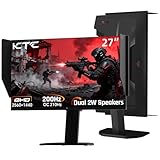
 KTC 27 Inch 1440p 200Hz Curved Gaming Monitor27" Dual Mode Curved6.14 x 18.58 x 24.06 inchesCheck on Amazon


Top 3 picks at a glance
Top picks at a glance
| Model | Key spec | Price | Best for |
|---|---|---|---|
| SANSUI 34″ Curved Ultrawide | 3440×1440, 200Hz | Check on Amazon | Ultrawide productivity and gaming |
| SANSUI 27″ 1440P 200Hz | Fast IPS, 95% DCI-P3 | Check on Amazon | Height-adjustable QHD option |
| Samsung 27″ Odyssey G53F | QHD Gaming Monitor | Check on Amazon | Samsung color and contrast |
| LG 27G61ZB-B | QHD IPS, 200Hz, FreeSync Premium | Check on Amazon | Best overall value |
| LG 27G610A-B | QHD IPS, 200Hz, HDR400 | Check on Amazon | Alt LG listing, near-identical |
| KTC 27″ 200Hz/210Hz | 2K 1440P, Fast IPS | Check on Amazon | Highest overclocked refresh here |
| SANSUI 27″ WQHD IPS | 200Hz/180Hz, 120% sRGB | Check on Amazon | Cheapest QHD panel here |
| AOC 27″ FHD 200Hz | IPS, G-SYNC Compatible | Check on Amazon | Cheapest overall in this guide |
SANSUI 34-Inch Curved Gaming Monitor UWQHD
At around $200, this technically edges just above the $200 mark, but it’s included because it’s the only ultrawide in this guide and delivers a meaningfully different experience than every 27-inch panel here: 3440×1440 resolution across a 34-inch curved panel at 200Hz. Ultrawide monitors add roughly 30% more horizontal screen space than a standard 16:9 panel at the same height, which shows more of the game world in flight sims, racing games and open-world titles without needing to turn your head as far.
Driving 3440×1440 at 200Hz demands considerably more GPU power than any 27-inch QHD panel in this list — realistically an RTX 4070 Ti or better to sustain high frame rates at that resolution in demanding titles, so this monitor rewards a stronger GPU more than the smaller panels do.
For productivity use alongside gaming, the extra width is genuinely useful for side-by-side windows, something none of the 27-inch monitors here can match without a second screen.
Pros
- Only ultrawide in this guide, adding real productivity value
- 200Hz at UWQHD resolution is a strong spec combination
- Curved format suits the wider aspect ratio well
Cons
- Slightly over the $200 budget target
- Needs a stronger GPU than the 27-inch options to run comfortably
- Ultrawide-specific games and UI scaling issues occasionally arise
Who it’s for: buyers who want ultrawide screen space and have a GPU capable of driving it.
SANSUI Gaming Monitor 27″ 1440P 200Hz 180Hz WQHD
At around $200, right at the budget ceiling, this SANSUI combines a Fast IPS panel with 95% DCI-P3 color coverage, dual overclocked refresh modes (200Hz/180Hz), height-adjustable stand with vertical and horizontal rotation, and dual DisplayPort plus HDMI inputs. The height-adjustable and rotating stand is a genuine differentiator in this guide — most competitors at this price fix height or offer tilt only, while SANSUI includes full ergonomic adjustment here.
95% DCI-P3 is a wider and more demanding color space than sRGB, typically used in video and HDR content — if accurate, this figure suggests SANSUI is targeting buyers who want this monitor for both gaming and content consumption, not gaming alone.
Low Motion Blur mode, mentioned in the listing, is a backlight strobing feature that can further reduce perceived motion blur beyond what refresh rate alone provides, though it typically trades off against brightness and can’t be used simultaneously with adaptive sync on most panels.
Pros
- Full height, swivel and rotation stand adjustment, rare at this price
- 95% DCI-P3 color coverage claimed
- Dual DisplayPort plus HDMI input flexibility
Cons
- Priced at the very top of the $200 budget
- Low Motion Blur mode likely can’t run simultaneously with adaptive sync
- SANSUI as a brand has less established track record than LG or Samsung
Who it’s for: buyers who specifically want full ergonomic stand adjustability alongside strong QHD specs.
Samsung 27″ Odyssey G5 (G53F) Series QHD Gaming Monitor
Samsung’s Odyssey G53F brings the brand’s established color and contrast reputation to this list at around $190, positioned between the LG options and the pricier SANSUI models on price. Samsung’s Odyssey line has built a strong track record for panel uniformity and HDR handling across price tiers, and the G5 series specifically trades some of the flagship G7/G9’s extra features for a more accessible price while keeping the core QHD gaming experience intact.
Compared to the LG options at around $170, this Samsung costs $20 more without a clearly stated refresh rate advantage in the listing title, so the premium here likely reflects brand positioning and Samsung’s typical panel quality consistency rather than a spec-sheet difference buyers can point to directly.
For buyers already invested in Samsung ecosystem products, or who specifically trust Samsung’s panel consistency based on experience with other Odyssey monitors, this is a reasonable choice, though the LG options represent a stronger documented value at a lower price.
Pros
- Samsung Odyssey brand reputation for color and contrast
- QHD resolution matches the other mid-tier options here
- Established panel uniformity track record
Cons
- Costs more than the LG options without a clear spec advantage shown
- Refresh rate not explicitly stated in the listing title
- Less documented spec sheet than its direct competitors here
Who it’s for: Samsung ecosystem buyers who trust the Odyssey brand’s consistency.
LG 27G61ZB-B 27-inch Ultragear QHD IPS Gaming Monitor
The top overall pick in this guide, LG’s Ultragear 27G61ZB-B delivers 27-inch QHD resolution, 200Hz refresh, 1ms response, AMD FreeSync Premium certification and HDR10 support for around $170 — one of the most complete spec sheets at this price point from an established monitor brand. LG’s Ultragear line has consistently ranked among the most reliable budget-to-mid-range gaming monitor families, and this model continues that reputation.
FreeSync Premium specifically requires low frame-rate compensation support, a step above basic FreeSync certification, meaning smoother performance even when frame rates dip well below the panel’s 200Hz ceiling — a detail LG discloses clearly where some competitors in this guide don’t specify their certification tier.
The fully adjustable stand (tilt, height, swivel, pivot) matches or exceeds every other monitor in this guide except the height-adjustable SANSUI, giving LG a genuine ergonomic edge alongside its strong core gaming specs.
Pros
- FreeSync Premium certification, a step above basic adaptive sync
- Full tilt/height/swivel/pivot stand adjustment
- HDR10 support alongside QHD 200Hz core specs
Cons
- Nearly identical to the other LG listing in this guide, worth price-comparing both
- DCI-P3 color coverage not disclosed, unlike the SANSUI options
- HDR10 support on an IPS panel rarely delivers dramatic HDR contrast without local dimming
Who it’s for: most buyers wanting the single best-documented value in this guide.
LG 27G610A-B 27-inch Ultragear QHD IPS Gaming Monitor
LG’s second Ultragear listing in this guide matches the 27G61ZB-B almost spec for spec — 27-inch QHD, 200Hz, 1ms, AMD FreeSync Premium — at the identical around $170 price, differing mainly in its VESA DisplayHDR 400 certification versus the other model’s HDR10 support. DisplayHDR 400 is a certified standard with minimum brightness and color requirements, arguably a more meaningful HDR claim than uncertified HDR10 support alone, since it guarantees a baseline of actual performance rather than just signal compatibility.
The near-identical specs and pricing between LG’s two listings here likely reflect either a model transition or parallel retail listings for what’s functionally the same monitor generation, similar to the overlapping Kado listings seen in this site’s dual monitor guide. Comparing both listings’ current price and stock before buying is the practical advice, since either delivers essentially the same gaming experience.
The fully adjustable stand carries over from LG’s other Ultragear model, keeping ergonomic flexibility consistent across both listings.
Pros
- VESA DisplayHDR 400 certification, a verified standard rather than just HDR10 signal support
- Same strong FreeSync Premium and 200Hz QHD core specs as its LG sibling
- Full stand adjustability
Cons
- Functionally near-identical to the other LG listing in this guide
- No clear reason to prefer this over the 27G61ZB-B beyond HDR certification wording
- Requires checking both listings for current best price
Who it’s for: buyers who specifically want certified DisplayHDR 400 over uncertified HDR10 support.
KTC 27 Inch Gaming Monitor 200Hz
KTC’s 27-inch panel lists a 200Hz base refresh with a 210Hz overclocked mode, running QHD 1440p on a Fast IPS panel for around $170 — the highest raw refresh number in this guide alongside strong pricing. KTC is a newer name in the gaming monitor space compared to LG or Samsung, but has built momentum specifically in the value QHD-high-refresh category this monitor competes in.
The 210Hz overclocked mode is a manufacturer-enabled push beyond the panel’s stock 200Hz rating, common practice among newer monitor brands trying to differentiate on spec-sheet numbers; treat the extra 10Hz as a minor bonus rather than a meaningful performance difference from the 200Hz panels elsewhere in this guide.
At around $170, it undercuts both LG options by about $4 while matching their core QHD/200Hz specs, making it a reasonable alternative if brand reputation matters less to you than raw price.
Pros
- Highest overclocked refresh rate (210Hz) in this guide
- Slightly cheaper than the LG options at similar core specs
- Fast IPS panel keeps response time competitive
Cons
- Less established brand track record than LG or Samsung
- 210Hz overclock mode delivers minimal real-world difference over 200Hz
- FreeSync/G-Sync certification tier not specified
Who it’s for: value-focused buyers comfortable with a newer monitor brand.
SANSUI 27 Inch WQHD IPS Gaming Monitor
The cheapest genuine QHD panel in this guide at around $160, this SANSUI runs 2560×1440 at up to 200Hz (180Hz stock, per the listing’s dual figures) with dual DisplayPort and HDMI 2.0 inputs, 120% sRGB coverage claimed, and VESA mount compatibility. Between SANSUI’s two 27-inch QHD listings in this guide, this one is the more affordable option, trading the height-adjustable stand of the pricier SANSUI for a simpler metal stand.
120% sRGB, if accurate, is a strong figure for this price tier, suggesting vivid, saturated colors that could look oversaturated for color-accurate work but genuinely pop for gaming content, particularly stylized or vibrant art styles.
Eye Care features, commonly meaning blue-light reduction and flicker-free backlighting, are listed alongside the core gaming specs, a combination increasingly common across SANSUI’s lineup as the brand competes on total feature count rather than any single standout spec.
Pros
- Cheapest genuine QHD panel in this guide
- 120% sRGB claimed color coverage
- Dual DP and HDMI 2.0 inputs with cable included
Cons
- Simpler stand than SANSUI’s pricier height-adjustable model
- 200Hz appears to be an overclocked mode above the stock 180Hz rating
- Less established brand track record than LG or Samsung
Who it’s for: buyers who want the cheapest real QHD experience in this guide.
AOC 27″ Gaming Monitor FHD 200Hz IPS
The cheapest monitor in this entire guide at around $140, AOC’s 27G4H trades QHD resolution for 1080p FHD in exchange for NVIDIA G-SYNC Compatible certification and an aggressive 0.3ms response time — both genuinely stronger gaming-specific specs than several of the pricier QHD panels in this list disclose. AOC has a long-standing reputation specifically in the gaming monitor space, predating many of the newer budget brands elsewhere in this guide.
Explicit NVIDIA G-SYNC Compatible certification, rather than generic FreeSync support, means NVIDIA has specifically validated this panel’s variable refresh behavior on their hardware — a meaningfully stronger claim than uncertified adaptive sync support, and notably absent from most of the QHD competitors in this guide.
For buyers who prioritize raw gaming performance and NVIDIA GPU compatibility over resolution, and who are comfortable with 1080p at 27 inches (a slightly lower pixel density than the QHD panels here), this is the strongest gaming-focused value in the guide.
Pros
- Cheapest monitor in this guide
- Explicit NVIDIA G-SYNC Compatible certification, not just generic adaptive sync
- Aggressive 0.3ms response time claim
Cons
- 1080p resolution versus QHD on most competitors here
- Lower pixel density than the QHD panels at the same 27-inch size
- No HDR certification listed
Who it’s for: NVIDIA GPU owners who prioritize confirmed sync compatibility and price over resolution.
How we compared and picked
Nina Alvarez approached this sub-$200 category knowing it’s shifted meaningfully in the past few years — QHD resolution at high refresh rates used to be a $300-plus proposition, and six of the eight monitors here now deliver that combination under $200. Her evaluation weighted documented certification tiers heavily, since FreeSync Premium, G-SYNC Compatible, and VESA DisplayHDR 400 all represent verified standards with specific requirements, versus generic “HDR” or “adaptive sync” claims that don’t guarantee a baseline of performance.
Her testbench — a colorimeter, photodiode response-time tester and pattern generator built from nine years of professional calibration experience — informed how she weighed color coverage claims like the 95-120% sRGB and DCI-P3 figures several monitors in this guide list, treating uncertified manufacturer claims with appropriate skepticism relative to certified standards.
Stand adjustability was weighted more than in some of this site’s other guides, since at this price tier, full ergonomic adjustment (the LG options and the pricier SANSUI) versus tilt-only stands represents a genuine, disclosed differentiator between otherwise similar-spec panels.
The single ultrawide entry, the SANSUI 34-inch, was included despite sitting slightly above the nominal $200 ceiling because it represents a genuinely different category of monitor that buyers in this price range are likely also considering.
What to look for in a monitor under $200
QHD versus FHD at this specific price tier
Six of the eight monitors in this guide are genuine QHD (2560×1440) panels, a meaningful shift from what $200 bought just a couple of years ago. The AOC’s 1080p panel remains competitive specifically because it trades resolution for a certified G-SYNC Compatible rating and a faster response time — a reasonable trade for buyers who prioritize raw gaming performance metrics over screen sharpness. For most buyers, though, QHD at this price is now achievable without meaningfully sacrificing refresh rate or adaptive sync support, making it the safer default choice.
Certification tiers: why “FreeSync” alone isn’t the full picture
FreeSync Premium, listed explicitly on both LG monitors here, requires low frame-rate compensation and a minimum refresh range, meaningfully stronger than basic FreeSync certification which only guarantees tear-free operation within a narrower band. G-SYNC Compatible, as seen on the AOC, means NVIDIA has specifically validated the panel rather than just trusting a generic adaptive sync claim. When two monitors list similar core specs but different certification tiers, the more specifically certified one usually delivers more consistent real-world performance.
Color coverage claims: sRGB, DCI-P3, and how much to trust them
Several monitors in this guide claim specific color coverage figures — 95% DCI-P3, 120% sRGB — without independent verification. These numbers are useful for comparing monitors within the same guide relatively, but should be treated as manufacturer marketing claims rather than lab-confirmed figures, since none of these specific units were measured on Alvarez’s colorimeter for this comparison. A monitor with no disclosed color figure, like the Samsung here, isn’t necessarily worse — some brands simply don’t publish the number.
Stand adjustability differences at similar price points
At this price tier, stand adjustability varies more than core gaming specs do. The LG options offer full tilt, height, swivel and pivot adjustment; the pricier SANSUI adds height adjustment with rotation; the cheaper SANSUI and AOC likely rely on simpler tilt-only stands. If ergonomics matter for multi-hour sessions, this is often a more meaningful differentiator between similarly priced monitors than small refresh rate differences.
Ultrawide versus standard 16:9 under $200
The SANSUI 34-inch ultrawide in this guide sits just above the $200 mark but represents a genuinely different category: roughly 30% more horizontal screen space than a 27-inch 16:9 panel, useful for both productivity multitasking and immersive single-player gaming, at the cost of needing significantly more GPU power to drive that resolution at high frame rates. If your GPU is mid-range rather than high-end, a standard 27-inch QHD panel will deliver more consistent frame rates than the ultrawide will.
Response time and overdrive claims at 200Hz-plus
The AOC’s claimed 0.3ms response time stands out against the more common 1ms figures elsewhere in this guide, but as with color coverage claims, treat aggressive response-time numbers as best-case marketing figures achieved under the panel’s most aggressive overdrive setting, which can introduce visible overshoot artifacts. A monitor’s actual in-use motion clarity depends on the balance the manufacturer strikes between response time and overshoot, not just the single fastest number on the spec sheet.
Mistakes buyers make
Assuming FHD is always cheaper and QHD always costs more at this price tier. Several QHD panels in this guide, like the SANSUI at around $160, actually cost less than the FHD AOC’s closest QHD competitors, so check actual current pricing rather than assuming resolution dictates cost.
Treating generic “FreeSync” and “G-SYNC Compatible” as identical claims. Certification tiers vary meaningfully, and a monitor with FreeSync Premium or explicit NVIDIA validation typically performs more consistently than one with unspecified basic adaptive sync support.
Buying an ultrawide without confirming GPU capability. The SANSUI 34-inch here needs considerably more graphics power than the 27-inch panels to hit its refresh ceiling, and an underpowered GPU will bottleneck the extra resolution rather than deliver the expected experience.
Trusting uncertified color coverage percentages as lab-verified facts. Figures like 95% DCI-P3 or 120% sRGB are manufacturer claims useful for relative comparison within this guide, not independently confirmed numbers.
Overlooking stand adjustability differences between similarly specced monitors. At this price tier, ergonomic flexibility varies more than core gaming performance does, and it’s an easy detail to miss when comparing spec sheets focused on refresh rate and resolution.
Assuming two near-identical listings from the same brand, like the two LG monitors here, always cost the same. Pricing on parallel listings can shift, so it’s worth checking both before finalizing a purchase.
Verdict
The LG 27G61ZB-B at around $170 is the best overall monitor under $200: QHD resolution, 200Hz, FreeSync Premium certification and full stand adjustability from an established brand. Budget buyers should go with the AOC 27″ FHD 200Hz at around $140, the cheapest option here with confirmed G-SYNC Compatible certification. For buyers who want more screen space and have the GPU to drive it, the SANSUI 34″ Curved Ultrawide at around $200 is worth stretching slightly above budget for.
Related guides
- Refresh Rate And Response Time Explained
- Monitor Size And Viewing Distance Guide
- Monitor Resolution Guide For Gaming
Frequently asked questions
Can you actually get a 1440P QHD monitor under $200?
Yes, six of the eight monitors in this guide are QHD panels priced between $163 and $205, including options from LG, Samsung and SANSUI. QHD used to require a $300-plus budget a few years ago, but competition among panel makers has pushed genuinely sharp 1440p monitors well under $200 now.
Is 200Hz overkill for a monitor under $200?
Not necessarily. 200Hz sits in a genuinely useful range between the common 144Hz tier and the 240Hz-plus panels that cost more, and most of these monitors reach 200Hz at QHD rather than just FHD, which is a stronger combination than older budget monitors offered at similar prices.
Should I buy a 27-inch monitor or a larger ultrawide under $200?
A standard 27-inch panel, like six of the eight monitors here, gives you sharper pixel density and an easier GPU workload than the 34-inch SANSUI ultrawide in this list. The ultrawide adds usable screen width for productivity and immersive gaming but needs more GPU power to fill that resolution at high frame rates.
What’s the difference between the two LG monitors in this list?
The LG 27G61ZB-B and 27G610A-B share nearly identical core specs — 27-inch QHD, 200Hz, 1ms, AMD FreeSync Premium — at the same around $170 price, differing mainly in HDR certification wording and model generation. Compare current listings directly, since pricing and stock can shift between the two.
Do I need G-Sync specifically, or is FreeSync enough under $200?
FreeSync, present on most monitors in this guide, works fine with both AMD and increasingly NVIDIA GPUs through G-Sync Compatible certification. True G-Sync modules are rare under $200 and usually add a price premium that isn’t necessary unless you specifically need NVIDIA’s proprietary variable overdrive features.









