
Spending under 1000 on a monitor today lets you skip 1080p entirely. All eight screens in this set are 4K, and they split into two groups: five LCD panels priced far below the ceiling, and three that reach for OLED or high refresh and sit close to it. On paper, the LG 32GX850A-B OLED is the best all-round pick here, the ASUS TUF VG27UQ1A is the sensible value pick, and two listings need a price check because they were at or near the line when this brief was assembled. Nothing in this set is a 1080p or 1440p screen, so if your graphics card cannot manage 4K, read the Dual Mode notes below before choosing.
Our Top Picks
Pros & cons
- Neo Proximity sensor helps guard against OLED burn-in
- DisplayPort 2.1a with 80Gbps bandwidth future-proofs connections
- 3-year coverage includes burn-in protection
- Nearly 17-pound panel needs a sturdy stand or mount
- 4th-gen QD-OLED still needs care around static images
The shortlist in one table

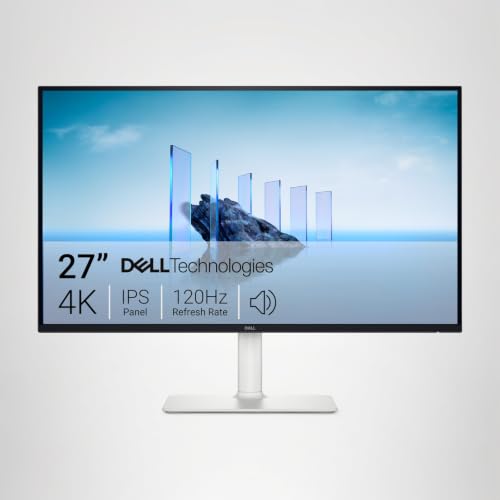
Dell 27 Monitor S2725QS, 4K UHD IPS, 120Hz, 5ms, FreeSync Premium | 350 cd/m2 Brightness, 1,500:1 Contrast, 99% sRGB, Anti-Glare, HDMI, DisplayPort, USB‑C, Height Adjustable, Swivel, Pivot


As an Amazon Associate we earn from qualifying purchases. Product prices and availability are accurate as of the date/time indicated.
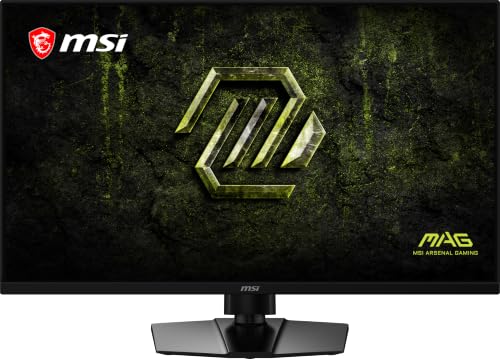
msi MAG 321UPD E14 32-inch 3840 x 2160 (UHD) Gaming Monitor, 320Hz, AMD FreeSync Premium, Dual Mode, HDMI, DisplayPort, VESA, Tilt, Height Adjustable, Speaker, 0.05ms, Black


As an Amazon Associate we earn from qualifying purchases. Product prices and availability are accurate as of the date/time indicated.

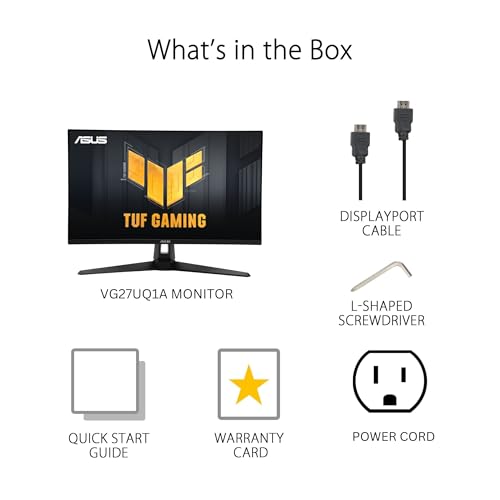
ASUS TUF Gaming VG27UQ1A 27 Inch 4K 160Hz G-SYNC Gaming Monitor | ELMB Sync, 1ms, 95% DCI-P3, FreeSync Premium, DisplayWidget Center, for PS5 and Xbox




As an Amazon Associate we earn from qualifying purchases. Product prices and availability are accurate as of the date/time indicated.

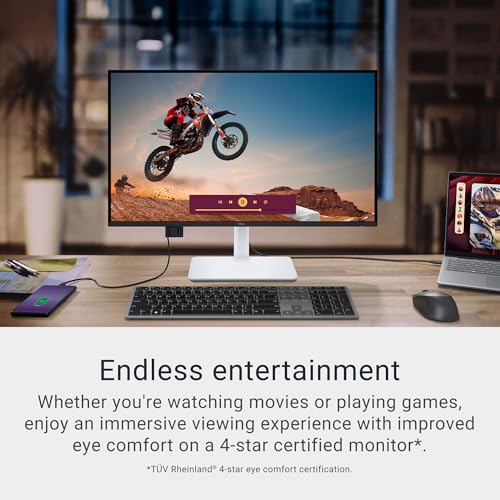
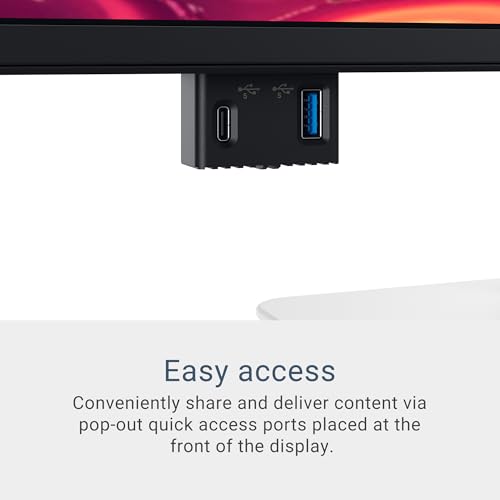
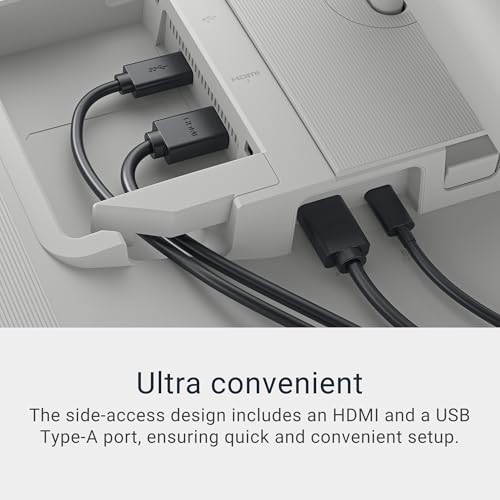
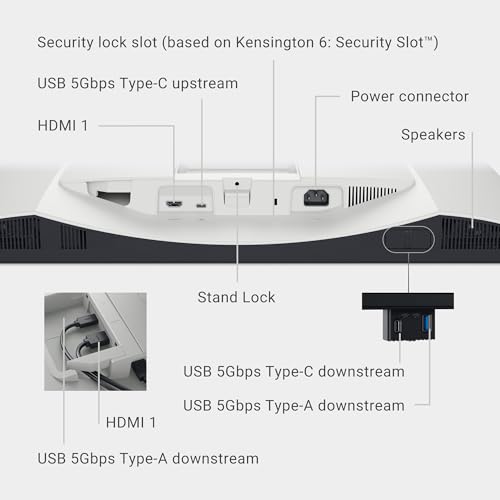
Dell 27 Monitor S2725QC, 4K UHD IPS, 120Hz, 99% sRGB, 4ms, FreeSync Premium | 3840x2160, 163 PPI, USB-C, HDMI, DisplayPort, Anti-Glare, Eye Comfort Technology, LED Edgelight System





As an Amazon Associate we earn from qualifying purchases. Product prices and availability are accurate as of the date/time indicated.

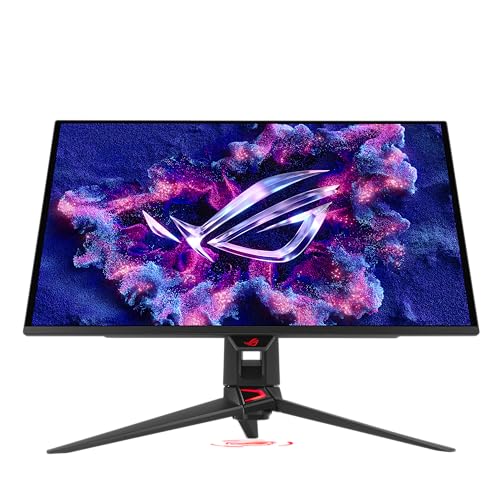
ASUS ROG PG27UCDM 27 Inch 4K 240Hz OLED Gaming Monitor QD-OLED | OLED Care Pro, Neo Proximity Sensor, Custom Heatsink, DisplayPort 2.1, G-SYNC Compatible, True 10-bit, for PS5 and Xbox




As an Amazon Associate we earn from qualifying purchases. Product prices and availability are accurate as of the date/time indicated.

Dell 32 Monitor S3225QS, 4K UHD VA, 120Hz, FreeSync Premium, Eye Comfort | 3840x2160, 31.5in, 3000:1 Contrast, 300 cd/m2 Brightness, 4ms, 99% sRGB, Anti-Glare, HDMI, DisplayPort


As an Amazon Associate we earn from qualifying purchases. Product prices and availability are accurate as of the date/time indicated.

LG 32GX870A-B 32-inch Ultragear 4K UHD (3840 x 2160) OLED Gaming Monitor, Dual-Mode, 240Hz, 0.03ms, NVIDIA, AMD FreeSync Premium Pro, VESA DisplayHDR True Black 400, USB Type-C, DP2.1




As an Amazon Associate we earn from qualifying purchases. Product prices and availability are accurate as of the date/time indicated.

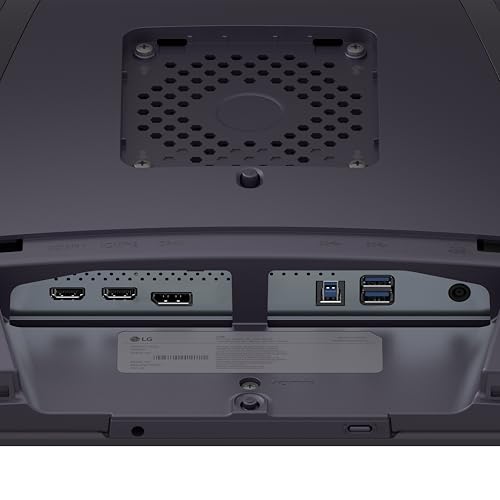
LG 32GX850A-B 32" UltraGear 4K UHD (3840 x 2160) Glossy OLED Gaming Monitor, Dual-Mode 165Hz/330Hz, 0.03ms, G-SYNC, FreeSync Premium Pro, TrueBlack 400, HDMI, DP, Tilt/Height/Swivel/Pivot Stand, Black



As an Amazon Associate we earn from qualifying purchases. Product prices and availability are accurate as of the date/time indicated.
| Model | Key point from the title | Price tier | Best for |
|---|---|---|---|
| Dell S2725QS | 27″, 4K IPS, 120Hz, USB-C, height-adjustable | Budget | Mixed work and play desks |
| Dell S2725QC | 27″, 4K IPS, 120Hz, 163 PPI, USB-C | Budget | Sharp text, light gaming |
| Dell S3225QS | 32″, 4K VA, 120Hz, 3000:1 contrast | Budget | Contrast and screen size |
| ASUS TUF VG27UQ1A | 27″, 4K 160Hz, ELMB Sync, 95% DCI-P3 | Budget | High-refresh 4K on a budget |
| msi MAG 321UPD E14 | 32″, 4K, 320Hz Dual Mode, 0.05ms | Budget | Refresh-first buyers |
| LG 32GX850A-B | 32″ glossy OLED, 165Hz/330Hz Dual-Mode | Mid-range | OLED under the ceiling |
| LG 32GX870A-B | 32″ OLED, 240Hz, DP2.1, USB-C | Premium | Maximum OLED features |
| ASUS ROG PG27UCDM | 27″ 4K 240Hz QD-OLED, DisplayPort 2.1 | Premium | Sharpest OLED, if price allows |
Tiers are relative within this set, not a statement about the wider market, and the Premium pair may exceed the ceiling at the current price. Check before you add either to a cart.
The eight screens, cheapest first
Dell S2725QS
The title lists a 27-inch 4K UHD IPS panel, 120Hz, 5ms, FreeSync Premium, 350 cd/m2 brightness, 1,500:1 contrast and 99% sRGB, with HDMI, DisplayPort and USB-C inputs and a stand that adjusts for height, swivel and pivot. The 5ms response is a seller claim and is slower than the figures on the gaming-brand listings below, so fast shooters may prefer another screen. It reads like an everyday display that also plays games, so judge it as an office-first monitor with a respectable 120Hz ceiling rather than a dedicated esports screen.
Pros
- lowest price class in the set with a full-featured stand
- USB-C input in the title
Cons
- 120Hz and 5ms make it the least esports-minded
- 350 cd/m2 is modest for HDR-style highlights
Who it’s for: someone who wants one sharp 27-inch display for work and relaxed gaming.
Dell S2725QC
This is a near-duplicate of the S2725QS: 27-inch 4K IPS, 120Hz, 99% sRGB, FreeSync Premium, with HDMI, DisplayPort and USB-C. The title adds 4ms, 163 PPI, an eye comfort feature and an LED edgelight system, but does not mention height adjustment, which the S2725QS lists. The two are close enough that stand details and the exact response claim should decide it. Neither title says whether the USB-C port supplies power to a laptop, so check the wattage on the listing if you plan to charge a notebook through it.
Pros
- 163 PPI makes text and edges crisp at 27 inches
- 4ms claim is slightly faster than the S2725QS title
Cons
- adjustment features are not listed in the title
- USB-C power delivery is not stated
Who it’s for: buyers who care more about sharpness and eye comfort wording than about speed.
Dell S3225QS
A 31.5-inch 4K VA panel with 120Hz, FreeSync Premium, 3,000:1 contrast, 300 cd/m2, 4ms and 99% sRGB, with HDMI and DisplayPort only. The big contrast number is the draw, since VA usually shows deeper blacks than IPS in a dim room. VA panels can smear dark transitions, though, and the title offers no USB-C. At about 140 PPI it is a little softer than the 27-inch models, though the extra size makes it easier to read at arm’s length.
Pros
- large screen and high stated contrast for the price class
- simple HDMI and DisplayPort connectivity
Cons
- no USB-C in the title
- VA response in dark scenes is worth checking in buyer reports
Who it’s for: movie and single-player players who want size and depth over speed.
ASUS TUF Gaming VG27UQ1A
The title shows a 27-inch 4K panel at 160Hz with ELMB Sync, 1ms, 95% DCI-P3, FreeSync Premium and DisplayWidget Center, aimed at PS5 and Xbox owners as well. It also says “G-SYNC”, which probably means G-SYNC Compatible rather than a module-based screen; confirm on the listing. A 4K signal at 160Hz carries about 32 Gbps of raw pixel data (estimate), so it relies on compression or the right port version. That makes cable choice important, and a console connection will be capped by what the console outputs rather than by the panel.
Pros
- 160Hz is the best refresh among the LCD models
- console-oriented positioning
Cons
- “G-SYNC” wording is ambiguous
- 1ms and DCI-P3 figures are seller claims
Who it’s for: PC players who want high-refresh 4K without spending OLED money.
msi MAG 321UPD E14
A 32-inch 3840 x 2160 screen with 320Hz, FreeSync Premium, “Dual Mode”, 0.05ms, a speaker, tilt and height adjustment, and HDMI plus DisplayPort. The panel type is missing from the title, and a 0.05ms figure is usually quoted for OLED, so read the listing before assuming IPS or OLED. The 320Hz number almost certainly applies to a lower-resolution mode, not native 4K, but the title does not say. Compare the listing’s resolution table with the 0.05ms claim before you decide it is the bargain it looks like.
Pros
- very high refresh claim for the price class
- height adjustment and VESA in the title
Cons
- panel type is not stated
- which mode delivers 320Hz is not stated
Who it’s for: refresh-first buyers willing to read the specification sheet closely.
LG 32GX850A-B
The title lists a 32-inch glossy 4K OLED with Dual-Mode 165Hz/330Hz, 0.03ms, G-SYNC, FreeSync Premium Pro and a TrueBlack 400 HDR label, with HDMI, DisplayPort and a tilt, height, swivel and pivot stand. It is the only OLED in the set that sits clearly in the middle of the price range. Glossy coatings give punchy contrast but show reflections, so room lighting matters. Treat the 0.03ms figure as a marketing claim, and note that the “G-SYNC” wording here also deserves a quick check on the listing.
Pros
- OLED black levels and pixel response in a mid-priced listing
- full stand adjustment
Cons
- glossy screen shows reflections
- OLED care guidance applies
Who it’s for: players who want an OLED upgrade and still have budget left over.
LG 32GX870A-B
This sibling lists a 32-inch 4K OLED with Dual-Mode 240Hz, 0.03ms, “NVIDIA” and FreeSync Premium Pro wording, DisplayHDR True Black 400, USB Type-C and DP2.1. It is close to the 32GX850A-B in class, and the extras are DP2.1, USB-C and a higher 4K refresh. “NVIDIA” alone does not confirm a certified G-SYNC mode. Its price sits just below the ceiling in our brief, so check the current figure first and make sure your graphics card has a DisplayPort 2.1 output to use it fully.
Pros
- DP2.1 and USB-C in the title
- higher refresh than the 32GX850A-B
Cons
- close to the budget ceiling
- adaptive-sync wording is vague
Who it’s for: those who will use DisplayPort 2.1 and want USB-C on an OLED.
ASUS ROG PG27UCDM
A 27-inch 4K QD-OLED at 240Hz with OLED Care Pro, a proximity sensor, a custom heatsink, DisplayPort 2.1, G-SYNC Compatible and true 10-bit color, aimed at PS5 and Xbox owners too. At 163 PPI it is the sharpest panel here. It is also the listing most likely to be over 1000, so confirm the price. The title does not list HDMI, so check how a console would connect. Because OLED panels can show image retention, the care features named in the title are worth reading about in the manual.
Pros
- the densest pixels and fastest 4K refresh in the set
- OLED-care features named in the title
Cons
- probably over the budget line
- connection options are not fully listed
Who it’s for: someone who can stretch past the ceiling for a 27-inch OLED.
How we picked these
We worked from the product titles in the brief, and then asked what each one leaves out. Our basis is published specifications, manufacturer documentation and buyer reviews. Nobody on the team used or measured these units, so every response time, brightness and refresh number is a seller claim unless the text says otherwise. Where we add numbers that are not in a title, such as data rates or pixel counts, we label them as estimates and show the assumption. Listings that look like near-duplicates are called out as such.
What decides a purchase under the 1000 line
Panel type first
IPS gives wide viewing angles and quick response. VA trades some speed for contrast, as the Dell 32-inch’s 3,000:1 claim shows. OLED removes backlight blooming and responds almost instantly, but it brings image-retention care and a higher price. Match the panel to your room and habits: a dim room favors VA or OLED, while a bright room with windows suits IPS or a matte coating better than a glossy OLED. If HDR matters most, our mini-LED HDR gaming picks under 1000 show another route.
Native 4K versus Dual Mode
3840 x 2160 is 8.3 million pixels, 2.25 times 2560 x 1440 and four times 1920 x 1080. A rough estimate: if your card manages 120 fps at 1440p, native 4K may land between 55 and 70 fps, because scaling is rarely linear. Dual Mode switches to full HD for speed, and since 1080p divides into 4K exactly, it scales in clean 2 x 2 blocks. Treat the second number in a title like “FHD 330Hz” as a mode switch, not a native 4K rate.
Ports and cable versions
Uncompressed 4K data (3840 x 2160, 24 bits, no blanking) is about 12 Gbps at 60Hz, 24 Gbps at 120Hz and 48 Gbps at 240Hz. HDMI 2.0 carries about 14 Gbps usable, DisplayPort 1.4 about 26 Gbps, and the high-refresh links rely on compression or DisplayPort 2.1. Use the cable in the box, and check your graphics card ports. For a fast-FPS comparison, see our esports-oriented monitor list, and for adaptive-sync notes our FreeSync monitor guide.
Stand, mounting and extras
Height, swivel and pivot adjustment are named on only some titles. If a screen lacks them, check that it has VESA mounting so you can add an arm, and note that 32-inch panels weigh more than 27-inch ones. Speakers, USB-C and eye-comfort modes are nice extras, not reasons to overpay.
Size and sharpness
27-inch 4K is about 163 PPI and 32-inch about 138 PPI. The higher density hides pixel edges; the larger size suits a deeper desk. Creators comparing color should read about color-accurate monitors under 1000 and consider monitor calibrators if they edit photos or video.
Mistakes that waste the budget
- Assuming the biggest refresh number is the native 4K figure. Dual Mode titles quote two modes, and the higher one usually applies at a lower resolution.
- Spending the whole budget on the monitor and leaving none for a graphics card that can drive 4K.
- Ignoring the cable. A basic or older cable can cap a high-refresh mode even when the monitor supports more.
- Reading “G-SYNC” or “NVIDIA” as a certification without checking the listing.
- Buying OLED for a static office layout without reading the manufacturer’s care guidance.
- Forgetting that two near-identical models, like the Dell 27-inch pair, differ in stand features.
- Counting on a spec that appears only in marketing wording, such as 0.03ms or 0.05ms response, to describe real motion clarity.
Verdict
For most buyers the LG 32GX850A-B is the strongest on-paper choice, because it brings OLED to the middle of the range with a full stand. The ASUS TUF VG27UQ1A is the value pick for high-refresh LCD, and the Dell S2725QS is the quiet workhorse. If budget stretches, the LG 32GX870A-B and ASUS PG27UCDM add DisplayPort 2.1, but check that they still land under 1000. Whichever you choose, confirm the cable, the port version and your graphics card output before the return window closes.
Frequently asked questions
Is 4K worth it for a monitor under 1000?
Usually yes, because every listing here is 3840 x 2160 and the entry models sit far below the ceiling. 4K has four times the pixels of 1080p, so your graphics card does more work per frame. If it struggles, several models here offer a lower-resolution Dual Mode at higher refresh, which is a useful fallback on the same screen.
Should I buy OLED, IPS or VA at this price?
IPS is the safe all-rounder with fast response and wide viewing angles. VA, as on the Dell 32-inch here, lists a much higher contrast ratio of 3000:1 but can smear dark transitions. OLED offers near-instant pixel response and true black, at the cost of image-retention care and a price that approaches the ceiling. Choose by what you play and how long each session runs.
What does Dual Mode mean on these monitors?
It is the seller’s term for switching between two resolution and refresh combinations, usually full 4K at a lower rate and 1080p at a much higher one. The titles give the numbers but not how the switch works, so check the listing and the manual. Because 1080p divides evenly into 4K, scaling is a clean 2 x 2 multiple.
Do I need DisplayPort 2.1 for 4K at 240Hz?
Not strictly. As an estimate, 4K at 240Hz carries about 48 Gbps of raw pixel data before blanking, which is beyond DisplayPort 1.4 uncompressed, so those links rely on compression. DisplayPort 2.1 gives more headroom, and only some listings here name it. Your graphics card also needs a matching output, so check both ends.
Is a 27-inch or 32-inch 4K monitor better for gaming?
Both are 3840 x 2160, so a 27-inch panel is sharper at about 163 pixels per inch against about 138 for 32 inches. The larger size feels more immersive at a typical desk distance and makes text easier to read without scaling. If your desk is shallow or you sit close, 27 inches is the easier fit.









