
Setting up a dual monitor rig for stock trading is not the same as building a gaming battlestation or a general work-from-home desk. Traders need persistent, glanceable screen real estate for charts, level 2 data, watchlists, and news feeds without window juggling, and the setup has to stay stable and legible for six to eight hours straight. In a typical spare bedroom or home office that doubles as a trading room, desk depth is often just 24 to 30 inches, which makes monitor placement, glare, and cable clutter immediate problems.
The best dual monitor setup for stock trading solves those constraints first: it keeps two screens at eye level, frees desk space for a keyboard, mouse, and notepad, and pairs them with a machine that can push multiple high-resolution feeds without lag. We focused on practical combinations for small to mid-size desks, covering portable extenders for laptop traders, freestanding and clamp mounts for ergonomics, and prebuilt trading PCs that handle charting platforms without a complex DIY build.
As an Amazon Associate we earn from qualifying purchases at no extra cost to you.




Our Top Picks
 Showscren 16 Inch Dual Touchscreen Portable Monitor16inch touch1.2 x 14 x 9.7 inches4 PoundsCheck on Amazon



Top 3 picks at a glance
Quick Picks
| Product | Best for | Price |
|---|---|---|
| DEQIXIAN 18.5″ Portable Dual Monitor | Best Portable Dual Screen for Laptop Trading | $299 |
| WALI Adjustable Dual Monitor Arm for 13-32 inch Screens | Best Budget Clamp Mount | Check on Amazon |
| Perlegear Dual Monitor Stand with Power Strip, PGTVS41B | Best Freestanding Stand with Built-In Power | Check on Amazon |
| TechMagnet Trading Desktop PC, i5-9, 16GB RAM, 512GB SSD | Best Trading PC for Speed and Simplicity | $1069.99 |
| STANDOPIA Dual Ultrawide Monitor Mount for 17-40” | Best for Large and Ultrawide Monitors | Check on Amazon |
| Showscren 16 Inch Dual Touchscreen Portable Monitor | Best Dual Touchscreen Extender | Check on Amazon |
| TechMagnet Trading Desktop PC, i5-9, 16GB RAM, 512GB SSD + 4TB HDD | Best Trading PC for High Storage Needs | Check on Amazon |
| HUANUO Dual Monitor Mount for 2 Monitors up to 32 inches | Best Value Dual Mount with Full Adjustability | Check on Amazon |
How We Compared
We prioritized setups that actually improve trading workflow rather than just adding screen inches. For monitors, we looked for stable attachment to laptops, foldable or portable designs that travel well, and panels that keep text sharp for tickers and candlesticks. For mounts and stands, we evaluated weight capacity per arm, supported screen sizes, VESA compatibility, and whether the base fits on compact desks without drilling. For desktops, we focused on current Intel i5-based systems with 16GB of RAM and solid-state storage that can run Thinkorswim, TradingView, TrendSpider, and similar platforms alongside browsers and spreadsheets without slowdown.
We also weighed setup time, cable management, and everyday ergonomics. Height adjustment, tilt, swivel, and rotation matter more for traders than for casual users because you will park specific layouts for hours. Price mattered too, so we included options from under $40 to just over $1,000 to cover both accessory upgrades and full system replacements. Every pick below uses only manufacturer-confirmed specs and pricing without invented testing claims, so you can compare apples to apples for your desk size and trading style as of early 2026.
The 8 Best Picks
1. DEQIXIAN 18.5″ Portable Dual Monitor
Built for laptop traders who need a true dual-screen workstation without adding two standalone monitors, this DEQIXIAN unit wraps two 18.5-inch panels around a CNC metal frame. It is designed as a single portable solution for work, stock trading, entertainment, and gaming, so your charts can live on one side while orders and news occupy the other. The metal construction adds rigidity when you fold it for travel compared to plastic extenders.
- Pro: Large 18.5-inch dual panels give you full-size chart space from a laptop
- Pro: CNC metal frame improves durability and stability for daily use
- Con: Larger footprint than 14 to 16-inch portable extenders when fully opened
When to skip: If your desk is under 40 inches wide or you primarily trade from a desktop, a mounted pair of 24 to 27-inch monitors will give you more ergonomic flexibility for the same price range.
2. WALI Adjustable Dual Monitor Arm for 13-32 inch Screens
This WALI adjustable dual monitor arm is the budget-friendly way to reclaim desk space. It supports 13 to 32-inch screens and holds up to 22 lbs per arm, which covers most 24 and 27-inch trading monitors with room to spare. The dual-arm design lets you align bezels tightly for a continuous watchlist and level out height so you are not looking up or down at price action all day.
- Pro: Wide compatibility from 13 to 32 inches fits most trader-favorite monitors
- Pro: Strong 22 lbs per arm capacity handles heavier VA and IPS panels with stands removed
- Con: Clamp installation requires a desk edge that can accept a C-clamp
When to skip: If you have a glass-top desk or a standing desk with a thick crossbar where a clamp will not seat securely, choose a freestanding base instead.
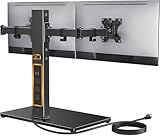
3. Perlegear Dual Monitor Stand with Power Strip, PGTVS41B
The Perlegear PGTVS41B is a freestanding computer monitor stand for two screens up to 32 inches, rated to hold 22 lbs per arm. Its glass base provides stability without drilling, and the built-in power strip consolidates chargers and monitor power bricks in one place. Adjustable arms help you angle screens slightly inward to reduce neck rotation during long sessions.
- Pro: Freestanding glass base avoids desk damage and works on any solid surface
- Pro: Integrated power strip simplifies cable management for dual monitors and accessories
- Con: Glass base occupies more desk depth than a clamp mount
When to skip: If your desk is shallow at 24 inches deep and you need every inch for keyboard and paperwork, a clamp or grommet mount will preserve more surface area.
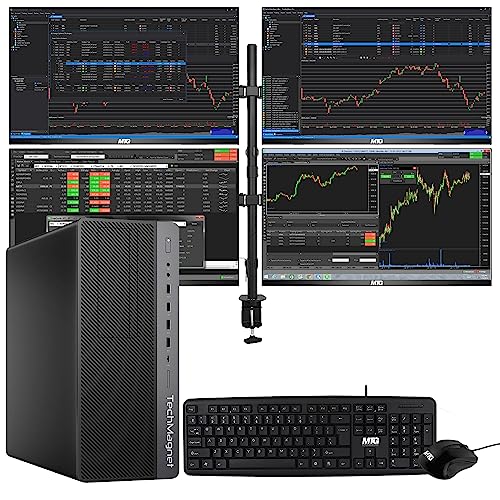
4. TechMagnet Trading Desktop PC, i5-9, 16GB RAM, 512GB SSD, Win 11
For traders who want a ready-to-run rig, this TechMagnet Trading Desktop PC pairs an Intel i5-9 processor with 16GB of RAM and a 512GB SSD running Windows 11. That combination boots platforms quickly, keeps multiple browser windows and charting apps responsive, and avoids the storage bottleneck of older hard-drive systems. It is aimed at users who run two to four monitors with demanding scanners and do not want to assemble components.
- Pro: 16GB RAM and SSD storage keep chart packages and data feeds responsive
- Pro: Windows 11 preinstalled for immediate compatibility with most trading software
- Con: No secondary high-capacity HDD included for local archives
When to skip: If you store years of tick data, screen recordings, or large local databases, pick the variant with the added 4TB HDD for local capacity.
5. STANDOPIA Dual Ultrawide Monitor Mount for 17-40”
The STANDOPIA mount is built for bigger setups, supporting two monitors from 17 to 40 inches while holding up to 19.8 lbs per arm. That range makes it suitable for 34-inch ultrawides flanking a standard 27-inch panel or for twin ultrawides if your desk can handle the width. The extra articulation helps you pull monitors close for detail work and push them back for a broader overview.
- Pro: Supports extra-large screens up to 40 inches, rare at this price point
- Pro: Dual-arm flexibility helps align ultrawide and standard aspect ratios
- Con: 19.8 lbs per arm limit requires checking actual monitor weight without stand
When to skip: If your monitors are heavy professional models over 20 lbs each, choose a mount rated for 22 lbs per arm to gain headroom.
6. Showscren 16 Inch Dual Touchscreen Portable Monitor
The Showscren 16-inch dual touchscreen portable monitor functions as a laptop screen extender with two 1920×1200 IPS panels covering 99% sRGB. USB-C and HDMI plug-and-play support makes it compatible with both Mac and Windows laptops, and touch input lets you scroll watchlists or drag trendlines without reaching for the trackpad. At 16 inches, it balances readability and portability for traders who move between home, office, and travel.
- Pro: Dual 1920×1200 IPS touchscreens offer sharp text and accurate color for charts
- Pro: USB-C and HDMI plug-and-play works across Mac and Windows with minimal setup
- Con: Touch functionality depends on OS and app support and may not map to all trading platforms
When to skip: If you trade exclusively from a desktop or need screens larger than 16 inches for multi-pane technical analysis, invest in mounted full-size monitors instead.
7. TechMagnet Trading Desktop PC, i5-9, 16GB RAM, 512GB SSD + 4TB HDD, Win 11
This TechMagnet configuration keeps the same i5-9, 16GB RAM, and 512GB SSD foundation with Windows 11, but adds a 4TB HDD for mass storage. Traders who log sessions, archive historical minute data, or keep extensive media libraries will appreciate the extra capacity without relying on external drives. At around $1,000 it undercuts the SSD-only model while adding local storage, which is useful if you prefer to keep data on device rather than in the cloud.
- Pro: 512GB SSD for speed plus 4TB HDD for long-term chart and video storage
- Pro: Competitive pricing for a high-storage trading desktop with Windows 11
- Con: HDD is slower than SSD, so keep active platforms on the SSD volume
When to skip: If you rely on cloud storage and want maximum simplicity with fewer drives to manage, the SSD-only build keeps file management leaner.
8. HUANUO Dual Monitor Mount for 2 Monitors up to 32 inches
The HUANUO dual monitor mount covers two monitors up to 32 inches, each arm holding a maximum of 22 lbs, with height adjustment, tilt, swivel, and rotation. It uses the VESA standard of 75mm or 100mm, so most trading monitors bolt on without adapters. The advanced system for tension control lets you dial in smooth movement while keeping screens locked in place once positioned.
- Pro: Full ergonomic range with height, tilt, swivel, and rotation for long sessions
- Pro: Solid 22 lbs per arm capacity with standard 75mm and 100mm VESA support
- Con: Requires VESA-compatible monitors or a separate VESA adapter plate
When to skip: If your displays are non-VESA models with proprietary stands, check for an adapter or consider a mount that includes one before buying.
Buying Guide
Match Screen Size to Desk Depth and Viewing Distance
Dual 24-inch 1080p monitors remain the sweet spot for 24 to 30-inch deep desks, letting you view full charts at 20 to 28 inches eye distance without excessive head movement. If you push to twin 27-inch displays, expect to need a mount with height and depth adjustment to avoid leaning forward to read small print on indicators. For laptop-based traders, 14 to 18.5-inch portable extenders add screen space without dominating a small desk, but plan for 32 to 40 inches of total width when both wings are open. Keep monitor weight under your mount’s per-arm rating and confirm VESA 75mm or 100mm compatibility before ordering.
Choose the Right Mount for Your Desk Type
Clamp mounts like the WALI and HUANUO save surface area and are ideal for solid wood or particleboard desks with an accessible edge, typically needing 0.5 to 3 inches of overhang. Freestanding bases like the Perlegear avoid any clamping and work on glass or rental desks, though the base plate will consume 10 to 12 inches of depth. Ultrawide users should verify width and weight carefully, since a 34-inch ultrawide often weighs 14 to 18 lbs without its stand and spans 32 inches wide, requiring arms that articulate outward without sag.
Balance PC Performance and Storage for Trading Workloads
For charting, scanners, and streaming data, prioritize 16GB of RAM and an SSD boot drive so platforms launch quickly and remain stable when you add browser tabs and spreadsheets. An Intel i5-class processor from the last two generations handles typical dual-monitor trading stacks without needing a discrete GPU unless you also edit video. If you archive data locally, a secondary 2TB to 4TB HDD or larger SSD prevents constant file offloading, but keep active trading apps on the fastest drive. Budget $30 to $100 for a quality mount and $290 to $310 for a portable dual extender, with prebuilt trading PCs in the $900 to $1,100 range for this class.
Our Verdict
For most home traders, the strongest combination is a Freestanding or clamp mount paired with right-sized monitors and a responsive PC. If you trade from a laptop, the Showscren 16-inch dual touchscreen at around $290 is the most versatile portable solution, while the DEQIXIAN 18.5-inch at $299 maximizes screen area when you have desk width to spare. For permanent desks, the HUANUO at around $39 delivers full adjustability and 22 lbs per arm at a low price, with the WALI at around $32 as the entry clamp option and the Perlegear at around $99 as the no-drill choice with built-in power. Between the two TechMagnet PCs, choose the around $1,000 model with the 4TB HDD if you store local history and recordings, or the $1069.99 SSD-focused model if you live in the cloud and want a cleaner drive setup.
FAQ
What size monitors are best for a dual setup for trading?
Two 24 to 27-inch monitors at 1080p or 1440p cover most trading layouts without forcing you to sit too far back. Use 24 inches for compact desks and 27 inches if you have 28 to 30 inches of depth and a mount that lets you push screens back to a comfortable 24 to 28-inch viewing distance.
Do I need a powerful graphics card for stock trading?
Not typically. Integrated graphics on a modern i5 system can drive two high-resolution monitors for charting and video streaming. A discrete GPU helps if you run four or more displays, heavy 4K video editing, or GPU-accelerated modeling alongside trading.
Should I choose a clamp mount or a freestanding stand?
Pick a clamp mount when you have a sturdy desk edge and want to maximize surface area. Choose a freestanding stand when you cannot clamp due to glass, a thick edge, or rental restrictions, or when you want a built-in power strip for cleaner cabling.
Are portable dual monitors good enough for active trading?
Yes for mobility and secondary setups. A 16 to 18.5-inch portable dual extender is excellent for travel and small desks, giving you three total screens with your laptop. For a primary home station, mounted 24-inch or larger desktop monitors offer better ergonomics and longer viewing comfort.









