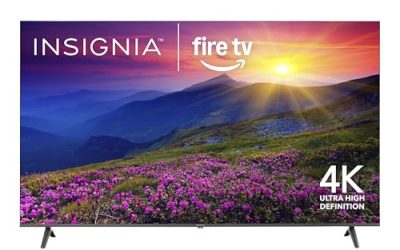
Shopping for a Dolby Atmos TV is really a question about where your sound will come from. Atmos adds height channels to a mix, and a television can handle it in two ways: by decoding the signal for its own speakers, or by passing it through an HDMI eARC port to a soundbar or receiver. Every set below lists Atmos support, so the useful decision is how much picture quality, gaming hardware, and screen size you want wrapped around that audio feature.
This guide is for people who want one purchase to cover movies and everyday streaming without immediately buying a speaker system, and for those who plan to add a soundbar later and want the TV to hand off Atmos cleanly. The six sets range from a 43 inch bedroom model to a 77 inch OLED, with Fire TV and Google TV platforms on offer, so budget tier and room size will narrow the field quickly. Think of the TV as the hub of the system rather than a standalone speaker: the better it handles inputs and passthrough, the easier it is to grow into a larger audio setup over time.
Our Top Picks


Top 3 picks at a glance
Quick Picks
As an Amazon Associate we earn from qualifying purchases at no extra cost to you.


| Product | Best for | Key spec from the title |
|---|---|---|
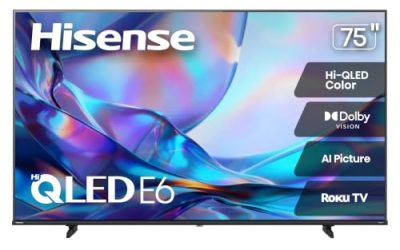
| Hisense 55E6QF | Alexa households | 55 inch Hi-QLED, Dolby Vision and Atmos, Fire TV |
| TCL 65T7 | Sports and gaming | 65 inch QLED, 144Hz, Game Accelerator 288, VRR |
| LG 77 inch OLED evo C6 | Dedicated movie rooms | 77 inch OLED, 165Hz gaming, Alpha 11 AI Processor Gen3 |
| Hisense 43E6QF | Bedrooms and small rooms | 43 inch, Dolby Vision and Atmos, AI Light Sensor |
| Sony BRAVIA 6 OLED | Wide seating arrangements | 55 inch OLED, Triluminos Pro, wide viewing angle |
| TCL 50F8D | Budget-minded buyers | 50 inch QLED, 120Hz, Game Accelerator 240, VRR |
How to Choose
Decide whether the TV speakers or an external system will carry Atmos
Built-in speakers can decode an Atmos stream and apply virtual height processing, but a thin cabinet has little room for real drivers. If you care about a convincing overhead effect, plan on a soundbar or receiver connected through the HDMI eARC input. Check that the TV port labeled eARC is free and that the soundbar you are eyeing supports Atmos over eARC. That single port decision matters more than any speaker claim on the TV itself.
Choose a panel type for your room
OLED panels, like the LG C6 and Sony BRAVIA 6 in this list, deliver per-pixel contrast that suits dark rooms and film nights. QLED panels, like the TCL and Hisense sets, usually get brighter and cope better with daylight. A practical rule: if you watch mostly after sunset, favor OLED; if your living room has large windows, favor QLED. Also remember OLED sets sit at the higher price tier.
Match size and refresh rate to your habits
For 4K viewing, sit roughly one to one and a half times the diagonal away. A 43 inch set suits four to five feet; a 77 inch set wants about eight to ten. For gaming, look for 120Hz or higher plus VRR. The TCL T7 lists 144Hz and the LG lists 165Hz gaming, while the Hisense E6 and TCL F8D lean on 120-class figures. Console players only need 120Hz, but PC players can use the higher numbers.
Look at HDMI inputs and what to ignore
Count HDMI ports before you buy: a console, a streaming box, and a soundbar already use three. Ignore vague claims such as AI sound tuning or enormous wattage figures, because the spec sheet seldom explains them. Budget models tend to cut corners on speaker quality, local dimming, and the number of ports that support the fastest signals. Reading the HDMI section of the product page is worth the two minutes. Finally, check that the TV supports passing Atmos from its own apps out through eARC, because some buyers discover too late that the soundbar only receives stereo from built-in streaming.
The 6 Best Options
Hisense 55E6QF
This 55 inch Hi-QLED runs Fire TV and ships with an Alexa voice remote, which makes it natural for homes that already use Echo speakers. The listing pairs Dolby Vision with Atmos, so streaming dramas and films get both a dynamic picture and a spatial soundtrack from the same device. In practice that makes it a convenient first Atmos purchase for people who stream most of their movies and do not want to manage a separate box. Because Fire TV handles the apps, the setup is mainly a matter of connecting to Wi-Fi and signing in.
- Strength: Dolby Vision and Atmos support together on a mid-size panel.
- Strength: AI Light Sensor that adapts the image to room lighting.
- Trade-off: The title cites Motion Rate 120, which is a marketing figure rather than a plain native refresh rate.
Skip it if you are committed to Google TV or want a bright, high-refresh gaming panel.
TCL 65T7
A large 65 inch QLED with Google TV, this set is aimed at sports watchers and console owners. A 144Hz panel, Game Accelerator 288, and VRR are the headline gaming specs, and Dolby Vision, HDR10+, and Atmos cover the media side. The 65 inch size is a good match for open-plan living rooms where several people watch from different spots, and the high refresh rate helps fast sports look smoother. It is also the most obvious pick here for a buyer who wants gaming features without paying for OLED.
- Strength: 144Hz refresh and VRR give PC and console players headroom.
- Strength: Dolby Vision, HDR10+, and Atmos in one listing.
- Trade-off: Built-in speakers on a slim TV are modest, so a soundbar is likely worth adding.
Skip it if you want OLED contrast or a very compact screen.
LG 77 inch OLED evo C6
The flagship of the group, this 77 inch OLED evo is meant for a dedicated viewing room. It lists Dolby Vision, Atmos, HDR10, Filmmaker Mode, and a 165Hz gaming spec, with an Alpha 11 AI Processor Gen3 handling upscaling. Large OLED screens reward careful placement, so buyers should plan for a sturdy stand or a proper wall mount, and a Filmmaker Mode setting is helpful for people who prefer a picture closer to what directors intended. Add an Atmos soundbar on the eARC port and this becomes a complete theater centerpiece.
- Strength: OLED contrast and a processor tuned for upscaling lower-resolution content.
- Strength: Filmmaker Mode and 165Hz gaming in one set.
- Trade-off: It is the largest and most expensive pick, and needs substantial wall or stand space.
Skip it if your budget is mid-range or the room is small.
Hisense 43E6QF
The smallest screen here is a sensible option for a bedroom, home office, or secondary room. It still lists Dolby Vision and Atmos plus the Fire TV platform and Alexa remote, so it behaves like its bigger sibling at a more compact scale. Buyers who want Atmos support in a nursery, guest room, or compact apartment will find it a simple way to get a modern HDR feature set without taking over the room. Keep in mind that the speakers inside such a small chassis are limited by physical space, whatever the processing claims.
- Strength: Atmos and Dolby Vision support in a 43 inch body.
- Strength: Fire TV interface with Alexa voice control.
- Trade-off: A 43 inch screen reduces the cinematic effect of Atmos soundtracks.
Skip it if this will be your main living room television.
Sony BRAVIA 6 OLED
This 55 inch OLED uses Google TV with Gemini and names Triluminos Pro color processing and a wide viewing angle. It is a good match for rooms where family members sit off to the side, since OLED panels tend to hold picture quality at angles better than many LED sets. The Gemini-equipped Google TV interface adds voice search for finding movies, and the Triluminos Pro processing is aimed at natural color rather than oversaturated punch. It suits viewers who value balanced, film-oriented picture quality over headline gaming figures.
- Strength: OLED contrast plus a wide viewing angle for off-center seating.
- Strength: Dolby Vision and Atmos support, with four HDMI inputs referenced in the title.
- Trade-off: The 55 inch size may feel modest for a large living room.
Skip it if you need maximum brightness for a sun-filled room.
TCL 50F8D
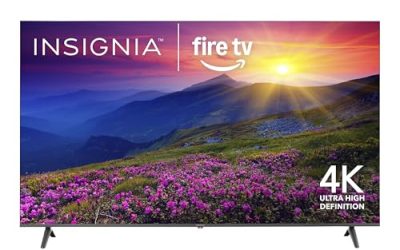
The most budget-friendly screen of the six is a 50 inch QLED with Fire TV, tagged with a 2026 model year. Dolby Vision, HDR10+, and Atmos give it the same format coverage as costlier sets, and a 120Hz panel with Game Accelerator 240 and VRR supports casual gaming. For a spare room, a first apartment, or a second television, it covers the essentials without pushing into premium territory. Anyone planning to rely on it for movie nights should budget for an external speaker setup to get a true Atmos effect.
- Strength: Wide HDR and audio format support at a budget tier.
- Strength: 120Hz refresh and VRR for sports and consoles.
- Trade-off: A modest panel and thin speakers mean the Atmos experience depends on adding a soundbar.
Skip it if you want OLED depth or a very large screen.
Which One Fits Your Situation
You are building a dark home theater
The LG 77 inch OLED evo C6 is the clear fit. Its OLED contrast, Filmmaker Mode, and Atmos support suit a darkened room with a soundbar or receiver on the eARC port.
You game on a console or PC and watch sports
The TCL 65T7 brings the highest refresh figure among the QLED options, with VRR and Game Accelerator 288. Pair it with a soundbar for proper Atmos. Choose it over the smaller sets when the room is large enough to justify 65 inches.
You want Atmos on a tight budget or in a small room
The TCL 50F8D and Hisense 43E6QF both bring Atmos support at a lower tier. The 43 inch model suits very small rooms, while the 50 inch gives a bit more image.
Your family sits all around the room
The Sony BRAVIA 6 OLED is the better pick because of its wide viewing angle and OLED contrast. The Hisense 55E6QF is the practical alternative if you prefer Alexa and a QLED panel.
Common Mistakes
- Expecting built-in TV speakers to deliver true overhead effects without an external Atmos system.
- Using the wrong HDMI port, which can prevent Atmos from reaching a soundbar. Use the eARC-labeled port.
- Buying an OLED for a bright, sunny room where a QLED would hold up better.
- Confusing a TV with Atmos support with a standalone Atmos soundbar. They solve different problems.
- Choosing a screen size without measuring the viewing distance first.
Related guides
- Monitors For Digital Signage And Video Walls
- 24 Inch 240Hz Gaming Monitor For Esports
- Monitor Refresh Rate Vs Frame Rate Explained
Frequently Asked Questions
Do I need a soundbar to hear Dolby Atmos?
No, but it helps a lot. TV speakers can decode Atmos and add virtual height effects, while a soundbar or receiver on the eARC port can reproduce a much wider and more convincing soundstage.
Does the streaming app matter for Atmos?
Yes. The content itself must be mastered in Atmos, and the app must pass it through. Many major services offer it on selected titles, usually on higher subscription tiers.
Is OLED better for Atmos movies?
OLED improves picture contrast, not audio. It suits dark-room film watching, but the audio quality depends on speakers or an external system.
Can a 43 inch TV deliver a good Atmos experience?
The format is supported, but a small screen with small speakers limits the effect. Connecting external speakers is the best way to get the most from it.