For a 34-inch to 49-inch ultrawide, the ErGear Heavy Duty Monitor Arm is the best overall pick on this list: its listing names support for 13 to 49 inch screens and a 37.4 lb load capacity, which gives it more weight margin than the 33 lb arms and covers most curved gaming ultrawides. Super-ultrawide owners who want a gas-spring or tension arm with a 44 lb capacity should look at the HUANUO TitanLift or the VIVO tension arm. An ultrawide monitor arm is a single-screen desk mount built for wide, heavy, often curved panels, and the weight capacity is the number to check first.
Our Top Picks




Top 3 picks at a glance
Quick List
- ErGear Heavy Duty Arm – best for 34-inch to 49-inch curved ultrawides with a firm 37.4 lb rating
- WALI Ultrawide Single Arm – best for 17-inch to 49-inch curved screens up to 33 lb with tilt and swivel
- VIVO Premium Aluminum Arm – best for pneumatic height adjustment on 49-inch screens up to 33 lb
- HUANUO TitanLift Heavy Duty Arm – best for heavy 49-inch ultrawides up to 44 lb
- VIVO Single 13 to 38 Inch Arm – best for lighter ultrawides up to 22 lb and 38 inches (runner-up for mid-size panels)
- VIVO Heavy Duty Tension Arm – best for 49-inch super-ultrawides up to 44 lb
Which One Is Right for You?
| If you… | Choose |
|---|---|
| Own a 49-inch super-ultrawide that weighs close to the limit of a standard arm | HUANUO TitanLift (44 lb) or VIVO Heavy Duty Tension Arm (44 lb) |
| Want the most capable general pick for a 34-inch to 49-inch curved ultrawide | ErGear Heavy Duty Arm (37.4 lb) |
| Like smooth up-and-down movement without tightening knobs | VIVO Premium Aluminum Arm (pneumatic) |
| Need a wide size range from 17 inches up to a large curved screen | WALI Ultrawide Single Arm |
| Have a 34-inch or 38-inch ultrawide that is fairly light | VIVO Single 13 to 38 Inch Arm (22 lb) |
| Prefer a tension-style arm designed around large Samsung-style super-ultrawides | VIVO Heavy Duty Tension Arm |
Start with your monitor’s weight without the stand, which is on the spec sheet. Pick an arm whose capacity exceeds it with some margin, and then check the VESA pattern and the screen size range in the listing.
All 6 Picks in Detail
1. ErGear Heavy Duty Monitor Arm for 13-49″ Ultrawide Screens – Best All-Around for Curved Ultrawides
As an Amazon Associate we earn from qualifying purchases at no extra cost to you.

The ErGear arm leads the list because its stated numbers fit the biggest part of the ultrawide market. The listing names a 13 to 49 inch screen range, a 37.4 lb capacity, full-motion adjustment, and a clamp mount. That weight capacity sits above the 33 lb arms and below the 44 lb options, which fits most 34-inch to 49-inch gaming ultrawides without overkill. The mounting description is cut off in the catalog entry we reviewed (“Dual C-Cl…”), so confirm whether it offers both a clamp and a grommet option before ordering.
- Screen size range: 13 to 49 inches
- Weight capacity: 37.4 lb
- Movement: full motion desk mount
- Mount: C-clamp described in the listing; confirm the full mounting options
- Design: single-monitor heavy-duty arm
- VESA pattern: confirm on listing
Pros:
- Broad size range and a healthy weight capacity
- Full-motion movement for sit-stand and shared-screen use
Cons:
- Mount details are truncated in the catalog name
- Not rated for the heaviest 49-inch panels at 44 lb
Compared with the WALI arm, the ErGear offers about 4 lb more capacity, which matters if your monitor weighs near 30 lb.
2. WALI Ultrawide Single Monitor Arm for 17-49 Inch Curved Screens – Best for Tilt and Swivel Flexibility

WALI’s arm is described as a heavy-duty, full-motion desk mount for 17 to 49 inch curved screens up to 33 lb, with tilt and swivel. It suits someone with a 34-inch curved ultrawide, which typically falls inside the 33 lb limit, who wants to push the screen toward them or pull it aside for a different task. A 33 lb limit is a respectable figure for most ultrawides below 49 inches, but a 49-inch super-ultrawide can come close to or exceed that weight, so check the spec sheet of your monitor before buying.
- Screen size range: 17 to 49 inches
- Weight capacity: up to 33 lb
- Movement: full motion with tilt and swivel
- Design: single monitor, curved screen friendly
- Mount: desk mount; confirm clamp and grommet options
- VESA pattern: confirm on listing
Pros:
- Wide screen size range includes curved panels
- Full motion with tilt and swivel for ergonomic positioning
Cons:
- 33 lb limit may be tight for large 49-inch panels
- Mounting specifics are not stated in the listing name
It is nearly a twin of the VIVO Premium Aluminum arm that follows, but the VIVO listing adds pneumatic height adjustment where the WALI listing emphasizes tilt and swivel.
3. VIVO Premium Aluminum Monitor Arm for Ultrawide Screens – Best for Pneumatic Height Adjustment

The VIVO Premium Aluminum arm is described as a heavy-duty single desk mount for ultrawide screens up to 49 inches and 33 lb, with pneumatic height adjustment. “Pneumatic” means a gas spring does the lifting, so you can raise and lower the screen with a light push instead of loosening a knob. That is convenient for people who sit and stand through the day or share a desk. The listing also refers to a maximum VESA size, which is cut off in the catalog entry, so confirm the supported pattern against the back of your monitor.
- Screen size range: up to 49 inches
- Weight capacity: 33 lb
- Movement: pneumatic (gas spring) height adjustment
- Material: aluminum
- Design: single-monitor desk mount
- Maximum VESA: stated in the listing; confirm the exact pattern
Pros:
- Smooth gas-spring height adjustment
- Aluminum construction keeps the arm light
Cons:
- Gas springs have a working weight range, so a very light panel may not balance
- 33 lb ceiling is below the 44 lb arms
Compare it with the ErGear: the ErGear has more weight margin, while this VIVO is the more convenient arm for frequent height changes.
4. HUANUO TitanLift Heavy Duty Monitor Arm – Best for Heavy 49-Inch Ultrawides

The TitanLift is the arm to look at when your ultrawide is big and heavy. The listing names screens up to 49 inches, a 44 lb holding capacity, aluminum construction, and a fully adjustable single-monitor design. A 44 lb capacity gives breathing room for super-ultrawide gaming monitors, whose weight can reach the mid-20s of pounds or more once you include the panel and mounting plate. If your screen is 34 inches and light, this arm may be more than you need, and a lighter model will balance more easily.
- Screen size: up to 49 inches
- Weight capacity: 44 lb
- Movement: fully adjustable
- Material: aluminum
- Design: single-monitor ultrawide mount
- VESA pattern and clamp range: confirm on listing
Pros:
- Highest weight capacity on the list, tied with the VIVO tension arm
- Aluminum build with full adjustability
Cons:
- Overbuilt for small, light ultrawides
- Heavy arms put more load on thin desks, so check your desktop
It is the direct rival of the VIVO Heavy Duty Tension Arm, which has the same 44 lb capacity but a tension-style mechanism.
5. VIVO Single 13 to 38 Inch Ultrawide Monitor Arm – Best for Lighter Ultrawides (Runner-Up)

This is the one arm in the group that is not built for the largest screens, and the listing is clear about it: it supports 13 to 38 inch ultrawide screens, regular screens up to 32 inches, and 22 lb. We list it as a runner-up for lighter ultrawides, such as many 29-inch, 34-inch or 35-inch models. If your monitor is a 49-inch super-ultrawide, skip this arm entirely. For smaller panels, a lower limit makes sense, because an arm with too much capacity can feel stiff and refuse to hold a light screen steady.
- Screen size range: 13 to 38 inches (ultrawide)
- Regular screens: up to 32 inches
- Weight capacity: 22 lb
- Movement: fully adjustable
- Mount: C-clamp described; confirm other options
- VESA pattern: confirm on listing
Pros:
- Right-sized for lighter ultrawides
- Simple, fully adjustable single-arm design
Cons:
- Not suitable for 49-inch panels or heavy 34-inch models
- Lowest capacity on the list
It is the only pick here that trades capacity for a lower size range; for anything bigger than 38 inches, move up to the WALI or ErGear.
6. VIVO Heavy Duty Aluminum Ultrawide Monitor Tension Arm – Best for Super-Ultrawides
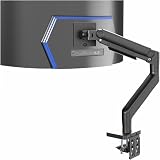
This VIVO arm is a tension-style model made for up to 49 inch screens, holding 44 lb, with a premium aluminum desk-mount stand. The listing says it is designed for Samsung ultrawides, though the exact models are cut off in the catalog entry, so confirm compatibility with your specific monitor. Tension arms use a spring mechanism that you adjust once for your monitor’s weight, and then the screen floats where you place it. That makes them popular for big, heavy displays that need a firm hold.
- Screen size: up to 49 inches
- Weight capacity: 44 lb
- Mechanism: tension arm
- Material: aluminum
- Design: single-monitor desk mount
- Compatible models: listing references Samsung ultrawides; confirm yours
Pros:
- 44 lb capacity suits large super-ultrawides
- Tension mechanism holds position once set
Cons:
- Needs tension set up for your monitor’s weight
- Overkill for lighter 34-inch screens
Against the HUANUO TitanLift, which has the same weight capacity, the choice comes down to brand preference and mounting details you can only verify on each product page.
Specs Compared
| Arm | Screen size | Weight capacity | Mechanism or motion | Material | VESA pattern |
|---|---|---|---|---|---|
| ErGear Heavy Duty | 13 to 49 in | 37.4 lb | Full motion | confirm on listing | confirm on listing |
| WALI Ultrawide Single | 17 to 49 in | 33 lb | Full motion, tilt and swivel | confirm on listing | confirm on listing |
| VIVO Premium Aluminum | Up to 49 in | 33 lb | Pneumatic height | Aluminum | Max size stated; confirm on listing |
| HUANUO TitanLift | Up to 49 in | 44 lb | Fully adjustable | Aluminum | confirm on listing |
| VIVO Single 13 to 38 in | 13 to 38 in ultrawide; up to 32 in regular | 22 lb | Fully adjustable | confirm on listing | confirm on listing |
| VIVO Heavy Duty Tension | Up to 49 in | 44 lb | Tension arm | Aluminum | confirm on listing |
How We Chose These
We compared the six listed arms using their listing titles and the specification fields shown on each product page, then cross-checked what those numbers mean against the VESA mounting standard. Our criteria were the stated screen size range, the weight capacity relative to typical ultrawide weights, the type of motion mechanism, the material, and whether the listing spells out its mounting hardware. We marked any value that the listing name does not state as “confirm on listing” rather than filling it in. This is a research-based comparison of published specifications, not a physical evaluation of the arms, so check the product page for the final word on clamp range, VESA pattern and weight limits before you buy.
What to Look For
Weight Capacity and the Real Weight of Your Monitor
Ultrawide monitors are heavier than they look, and the arm’s weight capacity is the single most important figure. Find your monitor’s weight without the stand on its spec sheet, since that is the load the arm carries. A 34-inch curved ultrawide often lands in the low-to-mid teens of pounds, while 49-inch super-ultrawides can reach the mid-20s or higher. As a rule of thumb, choose an arm whose capacity is at least 25 to 30 percent above your monitor’s weight. For example, a 26 lb panel suits a 33 lb arm in principle, but a 37.4 lb or 44 lb model gives a more comfortable margin and less sag over time.
Gas Spring, Tension and Fixed Arms
Gas-spring arms, labeled pneumatic in some listings, lift and lower with little effort and have a working weight range, meaning they may not balance a panel that is too light. Tension arms use a mechanical spring that you adjust to your monitor’s weight once, and they can feel firmer. Simple articulated arms use friction joints that you tighten with an Allen key. For a monitor you adjust several times a day, a gas-spring arm is the easiest; for a set-and-forget desk, any style works.
VESA Pattern and Back-Panel Compatibility
VESA is the hole pattern on the back of your monitor, most often 75 by 75 mm or 100 by 100 mm. Most ultrawide arms support both, but some curved monitors have recessed or angled mounting areas that need a spacer. Check that your monitor has VESA holes at all, since a few models require a separate adapter. If the listing does not state its supported pattern, confirm it on the product page before ordering.
Desk Mounting, Clamp Range and Cable Routing
Most arms clamp to the back edge of a desk or pass through a grommet hole. Check the clamp’s thickness range against your desktop, and look out for desks with a lip, a cable tray or a glass top, which can prevent a standard clamp from gripping. A thin or particleboard desk may flex under a heavy ultrawide; a metal reinforcement plate under the clamp helps spread the load. Built-in cable clips are handy, but a super-ultrawide’s cables are thick, so give them room to move through the arm’s full range.
Reach, Height and Curved-Screen Fit
A 49-inch super-ultrawide is about 47 inches wide, so confirm the arm can place it at a comfortable viewing distance without bumping into a wall. Extension length matters more than height for these screens. Aim for a top edge near or slightly below eye level, which usually means the arm should travel enough vertically to suit you when seated.
Worked Example: Matching an Arm to a 34-Inch and a 49-Inch Monitor
Suppose you own a 34-inch curved ultrawide that weighs about 14 lb without its stand. Every arm in this list has a capacity above that number, but a gas-spring arm rated in the 33 lb to 44 lb range may struggle to hold such a light screen steady, so the 22 lb VIVO model or the 37.4 lb ErGear is the more natural fit, with a quick check of the listing’s stated minimum, if one is given. Now suppose you own a 49-inch super-ultrawide that weighs around 25 lb without its stand. A 33 lb arm technically covers it, but the margin is only about 30 percent and the screen is long, which puts more twisting force on the arm. The 37.4 lb ErGear improves that margin, and the 44 lb HUANUO or VIVO tension arm gives the most comfortable cushion. In both cases the process is the same: weigh the monitor, add a margin, check the VESA holes, then check the screen size range.
Sit-Stand Desks and Frequent Movement
If you use an electric sit-stand desk, the arm travels with the desktop, so make sure the cable slack allows for the full height range. A gas-spring or tension arm can also lift the monitor independently, which is useful when several people share a desk. Keep the arm’s moving joints clear of walls and shelves, because a super-ultrawide swings through a surprisingly large arc.
Installing an Ultrawide Arm Safely
Installation is where a heavy ultrawide can go wrong, so take it slowly. Lay the monitor face down on a soft surface, attach the VESA plate with the screws supplied, and mount the arm to the desk before hanging the screen. Use the longest screws that fit only if the arm’s instructions say so, because a screw that bottoms out inside a curved back panel can crack the housing. Two people make the lift much easier with a 49-inch panel, since the screen is wide and awkward to hold. Once the monitor is on the arm, adjust the tension or gas spring until the screen stays where you place it without drifting, and then tighten any friction joints. Re-check the clamp after a few days of use, because the first week is when a clamp most often loosens as the desk surface compresses.
Larger VESA Patterns on Big Ultrawides
The 75 by 75 and 100 by 100 mm patterns fall under the VESA MIS-D interface, which is specified for a load of up to roughly 30.8 lb (14 kg). Larger and heavier displays sometimes step up to 200 by 100 mm or 200 by 200 mm patterns, so a 49-inch super-ultrawide may not use the common holes at all. That is a good reason to read both the arm’s listing and your monitor’s spec sheet before you buy. If the two patterns do not match, a VESA adapter plate is a simple fix, but it adds a little thickness behind the screen that can reduce how close the monitor sits to the wall.
Setting the Monitor at a Comfortable Height and Distance
A wide screen is easiest to use when it sits at a comfortable distance, often about an arm’s length away. Position the top edge of the display near eye level, and tilt it slightly back. With a curved ultrawide, rotating the screen a few degrees toward you keeps the edges at similar distances from your eyes. Many arms let you pull the screen forward or push it back, which is the main reason to choose an arm over the stock stand, whose depth and height are often fixed.
Questions
Can a monitor arm hold a 49-inch ultrawide?
Yes, if the arm’s listing names 49 inch support and a weight capacity above your monitor’s weight. Check the spec sheet for the panel’s weight without the stand, then leave a margin of at least 25 percent.
Is a gas-spring or tension arm better for an ultrawide?
Gas-spring arms are the easiest to adjust, while tension arms are firm and hold position well. Either works for a heavy ultrawide as long as the weight capacity covers it.
Will an ultrawide arm fit any desk?
Most arms clamp onto desks of standard thickness, but glass tops, thin surfaces and desks with a lip can cause problems. Check the clamp range in the listing and measure your desktop.
What VESA pattern does my ultrawide use?
Most use 75 by 75 mm or 100 by 100 mm, and the pattern is on the monitor’s spec sheet or the back panel. Some curved models need an adapter plate, so verify it first.
Does a monitor arm help with desk space?
Yes. An arm lifts the screen off the desk and frees the area underneath for a keyboard, notes or speakers. It also lets you pull a wide screen closer or push it back.
Can I use a lighter arm for a lighter ultrawide?
Yes, and a lighter arm such as the 22 lb VIVO model can be a better balance for a small panel. Just confirm that your monitor’s weight is under the rating.
Update History
- October 20, 2026 – Initial publication; product set drawn from current catalog listings.
- Check the product page for current specifications and availability before buying.
Sources
- Retailer listing titles and specification fields for each arm named above
- VESA Flat Display Mounting Interface (FDMI) conventions for 75 by 75 mm and 100 by 100 mm patterns, as explained in Ergotron’s VESA guide and mounting-specification guides
- Monitor-arm weight-capacity and gas-spring versus tension guidance from mount makers and retailer buying guides