
Choosing a VESA mount should be simple: match the numbers on the back of your screen to the numbers on the box. Yet most returns and wall-damage headaches come from skipping that exact step. People assume all flat screens are VESA compatible, buy a mount rated for the right screen size but the wrong hole pattern, or forget to check weight, wall type, and clearance. Others discover their monitor has a recessed VESA area that needs longer screws or spacers, or that their curved ultrawide blocks the tilt mechanism.
Understanding how to choose VESA mount compatibility before buying saves you from drilling extra holes, buying adapters after the fact, or realizing your expensive arm sags under load. This guide walks through what actually matters — the measurements, materials, and construction details that determine whether a mount will fit, hold, and function the way you need it to.
As an Amazon Associate we earn from qualifying purchases at no extra cost to you.



Our Top Picks


Top 3 picks at a glance
Decide These 3 Things First
Before you compare any mounts, lock in these three decisions. They eliminate 80 percent of incompatible options.
1. Your exact VESA pattern and weight. Look at the back of your monitor or TV. You will see four threaded holes in a square or rectangle. Measure center-to-center horizontally and vertically in millimeters. Common patterns are 75×75 and 100×100 for monitors from 13 to 32 inches, 200×200 for many 32 to 43 inch screens, and 200×100, 300×200, 300×300, and 400×400 for larger TVs from 42 to 85 inches. Weigh your display with its original stand removed, or check the spec sheet for weight without stand. A 27-inch monitor typically weighs 9 to 14 lbs without stand, a 55-inch TV weighs 28 to 40 lbs, and a 65-inch TV weighs 45 to 65 lbs.
2. Mount type and location. Desk clamp or grommet, freestanding, wall mount, or ceiling mount? A desk clamp needs a desk edge or grommet hole with a thickness of 0.4 to 3.5 inches and enough clearance underneath for the bracket. Wall mounts need to anchor into wood studs, concrete, or brick — drywall alone will not hold a TV. If you are renting, a desk mount or a freestanding pole mount avoids wall drilling entirely.
3. How you will use the screen. If you just need a fixed, low-profile TV position, a simple flat or tilting wall mount is enough. If you work from home, edit, or game and need to swivel, tilt, rotate to portrait, and adjust height throughout the day, you need a fully adjustable gas-spring arm with a wide range of motion.
Size: Screen Size Is Not the Compatibility Rule
Manufacturers list a recommended screen size range, like 13 to 34 inches, but that is a guideline for viewing distance and weight distribution, not a guarantee of fit. VESA pattern and weight capacity are the real compatibility rules.
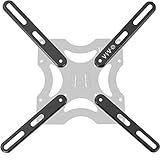
A mount rated for 13 to 34 inch screens may only include 75×75 and 100×100 hole patterns. If your 32-inch TV uses 200×200, it will not bolt on without an adapter plate such as a VESA extension adapter that converts 100×100 to 200×200 or larger. Adapters typically add 0.5 to 1 inch of depth and cost $14 to $25.
Also check the mount’s arm length and extension. Single monitor arms often extend 17 to 26 inches from the pole and provide 8 to 13 inches of height adjustment. For a 34-inch ultrawide that is 32 inches wide, you need at least 18 inches of clearance from the wall or pole to swivel 90 degrees without hitting the wall. For dual-monitor setups, measure total width. Two 27-inch monitors side by side need about 48 to 52 inches of desk width.
Finally, check VESA hole depth and obstruction. Some monitors, especially curved models and TVs with a recessed back panel, have deep recesses of 0.5 to 1 inch. You will need M4, M6, or M8 screws in lengths from 10mm to 35mm plus spacers. Quality mounts include a hardware kit with multiple lengths. If the included screws are too short, the mount will not secure safely.
Material: Steel, Aluminum, and Plastic Where It Counts
Material determines long-term rigidity and wobble, especially at full extension.
Steel: Most wall plates, poles, and clamp bases are made from cold-rolled steel, 2 to 4mm thick. Steel offers the highest load capacity and least flex. Budget wall mounts rated for 55 to 85 inch TVs often use 2.5mm steel plates and support 80 to 130 lbs.
Aluminum: Premium monitor arms use die-cast aluminum or extruded aluminum arms. Aluminum is lighter than steel, resists corrosion, and allows smoother joints for gas-spring mechanisms. An aluminum arm weighing 6 to 8 lbs can still hold a 19.8 lb monitor without sagging, while a steel arm of the same strength would weigh more.
Plastic and trim: Cable management covers, joint caps, and VESA plate shrouds are usually ABS plastic. That is fine for covers, but load-bearing joints should not be plastic. If you can see plastic at the main elbow or VESA head joint, expect more play over time.
Check the finish too. Powder-coated steel and anodized aluminum resist scratches better than painted steel, which matters if you adjust the arm frequently.
Construction: How the Mount Holds and Moves
Look past marketing and inspect the mechanics.
VESA plate: The plate should be steel, with slotted or open-top holes for easier hanging. Tool-free designs let you slide the monitor onto the plate and lock it with a lever, which helps when mounting a 25 lb display alone. Quick-release plates are worth it for single-person installation.
Tilt, swivel, and rotation: Concrete numbers matter here. A good adjustable arm offers +35 to -35 degrees of tilt, 180 degrees of swivel at the base, 360 degrees of rotation for portrait mode, and +/- 90 degrees of swivel at the head. A basic tilting TV wall mount offers 0 to -12 degrees of tilt only. If you mount a TV above eye level, at least -10 degrees of tilt prevents neck strain and glare.
Height adjustment and gas spring: Gas-spring arms provide smooth, counterbalanced height adjustment and hold position without tightening a knob each time. They are typically rated for 4.4 to 19.8 lbs per arm, which covers most monitors from 13 to 32 inches. Mechanical spring or friction-lock arms cost less but require an Allen key to adjust tension and may drift if overloaded.
Base and anchoring: For desk mounts, a C-clamp that spans 0.4 to 3.5 inches fits most desks 0.75 to 1.5 inches thick. A grommet mount needs a hole diameter of 0.4 to 2.5 inches. For wall mounts, the wall plate should span at least 16 inches to hit two wood studs spaced 16 inches on center. Lag bolts should be 5/16 inch diameter and 2.5 inches long for wood studs, or use concrete anchors rated for 4x the TV weight for masonry.
Cable management: Integrated channels or clips along the arm keep cables from snagging during movement. Budget arms at around $26 often include simple clip-on covers that hold 2 to 3 cables. Mid-range arms near around $47 usually have full-length removable channels that hide thicker display cables and power cords.
Comfort and Performance: Ergonomics You Will Actually Feel
Compatibility is not just whether the screen bolts on. It is whether you can place the screen where your body needs it.
Ideal monitor height places the top third of the screen at eye level, about 20 to 30 inches from your eyes. An arm with 11 to 13 inches of vertical travel lets a 5-foot-2-inch and a 6-foot-1-inch user share the same desk. Without enough height range, you will stack books under the base or hunch.
Tilt and swivel reduce glare and allow collaboration. If your desk faces a window, -5 to +15 degrees of tilt lets you cut reflections without moving the whole desk.
Stability at full extension is critical. A 32-inch monitor weighing 17 lbs extended 22 inches from the pole creates significant leverage. Check that the arm lists a weight range, not just a maximum. A gas-spring arm rated for 4.4 to 19.8 lbs will hold a 9 lb monitor more securely than one rated only for up to 19.8 lbs, because the counterbalance is tuned for that range. If your monitor is lighter than the minimum, it will rise on its own. If heavier, it will sag.
For TVs, low-profile fixed mounts hold the screen 1 to 1.5 inches from the wall for a clean look but offer no adjustment. Full-motion TV mounts extend 15 to 25 inches and swivel 45 to 90 degrees, useful for corner installations or open-plan rooms, but they place more stress on the wall plate.
Price Tiers: What You Get for Your Money
Prices reflect materials, motion, and weight capacity rather than just screen size.
Budget: $15 to $35. This tier includes VESA adapter plates (around $14 to around $15) that convert 75×75 or 100×100 to 200×200 and larger, and basic single monitor arms around $26 with tool-free VESA installation, clamp or grommet base, and cable clips. Expect mechanical adjustment, 75×75 and 100×100 support only, 13 to 32 inch size range, and 15 to 19.8 lbs capacity. Good for a single lightweight monitor where you adjust position occasionally.
Mid-range: $40 to $90. This is the sweet spot for daily use. Example: a FlowLift-style single monitor arm near around $47 with gas-spring counterbalance, full motion including 360-degree rotation, aluminum construction, integrated cable management, and both clamp and grommet hardware. Supports 13 to 32 inches, 4.4 to 19.8 lbs, and includes a more complete screw kit with spacers for recessed backs. Height adjustment is smoother and holds position better.
Premium: $90 to $250+. Heavy-duty or dual-arm models, wall mounts for 55 to 85 inch TVs rated for 80 to 130 lbs, and poles with USB ports or heavy-duty articulation. Materials are thicker steel and aluminum, joints are tighter, and arms support wider VESA patterns up to 400×400 without adapters. You also get longer extension, better tilt locks, and cleaner cable routing for multiple cables including HDMI 2.1 and power.
Do not pay for capacity you do not need, but do not undersize to save $20. A sagging arm is more expensive to replace than buying the right capacity initially.
Warranty and Support: Reading Beyond the Year Count
Most monitor arms and VESA adapters carry a 1 to 3 year warranty, with premium brands offering 5 to 10 years on the mechanical structure and 1 to 2 years on the gas spring. Wall mounts for TVs often list a 3 to 5 year warranty.
Check what the warranty covers. Structural failure and gas-spring failure should be covered. Cosmetic finish and lost screws typically are not. Look for brands that list US-based support and provide replacement hardware kits at no cost. That matters because M4, M6, and M8 screws and spacers are easy to lose during a move.
Keep your receipt and note your VESA pattern and mount serial number in 2026 when you install it. If you move or upgrade your monitor, you will know immediately whether the mount transfers without re-measuring.
Delivery and Assembly: What to Expect in the Box
Most single monitor arms ship in a box weighing 7 to 12 lbs and measuring roughly 18 x 12 x 6 inches. TV wall mounts for 55 to 75 inch screens ship in longer boxes around 28 x 10 x 4 inches and weigh 10 to 18 lbs. Check delivery weight if you are ordering multiple units for an office.
Assembly time for a single arm is typically 15 to 30 minutes with one person. You need a Phillips screwdriver and the included Allen keys. Wall mounts require a drill, stud finder, level, and 5/16 inch drill bit for lag bolts or a 3/8 inch bit for concrete anchors. Plan 30 to 60 minutes for a wall mount, including locating studs and leveling.
Verify all parts on arrival: VESA plate, arm segments, pole, clamp or grommet base, wall plate if applicable, screw kit with M4x12mm, M4x16mm, M6x16mm, M6x25mm, M8x25mm and spacers 5mm to 15mm, Allen keys, and cable clips. If your desk has a beveled edge or a glass top thicker than 0.5 inch, you may need a separate reinforcement plate or grommet adapter.
Spec Checklist
| Spec | Budget | Mid | Premium |
|---|---|---|---|
| VESA Patterns Supported | 75×75, 100×100 only | 75×75, 100×100; adapters to 200×200 available | 75×75 to 400×400 native, no adapter needed |
| Weight Capacity Per Arm/Plate | Up to 17 to 19.8 lbs | 4.4 to 19.8 lbs with counterbalance range | 19.8 to 33 lbs per arm; 80 to 130 lbs for TV plates |
| Screen Size Guideline | 13 to 32 inches | 13 to 34 inches, including ultrawide | 32 to 85 inches |
| Motion | Tilt +35/-35 deg, limited swivel | Gas-spring height 11-13 in, 180 deg swivel, 360 deg rotation | Full motion 20-25 in extension, 90 deg swivel, heavy-duty tilt lock |
| Material | Steel pole/plate, plastic joint caps | Aluminum arm, steel base/plate | Aluminum + 3-4mm steel, reinforced joints |
| Mounting Options | C-clamp only, 0.4-2.5 in desk | C-clamp and grommet, 0.4-3.5 in desk | Clamp, grommet, wall, and pole; stud-spanning plates |
| Cable Management | Clip-on covers | Full-length channels | Enclosed channels with multiple cable capacity |
| Price Range | $14 to $35 | $40 to $90 | $90 to $250+ |
Red Flags
Skip any mount that shows these warning signs:
No listed VESA pattern or weight capacity. If the listing only says fits 32 inch TVs without listing 75×75, 100×100, 200×200 or a specific lb rating, it is not providing compatibility information. Do not guess.
Maximum weight only, no minimum. Gas-spring arms need a weight range. A monitor lighter than the minimum will not stay down.
Plastic load-bearing joints. If the elbow or VESA head is plastic, it will develop play and sag, especially with monitors over 12 lbs.
No stud installation guidance. Any TV wall mount that suggests drywall anchors alone for a 55 inch TV is unsafe. It should specify wood stud, concrete, or brick installation with included lag bolts or anchors.
Missing screw kit details. A legitimate mount lists included screw sizes M4, M6, M8 and spacers. If the hardware list is vague, you may end up making a second hardware store trip.
Vague motion specs. Claims like fully adjustable without listing tilt degrees, swivel degrees, or extension in inches make it impossible to know if the mount will clear your wall or reach eye level.
FAQ
How do I find my monitor’s VESA pattern without the manual?
Measure the four holes on the back panel center-to-center in millimeters. If holes are 100mm apart horizontally and vertically, you have 100×100. If they are 75mm apart, you have 75×75. For TVs, you may measure 200mm by 200mm or 300mm by 300mm. You can also search the exact model number plus VESA on the manufacturer’s spec page and confirm weight without stand and screw size, usually M4 for monitors and M6 or M8 for TVs.
Can I use a 100×100 mount with a 200×200 TV?
Only with an adapter plate. A VESA extension adapter such as those for 23 to 42 inch screens or 32 to 55 inch screens bolts to your 100×100 mount and provides 200×200, 200×100, or larger patterns. Check that the combined mount plus adapter still supports your TV’s weight. Adapters add leverage, so keep the TV weight at least 15 percent below the mount’s maximum.
How do I know if my wall can hold the mount?
Use a stud finder to locate wood studs. You need at least two studs for TVs over 32 inches, using lag bolts into the center of each stud. For concrete or brick, use the included concrete anchors rated for 4x the total weight. Do not mount a TV over 20 lbs to drywall with plastic anchors. If you cannot locate studs where you want the TV, choose a desk or freestanding mount instead.
Why does my monitor sag or rise on a gas-spring arm?
The arm’s counterbalance is not tuned to your monitor’s weight. Most gas-spring arms have a tension screw or dial at the elbow. Turn clockwise to increase tension for heavier monitors up to 19.8 lbs, counterclockwise for lighter monitors down to 4.4 lbs. Adjust in quarter turns, then test by moving the arm to mid-height and releasing. It should hold position without drifting up or down. If it still drifts at maximum tension, your monitor is outside the rated range.









