For most buyers, the ultrawide vs super ultrawide for sim racing decision is not simply about buying the widest screen possible. It is about balancing immersion with the room you actually have, the graphics hardware you own, and whether the display must also work for everyday tasks, shared spaces, or a multipurpose desk.
A 34-inch ultrawide typically uses a 21:9 aspect ratio and 3440 × 1440 resolution. A 49-inch super ultrawide usually uses a 32:9 aspect ratio and 5120 × 1440 resolution—the visual equivalent of placing two 27-inch 1440p monitors side by side without a bezel in the middle. Both can make a racing cockpit feel more involving than a standard 16:9 display, but they create distinctly different demands on your home and your PC.
As an Amazon Associate we earn from qualifying purchases at no extra cost to you.


The right choice in 2026 comes down to whether you want a focused racing display that still fits easily into a normal home office, or a panoramic centerpiece that can take over a dedicated sim-racing setup.
Our Top Picks
 Raywego 49 Inch Curved Ultrawide Gaming Monitor49 inch6.9 x 46.87 x 19.4 inches22 PoundsCheck on Amazon


Top 3 picks at a glance
Quick Verdict
Choose a 34-inch ultrawide if you have a compact desk, sit in a shared office or bedroom, use a midrange gaming PC, or want a screen that is easy to move, mount, and resell. At roughly 31 to 32 inches wide, it offers a meaningful field-of-view upgrade without requiring a major rearrangement of your room.
Choose a 49-inch super ultrawide if sim racing is a primary hobby, you have at least a 55-inch-wide desk or cockpit, and your PC can comfortably drive 5120 × 1440. Its wider peripheral view is especially compelling in cockpit-view racing, where side windows, mirrors, and track-side reference points add to the sense of speed.
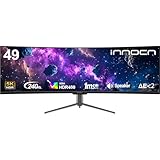
For value, a 34-inch model is the practical choice. The Sceptre 34-inch curved WQHD monitor, for example, sits around $200, while the Dell 34 Monitor S3425DW is around $400. Super ultrawides start higher: the Raywego 49-inch curved DQHD monitor is about $470, while a higher-refresh option such as the INNOCN 49-inch curved DQHD 240Hz model reaches about $840.
Side by Side
| Factor | 34-Inch Ultrawide | 49-Inch Super Ultrawide |
|---|---|---|
| Typical resolution | 3440 × 1440 (21:9) | 5120 × 1440 (32:9) |
| Comfort | Easy to scan from edge to edge at a desk. | More immersive, but requires more head and eye movement. |
| Durability | Smaller panel and stand are generally easier to transport safely. | Large curved panel needs more careful handling and a sturdier mount. |
| Price range | About $200 to $650. | About $475 to $1,200 or more. |
| Maintenance | Simple to dust, clean, and reposition. | More surface area; cable routing and cleaning take more effort. |
| Space needed | About 32 inches wide; 24-inch-deep desk recommended. | About 48 inches wide; 28- to 30-inch-deep desk or cockpit is better. |
| Look in a room | Modern and substantial without dominating the furniture. | Strong “sim rig” statement piece; can visually overwhelm a small room. |
| Resale and reuse | Broad appeal for work, gaming, and media use. | More specialized buyer pool, though attractive to enthusiasts. |
| Best for | Flexible home office, apartment, casual-to-serious racer. | Dedicated cockpit, serious racing hobby, multitasking without dual monitors. |
Where Ultrawide Wins
A 34-inch ultrawide is often the smarter home-furniture decision because it fits into spaces that were never designed around a sim rig. Most 34-inch 3440 × 1440 monitors measure roughly 31.5 inches wide and 14 to 15 inches tall before the stand. They can sit comfortably on a 48-inch desk, leaving space for speakers, a charging station, or a small lamp.
They are also easier on graphics hardware. A 3440 × 1440 panel contains about 4.95 million pixels. That is substantially more than standard 2560 × 1440, but notably less than the approximately 7.37 million pixels of a 5120 × 1440 super ultrawide. In practical terms, an ultrawide gives your GPU fewer pixels to render, making it easier to prioritize higher frame rates, stronger visual settings, or both.
This matters in racing simulations, where smooth motion can be more valuable than pushing every setting to its maximum. A monitor such as the Sceptre 34-inch curved WQHD model offers a 3440 × 1440 format with refresh rates up to 180Hz, while the Dell 34 Monitor S3425DW offers a calmer 120Hz option for buyers who also value office work and eye-comfort features. Neither type requires the physical commitment of a 49-inch panel.
Ergonomics are another advantage. With a 34-inch ultrawide, you can generally sit about 24 to 32 inches from the screen and see the full image without turning your head. A moderate curve, such as 1500R, can make the outer edges feel more natural without making the display awkward for spreadsheets, photo editing, or streaming.
Finally, a 34-inch screen is less risky in a rental. It can be packed into a car more easily, mounted on a conventional VESA arm rated for roughly 20 to 25 pounds, and moved between rooms without redesigning your desk layout.
Where Super Ultrawide for Sim Racing Wins
A super ultrawide for sim racing wins on visual width and cockpit presence. The 32:9 format can place more of the car interior, side mirrors, door areas, and nearby opponents within your natural view. In supported games, it creates a more continuous visual sweep than a 21:9 panel while avoiding the bezels and alignment issues of a dual-monitor setup.
Most 49-inch DQHD displays are about 47.8 inches wide and 14.3 inches tall without their stands. That height is close to a pair of 27-inch 1440p monitors, but the uninterrupted horizontal span changes how the rig feels. A 1500R or 1800R curve helps bring the ends inward, which is important because the panel can otherwise feel too flat at a typical desk distance.
The Raywego 49-inch curved DQHD gaming monitor, priced around $470, illustrates the lower entry point for this category with 5120 × 1440 resolution, a 165Hz refresh rate, and a 1500R curve. The INNOCN 49-inch curved DQHD option costs about $840 and raises the refresh rate to 240Hz. Those higher refresh rates can be appealing, but buyers should be realistic: maintaining very high frame rates at 5120 × 1440 requires capable graphics hardware and game settings tailored to it.
Super ultrawides also shine outside racing when one screen must replace two. You can keep telemetry, Discord, a track map, a browser window, or streaming controls visible beside the game. For a multipurpose cockpit in a dedicated room, that can be more convenient than adding a separate second display.
The trade-off is fit. A 49-inch monitor is not a casual desk accessory. Plan for a desk at least 55 inches wide and ideally 28 to 30 inches deep. If you mount it to a rig, verify both VESA compatibility and the arm or mount’s stated weight rating. Many 49-inch displays weigh roughly 25 to 35 pounds with their stand, and their width creates leverage that flimsy monitor arms do not handle well.
Cost Over 5 Years
The purchase price is the biggest cost difference, but it is not the only one. A reasonable five-year budget should include the display, mounting support if needed, and electricity.
For a 34-inch ultrawide, expect an upfront cost of roughly $200 to $650. Add $0 to $150 for a basic stand upgrade or monitor arm. Many models use approximately 35 to 60 watts during active use, depending on brightness, refresh rate, and HDR settings. At 10 hours of use per week and an electricity rate of around $0 per kWh, that works out to about $15 to $25 over five years.
For a 49-inch super ultrawide, expect roughly $475 to $1,200 for the monitor, plus $100 to $300 if you need a heavy-duty desk arm or cockpit mount. Active power use often falls around 55 to 100 watts, depending on settings. Under the same 10-hours-per-week, around $0-per-kWh example, electricity may add approximately $25 to $42 over five years.
The larger financial variable is your PC. Moving from 3440 × 1440 to 5120 × 1440 increases pixel load by about 49 percent. If your current system already struggles with ultrawide gaming, a super ultrawide may accelerate the need for a graphics-card upgrade.
Which One for Your Home
Small apartment
Choose a 34-inch ultrawide. It delivers a convincing racing upgrade while preserving valuable desktop and wall space. A 48-inch-wide desk is usually enough, and the monitor can still serve as an everyday work or entertainment screen.
Family with kids or pets
Choose a 34-inch ultrawide unless the 49-inch screen lives on a dedicated, stable cockpit. A smaller display is easier to position farther back on the desk and less vulnerable to bumps. If you choose super ultrawide, use a substantial mount, keep cables secured, and avoid placing the panel near a high-traffic edge.
Rental
Choose a 34-inch ultrawide for easier moving and broader reuse in your next home. It is less likely to require wall mounting, a specialty arm, or a desk replacement. A super ultrawide makes sense only if your rental already has a dedicated gaming room or a permanent rig.
Long-term home
Choose a 49-inch super ultrawide if you are building a stable racing space and expect to use it for years. It makes the most sense when the desk, cockpit, PC, and room layout are all designed around it. Otherwise, a quality 34-inch ultrawide remains the more flexible long-term purchase.
FAQ
Is a 49-inch super ultrawide too wide for sim racing?
Not if you have the desk depth and sit at an appropriate distance. A curved 49-inch display usually feels best around 30 to 40 inches away. On a shallow desk, however, the edges may feel uncomfortably close and force excessive head movement.
Is 3440 × 1440 enough for sim racing?
Yes. It is a major step up from a standard 16:9 display, offering extra side visibility while remaining easier to run than 5120 × 1440. For many home setups, 3440 × 1440 is the best balance of immersion, cost, and performance.
Do I need a curved monitor for sim racing?
No, but curvature is helpful on wider displays. It keeps the far edges visually closer to you and can make a 34-inch or 49-inch screen feel more cohesive. The benefit becomes more noticeable as the screen gets wider.
Should I buy a super ultrawide instead of triple monitors?
A super ultrawide is simpler, cleaner, and easier to fit into a home. Triple monitors can provide a wider overall field of view, but they require more desk or cockpit space, more cables, more setup time, and careful bezel alignment. For most homes, a 49-inch super ultrawide is the more streamlined compromise.