A 34-inch ultrawide is the sweet spot for a home flight sim setup because it fills your peripheral vision without demanding the GPU power or desk space of a triple-monitor array or a 49-inch super ultrawide. On a standard 60-inch desk in a spare bedroom or home office, a 3440 x 1440 panel at 1500R to 1800R curvature wraps just enough to make approaches and traffic patterns feel natural, while still leaving room for a yoke, throttle quadrant, and rudder pedals underneath.
The problem is sorting real flight sim value from generic gaming marketing. For Microsoft Flight Simulator and X-Plane, refresh rate, curvature, panel type, and stand adjustability matter more than abstract response time claims. We focused on 34-inch WQHD 21:9 monitors that actually help with cockpit visibility, instrument legibility, and long-session comfort, plus one cockpit mounting solution that ties the whole rig together. Every pick below is ranked for flight sim use as we head into 2026, with clear prices and trade-offs.
As an Amazon Associate we earn from qualifying purchases at no extra cost to you.




Our Top Picks
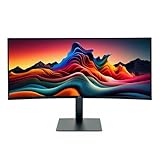
 LG 34U650A-B 34-inch UltraWide IPS WQHD 100Hz HDR10349.1 x 32.2 x 21.1 inches22.3 PoundsCheck on Amazon
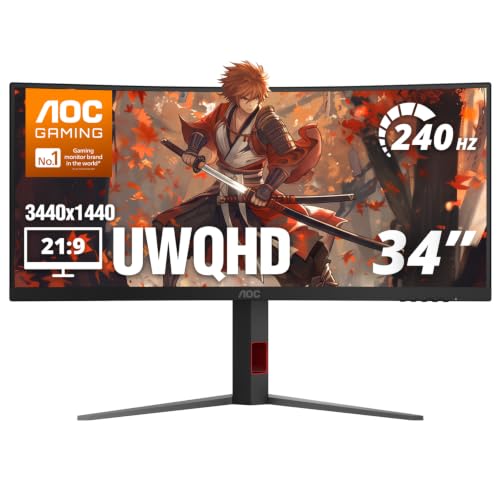 AOC 34" Curved Gaming Monitor UWQHD 240Hz VA34" 240Hz UWQHD10.61 x 31.81 x 21.05 InchesCheck on Amazon
 Philips 34 Inch Curved Computer Monitor UWQHD 100Hz34"14.4 x 31.8 x 4.3 inches27.8 poundsCheck on Amazon


Top 3 picks at a glance
Quick Picks
| Product | Best for | Price |
|---|---|---|
| Alienware 34 Curved Gaming Monitor – AW3425DWM | Best Overall for Flight Sim | Check on Amazon |
| LG 34U650A-B 34-inch UltraWide IPS WQHD Curved Monitor | Best IPS Color for VFR Flying | Check on Amazon |
| LG UltraWide 34 Inch WQHD HDR 10 Curved Monitor, 120Hz 5ms, 3440 x 1440, Reader Mode, 34U62TB-B, Tilt/Height/Swivel Stand (Renewed) | Best Value Renewed Pick | Check on Amazon |
| AOC 34″ Curved Gaming Monitor UWQHD VA AMD FreeSync Premium, CU34G4Z | Best High Refresh on a Budget | Check on Amazon |
| Meza – Cockpit Simulator Panel Kit, Pre-Cut Flight Sim Mounting Set Compatible with Logitech Yoke, Throttle Quadrants, Honeycomb Yoke and Logitech Flight Panels, LED Light Bar, 30 x 20 x 4 Inch | Best Cockpit Panel Add-On | $199 |
| Philips 34 Inch Curved Computer Monitor UWQHD USB-C PD VA, 346E2CUAE | Best for Clean Single-Cable Setup | Check on Amazon |
| ASUS ROG XG34WCDG 34 Inch 1440p 175Hz Ultrawide OLED G-SYNC Gaming Monitor | Best OLED for Night Flying | $749 |
| INNOCN 34″ Ultrawide Monitor WQHD 3440 x 1440P IPS Adaptive-Sync G-SYNC Compatible, PIP/PBP, HDR, Built-in Speaker, Height Adjustable – 34C1R | Best Budget IPS with Speakers | Check on Amazon |
How We Compared
We prioritized monitors that make a difference in the sim, not just on a spec sheet. That meant 34-inch 21:9 WQHD at 3440 x 1440 as the baseline, with a curve between 1500R and 1800R for wraparound awareness, and a minimum of 100Hz so panning around the cockpit stays smooth. We weighted color stability and viewing angles for reading glass cockpit displays, and noted stand flexibility and connectivity for yoke and throttle clearance.
We also compared real buyer constraints: street prices from around $199 to $749, availability as new or renewed, and whether a VA or IPS or OLED panel fits bright rooms versus dark-room night flights. Adaptive sync support including AMD FreeSync Premium, VESA AdaptiveSync, and G-SYNC Compatible operation was factored for stutter-free performance across different GPUs. We did not run lab tests and we did not invent brightness, contrast, or input lag numbers. Recommendations are based on published specs, feature sets, and practical fit for flight simulator seating distances of 24 to 36 inches.
The 8 Best Picks
1. Alienware 34 Curved Gaming Monitor – AW3425DWM
The AW3425DWM is our top overall pick for flight simulator use because it balances the core specs sim pilots actually notice. The 34-inch WQHD 3440 x 1440 panel at 180Hz with a 1ms response and 1500R curve delivers smooth panning and a natural wrap at typical desk distances, while AMD FreeSync Premium and VESA AdaptiveSync keep frames tear-free during low-altitude scenery loads. At around $350 it sits in the middle of the market but offers enthusiast-level smoothness without pushing into OLED pricing.
- Pro: 180Hz and 1500R curvature make pattern work and crosswind landings feel more immersive
- Pro: Dual adaptive sync support covers both AMD and broader VESA AdaptiveSync systems
- Con: No USB-C power delivery, so you will still need a separate laptop or accessory power cable
When to skip: If you need built-in speakers or single-cable USB-C charging for a laptop-based sim, look at the Philips or INNOCN instead.
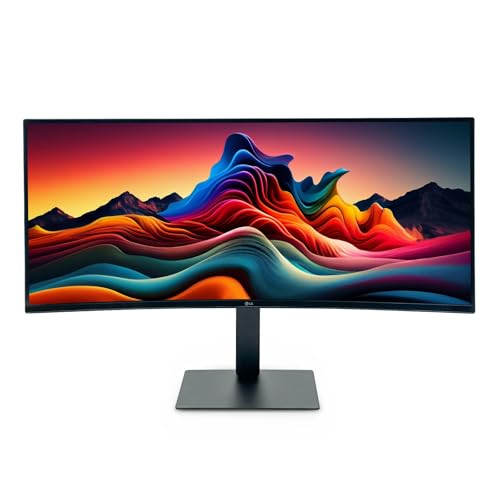
2. LG 34U650A-B 34-inch UltraWide IPS WQHD 100Hz HDR10 Curved Monitor, Black
This LG is ideal for pilots who fly mostly VFR and want accurate, consistent color across the full width of the panel. The 34-inch IPS at 3440 x 1440 and 100Hz with HDR10 renders terrain, clouds, and glass cockpit colors with the wide viewing angles IPS is known for, which helps when you are slightly off-center behind a yoke. The curved design aids peripheral awareness during taxi and final. At around $390 it costs more than some faster VA options, but the image stability is worth it for visual navigation.
- Pro: IPS panel maintains color and clarity when viewed off-axis from a yoke position
- Pro: HDR10 support helps with daylight contrast between bright skies and shadowed instruments
- Con: 100Hz ceiling is lower than 120Hz to 240Hz gaming models for fast head tracking
When to skip: If your priority is the highest refresh for camera panning or combat-style maneuvering, the 180Hz or 240Hz picks will feel smoother.
3. LG UltraWide 34 Inch WQHD HDR 10 Curved Monitor, 120Hz 5ms, 3440 x 1440, Black, Reader Mode, 34U62TB-B, Tilt/Height/Swivel Stand (Renewed)
At around $230 renewed, this 34U62TB-B is the smart way to get into ultrawide flight simming on a budget. You still get 3440 x 1440 at 120Hz with a 5ms response, HDR10, and a curved panel for wrap-around views, plus the practical benefit of a full tilt, height, and swivel stand that makes it easier to align the screen with your yoke height and eye line. Reader Mode is a nice bonus for charts and checklists between flights.
- Pro: 120Hz and full ergonomic stand at a well under $250 renewed price
- Pro: Reader Mode reduces eye strain during longer IFR sessions and flight planning
- Con: Renewed status means cosmetic condition and warranty terms may vary by seller
When to skip: If you prefer brand-new with full manufacturer warranty, spend up for the new LG 34U650A-B or Alienware.
4. AOC 34″ Curved Gaming Monitor UWQHD 240Hz VA AMD FreeSync Premium, CU34G4Z
For pilots who also fly fast or want the smoothest camera movement, the AOC CU34G4Z stands out with a 240Hz UWQHD VA panel. That high refresh makes quick glances to side windows and overhead panels buttery smooth, and AMD FreeSync Premium helps maintain fluidity when frame rates dip over dense photogrammetry cities. The curved VA format adds depth to dusk and night scenes. At around $280 it is one of the most affordable ways to get 240Hz at this resolution.
- Pro: 240Hz is excellent for head tracking and rapid view changes without choppiness
- Pro: Strong value at under $280 for this class of speed
- Con: VA panels can show more viewing angle shift than IPS when leaning side to side
When to skip: If you prioritize color accuracy off-angle or USB-C connectivity, choose an IPS option with USB-C PD instead.
5. Meza – Cockpit Simulator Panel Kit, Pre-Cut Flight Sim Mounting Set Compatible with Logitech Yoke, Throttle Quadrants, Honeycomb Yoke and Logitech Flight Panels, LED Light Bar, 30 x 20 x 4 Inch
This is not a monitor, but it solves a monitor-adjacent problem: mounting your controls cleanly under a 34-inch ultrawide. The Meza kit measures 30 x 20 x 4 inches and comes pre-cut for Logitech Yoke, Honeycomb Yoke, throttle quadrants, and Logitech Flight Panels, so you can build a compact desktop cockpit without drilling or custom woodwork. The integrated LED light bar aids night operations and adds immersion. At $199 it is a practical add-on that turns any of the monitors above into a more believable flight deck.
- Pro: Pre-cut compatibility eliminates guesswork for popular Logitech and Honeycomb hardware
- Pro: 30-inch width pairs well with 34-inch ultrawides without overhanging most desks
- Con: Adds cost and requires compatible yoke and panels to realize full benefit
When to skip: If you fly with a stick or HOTAS only and do not use a yoke or flight panels, invest the $199 in a higher-tier monitor instead.
6. Philips 34 Inch Curved Computer Monitor UWQHD 100Hz USB-C PD VA, 346E2CUAE
The Philips 346E2CUAE is built for pilots who want a tidy desk with one cable doing it all. The 34-inch UWQHD 3440 x 1440 VA at 100Hz delivers the ultrawide field of view you want for approaches, while USB-C with power delivery handles video, data, and charging for a laptop sim rig. The curved VA panel offers good contrast for night flights and dimmed cockpits. At around $270 it is priced well for a USB-C PD ultrawide with this resolution.
- Pro: USB-C PD simplifies laptop-based sim setups and reduces cable clutter
- Pro: VA contrast helps with darker scenes and backlit instrument readability
- Con: 100Hz refresh is modest compared to 120Hz to 240Hz alternatives
When to skip: If you need maximum refresh for smooth panning or you already use a desktop tower where USB-C PD is not needed, other picks offer more speed.
7. ASUS ROG XG34WCDG 34 Inch 1440p 175Hz Ultrawide OLED G-SYNC Gaming Monitor
Oled makes night flying and dawn or dusk transitions look exceptional, and the ASUS ROG XG34WCDG brings that to a 34-inch 1440p ultrawide at 175Hz. Infinite contrast and fast pixel response give you crisp runway lighting, true blacks in the cockpit shadows, and clear motion during turbulence or low-level flying. G-SYNC compatibility keeps the image tear-free across varying frame rates. At $749 it is the premium choice in this roundup, but it delivers the most immersive picture for dedicated sim rooms that can control ambient light.
- Pro: OLED contrast excels for night ops, city lights, and cockpit shadow detail
- Pro: 175Hz provides smooth motion for head tracking and external views
- Con: Highest price in the group and benefits most in dimmer rooms
When to skip: If your sim space is very bright or you want to stay under $400, the Alienware or LG IPS options are more practical.
8. INNOCN 34″ Ultrawide Monitor WQHD 3440 x 1440P 180Hz IPS PC Adaptive-Sync G-SYNC Compatible, HDMI, DP, PIP/PBP, 21:9, HDR, MPRT, Built-in Speaker, Height Adjustable, Eye Care – 34C1R
The INNOCN 34C1R packs a surprising amount of flight sim friendliness for around $260. You get a 34-inch WQHD IPS at 180Hz with Adaptive-Sync and G-SYNC Compatible support, plus HDR, MPRT, and Eye Care features for long cross-country sessions. Built-in speakers save desk space when you do not want a headset, and the height adjustable stand helps align the horizon line with your eyes. PIP and PBP are useful for charts on one side and the sim on the other, or for monitoring navigation apps.
- Pro: 180Hz IPS with G-SYNC Compatible at a budget-friendly price
- Pro: Built-in speaker plus PIP/PBP adds versatility without extra peripherals
- Con: IPS will not match OLED or VA contrast in very dark night flight scenes
When to skip: If deep blacks for night flying are your top priority, the ASUS OLED or a VA model will look more dramatic.
Buying Guide
What Matters Most for Flight Simulator on 34-Inch Ultrawide
Start with resolution and ergonomics. All of these are 3440 x 1440, which is ideal for a 34-inch 21:9 because it gives sharp instruments without the GPU load of 4K. For mounts and stands, check tilt, height, and swivel range to align the artificial horizon with your eye level when seated 24 to 36 inches away. A 1500R curve like the Alienware wraps more aggressively than subtler curves, which helps with side-window awareness. If you use a yoke, confirm that the stand base does not interfere with clamp space; the Meza panel kit at 30 x 20 x 4 inches is designed to clear that.
Panel Type, Refresh Rate, and Sync
IPS offers the widest viewing angles for consistent glass cockpit colors when you shift in your seat, VA offers higher native contrast for night flying, and OLED offers the best contrast and motion but at $749. For refresh, 100Hz is workable, 120Hz to 180Hz is the sweet spot for smooth panning, and 240Hz is overkill for most simmers unless you also play fast-paced games. Match Adaptive-Sync to your GPU: AMD FreeSync Premium, VESA AdaptiveSync, or G-SYNC Compatible all help prevent tearing, but performance still depends on your system. Eye care modes and Reader Mode can reduce fatigue during longer IFR flights.
Connectivity and Desk Fit
Plan your cables before you buy. If you run a laptop sim, USB-C with power delivery like on the Philips 346E2CUAE cuts clutter by handling video and charging together. Desktop users should prioritize DisplayPort for high refresh at 3440 x 1440 and keep HDMI for consoles or secondary devices. Remember that price alone does not tell the full story: options here range from around $230 renewed to $749 for OLED, and renewed units can be excellent value if you accept potential cosmetic wear. Measure your desk depth and ensure at least 20 inches of clearance for yokes and throttles under a 34-inch panel.
Our Verdict
For most flight sim pilots, the Alienware AW3425DWM at around $350 hits the best balance of curvature, speed, and price with its 34-inch WQHD 180Hz 1ms 1500R panel and broad AdaptiveSync support. If you want the best image in the dark, the ASUS ROG XG34WCDG OLED at $749 is worth the stretch. On a tight budget, the LG 34U62TB-B renewed at around $230 and the INNOCN 34C1R at around $260 both deliver 120Hz or higher and strong ergonomics, while the AOC CU34G4Z at around $280 is the value leader for 240Hz. Add the Meza 30 x 20 x 4 inch panel kit at $199 if you want your controls to match the immersion of the ultrawide view.
FAQ
Is 34-inch 3440 x 1440 better than 4K for flight simulator?
For most rigs, yes. A 34-inch 3440 x 1440 ultrawide gives you a 21:9 field of view that improves situational awareness without the steep GPU demand of 4K. You get readable instruments, smooth panning at 100Hz to 180Hz, and better frame rates over dense scenery, which matters more than raw pixel count for fluid flight.
Do I need 180Hz or 240Hz for flight simulator?
Not strictly, but higher refresh helps. Flight simulator is not a competitive shooter, so 100Hz to 120Hz is already smooth for en route flying. Moving to 180Hz like on the Alienware and INNOCN or 240Hz on the AOC makes camera panning, head tracking, and low passes noticeably smoother, especially if your GPU can sustain those frame rates.
What cable should I use for 3440 x 1440 at high refresh?
Use DisplayPort from your GPU to the monitor for the highest reliable refresh at 3440 x 1440, and HDMI as a secondary input. If you have a USB-C laptop with power delivery, a single USB-C PD cable like on the Philips can carry video and charge the laptop, but confirm your laptop supports DisplayPort Alt Mode and sufficient wattage.
Will a 34-inch ultrawide fit on a standard desk with a yoke?
Usually, yes. Most 34-inch ultrawides are about 31 to 32 inches wide, so they fit on desks 55 to 60 inches across. To keep yoke clamps clear, choose a model with a compact or height adjustable stand, and consider the Meza panel kit at 30 x 20 x 4 inches if you want a dedicated mounting surface for Logitech or Honeycomb yokes and throttle quadrants.