As an Amazon Associate we earn from qualifying purchases at no extra cost to you.




Choosing between a single 49 inch super ultrawide vs dual 27 inch setup isn’t really about which monitor is “better.” Both give you roughly the same total screen area — a 49-inch 32:9 panel spans about 47 inches wide, while two 27-inch monitors side by side span roughly 49 inches with bezels — so what you’re actually deciding is how that screen real estate is divided, how it sits on your desk, and how it fits into the room you live in. A super ultrawide is one seamless, usually curved canvas. A dual setup is two independent displays with a gap down the middle, but with the flexibility to angle, swap, and upgrade each one separately. Your desk size, your household, and how long you plan to keep the setup should drive the choice more than any spec sheet.
Our Top Picks
 INNOCN 49" Curved Monitor Ultrawide Gaming 5K2K 120Hz49 Inch6.28 x 45.5 x 14.57 inchesCheck on Amazon
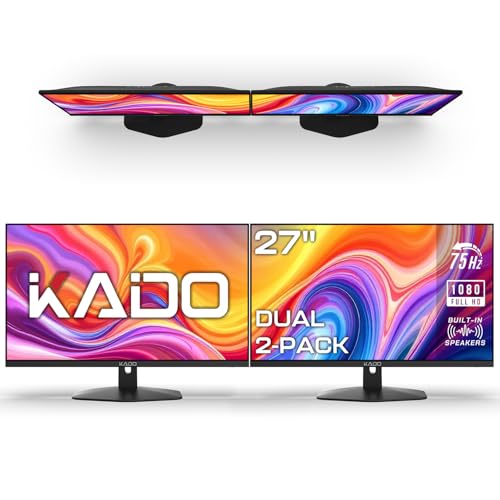 Kado 2-Pack Dual 27" Flat Screen 1920x1080 75Hz27" Flat 2-Pack2.74 x 24.37 x 14.51 inches9.37 poundsCheck on Amazon
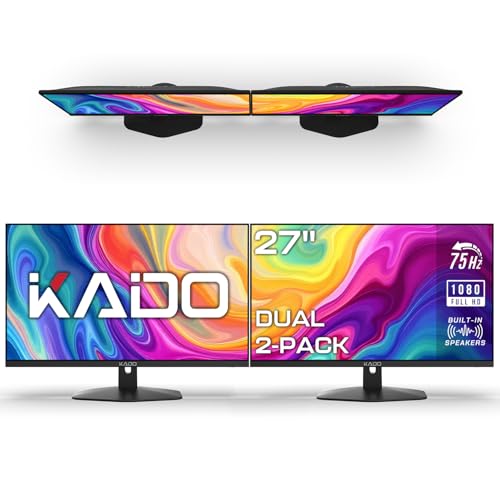 Kado Dual Monitor 2-Pack 27" 1920x1080 75Hz FHD27" Flat 2-Pack1.7 x 24.56 x 14.45 Inches8.8 poundsCheck on Amazon

Top 3 picks at a glance
Quick Verdict
If you mostly work in one application with lots of horizontal content — timelines, spreadsheets, code, racing or flight sims — and you want the cleanest possible look, a single 49-inch super ultrawide is worth the premium. Expect to spend roughly $540 to $700 for a quality panel. If you juggle many separate tasks, share your desk with family members, or you’re furnishing a home office on a budget, a dual 27-inch setup delivers similar usable space for $140 to $250, with easier repairs and upgrades. For most households, dual 27s are the practical pick; for enthusiasts and dedicated workstations, the ultrawide justifies itself.
Side by Side
| Factor | Single 49″ Super Ultrawide | Dual 27″ Setup |
|---|---|---|
| Viewing comfort | No center bezel; gentle curve (1500R–1800R) keeps edges within your field of view, but very wide panels can cause neck turning at the extremes | Familiar per-screen layout; you can angle each panel toward you, though the bezel gap interrupts anything spanning both screens |
| Durability | One panel — if it fails, your entire display is gone | If one monitor dies, you keep working on the other and replace just that unit |
| Price range | $540–$700 for mainstream DQHD/QHD models; premium 5K2K units run higher | $140–$250 for a matched FHD pair; $300+ if you add quality arms |
| Maintenance | Single cable run, single power brick, one panel to clean | Two of everything — cables, stands, power; dusting the gap between panels is a recurring chore |
| Space needed | Approximately 47″ W × 12–18″ D with stand; needs a desk at least 55″ wide | Roughly 49–50″ W with stands, or as little as 26″ deep-mounted on arms; more flexible placement |
| Look | Sleek, minimal, one clean silhouette; a statement piece in any office | Functional but busier; visible bezels, stands, and cable clutter unless managed well |
| Resale | Narrower buyer pool; ultrawides depreciate faster but 5K2K models hold value better | Easier to sell individually; 27″ FHD monitors have constant budget-buyer demand |
| Power draw | Roughly 40–70 W typical use for a 49″ panel | Roughly 25–35 W total for two 27″ FHD panels |
| Setup complexity | Heavy — 30 to 40 lbs panel; plan on two people or a sturdy arm rated for the load | Light — each 27″ panel weighs 10–13 lbs; one person can handle it easily |
| Best for | Immersive gaming, video editing, traders, single-app power users | General productivity, hybrid work, households, tight budgets |
Where Single 49 Inch Super Ultrawide Wins
The seamless canvas is the whole argument. With no bezel down the middle, a spreadsheet stretches edge to edge, a video-editing timeline unrolls without interruption, and games render one continuous field of view instead of two disconnected images with a plastic strip through the middle. The curve matters here too: a 1500R or 1800R curve wraps the edges toward you, so the far corners sit closer to your natural field of view, reducing the head-turning that flat dual panels demand.
Picture quality is another edge. Ultrawides in this class typically run at 5120 × 1440 resolution with 99% sRGB coverage and HDR support — noticeably sharper and more color-accurate than the 1920 × 1080 panels you get in budget dual-27 bundles. High refresh rates like 120Hz to 165Hz with FreeSync come standard on gaming-oriented models, something budget FHD pairs at 75Hz can’t match.
Simpler desk ergonomics help as well. One monitor arm, one power cable, one video cable. Your center of focus stays directly in front of you rather than shifting between two screens, which many users report feels less fatiguing over long sessions. And visually, a single sculpted panel simply looks better — no bezel seam, no mismatched stands, no cable spaghetti.
Where Dual 27 Inch Setup Wins
Redundancy is the quiet superpower. If your ultrawide develops a fault, you’re staring at a blank wall until it’s repaired or replaced. With dual 27s, one failure leaves you fully functional. Over a five-year ownership window, that resilience matters more than most buyers expect.
Flexibility runs deeper too. You can angle each panel independently, run one vertically for code or documents, upgrade one screen later without replacing both, or lend one to a family member. Try doing any of that with a fused 49-inch panel. Dual setups also handle window-snapping workflows naturally — fullscreen a video call on one panel, keep your notes on the other — while an ultrawide asks you to manage that within one OS-managed space.
Budget is the most decisive factor. A matched pair of 27-inch FHD monitors costs $140 to $250 all-in, roughly a quarter to a third of what a good ultrawide costs. Even adding a dual monitor arm ($50–$100) keeps you far under the ultrawide’s price. For a first home office, a student setup, or a secondary workstation, that math is hard to argue with.
Finally, desk compatibility is friendlier. Two 27-inch panels can sit on a 48-inch desk with stands, or mount on arms behind the desk edge to reclaim surface area. A 49-inch ultrawide genuinely wants a 55-plus-inch desk with enough depth — 30 inches is comfortable — to keep the curved panel at a sane viewing distance of roughly three feet.
Cost Over 5 Years
Single ultrawide: $540–$700 initial purchase, plus $30–$50 for a heavy-duty monitor arm if you don’t use the included stand, and roughly $90–$160 in electricity over five years at typical 40–70 W draw with moderate daily use. Assume no repairs; if the panel fails out of warranty, replacement is a full $540–$700 again.
Dual 27s: $140–$250 for the monitors, $50–$100 for a dual arm if desired, and only about $55–$80 in electricity over five years thanks to lower total draw. If one panel fails in year three, replacing a single 27-inch FHD monitor costs $70–$125 — an inexpensive, partial fix.
Total five-year cost: roughly $660–$910 for the ultrawide route versus $245–$430 for the dual route, assuming no failures. The dual setup leaves $400+ in your pocket — enough for a quality desk chair upgrade, which will do more for your daily comfort than either display.
Which One for Your Home
Small Apartment or Studio
Go dual 27. A 49-inch panel demands a wide, deep desk that most apartments can’t accommodate, and its visual bulk dominates a small room. Two 27-inch panels on a single arm mount clamp to a modest 40-inch desk and can sit high enough to reclaim the surface underneath. At $140–$250, you’re also not over-investing in a space whose layout may change with your next lease.
Family With Kids or Pets
Dual 27, comfortably. Children and pets mean bumps, spills, and the occasional launched toy. A cracked 27-inch panel is a $70–$125 fix; a cracked 49-inch ultrawide is a $540–$700 loss. Dual setups also share better — a kid doing homework can use one screen while you keep the other. Mount both panels on arms, out of grab range, and the setup becomes even more household-proof.
Rental or Temporary Home
Dual 27 again, with a caveat. Rentals mean moving, and a 49-inch ultrawide is an awkward, fragile 35-plus-pound object to transport — many movers won’t insure it. Two boxed 27-inch monitors travel safely in any car. The caveat: if you game or edit video seriously and your rental stay is long-term, one well-packaged ultrawide can survive a move; just keep the original box.
Long-Term Home or Dedicated Office
This is the ultrawide’s territory. If you own your space, have a desk 55 inches or wider, and spend four or more hours daily at the computer, the seamless curved canvas pays off every single day. Models like a DQHD 165Hz curved panel around $540 suit immersive gaming, while a 5K2K HDR unit with USB-C around $700 is the better pick for content creation and serious multitasking. Buy once, mount it well, and enjoy it for five to seven years.
FAQ
Is a 49-inch ultrawide the same as two 27-inch monitors?
Nearly, but not exactly. Two 27-inch 16:9 monitors side by side give you slightly more total pixels than a standard 5120 × 1440 ultrawide, but with a bezel seam through the middle. The ultrawide’s curve and single-panel design make it feel more continuous; the dual setup gives you more independent control.
Do all games support 32:9 ultrawide resolutions?
Most modern titles do, but some older or competitive games don’t — a few even ban ultrawide aspect ratios in ranked play. Dual 27s sidestep this, since games simply run fullscreen on one panel at standard 16:9.
What desk size do I need?
For a 49-inch ultrawide, plan on a desk at least 55 inches wide and 30 inches deep to maintain a comfortable viewing distance. For dual 27s on stands, 48 inches wide works; on arms, even less, since the panels can sit closer to the wall.
Can I use a single cable with either setup?
The ultrawide wins here — one DisplayPort or USB-C cable drives the whole panel, and USB-C models can also charge a laptop. A dual setup needs two video outputs from your computer, which older laptops may not offer without a docking station or adapter.