
Pick a mini PC if the machine will live on a desk and you want more performance, cooling headroom and upgrade flexibility for the same size budget; pick a laptop if you need to carry it, since a laptop bundles a screen, keyboard and battery. For gaming, a mini PC with a strong chip often sustains higher power than a laptop with the same chip, but neither beats a full tower with a discrete graphics card.
As an Amazon Associate we earn from qualifying purchases at no extra cost to you.

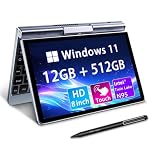


Top 3 picks at a glance
What Each Category Is
A mini PC is a small desktop, often a box a few inches on each side, with a CPU, memory, storage and ports but no display or keyboard. Some use laptop-class chips, some use desktop chips, and a few gaming-focused models pair a powerful integrated GPU or a small discrete card in a compact enclosure.
A laptop combines the same core parts with a built-in screen, keyboard, trackpad, battery, speakers and webcam, all in a portable chassis. Gaming laptops add discrete GPUs and larger cooling systems, while thin laptops use integrated graphics.
Quick Comparison Table
| Factor | Mini PC | Laptop |
|---|---|---|
| Portability | Easy to move, but needs a display and peripherals | Fully portable with battery |
| Sustained performance | Often higher, thanks to more power and cooling room | Limited by chassis thickness and battery |
| Upgrades | Often upgradeable memory and storage | Varies; thin models may be soldered |
| Screen | Bring your own monitor | Built in |
| Ports | Often many, including multiple video outputs | Fewer, may need a dock |
| Power use | Wall power only | Wall or battery |
| Noise | Small fans can be loud under load | Fans can also be loud, but near the user |
| Best use | Desk gaming, home server, media center | Mobile work, travel, all-in-one convenience |
Performance and Cooling
Performance in a small box comes down to how much heat the chassis can remove. A laptop must fit a battery, a screen and a thin body, so it tends to cap power for the chip. A mini PC with the same chip can often run at a higher sustained power limit. Notebookcheck reports that Ryzen AI Max+ 395 systems use the Radeon 8060S integrated GPU, which it describes as roughly comparable to a GeForce RTX 4070 laptop GPU in games. Reviews of the Framework Desktop mainboard report about 14 percent higher performance than the same chip in HP’s ZBook Ultra G1a laptop, which reviewers attribute to better cooling headroom. TechRadar’s review of the Bosgame M5 draws a similar conclusion about these chips fitting a mini PC well.
That does not make mini PCs gaming monsters. A tower with a discrete graphics card, such as a GeForce RTX 50-series or Radeon RX 9000-series card, still wins for peak frame rates and ray tracing. Mini PCs with integrated graphics fit 1080p and many 1440p games at moderate settings, depending on the title.
Upgrades and Lifespan
Many mini PCs use standard SODIMM memory and M.2 SSDs, so you can add capacity later. Some high-performance models solder the memory to the board because the chip design requires it, so confirm what the maker lists. Laptops vary too: gaming laptops often allow memory and SSD upgrades, while thin models frequently solder memory. Neither category lets you swap the CPU or GPU, though a mini PC with an external graphics dock or a small desktop enclosure can offer more graphics flexibility.
Before opening any device, unplug it and remove the battery if the maker’s manual says it is user-serviceable. Opening a device can affect the warranty, so read the maker’s terms.
Total Setup and Convenience
A mini PC needs a monitor, keyboard and mouse. If you already own those, the box is a compact, tidy add-on. If you do not, the total setup is larger than a laptop. A laptop is ready from the box, has speakers and a webcam, and works on trains and sofas. If portability matters occasionally, such as a LAN party, a mini PC plus a travel monitor can work, but it is less convenient than a laptop.
Mini PCs often include more video outputs, USB-C ports with display support and wired Ethernet. For gamers who prefer a wired connection, a mini PC makes that easy. Many laptops skip an Ethernet port, though adapters are available.
Who Should Pick Which
Gamers
If gaming happens at a desk, a mini PC with a strong integrated GPU or a compact discrete card gives better value in cooling and performance. If gaming happens in several rooms or while traveling, a gaming laptop is the practical choice, with the battery used mostly for non-gaming tasks, since gaming drains the battery quickly and often runs slower off wall power.
Creators
Video editing, 3D work and code builds benefit from sustained power. A mini PC can sustain higher loads, but a laptop with a quality display is better for on-site work. Unified-memory systems, such as Ryzen AI Max+ models, are also discussed for local AI work because the GPU can use a large pool of system memory.
Budget tiers
At the entry level, small desktops with modest chips handle office work, streaming and light gaming well, while entry-level laptops add the convenience of a screen. At the high end, the top mini PCs with powerful integrated graphics have been described by reviewers as expensive for their size, so compare their cost to a tower or a gaming laptop before deciding.
Common Myths
- “Mini PCs are weak.” Some use desktop-class chips, and some of the newest models hold their own against mid-range gaming laptops.
- “Laptops are always more expensive.” A laptop includes a screen, keyboard and battery, so compare the total cost of a mini PC plus peripherals.
- “A mini PC is quiet.” Small fans spin fast under load, so some models are louder than expected. Check reviews for noise measurements.
- “You can upgrade everything.” Memory and storage are often replaceable, but CPUs and integrated graphics are not.
- “Integrated graphics cannot game.” The latest integrated GPUs run many modern titles at playable settings, though not at the level of high-end discrete cards.
Practical Recommendation
- Decide whether you need to carry the machine. If yes, choose a laptop.
- If the machine stays on a desk, shortlist mini PCs and add up the monitor and peripherals you still need.
- Check what the maker lists for memory type, whether it is soldered, and how many M.2 slots exist.
- Look for reviews that report sustained power and noise, not only peak benchmark numbers.
- For demanding games, consider a tower or gaming laptop with a discrete GPU instead.
Frequently Asked Questions
Is a mini PC faster than a laptop?
With the same chip, a mini PC can often run faster because it has more cooling and power headroom. Reviews of Ryzen AI Max+ 395 systems report roughly 14 percent higher performance in a desktop-style board than in a laptop. A gaming laptop with a discrete GPU can still be faster than a mini PC with integrated graphics.
Can a mini PC play modern games?
Yes, within limits. Notebookcheck describes the Radeon 8060S in Ryzen AI Max+ 395 mini PCs as roughly comparable to an RTX 4070 laptop GPU. Entry-level mini PCs with weaker integrated graphics handle esports titles and older games better than demanding new releases.
Are mini PCs upgradeable?
Many allow memory and SSD upgrades, but the CPU and integrated GPU are fixed. Some high-end models use soldered memory, so check the maker’s specification page before buying.
Do mini PCs overheat?
They can throttle if placed in a closed cabinet or if dust blocks the vents. Give the box airflow, keep vents clear and check temperatures under load. If the unit shuts down or gets very hot, contact the maker.
Is a laptop better for students?
Usually, yes, because it travels and includes a screen and battery. A mini PC suits a fixed desk setup.
Can I use a mini PC with a TV?
Yes. Most have HDMI or DisplayPort outputs, so a mini PC works as a living-room gaming or media box, paired with a wireless keyboard or controller.


