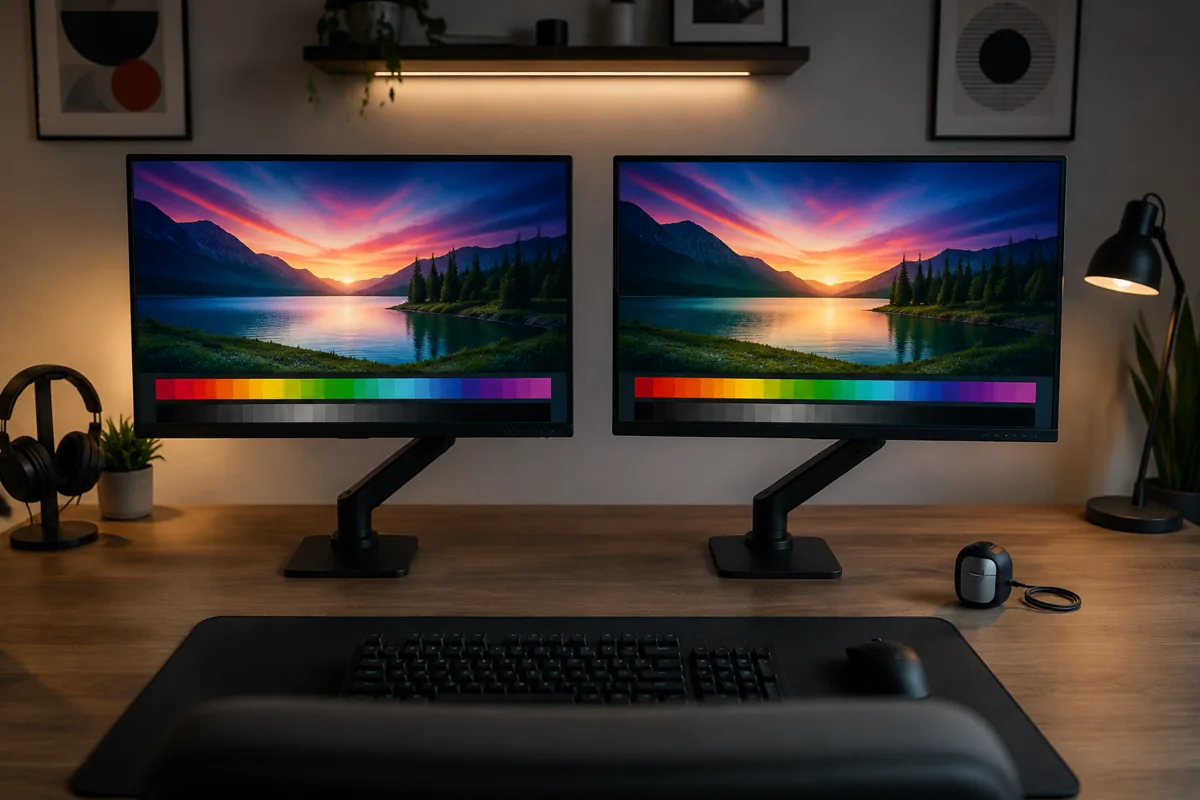
IPS, VA, and TN describe the liquid crystal arrangement inside a monitor’s panel, and that arrangement determines color accuracy, contrast, viewing angles, and response time more fundamentally than any other single spec. Refresh rate and resolution get more attention on spec sheets, but panel type shapes how a monitor actually looks and feels during gameplay in ways those other numbers can’t override. This guide compares all three based on measurements taken on the same test bench, not manufacturer claims.
I’m Nina Alvarez, and panel technology is where my background in professional display calibration for photo and video work translates most directly to gaming monitors — I measure contrast ratio, color gamut coverage, and response time on each panel type using a colorimeter and photodiode response-time tester, which is the only reliable way to compare claims that vary wildly between manufacturers using similar marketing language for different underlying performance.
As an Amazon Associate we earn from qualifying purchases at no extra cost to you.


Our Top Picks


Top 3 picks at a glance
IPS: the modern default, and why
In-Plane Switching (IPS) panels align liquid crystals parallel to the screen surface, which is why they maintain color accuracy and contrast across a wide range of viewing angles, typically rated around 178 degrees horizontal and vertical before significant color shift occurs. This wide-angle consistency is the main reason IPS has become the default panel type across most gaming monitor price tiers over the past several years.
Color accuracy on a well-calibrated IPS panel typically covers 95-100% of the sRGB color space and often 90%+ of the wider DCI-P3 space on higher-end models, measured with a colorimeter rather than taken from marketing claims, which matters for anyone doing content creation or color-sensitive work alongside gaming on the same monitor.
IPS’s main remaining weakness is native contrast, typically around 1,000:1, noticeably lower than VA’s 3,000:1-6,000:1, which shows up as slightly grayish blacks rather than deep black in dark scenes, especially without local dimming. IPS glow — a faint brightening visible in screen corners at off-center viewing angles in dark rooms — is also a known characteristic worth checking for, particularly on budget IPS panels.
We cover IPS-specific model recommendations across price tiers in our best gaming monitor roundup, which currently skews heavily toward IPS panels for the reasons outlined above.
VA: deepest blacks, with a motion tradeoff
That contrast advantage is immediately visible in dark or atmospheric content: horror games, space sims, and any title with genuinely dark scenes show noticeably deeper blacks and more shadow detail on a good VA panel than on IPS without local dimming, which is why VA remains popular for buyers who prioritize image depth over motion clarity.
This produces the phenomenon known as black smearing, a trailing shadow behind fast-moving dark objects against a dark background.
Black smearing is most noticeable in exactly the content VA is otherwise best at — dark, atmospheric games with fast camera movement — which makes VA a genre-dependent choice rather than a universal upgrade over IPS. Overdrive settings help reduce smearing somewhat but rarely eliminate it entirely, since it’s rooted in the panel’s fundamental crystal response rather than a correctable calibration issue.
Viewing angles on VA fall between IPS and TN, typically maintaining color accuracy well within about 20-30 degrees off-center before contrast drops noticeably, making VA less forgiving than IPS for off-axis viewing but still considerably better than TN. Curved VA ultrawide monitors are common precisely because the curve helps keep the whole screen within that better-performing viewing cone.
TN: fading but still fastest at the lowest price
Twisted Nematic (TN) panels use the oldest and simplest LCD technology of the three, twisting liquid crystals to control light passage, which allows for very fast pixel switching but at the cost of narrower viewing angles and weaker color performance. TN’s viewing angle rating is typically 150-170 degrees, but color shift becomes noticeable well before that limit, especially vertically.
Response time remains TN’s core advantage, with many models advertising and measuring close to 1ms gray-to-gray under most test conditions, historically the fastest available panel type.
Color accuracy is TN’s clearest weakness — typical sRGB coverage on budget TN panels measures 85-95% with visible color shift at moderate viewing angles, and vertical color shift specifically can make the top and bottom of the same image appear to have different brightness or tint, which is distracting for anything beyond fast-paced gaming.
TN’s remaining niche is budget-focused competitive gaming, where a 24-inch 1080p 144Hz-165Hz TN monitor can be found for well under $150, making it attractive for players prioritizing raw frame rate and response time on a tight budget over image quality, or as a secondary monitor where visual fidelity matters less.
Outside that specific budget-competitive niche, TN has become harder to recommend as fast-IPS panels have closed the performance gap while offering meaningfully better color and viewing angles at increasingly similar prices.
Contrast ratio: what the numbers actually mean in practice
Contrast ratio describes the difference between a panel’s brightest white and darkest black, and it’s one of the most consistently exaggerated specs on gaming monitor listings — manufacturer-quoted “dynamic contrast” figures in the hundreds of thousands or millions are measured with the backlight adjusting between frames, not representative of static, real-world contrast during actual gameplay.
Native (static) contrast is the number that matters, and it’s rarely printed prominently since it’s less impressive-looking: IPS panels typically measure around 1,000:1, VA panels 3,000:1-6,000:1, and OLED panels (a different technology entirely) achieve near-infinite contrast since individual pixels can turn fully off.
Higher static contrast translates directly into more visible shadow detail and less washed-out blacks in dark scenes, which is why VA panels are often preferred for horror, sci-fi, and other visually dark genres despite their motion clarity tradeoff, while brighter, more colorful games show this difference less.
| Panel type | Typical static contrast | Typical GtG response | Typical viewing angle |
|---|---|---|---|
| TN | ~1,000:1 | 1-2ms | 150-170° |
| IPS | ~1,000:1 | 1-4ms | ~178° |
| VA | 3,000:1-6,000:1 | 4-8ms (dark transitions) | ~178° (narrower usable cone) |
HDR-capable monitors with local dimming zones improve perceived contrast further by dimming specific backlight sections independently, which helps IPS and VA panels alike, though the effect is more dramatic on VA’s already-higher base contrast than on IPS.
Viewing angle: why it matters more than buyers expect
Viewing angle ratings describe the point at which contrast drops to roughly half its head-on value, but in practice, color and brightness shift begins well before that threshold on TN and, to a lesser extent, VA panels, which is why the printed rating alone doesn’t fully predict real-world experience.
This matters beyond just sitting off-center at your desk — viewing angle affects how consistent the image looks across a large screen even when centered, since your eyes naturally view the edges of a big monitor at a slight angle even while looking at the center, more pronounced on 32-inch and ultrawide panels than smaller screens.
Shared viewing — co-op gaming, watching someone play, or a monitor doubling as a casual media screen — is where viewing angle differences become most obvious, since a second viewer sitting beside you at a real angle will see noticeably shifted colors on TN and somewhat reduced contrast on VA, while IPS holds up consistently for both viewers.
Curved monitors partially compensate for viewing angle limitations by physically angling the screen edges toward the viewer, which is one reason curved VA panels are popular — the curve mitigates VA’s narrower usable viewing cone compared to a flat panel of the same size.
Which panel fits which game genre
Competitive shooters and fast-paced esports titles generally favor IPS today over TN, since the response time gap has narrowed enough that IPS’s better color and viewing angle no longer cost a meaningful competitive disadvantage, though dedicated TN monitors remain a valid budget option under roughly $150.
Horror, sci-fi, and other visually dark single-player genres benefit most from VA’s superior native contrast, provided the game’s camera movement is typically moderate rather than fast and twitchy — slower-paced atmospheric games minimize VA’s black smearing weakness while maximizing its contrast strength.
Open-world and RPG titles with varied, colorful environments favor IPS’s stronger color accuracy and consistent viewing angles, since these games are less about split-second motion tracking and more about sustained visual immersion across long sessions.
Racing and flight sims sit in a middle ground — fast overall motion favors IPS or TN’s better response time, but many of these titles also feature dark environments (night racing, space) where VA’s contrast would otherwise help, making this genre the most dependent on individual preference between the three.
If you split time across genres and can’t commit to one panel type’s tradeoff, a fast-IPS monitor is the safest generalist choice — it doesn’t excel at contrast the way VA does, but it avoids VA’s dark-scene motion weakness while keeping response time close enough to TN for most players.
Common panel-related problems and what causes them
IPS glow, the faint corner brightening visible on dark backgrounds at off-center viewing angles, is a structural characteristic of the technology rather than a defect in most cases, though severity varies between individual units and higher-quality panels typically show it less prominently than budget ones.
VA black smearing, covered above, is likewise structural rather than fixable through calibration, though selecting a moderate overdrive setting rather than the highest available level can reduce its visibility somewhat without introducing inverse ghosting.
Backlight bleed — visible light leaking around the panel edges, distinct from IPS glow’s more uniform corner brightening — can occur on any panel type and is more indicative of manufacturing variance or physical stress than a panel-technology characteristic, and is a valid reason to exchange a unit within a retailer’s return window.
Color shift when viewed off-angle is most severe on TN, moderate on VA, and minimal on IPS, and if you notice a monitor’s colors looking different from different seating positions, checking the panel type is usually the fastest way to confirm whether that’s expected behavior or a defect worth investigating further.
Troubleshooting: how to identify panel type and diagnose issues on an existing monitor
If you’re unsure what panel type a monitor you already own uses, check the product page or manual for “panel technology,” or look up the exact model number, since this spec is usually documented even when not prominent in marketing copy; as a rough proxy, viewing angle specs near 178 degrees suggest IPS or VA, while 150-170 degrees suggests TN.
A simple visual test also helps distinguish them: view a full black screen in a dim room from directly in front, then from a 45-degree angle — significant color or brightness shift at the angle points to TN, minimal shift with visible corner glow points to IPS, and minimal shift with deep, consistent black (but a trailing smear on fast dark motion) points to VA.
If you’re seeing ghosting or smearing and want to confirm whether it’s response-time related rather than a cabling or settings issue, run a moving test pattern (free tools like testufo.com work well) and compare against known panel-type behavior — a smear specifically in dark-on-dark motion strongly suggests VA’s structural weakness rather than a fixable setting.
If backlight bleed or uneven brightness appears in corners regardless of content, distinguishing it from expected IPS glow requires viewing a fully black screen head-on rather than at an angle — glow largely disappears when viewed straight-on and worsens at angles, while true backlight bleed remains visible from most viewing positions and is a better candidate for a warranty exchange.
Related guides
- Refresh Rate And Response Time Explained
- Monitor Size And Viewing Distance Guide
- Monitor Resolution Guide For Gaming
Frequently asked questions
What’s the biggest practical difference between IPS, VA, and TN panels?
IPS delivers the best color accuracy and viewing angles, VA delivers the highest native contrast for deep blacks at the cost of some motion clarity in dark scenes, and TN delivers the fastest raw pixel response at the lowest price but with noticeably weaker color and viewing angles than the other two.
Is IPS glow a real problem or exaggerated online?
It’s real but varies significantly by panel and viewing angle; IPS glow appears as a faint brightening in the corners of the screen when viewing dark content in a dim room, most visible at off-center angles, and while nearly all IPS panels show some glow, higher-quality panels and proper ambient lighting reduce how noticeable it is.
Why do VA panels smear in dark scenes?
VA panels have inherently slower response time specifically for dark-to-dark pixel transitions, often 4-8ms or slower compared to IPS’s 1-4ms, so fast-moving dark objects against a dark background leave a trailing shadow called black smearing, which is a structural limitation of VA’s liquid crystal alignment rather than a fixable setting.
Are TN panels still worth buying today?
Mainly for tight budgets under $150 where a fast, cheap 1080p 144Hz-165Hz panel is the priority over color accuracy, since modern IPS panels have closed most of the response time gap that used to be TN’s main advantage, making TN a shrinking niche rather than the default competitive choice it once was.
Can I tell panel type from the box or product listing?
Usually yes — panel type is typically listed in the specifications, sometimes under “panel technology” rather than prominently in the title, and if it’s not listed, checking the viewing angle spec is a reliable proxy since IPS and VA panels are rated around 178 degrees while TN panels are typically rated 150-170 degrees with more asymmetric horizontal versus vertical performance.