A white gaming monitor is usually a matching exercise: you have a white case, white keyboard, maybe a white desk mat, and a black screen looks like the one wrong note in the picture. But color is the easy part. White-finish monitors come from a mix of mainstream and lesser-known brands, and the specs vary widely, from 100Hz office-style panels to 300Hz esports screens and a 32-inch 4K model. Choosing well means deciding what the screen needs to do first, then picking the white one that does it.
This guide is for builders finishing a white setup, console players who want a clean look, and anyone who spends long evenings at a desk. Every pick is judged only from its listed specs: size, resolution, refresh rate, panel type, and connectivity. As we head through 2026, the main trade-off is between very high refresh rates at 1080p and sharper 1440p or 4K panels at more moderate speeds.
Our Top Picks
 Amzfast 25 Inch White Gaming Monitor 320Hz/300Hz/240Hz25 Inch8.66 x 21.93 x 17.01 inchesCheck on Amazon


Top 3 picks at a glance
Quick Picks
As an Amazon Associate we earn from qualifying purchases at no extra cost to you.


| Product | Best for | Key spec from the title |
|---|---|---|
| Amzfast 25″ White Gaming Monitor | Competitive esports play | FHD 1080P, up to 320Hz, 1ms Fast IPS |
| msi PRO MP243W E14 | Compact everyday gaming | 24″ IPS FHD, 144Hz, Adaptive-Sync, HDR Ready |
| CRUA 27″ FHD 100Hz Curved | Casual and office-leaning use | 27″ 1800R VA, 100Hz, 120% sRGB |
| Amzfast 27″ WQHD 200Hz | Balanced sharpness and speed | 2560×1440, 200Hz Fast IPS, HDR400, DP 1.4×2 |
| CRUA 32″ 4K 160Hz Curved | Cinematic and console gaming | 3840×2160 VA, 160Hz, HDMI 2.1, built-in speakers |
| ZZA 27″ 300Hz Curved | High refresh on a curved panel | FHD, 300Hz, 1800R VA, HDR10, FreeSync |
| msi PRO MP273QW E14 | Clean 1440p with a known brand | 27″ IPS QHD, 144Hz, 1ms, speaker, FreeSync |
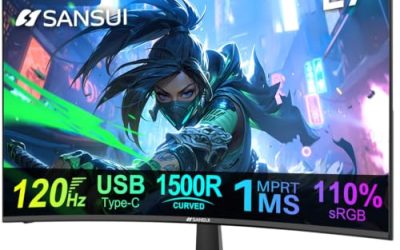
| Z-Edge 27″ White Curved | Fast curved esports screen | FHD, 300Hz/240Hz, MPRT 1ms, 1500R |
How to Choose
Match resolution to screen size and graphics card
At 24 to 25 inches, 1080p looks sharp enough for fast games. At 27 inches, 1440p is the sweet spot, since 1080p begins to look soft at normal desk distance. At 32 inches, 4K makes sense, but it demands a powerful graphics card to run modern titles at high frame rates. Do not buy a resolution your graphics card cannot drive, because a 4K panel running below 60 frames per second is a poor trade.
Refresh rate and panel type
Competitive players benefit from 240Hz or higher, but only if the system can produce those frame rates. For single-player titles, 144Hz to 165Hz is smooth and cheaper. IPS panels generally offer wider viewing angles and truer color, while VA panels offer deeper contrast and are common in curved models. Curved screens with an 1800R or 1500R curve wrap around your field of view and suit larger sizes, but some people find them distracting for color work.
Ports and sync support
Match the monitor’s inputs to your hardware. HDMI 2.1 matters for consoles and 4K at high refresh rates, while DisplayPort 1.4 is the usual choice for PC gamers pushing 1440p at 200Hz or more. Older HDMI 1.4 and VGA ports limit refresh rate and resolution. FreeSync or Adaptive-Sync removes screen tearing; check that your graphics card supports it.
Stand, mounting, and where budget screens cut corners
Many white monitors ship with tilt-only stands, so check for VESA mounting if you want an arm. Budget models cut corners on color accuracy, backlight uniformity, and stand adjustment. A color-gamut figure such as 120 percent sRGB sounds impressive but does not guarantee accuracy. Weigh the warranty length, too, because less established brands vary in support quality.
The 8 Best Options
Amzfast 25″ White Gaming Monitor
This 25-inch monitor lists FHD 1080P, a refresh rate up to 320Hz, 1ms Fast IPS, a DisplayPort cable, TUV Rheinland eye care, and a 12-month warranty. It is aimed at esports players who want the highest refresh rate in a compact size. A 25-inch screen sits close to the eyes on a typical desk, which is how many competitive players like it, since the whole image stays in view without moving your head.
- Strength: refresh rate up to 320Hz suits fast shooters on a strong PC.
- Strength: Fast IPS with a 1ms listing pairs speed with good viewing angles.
- Trade-off: 1080p at 25 inches is the lowest resolution option here, and the warranty is only 12 months.
Skip it if you want higher resolution or a longer warranty.
msi PRO MP243W E14
The MP243W is a 24-inch IPS monitor at 1920 x 1080, with 144Hz, Adaptive-Sync, HDR Ready, HDMI, DisplayPort, VESA mounting, and tilt. It is a sensible, compact choice from a known brand for everyday gaming and desk work. It suits a second monitor in a dual-screen setup too, since the 24-inch size sits comfortably beside a larger display, and a matched white finish keeps both screens looking like a set.
- Strength: a known brand with HDMI and DisplayPort and VESA mounting.
- Strength: 144Hz with Adaptive-Sync gives smooth play on mainstream graphics cards.
- Trade-off: HDR Ready is a label, not a promise of strong HDR performance, and 24 inches is small for some desks.
Skip it if you want a larger or higher-resolution screen.
CRUA 27″ FHD 100Hz Curved
This 27-inch curved monitor lists a 1800R VA panel, 100Hz, a frameless design, 120 percent sRGB, blue light and flicker-free features, HDMI 1.4, VGA, a tilt stand, and 100×100 mount. It is more a casual and office display than a fast gaming panel. For a student desk or a living-room PC used for streaming video and light games, the combination of a large curved screen and a modest refresh rate is often enough, and it keeps the cost in the lower tier.
- Strength: a curved VA panel offers good contrast for movies and general use.
- Strength: the frameless look suits a clean white setup.
- Trade-off: 100Hz and HDMI 1.4 limit it for fast-paced gaming.
Skip it if you play competitive shooters.
Amzfast 27″ WQHD 200Hz
This 27-inch monitor lists 2560×1440, 200Hz Fast IPS, 1ms, HDR400, 130 percent sRGB, 8-bit plus FRC, Adaptive Sync, two HDMI 2.0 ports, and two DisplayPort 1.4 ports. It balances resolution and speed well. With HDR400 on the label and a wide color gamut claim, it also appeals to players who split time between games and creative hobbies, though HDR400 is an entry-level HDR tier and should not be expected to match premium displays.
- Strength: 1440p at 200Hz is a strong combination for mixed gaming.
- Strength: four video inputs make switching between consoles and PCs easy.
- Trade-off: 8-bit plus FRC simulates deeper color rather than delivering it natively.
Skip it if you want guaranteed native 10-bit color.
CRUA 32″ 4K 160Hz Curved
The largest screen in the group lists 32 inches, 4K UHD at 160Hz, a 1500R curve, AMD FreeSync, a 3840×2160 VA panel, built-in speakers, HDMI 2.1, DisplayPort 1.4, and a 75×75 wall mount. It suits cinematic play and next-generation consoles. The wall mount pattern is smaller than the usual 100×100 spacing, so confirm your arm or bracket supports 75×75 before planning a mount.
- Strength: 4K with HDMI 2.1 supports modern consoles and powerful PCs.
- Strength: built-in speakers cover casual audio needs.
- Trade-off: running 4K at high frame rates demands a top-tier graphics card.
Skip it if your graphics card is mid-range or you prefer a smaller screen.
ZZA 27″ 300Hz Curved
This 27-inch curved monitor lists 300Hz at FHD 1080p, a 1800R VA panel, AMD FreeSync, HDR10, and HDMI and DisplayPort. It pushes refresh rate to the extreme at a large size. HDR10 support is listed, though on a VA panel at this tier it is best treated as a compatibility label rather than a showcase feature, and a strong graphics card is needed to make 300Hz meaningful.
- Strength: 300Hz is among the fastest rates in the group.
- Strength: a curved VA panel adds immersion and contrast.
- Trade-off: 1080p stretched over 27 inches looks softer than 1440p.
Skip it if screen sharpness matters more than raw refresh rate.
msi PRO MP273QW E14
This 27-inch IPS monitor lists 2560×1440 QHD, 144Hz, FreeSync, HDMI, DisplayPort, VESA mounting, tilt, a built-in speaker, a 1ms response, and a white finish. It is the straightforward 1440p pick from a known brand. It pairs naturally with a mid-range or better graphics card, and the built-in speaker is a convenience for a bedroom or dorm desk where separate speakers would not fit.
- Strength: 1440p IPS at 144Hz suits most gamers on mid-to-high graphics cards.
- Strength: VESA mounting and a speaker add flexibility.
- Trade-off: 144Hz is lower than the 200Hz option, and the stand is tilt-only.
Skip it if you want extreme refresh rates.
Z-Edge 27″ White Curved
This 27-inch curved monitor lists FHD at 300Hz or 240Hz, MPRT 1ms, a 1500R curve, FreeSync, and 16.7 million colors. It aims at fast competitive play with a more pronounced curve. The dual 300Hz and 240Hz mention suggests the listing covers variants, so check which refresh rate the version you order actually carries before checking out.
- Strength: refresh rates up to 300Hz suit esports titles.
- Strength: a tighter 1500R curve increases immersion.
- Trade-off: the 1ms figure is MPRT, a motion-blur measure that is less strict than gray-to-gray response.
Skip it if you dislike strongly curved screens.
Which One Fits Your Situation
You play competitive shooters on a strong PC
The Amzfast 25″ at up to 320Hz is the top choice, while the ZZA and Z-Edge 27-inch models offer 300Hz on larger curved screens.
You want sharp 1440p for mixed gaming and work
The Amzfast 27″ WQHD at 200Hz delivers the most speed, and the msi PRO MP273QW E14 is the brand-name alternative at 144Hz.
You game on a console or want a big cinematic picture
The CRUA 32″ 4K 160Hz with HDMI 2.1 is built for it, provided your hardware can feed a 4K signal.
You need a small, simple white screen
The msi PRO MP243W E14 at 24 inches with 144Hz fits tight desks, and the CRUA 27″ 100Hz suits casual use.
Common Mistakes
- Buying a 300Hz monitor when the PC cannot reach those frame rates.
- Choosing 1080p on a 27-inch screen and then finding text and edges soft.
- Overlooking HDMI version limits for consoles and high refresh rates.
- Trusting HDR labels without checking real brightness and local dimming.
- Forgetting to check VESA mount support before planning a monitor arm.
Frequently Asked Questions
Are white monitors worse than black ones?
No, the finish is cosmetic. The panel, refresh rate, and ports decide performance, so judge the specs as you would any other monitor.
Is a curved monitor better for gaming?
It can feel more immersive, especially on larger screens, but it is a matter of taste. Flat panels suit productivity and color work better.
What resolution should I choose for 27 inches?
1440p is the common sweet spot, balancing sharpness with achievable frame rates. 1080p is workable but looks softer.
Do I need HDMI 2.1?
Only if you play on a modern console or want 4K at high refresh rates. For PC gaming at 1440p, DisplayPort 1.4 is usually enough.