Choosing a 1080p gaming monitor in 2026 is a different decision than it was a few years ago. Full HD is no longer the default for anyone with a mid-range or better graphics card, so the people still shopping for it are doing so on purpose. They want frame rates that actually max out a fast panel, they are running a modest GPU that would struggle at higher resolutions, or they play competitive shooters where a 240Hz or faster refresh rate matters more than pixel count. That intent shapes everything below: refresh rate, response behavior, panel type, and size relative to resolution.
The second question is screen size, because 1080p stretches thin as the diagonal grows. A 24-inch panel looks crisp at this resolution, while a 27-inch model is noticeably softer from a desk-distance seat. This guide covers eight monitors ranging from a 22-inch entry model to 27-inch 240Hz screens, with notes on who each suits and where each cuts corners. All comparisons are based on the listed specs, not on lab measurements.
Our Top Picks
 Sceptre Curved 24-inch Gaming Monitor 1080p R1500 98%24-Inches16.04 x 21.61 x 9.06 Inches6 PoundsCheck on Amazon
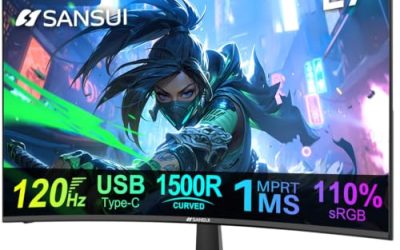
 SANSUI 27 Inch Curved 240Hz Gaming Monitor FHD27.017.66 x 24.13 x 17.84 inches7.26 PoundsCheck on Amazon


Top 3 picks at a glance
Quick Picks
As an Amazon Associate we earn from qualifying purchases at no extra cost to you.







| Product | Best for | Key spec from the title |
|---|---|---|
| ASUS TUF Gaming VG259QMR5A | Competitive esports play | 25 inch, 310Hz, G-SYNC Compatible |
| Sceptre E225W-FW144 | Small desks and tight budgets | 22 inch, up to 144Hz, DisplayPort and HDMI |
| Sceptre C248W-1920RN | Immersive casual gaming | 24 inch curved, R1500, 98% sRGB |
| Dell SE2726HG | Big-screen fast-paced games | 27 inch IPS, 240Hz, FreeSync Premium |
| SANSUI 27 Inch Curved 240Hz | Wide color and contrast on a budget | 27 inch curved, 240Hz, 130% sRGB |
| Dell SE2426HG | Sharper 1080p at 240Hz | 23.8 inch IPS, 240Hz, FreeSync Premium |
| MSI PRO MP243L E14 | Gaming plus office work | 24 inch IPS, 144Hz, HDR Ready |
| Acer KB272 G0bi | Casual play and everyday use | 27 inch IPS, 120Hz, sRGB 99% |
How to Choose
Match refresh rate to what your PC can deliver
A 240Hz panel only pays off if your system can push close to 240 frames per second in the games you play. Esports titles such as Counter-Strike 2, Valorant, and Rocket League can reach those numbers on mid-range hardware at 1080p, while modern open-world games often cannot. Treat 144Hz as the practical sweet spot for mixed play, 240Hz as the target for competitive shooters, and anything near 300Hz as a niche choice for players who already have a high-end processor.
Size and pixel density go together
At 1920×1080, a 24-inch screen delivers roughly 92 pixels per inch, a 25-inch screen about 88, and a 27-inch screen about 82. Below about 85 you may notice visible pixel structure in text and thin UI lines. If you sit close or read a lot, favor 24 to 25 inches. If you sit farther back and mainly play fast action, 27 inches gives a bigger field of view without much penalty.
Panel type and adaptive sync
IPS panels offer wider viewing angles and more accurate color than most budget VA panels, which tend to have higher contrast but slower dark transitions. Look for FreeSync Premium or G-SYNC Compatible branding, which typically indicates low framerate compensation, and confirm the sync range works through the port you plan to use. If a spec sheet lists only HDMI at 144Hz or higher, confirm which HDMI version is used, because older versions can cap refresh rate at 1080p. DisplayPort is the safest connection for high refresh rates.
What to ignore, and where budget models cut corners
Ignore the “1ms” label by itself, since it is usually a MPRT figure with backlight strobing rather than a gray-to-gray transition time. Treat “HDR Ready” or plain “HDR” on an entry-level panel as a compatibility tag, not a real high-dynamic-range experience, because meaningful HDR needs high peak brightness and local dimming. Budget models also save money on stands, often offering tilt only, and on speakers, which are fine for system sounds but poor for music.
The 8 Best Options
ASUS TUF Gaming VG259QMR5A
This is the pick for players who treat refresh rate as a competitive edge. The title lists a 25-inch 1080p panel running at 310Hz with G-SYNC Compatible support, FreeSync Premium, and ELMB Sync, a motion-blur reduction feature designed to work alongside variable refresh. It also mentions Gaming AI and DisplayWidget Center software for on-screen tweaks. At 25 inches, 1080p stays reasonably sharp, which is why this size is popular with esports players who sit close and track small targets.
- Strength: a 310Hz refresh rate is the highest of the group and suits fast shooters.
- Strength: supports both G-SYNC Compatible and FreeSync Premium, so it pairs with either GPU brand.
- Trade-off: the refresh rate only pays off if your PC sustains very high frame rates.
Skip it if you mostly play single-player story games at 60 to 100 frames per second, where the premium is wasted.
Sceptre E225W-FW144
A small, simple screen for a first gaming setup or a secondary display beside a main monitor. The title lists a 22-inch FHD panel, up to 144Hz, HDMI and DisplayPort inputs, built-in speakers, and a Machine Black finish. The compact size means 1080p looks tight and clean, and it fits on shallow desks or dorm shelves where a 27-inch screen would crowd out the keyboard. The 144Hz ceiling is a sensible match for mid-range graphics cards that rarely reach 200 frames per second.
- Strength: the listed DisplayPort input is the better connection for reaching high refresh rates.
- Strength: built-in speakers cover basic audio without extra purchases.
- Trade-off: 22 inches is small for anyone who wants an immersive view.
Skip it if you want a large screen or a panel with a documented wide-gamut color spec.
Sceptre C248W-1920RN
This curved 24-inch model suits buyers who want a gentle wrap-around feel without a large footprint. The title lists a 1500R curve, 98% sRGB coverage, two HDMI inputs, a VGA port, built-in speakers, and VESA wall mounting. That combination works well in a shared room: one HDMI port can feed a console while the other serves a PC or streaming box, and the speakers mean no desk clutter. The title does not mention a refresh rate, so treat it as a casual-gaming display.
- Strength: two HDMI ports let you connect a console and a PC at once.
- Strength: 98% sRGB coverage is respectable for casual color work and video.
- Trade-off: the title does not list a high refresh rate or a DisplayPort input.
Skip it if competitive refresh rates or adaptive sync are your priority.
Dell SE2726HG
Dell positions this as a straightforward large-screen choice for fast gameplay. The title shows a 27-inch FHD IPS panel at 240Hz with AMD FreeSync Premium and an eye-comfort certification from TUV, plus additional connections in the truncated listing. IPS brings wide viewing angles, so the picture holds up when friends gather around the desk or when you lean back from the screen. It is a logical step for someone leaving a 60Hz display who wants a bigger canvas and much faster motion in the same purchase.
- Strength: 240Hz on an IPS panel brings speed and good viewing angles together.
- Strength: FreeSync Premium reduces tearing across a wide frame rate range.
- Trade-off: 1080p on 27 inches is softer than the same resolution on 24 inches.
Skip it if you sit very close to the screen and read a lot of small text.
SANSUI 27 Inch Curved 240Hz
For buyers who want spec-sheet value, this curved 27-inch screen lists a lot. The title cites 240Hz, a 1500R curve, 130% sRGB, 4000:1 contrast, HDR, FreeSync, and MPRT 1ms, along with a low blue light mode. The high contrast figure usually points to a VA-style panel, which tends to show deeper blacks in dark games and movies than typical IPS screens. It is a fit for players who want motion speed, a curve, and punchy contrast without paying for a major-brand badge.
- Strength: the 4000:1 contrast figure points to deeper blacks for dark scenes.
- Strength: 240Hz and FreeSync at a 27-inch size make it a feature-rich budget pick.
- Trade-off: the HDR label on a panel like this is a compatibility feature, not a true HDR experience.
Skip it if you prefer the wide viewing angles associated with IPS or want a recognized brand support network.
Dell SE2426HG
The smaller sibling to the 27-inch Dell, this one lists a 23.8-inch FHD IPS display at 240Hz with AMD FreeSync Premium and the same eye-comfort certification. At this size 1080p looks tight, with roughly 92 pixels per inch, so text and fine detail stay clean. That makes it a good fit for competitive players who sit close, and for anyone who wants one monitor that handles both fast shooters and a day of browsing without visible pixel structure.
- Strength: 240Hz IPS at a size where 1080p remains sharp.
- Strength: FreeSync Premium and a recognized eye-comfort certification.
- Trade-off: less screen area than the 27-inch alternatives.
Skip it if you want a bigger canvas for cinematic games or split-screen multitasking.
MSI PRO MP243L E14
This one straddles gaming and office life. The title lists a 24-inch IPS panel, 1920×1080, 144Hz, FreeSync, HDR Ready, HDMI and VGA inputs, VESA mounting, tilt, and a slim four-side bezel design, and it calls itself a gaming office monitor. The slim bezels make it easy to place two side by side, and 144Hz gives a visible smoothness gain even for desktop scrolling. It suits students and remote workers who want to unwind with games on the same screen they use for spreadsheets.
- Strength: a 144Hz IPS panel at 24 inches balances smoothness and sharpness.
- Strength: slim bezels suit dual-monitor desks and VESA arms.
- Trade-off: the listed ports are HDMI and VGA, so there is no DisplayPort in the title.
Skip it if you need a high-end esports refresh rate.
Acer KB272 G0bi
A practical choice for someone who games after work and uses the screen for documents the rest of the day. The title lists a 27-inch IPS panel at 120Hz with 1ms response, AdaptiveSync, 99% sRGB, HDMI and VGA inputs, VESA mounting, and a bluelight filter. The sRGB figure is the highest coverage number among the non-curved models, so photos and video should look natural, and the bluelight filter helps on long evenings. It is a gentle upgrade from 60Hz, aimed at comfort more than raw speed.
- Strength: 99% sRGB coverage on an IPS panel gives dependable everyday color.
- Strength: 120Hz is a clear step up from 60Hz for casual gaming.
- Trade-off: 120Hz will feel limited next to the 240Hz models if you play competitive shooters.
Skip it if you want the fastest possible motion clarity.
Which One Fits Your Situation
You play competitive shooters and your PC can keep up
Go with the ASUS TUF Gaming VG259QMR5A. The 310Hz refresh rate and 25-inch size match how esports players typically set up. If you want a slightly lower-cost way into 240Hz, the Dell SE2426HG is the alternative at a smaller size.
You want a big screen for action games
Pick the Dell SE2726HG for its 27-inch IPS panel at 240Hz. Sit a little farther back to hide the lower pixel density.
You split time between gaming and spreadsheets
The MSI PRO MP243L E14 is built for that blend, with an IPS panel, 144Hz, and slim bezels. The Acer KB272 G0bi is the better fit if you prefer a 27-inch size.
You are building on a tight budget or a small desk
The Sceptre E225W-FW144 offers up to 144Hz in a 22-inch body with DisplayPort. If you want a curved look and two HDMI inputs for a console, the Sceptre C248W-1920RN covers that.
Common Mistakes
- Buying a 240Hz or faster panel for a PC that rarely exceeds 100 frames per second in the games you play.
- Assuming the “1ms” label means the same thing across brands, when it can refer to MPRT rather than gray-to-gray response.
- Choosing a 27-inch 1080p screen for close-up work and then being bothered by soft text.
- Plugging a high-refresh monitor into the wrong cable or port and leaving it at 60Hz in system settings.
- Paying extra for an “HDR” label on a budget panel that lacks the brightness and local dimming to deliver it.
Related guides
- 24 Inch 240Hz Gaming Monitor For Esports
- Gaming Monitor For Competitive Shooters
- Low Latency 1080P High Refresh Monitors
Frequently Asked Questions
Is 1080p still worth buying for gaming today?
Yes, if your graphics card is mid-range or you prioritize frame rate over sharpness. Competitive players often choose 1080p because it makes very high refresh rates achievable. If you have a powerful GPU and play single-player games, a 1440p screen may serve you better.
Do I need G-SYNC or is FreeSync enough?
Most modern monitors labeled FreeSync Premium also work with Nvidia cards as G-SYNC Compatible, though behavior can vary. A model that lists both, like the ASUS TUF, removes the guesswork. For AMD cards, FreeSync is the native match.
Is a curved 1080p monitor a good idea?
A curve of around 1500R can make a 24 to 27-inch screen feel more enveloping, especially for racing and open-world games. It is a matter of taste, and curved panels can look slightly odd for photo or layout work where straight lines matter.
Which port should I use for the highest refresh rate?
DisplayPort is generally the most reliable way to reach the maximum refresh rate at 1080p. If a model lists only HDMI, check the HDMI version in the spec sheet, as older versions can limit refresh rate.