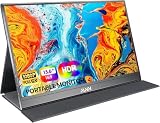
A digital signage monitor is not a desk monitor with a different label. It is expected to run for many hours a day, sit on a wall in portrait or landscape, and play a loop of menus, promotions, or announcements without someone pressing play each morning. The decision behind this keyword is how your content will reach the screen: from a USB stick, from an Android player built into the display, or from a separate media box and a bank of identical screens.
This guide is for small shops, cafes, clinics, offices, and exhibitors who want a commercial-style display without enterprise pricing, and the 2026 market is crowded enough that a clear checklist saves more time than any single spec. The five displays here are compact and mid-size, from 17.3 to 32 inches, with USB playback, Android software, touch, and wall mounting called out in their listings. One caveat up front: none of the five titles claims video wall tiling, so treat them as individual signs and verify tiling support before building a wall of them.
Our Top Picks
Top 3 picks at a glance
Quick Picks
As an Amazon Associate we earn from qualifying purchases at no extra cost to you.


| Product | Best for | Key spec from the title |
|---|---|---|
| 21.5 Inch Multi-Touch Wall Mount Display | Interactive information points | 21.5 inch, multi-touch, smart split, time switch |
| VSDISPLAY 17.3 Inch | Small counters and shelves | 17.3 inch, 1920×1080 LCD, advertising display |
| Wilsvue 29 Inch Bar Display | Shelf edges and narrow spaces | 29 inch long stretched bar, Android touchscreen, programmable |
| LMYYDES IPS Signage Display | Portrait or landscape menus | 1920×1080 IPS, wall mounted, USB picture and video playback |
| QIXZOCV MWE 32 Inch Kiosk | Window and lobby displays | 32 inch indoor, Android kiosk, auto media player, HDMI |
How to Choose
Decide how content gets onto the screen
There are three common routes. USB playback is the simplest: load images and videos onto a stick and the display loops them. Android-based displays run their own player and can often be updated over the network. A separate media box or PC offers the most control but adds cost and another device to power. Match the route to the number of screens: one sign can live on a USB stick, but ten signs with changing promotions need network control. Also ask who will update the content. If the answer is a busy manager with no technical background, favor the simplest route that still meets your schedule, even if it looks less impressive on a spec sheet.
Check the panel, orientation, and brightness
Full HD (1920×1080) is plenty at these sizes, and an IPS panel keeps colors consistent when people view the sign from the side. Landscape and portrait mounting both matter, since a vertical menu board needs a screen that rotates without dimming. For indoor displays away from windows, a moderate brightness is enough; for a sign facing a shop window, brightness matters far more than resolution. Ignore contrast ratios quoted without a standard, because they vary wildly.
Look for scheduling and uptime features
A time switch lets a screen power on and off automatically, which saves energy and prevents burn-in. Smart split lets a display show several zones at once, such as a video next to a price list. Commercial-style models are built for long hours, but budget units may use panels that are not rated for 24/7 duty, so if the sign runs all day, turn it off overnight. Touch support is only worth paying for if people will interact with the sign. Before ordering, measure the wall, the viewing distance, and the nearest power outlet, since a hidden cable path makes a commercial sign look far more professional.
Plan for video walls separately
A video wall needs thin bezels, matched panels, a way to split one picture across several screens, and usually a controller or HDMI loop-out. None of these five listings promise tiling, so use them as stand-alone signs. If you want a wall, look for models that name a bezel width, daisy chain support, or compatibility with an AV-over-IP system. Budget displays that cut corners on mounting, brightness uniformity, and cable access are a poor foundation for a wall. A wall also multiplies every weakness: one dim or off-color panel stands out immediately when it sits beside matched neighbors, so consistency matters more than any single screen’s spec.
The 5 Best Options
21.5 Inch Multi-Touch Wall Mount Display
This unbranded 21.5 inch industrial-style monitor combines a multi-touch screen with a smart split mode and a time switch, so it can act as an interactive directory or an advertising loop. It is aimed at small businesses that want both modes in one device and plan to wall mount it. A boutique owner could show product videos most of the day and switch to a touch directory when customers walk up, all from one unit mounted at eye level. Because it reads as an industrial-style panel, it also tolerates being installed in less polished spaces such as stockrooms and workshops.
- Strength: Multi-touch and smart split make it flexible for both information and promotions.
- Strength: Time switch automates power-on and power-off schedules.
- Trade-off: Unbranded commercial gear may have limited support, so check warranty terms before buying.
Skip it if you only need a non-interactive sign, since touch adds cost.
VSDISPLAY 17.3 Inch
The smallest screen in the group is a 1920×1080 LCD built for advertising. At 17.3 inches it suits a counter, a shelf, or a narrow wall space where a larger sign would feel crowded, such as beside a cash register. It is a sensible way to show a rotating special, a loyalty reminder, or a set of opening hours without redesigning the counter. Since the panel is small, content should use large fonts and few words.
- Strength: Full HD resolution on a compact panel keeps text sharp.
- Strength: Small footprint fits places a bigger sign cannot go.
- Trade-off: The title gives few details on playback options, so confirm how content is loaded.
Skip it if the sign must be read from across a room.
Wilsvue 29 Inch Bar Display
A long stretched bar format, with an Android touchscreen and programmable software. The unusual shape is meant for shelf edges, above doorways, or between shelves, where a standard 16:9 screen would not fit. Retailers use this format for shelf-edge promotions, price banners, and slim announcements, and a single bar can replace a printed header sign that has to be reprinted every season. Plan the layout in the bar proportions from the start so nothing gets cropped.
- Strength: Bar shape suits shelves and narrow locations.
- Strength: Android and touch support allow programmable, interactive content.
- Trade-off: The stretched shape needs content designed for that aspect ratio, or images will be cropped or distorted.
Skip it if you plan to show standard widescreen video.
LMYYDES IPS Signage Display
This IPS Full HD screen can be wall mounted in landscape or portrait, and it plays pictures and videos from USB. That makes it one of the easiest to run, since a staff member can update the menu by swapping a drive. A small restaurant that changes its specials weekly can handle that without any technical skill. The flexible mounting direction also lets owners choose a tall menu board layout that matches printed menus customers already know.
- Strength: IPS panel and portrait or landscape mounting for menu boards.
- Strength: USB playback of pictures and video means no network setup.
- Trade-off: USB updates become tedious with several screens or frequent changes.
Skip it if you want remote content updates. Anyone running more than three or four screens should also weigh the time cost of walking between displays.
QIXZOCV MWE 32 Inch Kiosk
A 32 inch indoor display running Android with an auto media player and HDMI input. It is the largest of the five and is built for lobbies, store windows set well inside the glass, and waiting rooms where readability from a distance matters. An auto media player is meant to start content without manual steps, which is a quiet but valuable feature in unattended spaces. HDMI input gives a fallback when a staff laptop needs to present something live.
- Strength: 32 inch size reads from across a room.
- Strength: Auto media player plus HDMI gives two ways to feed content.
- Trade-off: Indoor rating suggests it is not meant for direct sunlight or outdoor use.
Skip it if you need a screen facing a bright window or outdoor area.
Which One Fits Your Situation
You run a small cafe with a vertical menu
The LMYYDES IPS Signage Display fits because it mounts in portrait and loads menus from USB. The QIXZOCV 32 inch is the bigger alternative if the menu must be read from the queue.
You want an interactive info point
The 21.5 Inch Multi-Touch Wall Mount Display is the more suitable choice thanks to multi-touch and smart split. The Wilsvue 29 Inch is the alternative if you need a long, narrow format.
You need a tiny screen for a counter
The VSDISPLAY 17.3 Inch is the obvious choice for checkout counters and shelf-edge promotions. Because it is small, keep messages short and let one clear offer fill the screen. If the counter is deep and customers stand back, consider the Wilsvue bar instead for a more visible strip.
You are building a lobby or waiting-room screen
The QIXZOCV 32 Inch Kiosk offers the largest picture and an automatic media player, which helps non-technical staff. Its larger size also makes it the most readable pick for waiting areas where people sit several feet back. If the lobby also hosts presentations, the HDMI input lets a visiting speaker connect a laptop in seconds.
Common Mistakes
- Buying a consumer monitor and expecting it to run 24/7 without scheduling or overnight shutdown.
- Skipping a content plan, then discovering that updates require visiting each screen with a USB stick.
- Assuming any display can be tiled into a video wall without checking bezel size and input options.
- Choosing a screen too small to read from the viewing distance, which turns a promotion into decoration nobody can read.
- Putting an indoor display in direct sunlight where the picture washes out.
Related guides
- 24 Inch 240Hz Gaming Monitor For Esports
- Monitor Refresh Rate Vs Frame Rate Explained
- Gaming Monitor For Competitive Shooters
Frequently Asked Questions
Can I use a regular monitor for digital signage?
You can, but it lacks features such as scheduling, content players, and mounting flexibility. A signage display is designed to run unattended and show content in a loop. It also tends to include mounting options and cable access that make a clean installation easier.
Do I need Android on the display?
Not always. USB playback is enough for one sign with infrequent updates. Android helps when content changes often or when you want to manage several screens. Whatever the route, test a sample loop on the actual screen before you mount it, because text that looks fine on a laptop can appear tiny or cramped from several feet away.
How do I build a video wall?
You need matched, thin-bezel displays plus a controller or a splitter. Check the exact product listing for tiling support before buying multiple units.
Can a signage display run all day?
Many are designed for long hours, but a time switch to power down overnight extends panel life and cuts energy use. Check the manufacturer guidance for duty cycle. As a rule, a screen that is never needed overnight should not stay on overnight.