A 75-inch TV is the size where a television stops being furniture and starts being the room. At roughly 65 inches wide and 37 inches tall, it fills a living-room wall far more than a 55 or 65-inch set, and it changes the questions you need to ask. Panel brightness, viewing distance, stand width, and how the set handles upscaling all matter more as the screen grows, because every flaw is magnified. Shoppers in 2026 are choosing between plain LED, QLED, and Mini LED versions at this size, each with a different cost and picture profile.
This guide is for buyers who have already settled on 75 inches and now need to pick the platform and picture tier. Some want a streaming-first set with an Alexa remote, others want a gaming-ready screen with 144Hz and variable refresh rate, and others simply want the largest screen for movie nights at a sensible budget. Below you will find eight options grouped by smart platform and panel type, based on the specs listed in each product title rather than on lab measurements.
Our Top Picks
Top 3 picks at a glance
Quick Picks
As an Amazon Associate we earn from qualifying purchases at no extra cost to you.







| Product | Best for | Key spec from the title |
|---|---|---|
| INSIGNIA F50 Series 75-inch | Entry-level big screen with Alexa | LED 4K UHD, Fire TV, Alexa voice remote |
| Samsung M70H Mini LED 75-inch | Premium picture upgrade | Mini LED, 4K, Mini LED Processor 4K |
| Samsung U8000H Crystal UHD 75-inch | Mainstream Samsung ecosystem | Crystal UHD 4K, Crystal Processor 4K |
| INSIGNIA QF Series 75-inch | QLED color on a modest budget | LED 4K QLED, Fire TV, NS75-UQFL26 |
| TOSHIBA M450 75-inch | Value QLED with Fire TV | QLED 4K UHD, Alexa remote |
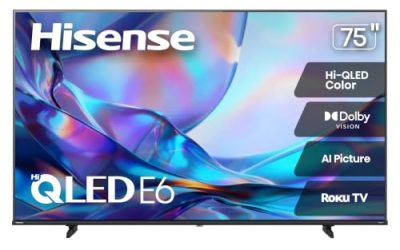
| Hisense E6SR 75-inch | Console gaming and Roku users | Hi-QLED, Dolby Vision, VRR, ALLM |
| TCL F8D 75-inch | High refresh rate with Fire TV | 144Hz 4K QLED, HDR |
| TCL T7 75-inch | PC and console gamers on Google TV | 144Hz QLED, Dolby Vision, Atmos, VRR |
How to Choose
Check your room before the spec sheet
A 75-inch 16:9 screen is about 65 inches wide before you count the bezel and feet, so a console shorter than that will not support it unless the stand legs sit near the outer edges. Measure the wall or cabinet width, and consider wall mounting, which requires checking the VESA pattern and weight capacity in the spec sheet. For viewing distance, 4K resolution lets you sit closer than you could with 1080p; a seat roughly 7 to 10 feet away is a comfortable range for this size. If your sofa is closer than 6 feet, the picture can feel overwhelming.
Panel type: LED, QLED, and Mini LED
Plain LED sets use an edge or direct backlight and sit at the budget tier. QLED adds a quantum dot layer that widens color volume and usually raises brightness, which helps in a bright living room. Mini LED packs many more tiny backlight zones, giving better contrast control and brighter highlights, and it sits in the premium tier. In a dark home theater, contrast and black level matter most; in a sunlit room, peak brightness and anti-reflection handling matter more.
Refresh rate, HDMI, and gaming features
If you only watch streaming and sports, a 60Hz panel is fine. Gamers should look for 120Hz or 144Hz support, variable refresh rate, and auto low latency mode, which switches the TV into its quickest processing mode when a console is detected. For 4K at 120Hz from a current console or PC, at least one HDMI 2.1 port is needed, so confirm the port count and which ports support the full feature set. Be cautious with “motion rate” numbers, which are marketing figures and not the same as native refresh rate.
Smart platform, HDR formats, and audio
Fire TV, Roku, Google TV, and Samsung’s own system all cover the major streaming apps, so choose based on the interface and voice assistant you prefer. For HDR, Dolby Vision and HDR10+ are the formats to look for; a set that supports both is more flexible across streaming services. Built-in speakers on slim TVs are thin, so budget for a soundbar regardless of model. Treat claims like “AI upscaling” as a feature of the processor, not a guarantee of a visibly different picture.
The 8 Best Options
INSIGNIA F50 Series 75-inch
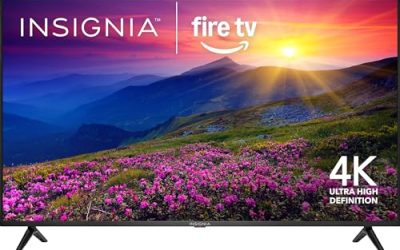
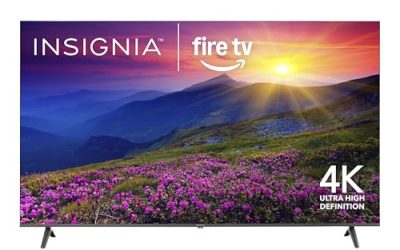
This is the straightforward entry point for a 75-inch screen. The title lists an LED 4K UHD panel with Fire TV built in, an Alexa voice remote, and the ability to stream live TV without cable. It suits first-time big-screen buyers who want a simple setup, voice search, and a large picture for sports and family movie nights without paying for a premium backlight. Everything on the list reads as plain and functional, which is a fair description of the budget tier at this size.
- Strength: Fire TV with Alexa voice control makes navigation easy for families.
- Strength: a 4K UHD panel at 75 inches gets you into the large-screen category at an entry tier.
- Trade-off: the title lists no QLED, Mini LED, or high refresh rate features.
Skip it if you want strong HDR brightness or advanced gaming features.
Samsung M70H Mini LED 75-inch
The most premium-oriented model here. The title lists Mini LED technology, 4K resolution, a Mini LED Processor 4K, Pure Spectrum Color, a current-generation model label, and Samsung Vision AI Companion. It targets viewers who prioritize contrast and color depth in a large living room, particularly for movies with dark scenes and bright highlights in the same frame. Mini LED backlights use many more dimming zones than standard LED sets, which is the main reason this tier costs more.
- Strength: Mini LED backlighting generally allows finer local contrast control than standard LED.
- Strength: Samsung’s smart platform and AI features are listed prominently.
- Trade-off: it sits at a higher price tier than the other sets in this group.
Skip it if you want the lowest cost or if your room is bright enough that contrast advantages are less visible.
Samsung U8000H Crystal UHD 75-inch
A mainstream Samsung choice using Crystal UHD technology. The title lists 4K resolution, the Crystal Processor 4K, Vision AI Companion, and free content through the built-in platform. It is meant for buyers who prefer Samsung’s interface and want a large panel without the Mini LED premium. A capable upscaling processor matters at this size, because cable boxes and older streams are lower resolution and get stretched across a very large surface area.
- Strength: Crystal Processor 4K handles upscaling of lower-resolution cable and streaming content.
- Strength: access to a free content hub reduces the need for extra apps.
- Trade-off: Crystal UHD is not a QLED or Mini LED panel, so color volume and brightness are more modest.
Skip it if you want quantum dot color or gaming-focused refresh rates.
INSIGNIA QF Series 75-inch
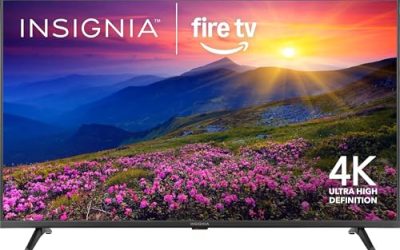
For those who want quantum dot color without stepping up to Mini LED, this model pairs a QLED 4K panel with Fire TV and an Alexa voice remote. The model number NS75-UQFL26 appears in the title. It fits families who watch lots of streaming content and want richer color than a plain LED set offers, while keeping the same simple Fire TV interface that the cheaper INSIGNIA uses. It is a sensible middle step inside one brand family.
- Strength: QLED technology typically widens the color range over standard LED.
- Strength: Alexa voice remote and Fire TV interface keep daily use simple.
- Trade-off: no high refresh rate or HDMI 2.1 gaming feature is listed in the title.
Skip it if you are a competitive gamer who needs 120Hz or 144Hz.
TOSHIBA M450 75-inch
Another QLED Fire TV option, this one from Toshiba. The title lists a 75-inch QLED 4K UHD panel, an Alexa voice remote, and live TV streaming without cable. It targets value shoppers who want quantum dot color with a Fire TV interface and have no interest in paying for gaming extras they will never use. Because the platform and panel type match the INSIGNIA QF, the decision often comes down to brand preference, warranty comfort, and what is on the shelf locally.
- Strength: QLED color with Fire TV simplicity at a value tier.
- Strength: the voice remote makes searching across streaming apps quick.
- Trade-off: the title does not list refresh rate, Dolby Vision, or gaming features.
Skip it if you want documented HDR formats or advanced gaming capability.
Hisense E6SR 75-inch
This Roku-based model leans toward gaming and home theater feature coverage. The title lists Hi-QLED, 4K UHD, Dolby Vision, Game Mode Plus, VRR, ALLM, DTS Virtual:X, and Apple AirPlay support. It suits console owners who prefer Roku’s uncluttered interface and want a set that switches into a low-latency mode automatically. Apple AirPlay support is a useful extra for households with iPhones and iPads that cast photos or video to the big screen.
- Strength: VRR and ALLM are both listed, which helps with console gaming.
- Strength: Dolby Vision and DTS Virtual:X broaden picture and audio format support.
- Trade-off: no high refresh rate beyond standard is listed in the title.
Skip it if you want Alexa voice control or a 144Hz panel.
TCL F8D 75-inch
The F8D combines QLED color with a 144Hz panel and Fire TV. The title lists a 75-inch 144Hz 4K UHD QLED and HDR support. It is aimed at buyers who want fast motion and an Alexa-driven interface in one package. The high refresh rate benefits fast sports broadcasts and PC gaming, and it pairs naturally with a gaming PC connected to the living-room TV. For Fire TV households that also game, it fills a gap the cheaper Fire TV sets leave open.
- Strength: 144Hz refresh rate suits sports and PC or console gaming.
- Strength: QLED panel adds color range over a plain LED set.
- Trade-off: the title lists only HDR generically, with no Dolby Vision mention.
Skip it if you require confirmed Dolby Vision support.
TCL T7 75-inch
This Google TV model is the most gaming-friendly in the group on paper. The title lists 4K, 144Hz, QLED, Dolby Vision, HDR10+, Dolby Atmos, Game Accelerator 288, and VRR. It is for PC and console gamers who also want broad HDR coverage, and for sports fans who value smooth motion. Listing both Dolby Vision and HDR10+ means streaming apps that favor either format can be shown at their intended look, which is not true of every set at this size.
- Strength: Dolby Vision and HDR10+ are both listed, giving wide HDR flexibility.
- Strength: 144Hz with VRR and a Game Accelerator feature serve fast-paced games.
- Trade-off: it uses Google TV rather than Fire TV, so Alexa-first households may prefer another model.
Skip it if you do not game and would rather pay less for a simpler set.
Which One Fits Your Situation
You game on a console or PC in the living room
The TCL T7 is the strongest fit on paper, with 144Hz, VRR, Dolby Vision, and a Game Accelerator mode. The Hisense E6SR is the alternative if you prefer Roku and want ALLM and Game Mode Plus.
You want the best picture for movie night
The Samsung M70H Mini LED is the premium choice, since Mini LED backlighting is designed for tighter contrast. In a dim room that advantage is easiest to see.
You are on a budget but want a very large screen
Start with the INSIGNIA F50 or the Samsung U8000H Crystal UHD. Both put a 75-inch 4K panel in the budget-to-mid tier, and the choice comes down to Fire TV with Alexa or Samsung’s own interface.
You want color without a big jump in cost
The INSIGNIA QF and TOSHIBA M450 both list QLED panels with Fire TV. Choose by brand preference and warranty comfort, since the title specs are similar.
Common Mistakes
- Measuring only the wall and forgetting that a 75-inch set is about 65 inches wide, which many entertainment stands cannot hold.
- Assuming every 4K set supports 120Hz gaming, when many 4K panels run at 60Hz and have only one HDMI 2.1 port or none.
- Ignoring the smart platform, which determines the interface and voice assistant you will use daily.
- Skipping a soundbar and expecting slim built-in speakers to fill a large room.
- Treating “HDR” on the box as a performance promise when brightness and local dimming vary widely between tiers.
Related guides
- 24 Inch 240Hz Gaming Monitor For Esports
- Gaming Monitor For Competitive Shooters
- Low Latency 1080P High Refresh Monitors
Frequently Asked Questions
What viewing distance suits a 75-inch 4K TV?
Most buyers sit roughly 7 to 10 feet away. Closer than that, you may see more of the image than is comfortable; farther than 12 feet, you lose some of the benefit of the large screen.
Is QLED better than Mini LED?
They are different technologies. QLED improves color through quantum dots, while Mini LED improves backlight control with many small zones. Mini LED sets generally deliver better contrast and highlights, and many also use quantum dots.
Do I need 144Hz on a TV?
Only if you game on a PC or a current console that outputs high refresh rates. For streaming and broadcast sports, 60Hz is typically enough, so the extra capability matters mostly to gamers.
Which smart platform is easiest for everyday use?
Roku is known for a simple, uncluttered layout, Fire TV for Alexa voice control, and Google TV for personalized suggestions. All support the major streaming apps, so the choice is mostly about interface preference.